01
Ricerca rapida, senza uscire dall'agenda
Digita un nome o un numero di telefono nella ricerca rapida del Calendario appuntamenti e il profilo del cliente si apre proprio lì, con la categoria accanto al nome, senza passare dalla lista clienti

scarica l'app


Altegio gestisce tutta la tua attività di servizi in un unico sistema: agenda del membro del team, clienti, buste paga, programma fedeltà e magazzino. Ogni cliente ha una cronologia dettagliata delle visite e le note che servono al tuo team per un servizio migliore
7 giorni gratis · senza carta di credito · migrazione gratuita
14.000+
attività lavorano con Altegio
4.9 su 5
8,474 recensioni
Migrazione gratuita
spostiamo la tua base al posto tuo
Base clienti unificata
nuovi e di ritorno, contati bene
Conosci le preferenze di ogni cliente per un servizio migliore
Cronologia visite. Ogni appuntamento che il cliente ha avuto, con i servizi, il membro del team e l'importo pagato – tutto in un unico profilo cliente
Contatti e date. Telefono, email e compleanno – abbastanza per contattarli e, più avanti, per creare una lista compleanni
Le note che scrive il tuo team. La formula colore, la ricrescita, i prodotti usati, il nome del cane che il cliente nomina ogni volta
File e campi personalizzati. Un modulo di accettazione firmato sul profilo e campi personalizzati per i dati del cliente di cui il tuo settore ha bisogno
La cronologia dei messaggi si trova sullo stesso profilo, così nessuno deve indovinare se il promemoria è partito
Il receptionist apre l'agenda al mattino e ci lavora fino alla chiusura – quindi è lì che deve trovarsi tutto ciò che riguarda il cliente
01
Digita un nome o un numero di telefono nella ricerca rapida del Calendario appuntamenti e il profilo del cliente si apre proprio lì, con la categoria accanto al nome, senza passare dalla lista clienti
02
Apri l'appuntamento e hai accanto tutto ciò che ti serve: aggiungi un servizio, incassa il pagamento, lascia una nota, prenota la prossima visita – senza saltare tra le schede
03
Dall'app mobile chiami il cliente o apri una chat WhatsApp con lui con un tocco, senza uscire dall'app o copiare il numero da nessuna parte
Il calendario mostra chi sta arrivando prima ancora che arrivi – nuovo, abituale, VIP o una categoria che hai creato tu – così chi è alla reception può prepararsi invece di reagire
Ciò che il cliente deve, ciò che ha pagato in anticipo e ciò che coprono i suoi abbonamenti
Quanto ha speso. Importo totale speso e totale pagato, accanto al numero di visite
Ciò che deve o ha pagato in anticipo. Un unico dato riunisce l'acconto versato in anticipo e il saldo ancora dovuto, così la reception lo sa prima di incassare il pagamento successivo
Ciò che coprono i suoi abbonamenti. Ogni abbonamento, gift card e carta fedeltà emessi a suo nome, con lo stato attuale
Un acconto solo dai clienti alla prima visita. La politica di pagamento può chiedere un acconto o una garanzia con carta ai clienti che non sono ancora nella tua base, mentre gli abituali continuano a prenotare come prima. Si configura in Finanze
Da dove nascono questi saldi – carte, abbonamenti e le regole di sconto che li governano – è il Programma fedeltà
Farsi trovare è gratis – ricerca, mappe, social. È la base che trasforma quella prima visita in una seconda, ed è proprio ciò che un catalogo ti toglie

La piattaforma ti vende l'automazione e con essa promuove il proprio marchio. Il tuo cliente apre l'app per prenotare da te e vede le attività intorno a te, con un badge di sconto in evidenza

I clienti prenotano tramite un link che appartiene a te, e ogni prenotazione fatta con esso è tua: nessun catalogo di concorrenti in mezzo e nessuna commissione su una visita ripetuta
Il tuo canale è un'app per i clienti: Altegio.me gratuita da subito, oppure un'app completamente personalizzata con il tuo brand su App Store e Google Play – ogni cliente ci apre la propria cronologia delle visite, il saldo e le carte, e ogni prenotazione fatta da lì arriva dritta nella tua base
Due vie d'ingresso, e nessuna è ribattere i dati: la base raccoglie la cronologia mentre la receptionist lavora, oppure da sola se hai un assistente IA collegato dal Marketplace
01
Un cliente che prenota online compare automaticamente nella tua base clienti, e la sua cronologia delle visite parte da quel primo appuntamento
02
Inviaci la tua lista e il nostro team la migra al posto tuo, gratuitamente – come funziona la migrazione. Oppure importa il foglio di calcolo da solo: le tue colonne si mappano sui campi di Altegio e Nome e Telefono sono gli unici obbligatori
Un nuovo cliente ti ha scritto per primo in un messenger? Il contatto viene salvato automaticamente, così quel cliente è nella base ancora prima che avvenga la prima visita
Combina le condizioni e salva il filtro – qualsiasi porzione della base diventa un segmento salvato, pronto da esportare o a cui scrivere. Le Categorie clienti trasformano quella porzione in un'etichetta permanente che il team vede prima che la visita inizi
Trova i clienti che:
Non hanno prenotato questo mese – la tua lista per riconquistarli
Non si sono presentati all'ultimo appuntamento
Hanno alle spalle un certo numero di visite
Compiono gli anni nel periodo che scegli
Hanno acquistato un abbonamento specifico, o non l'hanno ancora usato
Hanno un abbonamento scaduto, o uno congelato
Hanno installato l'app cliente Altegio.me
Combina due condizioni con E oppure O, poi salva il segmento e riusalo il mese successivo. La lista mostra telefono ed email accanto alla spesa totale e al numero di visite, così i tuoi clienti migliori sono visibili senza generare un report
È anche così che individui chi ha smesso di venire: il periodo di inattività che conta come abbandono lo stabilisci tu, e il filtro ti consegna la lista – pronta da etichettare, esportare o passare a un messaggio di recupero
01
VIP, abituale, nuovo, richiede un acconto – l'etichetta compare sul profilo e nel Calendario appuntamenti, così la reception sa chi sta entrando
02
Le regole del Programma fedeltà spostano automaticamente i clienti in una categoria in base a quanto spendono o alla frequenza con cui vengono, così nessuno ordina la base a mano
03
Filtra prima, poi aggiungi l'intero gruppo a una categoria in una sola volta, invece di aprire i profili uno per uno
Sei tu a scrivere la regola, così «importante» significa ciò che significa nella tua attività: cinque visite in una barberia non sono cinque visite in una clinica. Ti serve una blacklist? Crea tu una categoria: compare prima che arrivino, puoi disattivare le notifiche per loro, e una spunta sul profilo impedisce loro di prenotare online
Invia messaggi ai segmenti scelti – via SMS, tramite un messenger o come push all'app Altegio.me
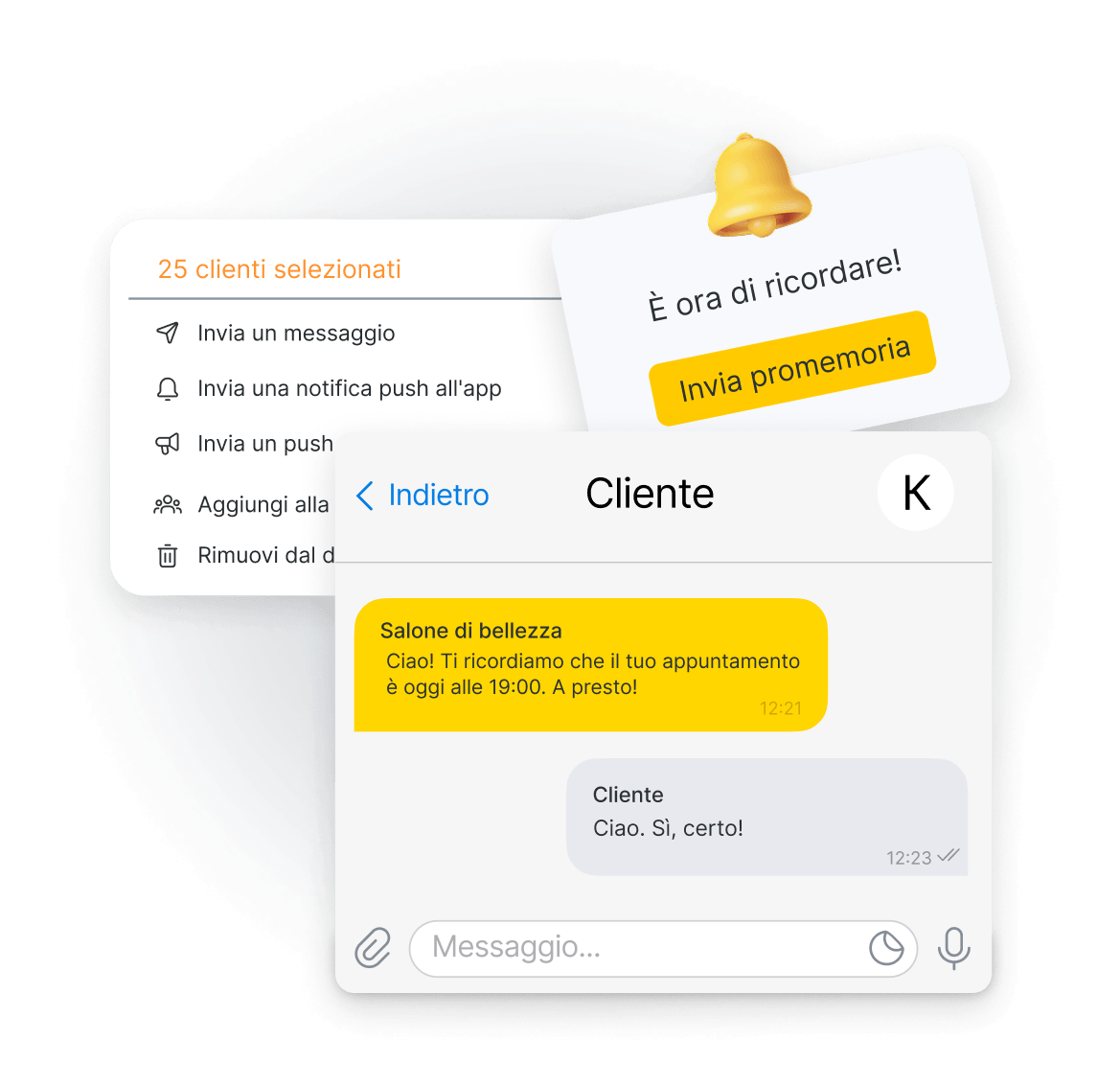
I messaggi di marketing sono regolamentati dove operi, quindi prima viene il consenso – un cliente che prenota per telefono lo fornisce per iscritto. I promemoria per un singolo appuntamento sono un'altra cosa: si trovano nelle notifiche
Stabilisci tu cosa conta come perso. Ai conteggi pensano i report
Nuovi e di ritorno, fianco a fianco. Ogni visita, cliente, membro del team e servizio si trasforma in report: quanti nuovi clienti hai avuto questo mese, quanti sono tornati e com'è il tuo tasso di ritorno
Sei tu a definire cosa significa «perso». Scegli tu quanti giorni senza una visita rendono un cliente perso: 60 giorni significano una cosa in uno studio di manicure e tutt'altra in una clinica odontoiatrica
La fidelizzazione, per chi l'ha conquistata. Il report Fidelizzazione clienti mostra i risultati del lavoro del tuo team con i clienti e si esporta in Excel come tutto il resto
Un'avvertenza: l'indicatore Clienti di ritorno conta tutto il periodo precedente, non la finestra di abbandono che hai impostato – quindi un ritorno può risalire a un mese o a un anno fa
La base clienti è un patrimonio della tua attività – porta fuori l'intera lista in Excel quando ti serve, per una sola sede o per tutta la catena
In una singola sede. Scarica l'intera lista clienti in Excel quando vuoi
Su tutta la catena. Con più sedi, esporta la base dell'intera catena in una sola volta e lavora con i dati dei clienti di tutta l'azienda invece che sede per sede
Dal telefono. L'app mobile esporta la lista clienti direttamente sul telefono o tablet e, all'inverso, importa i contatti
Esce nel formato Excel standard, quindi si apre ovunque ti serva – dal commercialista, in banca o nel tuo foglio di calcolo. Chi del team può esportarla è un permesso che assegni per singola persona, insieme agli altri qui sotto
Ogni cliente che ha visitato una qualsiasi delle tue sedi è in un'unica base: un profilo, una cronologia e un saldo, gli stessi dalla reception o dall'app mobile, con abbonamenti e carte che valgono in tutta la catena. I dati dei clienti sono dati personali, quindi ogni permesso si assegna per singola azione: la receptionist può prenotare al telefono senza poter leggere – o portare via – il resto della base
Vedere numeri di telefono ed email nella lista
Vederli sul profilo
Leggere e modificare le note
Aprire e caricare file
Vedere i campi personalizzati che hai aggiunto
Eliminare un cliente
Esportare la lista clienti
Vedere solo il nome e l'iniziale del cognome
Altegio è conforme al GDPR: i dati dei clienti sono conservati e trattati secondo il regolamento, e i permessi qui sopra sono il modo per tenere l'accesso all'interno del tuo team. Qualsiasi cosa colleghi tramite la nostra API legge solo i dati dei clienti che autorizzi
Sette giorni gratis, senza carta di credito – i tuoi clienti, la loro cronologia e i loro saldi in un unico posto dal primo appuntamento, in una base che nessuno può rivendere
7 giorni gratis · senza carta di credito · migrazione gratuita
Le domande più frequenti sul database clienti, ognuna con la sua risposta
Imposta il periodo di inattività che conta come abbandono clienti per la tua attività, poi filtra tutti quelli senza appuntamenti in quel periodo. La base ti restituisce la lista con nomi e numeri di telefono, pronta per l'invio di messaggi o da scaricare come file
I duplicati è meglio prevenirli: cerca il cliente prima di crearne uno nuovo, e la base ti mostra i suoi appuntamenti recenti. Se ne esistono già due, non c'è un'unione automatica, ma puoi combinarli a mano: sposta le visite sul profilo che tieni ed elimina l'altro – passo dopo passo
Sì. Un messaggio di gruppo arriva a quel gruppo o a tutto il tuo database clienti: via SMS, tramite un messenger collegato o come push a chi usa l'app. L'email non è tra i canali, e prima va collegato un provider SMS – si firma con uno dei nostri partner
I messaggi di marketing richiedono il consenso del cliente, e le regole dipendono da dove operi. Per una prenotazione telefonica viene raccolto per iscritto. Se in seguito cambia idea, disattivi le sue notifiche sul profilo
Sì. Ogni permesso è separato: vedere i numeri di telefono nella lista, vederli sul profilo, leggere le note, aprire i file, eliminare un cliente, esportare la lista. Puoi anche mostrare a un membro del team solo il nome e un'iniziale
Sì. Altegio conserva e tratta i dati dei clienti secondo il GDPR e ti offre i controlli che contano ogni giorno: chi può vedere un numero di telefono, chi può eliminare un cliente e chi può esportare la base sono permessi separati
La base è uno degli strati della piattaforma. Queste sono le parti che vi scrivono e ne leggono
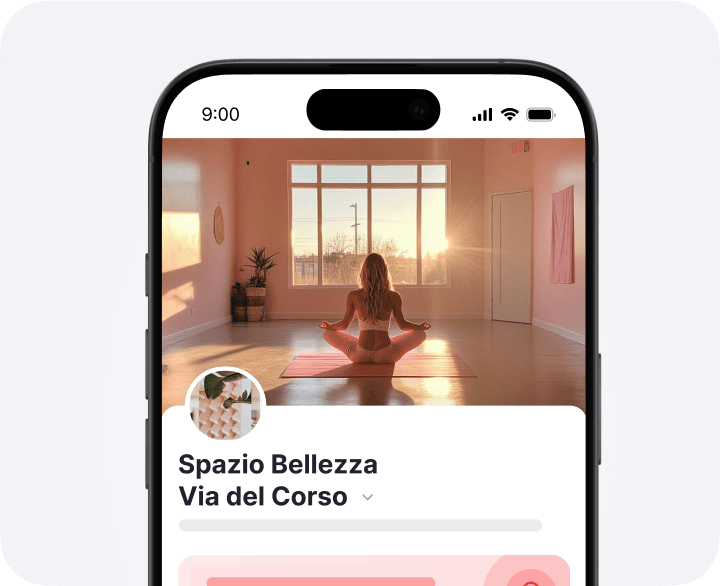
Il widget che crea il profilo: un cliente prenota e la base lo registra
Per saperne di più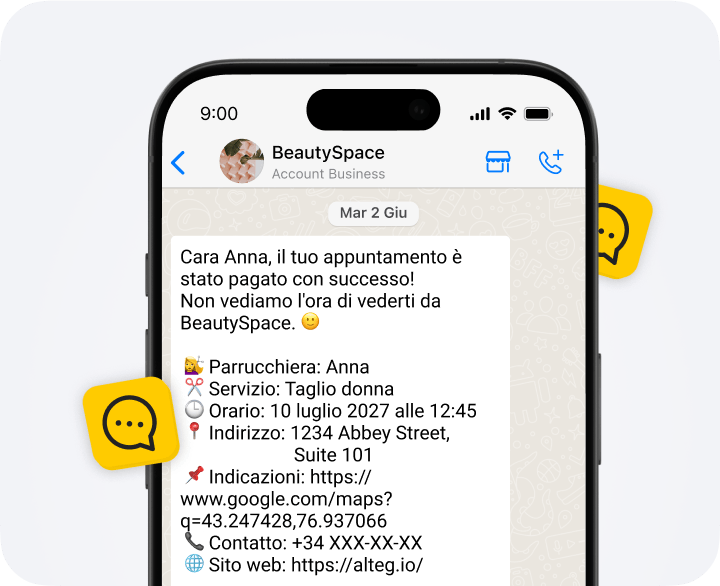
Promemoria e conferme per un singolo appuntamento, a differenza di un unico messaggio a una lista filtrata
Per saperne di più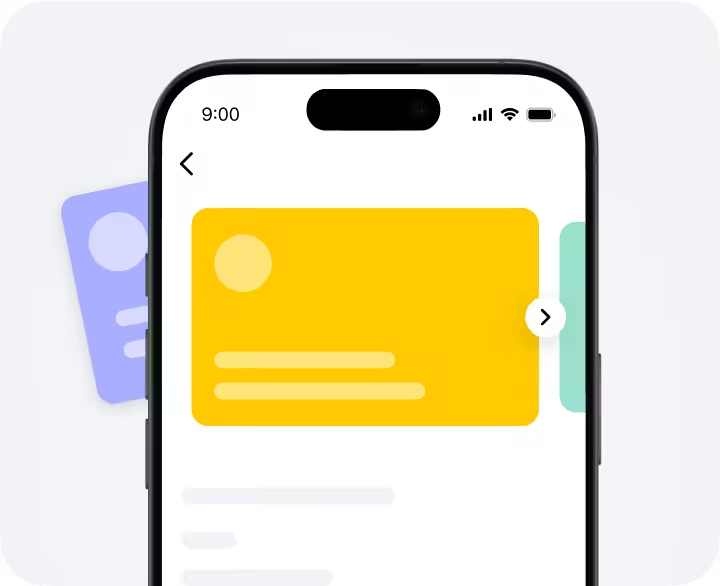
Le regole dietro ai saldi, alle carte e agli abbonamenti che leggi sul profilo
Per saperne di più