
Revenue Control is an AI assistant and CRM from Boardroom AI. It answers your clients in WhatsApp, Telegram, and a website chat widget around the clock, reads services, prices, masters, and free times from Altegio, and books, reschedules, or cancels appointments. Every new appointment arrives in the built-in CRM as a meeting and a deal with the full conversation history. An administrator can take over any dialogue at any moment.
Developer: Boardroom AI (BOARDROOM DIGITAL INTELLIGENCE F.Z.E., Dubai, UAE).
Website: boardroom-ai.ae.
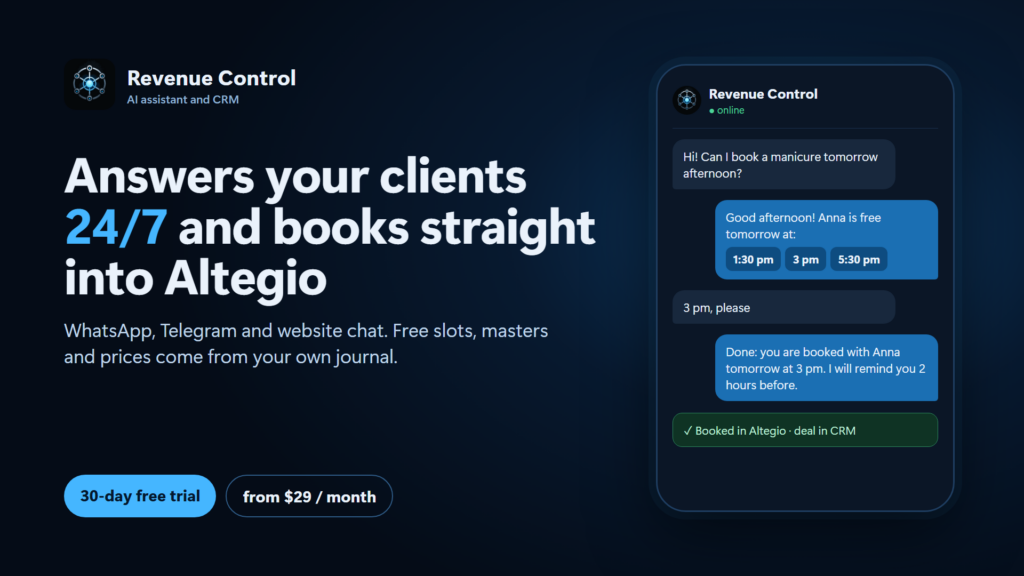
What Revenue Control can do
- answers clients 24/7 in WhatsApp, Telegram, and a website widget;
- books, reschedules, and cancels appointments using Altegio data;
- creates a meeting and a deal in the CRM with the full chat history;
- lets an administrator take over any dialogue;
- maintains a knowledge base with salon rules and FAQ answers;
- notifies waiting-list clients when a slot opens up.
The assistant does not change your price list, master schedules, or online booking settings in Altegio, does not apply discounts or bonuses, and does not take payment for a visit. Instagram direct messages are not supported yet.
How it works with Altegio
After you connect, Revenue Control gets access to the booking journal and branch directories. A client writes in a messenger or on the website, the assistant clarifies the service, master, and time, confirms the booking, and creates a visit in Altegio. If the trial ends without payment, the assistant stops answering your clients. Your data and dialogues stay in your Revenue Control account, and everything switches on again after payment.
Who it is for
Beauty salons, clinics, and other service businesses where clients often write in messengers and you need booking without an administrator at night and on weekends.
What to prepare before connecting
- An Altegio account with access to the branches you want to connect.
- The WhatsApp number or Telegram bot your clients already write to.
- Your price list and the main rules of your salon or clinic (cancellation terms, what you do not do). You can add them to the assistant knowledge base later.
- A person who will take over dialogues when the assistant hands them over.
How to connect
- In Altegio, open Administration.
- Open Integrations, find Revenue Control under AI Apps & Assistants, or open the Integration Hub card.
- Press Connect, read the access rights list, and confirm. Rights are granted at the moment of connecting; if you change them later, disconnect and connect again.
- Sign in to Revenue Control, or create an account with your email. You receive a one-time code; no password is needed.
- The cabinet opens on Integrations with a welcome block. The location you installed from is connected, a salon pipeline is created (new enquiry, consultation, booked, visited, no-show, cancelled), and a salon assistant is prepared if you have not written your own instructions. The block shows which step is left.
- Connect a messenger with the Connect WhatsApp or Connect Telegram button in the same block and follow the on-screen steps.
- Open AI Agents, then What it says: check the greeting, language, and instructions. In What it knows, add your price list and salon rules.
- Send a test message from your own phone: ask for a service, choose a time, and confirm. Check that the visit appears in the Altegio journal and in the CRM.
- Switch the assistant on. From now on it answers your clients.
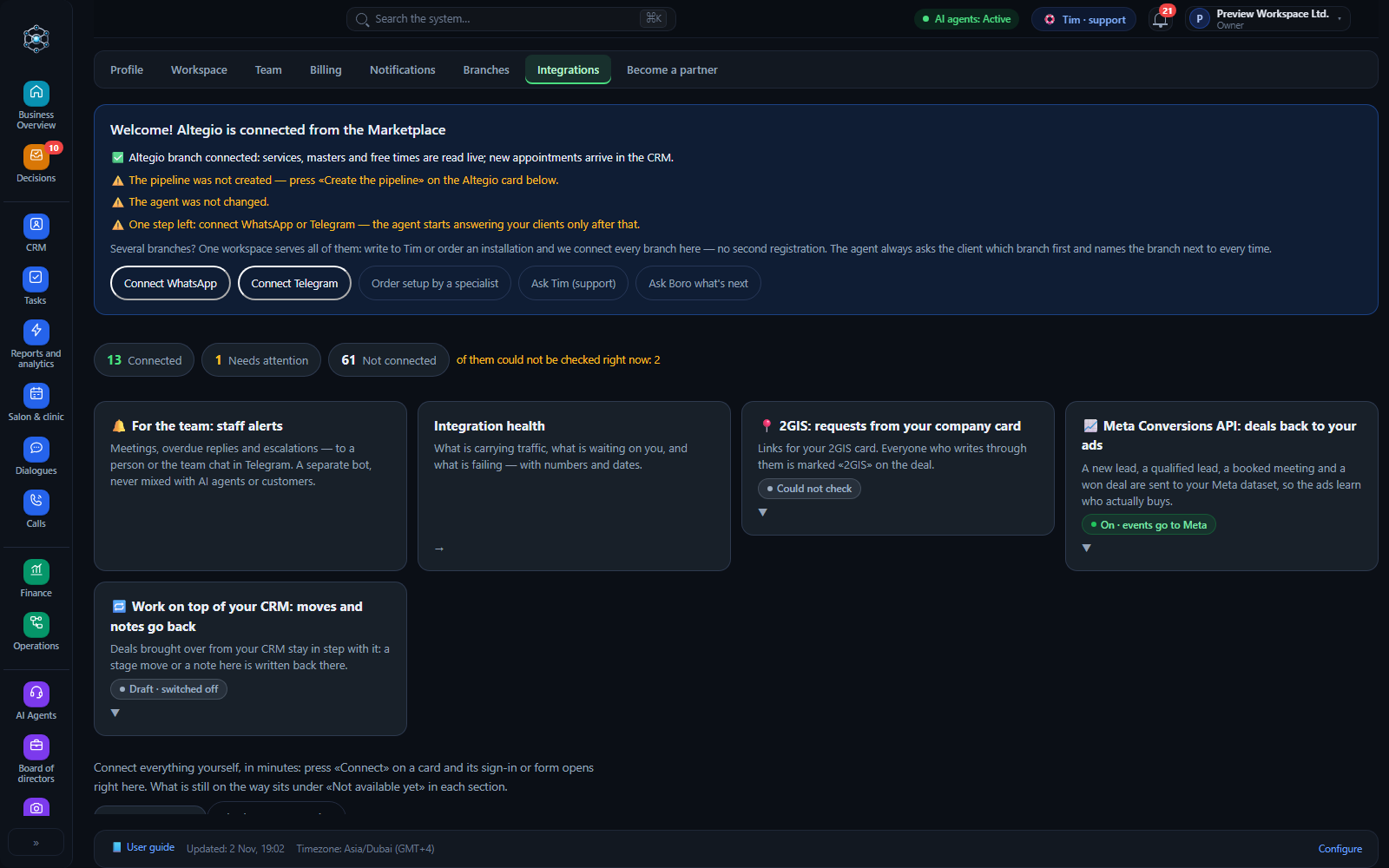
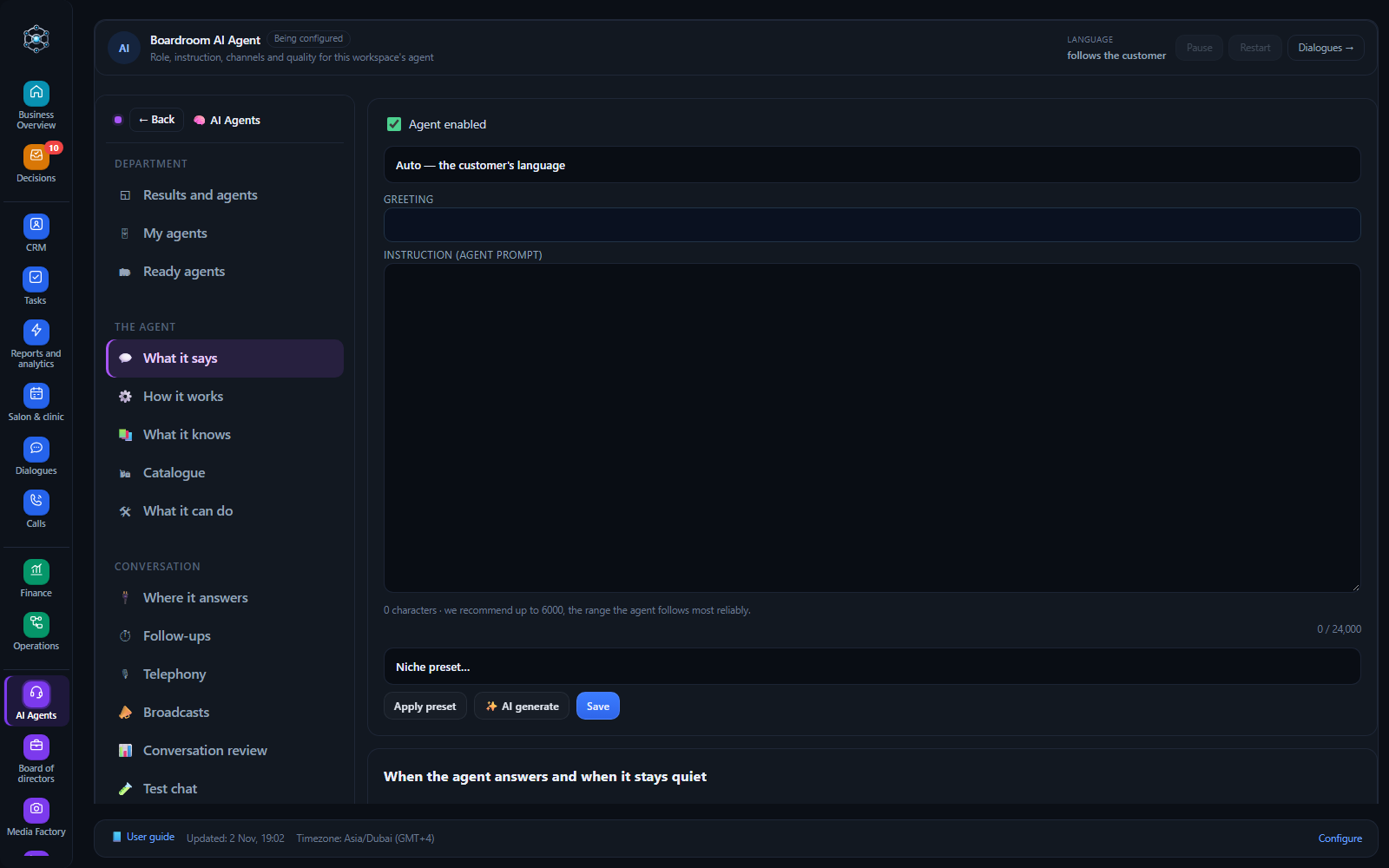
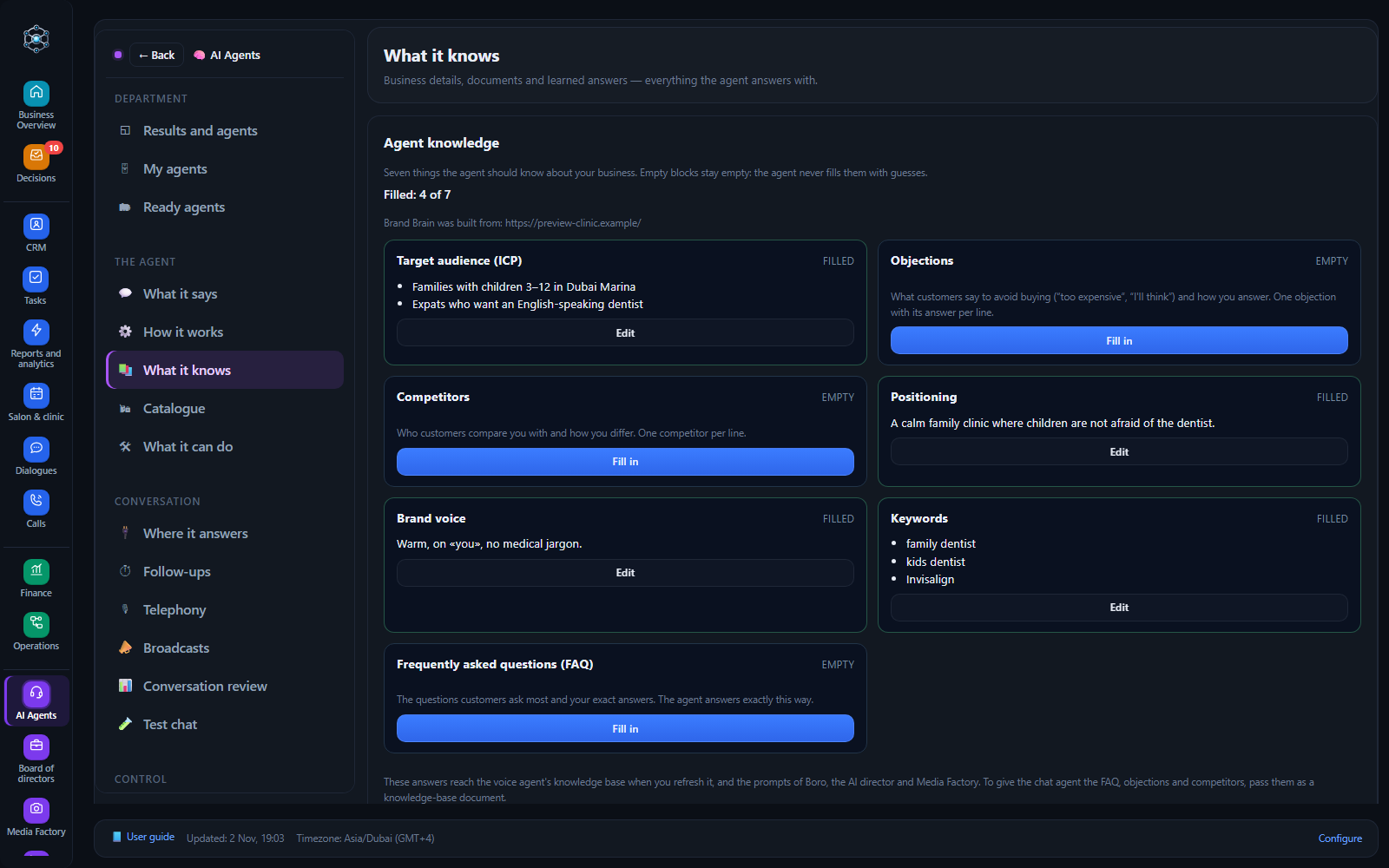
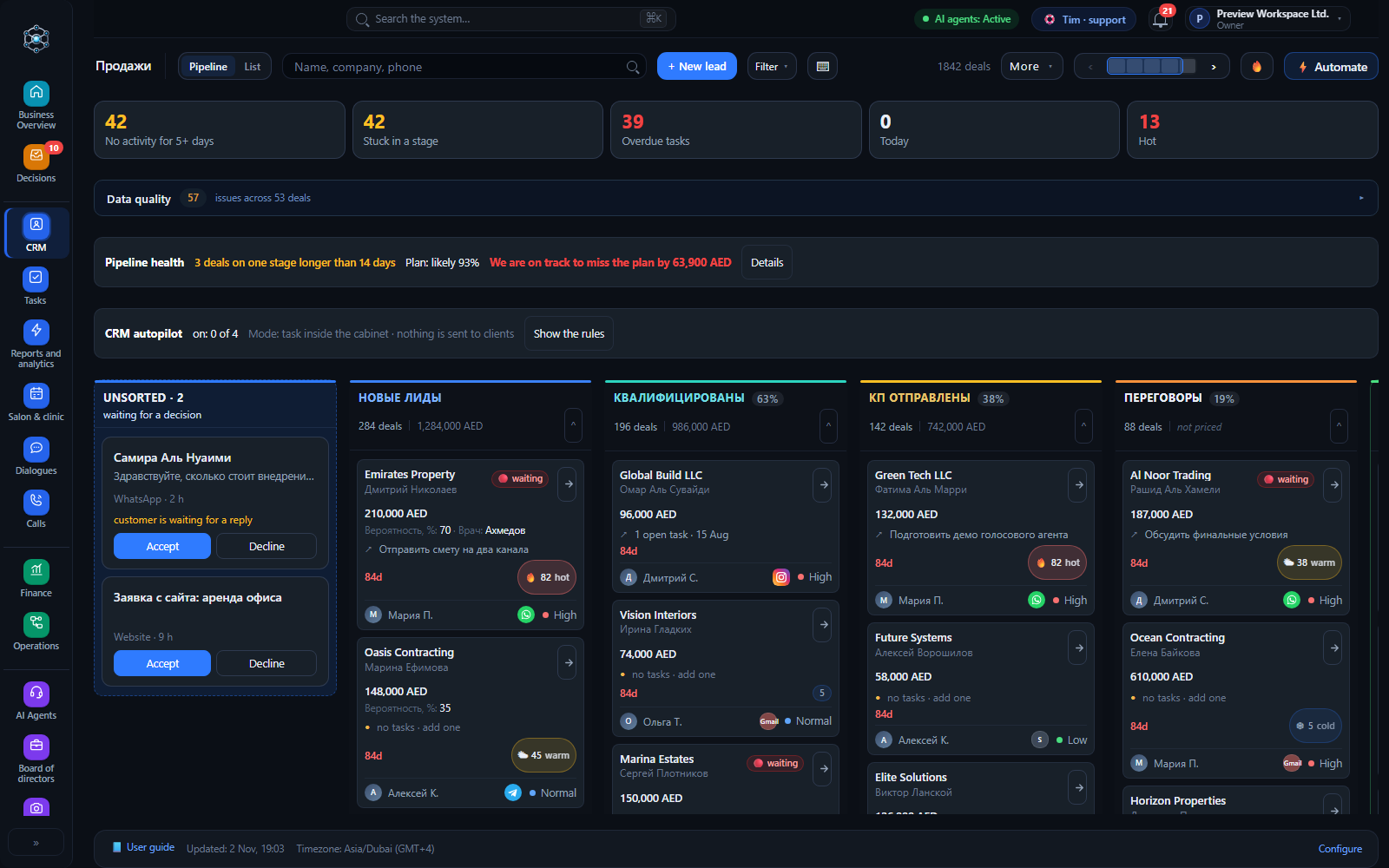
Setting up in your Revenue Control cabinet
- Branches. The location you installed from is connected. If you have several branches, check in the Altegio card (Integrations) which ones are linked. A closed branch can be switched off so that the assistant does not book there.
- Handover. Choose when the assistant passes a dialogue to a person and for how long it stays silent after a person replies.
- Languages. The assistant replies in the language of the client message. Set the greeting and tone in the assistant settings.
- Knowledge. Add answers about prices, preparation, aftercare, and rules. Answers your team gives can be offered to the assistant for approval, so it learns from real dialogues.
- Waiting list. When a visit is cancelled or moved, clients waiting for that time receive a message with the free slot.
Channels
- WhatsApp;
- Telegram;
- website chat widget.
Availability
The app is available in every country where the Altegio Integration Hub works.
Pricing
- the first 30 days are free, no card needed;
- from $29 per month;
According to the partner, the Salon plan costs $29 per month: an AI assistant in one messenger, 150 AI conversations, the CRM, follow-up reminders, and the Altegio link. Starter ($99) and Growth ($299) add more conversations, channels, and analytics. The voice assistant is a separate add-on, from $79 per month. Annual payment gives 10% off. All prices are in the Tariffs tab of the app card.
Pay in your Revenue Control cabinet: Settings, then Billing. By card or by bank transfer.
See current prices on boardroom-ai.ae and in the Tariffs tab of the Integration Hub card.
FAQ
How do I disconnect? In Altegio, open your integrations, find Revenue Control, and press Disable. Access and notifications stop at once. Your data stays in your Revenue Control account, and you can reconnect at any time. To close the account and delete the data, write to the partner support chat.
Support
- support chat in your Revenue Control cabinet;
- Telegram: @BoardroomTimBot;
- done-for-you setup with a specialist: ask in the same chat.
The Boardroom AI team replies on business days. The assistant itself works around the clock.