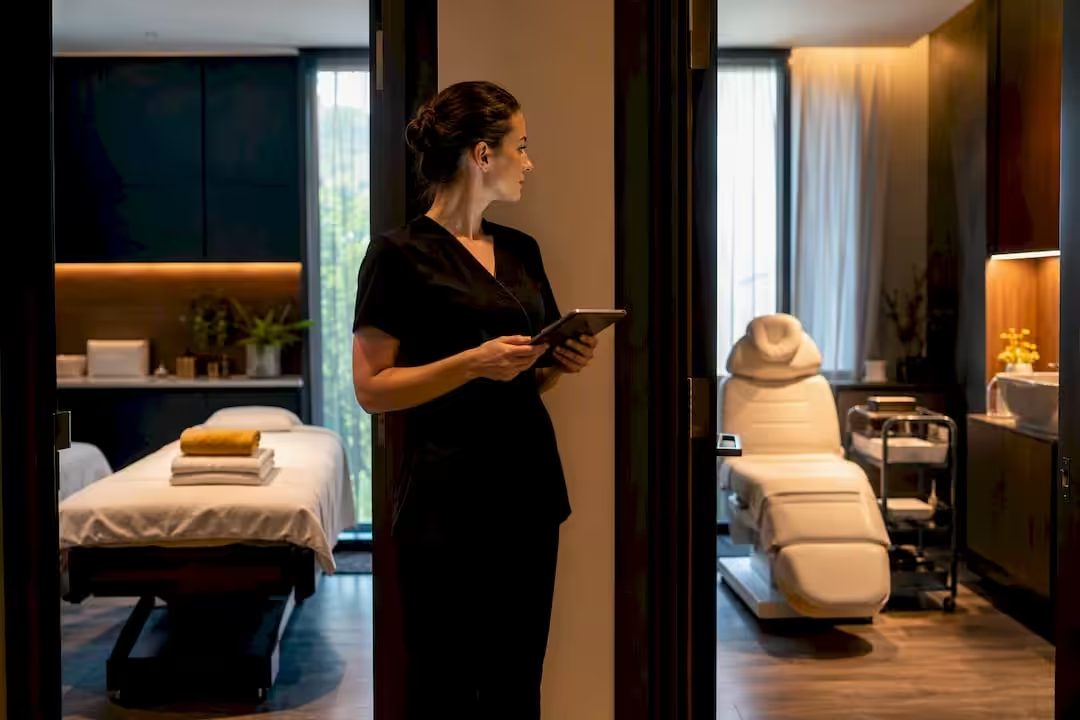
Resource scheduling books rooms, equipment and therapists together, so an appointment is only created when everything it needs is actually free. Get it right and you stop double-booking the hydrotherapy pool, stop turning clients away because the massage room is “sort of” free, and get more out of the space you already pay rent on. The settings themselves are quick. The real work is deciding which service needs which room or device, and checking the appointments already in your diary.
Key takeaways:
- Treat rooms, tables, stations and machines as bookable resources, not background furniture.
- Link every service to the resources it needs, so a slot is only offered when a free one exists.
- Let the system block cleaning and preparation time instead of relying on someone’s memory.
- Watch room use and turnaround time in the first weeks and adjust breaks to what really happens.
- In Altegio, resources are linked to services, reserved automatically when an appointment is made and shown in the Appointment Calendar.
What is resource scheduling in a spa?
Resource scheduling means booking shared assets – rooms, machines, stations – alongside the person delivering the service, so a slot is only confirmed when both are available. Staff-only scheduling checks whether Lena is free at 14:00, but has no idea that the only IPL machine in the building is already in use at the same time.
In a spa, that means treating rooms, chairs and machines as bookable resources with their own schedule. Typical resources you’ll be scheduling:
- Treatment rooms, used by one client at a time.
- Laser and IPL machines, often a single unit shared by several therapists.
- Hydrotherapy pools or circuits with room for several guests at once.
- Pedicure or facial stations, where four chairs might run in parallel.
Some resources are single-use (a room), others have several places (a pool, a row of stations). Your scheduling logic needs to know the difference.
Why spa operations depend on resource scheduling
Double-booking a treatment room doesn’t just annoy one client. It creates a domino effect: the next appointments in that room start late, the therapist apologises all afternoon, and someone rebooks somewhere else. Many spas still schedule by therapist only, which is exactly how room conflicts happen: the software sees that the therapist is free and confirms the booking without checking the room.
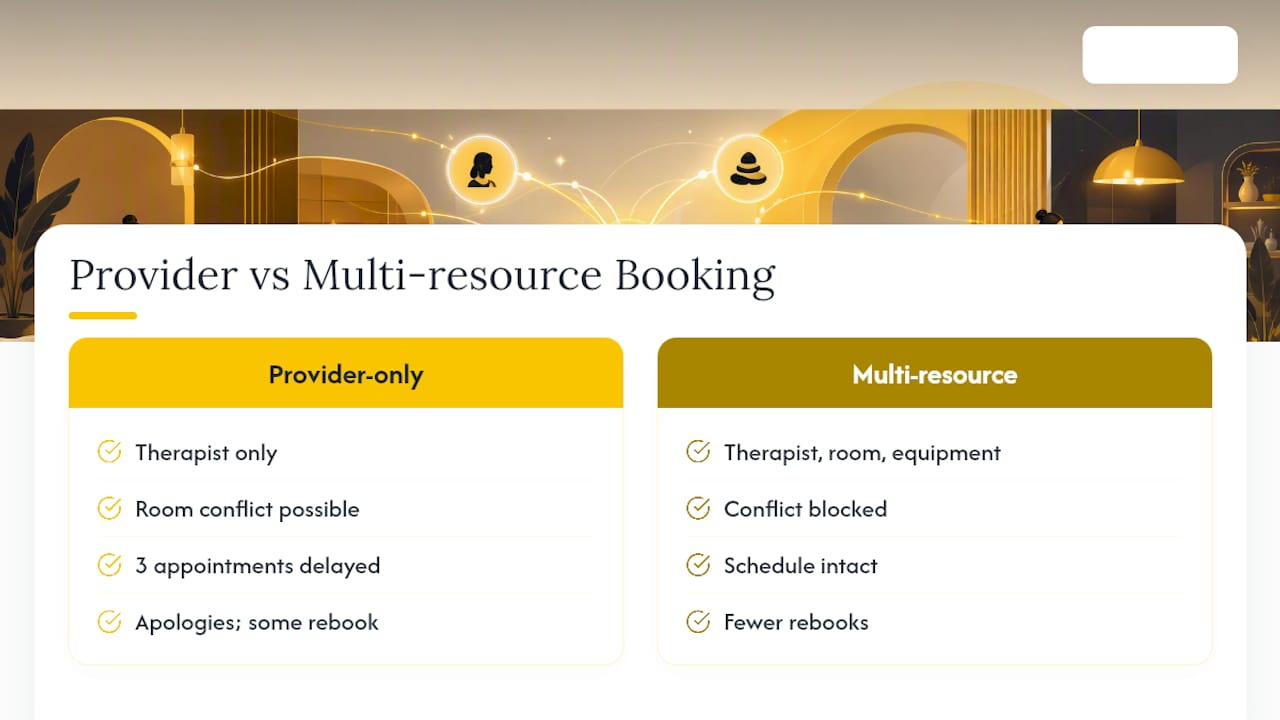
Multi-service visits make this worse. A client booking a facial followed by a hot stone massage needs two rooms, possibly two therapists, and a clean turnaround in between. Equipment-led services add another layer: if your spa owns one microdermabrasion device, every therapist qualified to use it shares a single, invisible bottleneck.
Three metrics worth tracking from day one: room utilisation, average turnaround time between appointments, and revenue per room per hour. If rooms stand empty at peak times while reception is telling callers you’re full, the problem usually isn’t demand. It’s that rooms and equipment aren’t scheduled as tightly as your therapists.
What to look for in a spa booking system
Not every booking platform handles resources properly, and the gap only shows once you’re mid-service with two guests and one massage table. When you evaluate or configure a system, check these points:
- Bookable resource records. Each room, machine and station needs its own record, and resources with several places need a way to show that capacity.
- Service-to-resource mapping. Every service should say which resources it needs and which therapists can deliver it, so nobody unqualified gets booked for a laser treatment.
- Automatic buffer time. Cleaning and preparation time between appointments should be blocked by the system, not left to someone remembering to leave a gap.
- Multi-resource appointments. A couples’ massage or a facial-and-body package needs several resources at once, and the system should reserve all of them or none.
- A resource view of the day. Reception should be able to see the schedule of each room and machine, not just the team’s.
Automation exists because most scheduling failures are habits, not technology. People forget the buffer. Someone eyeballs the diary instead of checking the system. Rules fix what memory can’t.
Pro tip: If your current system can confirm an appointment without checking room or equipment availability, that isn’t a minor gap – it’s the most likely cause of your last-minute rescheduling calls. Fix that rule before you touch anything else.
How resources work in Altegio
Altegio works on a Zero-Competition Policy: it doesn’t compete with your business for its audience, there is no marketplace showing your clients other businesses, and your client base is never resold.
In Altegio, appointment software for beauty, wellness, clinics and other appointment-based businesses, rooms and equipment are set up as Resources:
- Anything shared can be a resource – a massage room, a massage table or a device. You create it in the Resources section in Administration mode, with a name and an optional description.
- Several identical units are instances of one resource. Four pedicure stations, for example, are one resource with four instances.
- Resources are linked to services, either in the service’s Resources tab or in the resource’s own settings. Only linked resources are reserved.
- Reservation is automatic. When an appointment is created for a service with linked resources, they are reserved for it. For an online booking, one free instance of each linked resource is reserved, and an appointment can only be created when enough free resources are available.
- Clients don’t see resources in the online booking widget. They book the service, and the resource check runs in the background.
- The calendar shows both sides. The appointment appears in the team member’s schedule and in the resource’s schedule in the Appointment Calendar. In resource view, you can drag an appointment to another free resource, and in the appointment card the receptionist can pick the resource and the number of instances – useful when a couples’ massage needs both tables.
- Team members are assigned to each service in its Main settings, with an individual service duration per team member if needed, so only the people who perform a service can be booked for it.
- Technical breaks add preparation time automatically, from 0 to 1 hour in 5-minute steps, per service or for all appointments in Settings > Digital schedule > Digital Schedule Settings. Clients don’t see the break, but available times take it into account. The feature is still being rolled out, so if you don’t see it, contact Altegio Support.
One limitation to plan for: a new resource isn’t added automatically to appointments created before it existed, so those have to be updated by hand. You can see how resources fit into the rest of the calendar on the online scheduling software page.
How to set up resource scheduling in your spa
Getting from “we schedule by memory” to a properly resourced calendar doesn’t need a system overhaul. It needs a sequence.
- List every resource. Write down every room, chair, machine and shared space, how many units of each you have, and when each is regularly out of use for cleaning, maintenance or team meetings.
- Map services to resources and team members. For each service, note which resources it needs, who can deliver it, the standard duration and the preparation time before the next client. In Altegio, that’s the service’s Resources tab, its team members and its technical break.
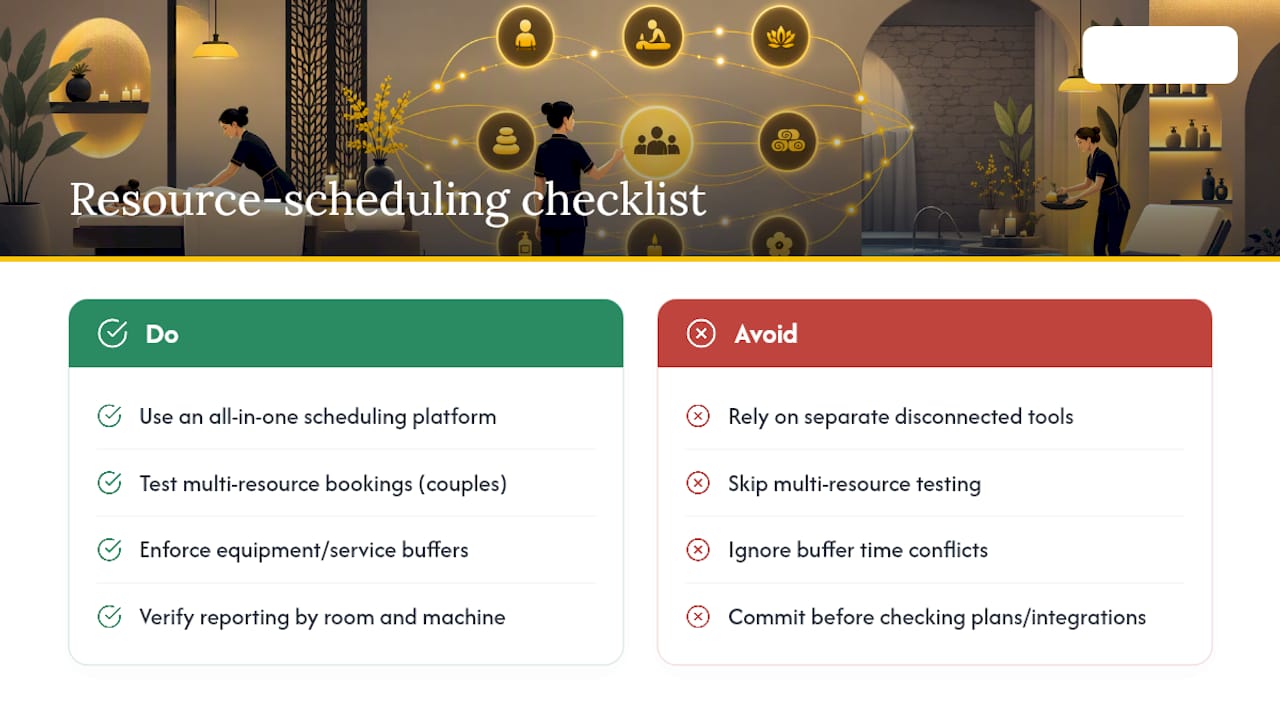
- Create resources and test the flows. Add the resources with their instances and link them to services. Then check Online Booking > Settings, where slot rules and booking intervals decide which start times clients see. Before going live, test a single-resource appointment, a multi-service visit and a couples’ appointment, and try to book the same room twice: the system should refuse the second one, not squeeze it in.
- Update existing appointments. Add resources to appointments already in the diary, because new resources aren’t attached to them automatically.
- Train, then watch the data. Show reception and therapists the new rules, agree who may move appointments between rooms, and review room use and turnaround weekly for the first month to tune breaks and resource counts.
That last step matters more than people expect. Most problems in the first month aren’t software bugs – they’re settings nobody adjusted after the initial rollout.
Common scheduling mistakes that quietly cost you money
Most spas that struggle with resource scheduling aren’t missing the technology. They’re misusing it in a few predictable ways.
- Scheduling by therapist only. If a service needs a room or machine and the resource isn’t linked to it, the system can’t protect it. Link resources to every service that uses one, not just the obvious ones.
- Underestimating turnaround time. Fifteen minutes after a mud wrap sounds generous until cleaning takes twenty. Time it for a week and set the break to match.
- Hidden portable equipment. A portable LED device or steamer that “lives” in whichever room grabbed it last is invisible to any calendar. Make it a resource of its own instead of leaving it to guesswork.
- Manual moves nobody reviews. Under pressure, people squeeze a client into a room that isn’t free, and the conflict resurfaces an hour later. Limit who can move appointments and look through changes weekly.
What actually changes after go-live
The first thing managers notice isn’t a big number. It’s the absence of a small annoyance: reception stops phoning treatment rooms to check whether a slot is really free. Watch utilisation and turnaround from week one, and involve senior therapists in setting breaks rather than just telling them what they are. Roll out in stages – a big-bang launch on a Saturday is how good systems get blamed for bad timing.
Run resources, appointments and stock in one system
A booking tool, a card terminal and an inventory spreadsheet running side by side give you three sources of truth that never quite agree. In Altegio, resources sit in the same Appointment Calendar as your team members’ schedules, consumables can be written off automatically through bills of materials linked to services with inventory control, and payroll is calculated in the same system.
During the 7-day free trial, test what actually breaks spas: a couples’ appointment, technical breaks between equipment-led services, and how the resource view of the Appointment Calendar shows each room and device. The price depends on the number of team members and the billing period – see pricing.
FAQ
What is resource scheduling?
Resource scheduling is booking shared physical assets – rooms, equipment, stations – alongside the team, so an appointment is only confirmed once everything it needs is free. Staff-only scheduling checks a person’s calendar but ignores the room or machine they need.
What is the best scheduling software for spas?
The best fit depends on how many resource types you manage, but look for a system that checks therapists, rooms and equipment in one booking flow rather than bolting resources onto a people-only calendar. With Altegio online booking, resources linked to a service are reserved automatically when the client books, without the client having to choose them.
What is the best CRM software for spas?
A spa CRM works best when it’s tied to your appointments rather than kept as a separate contact list, because visit history matters most when it informs scheduling decisions. In Altegio, the client base lives next to the Appointment Calendar, with filters such as lost clients for win-back work.
How does resource scheduling prevent double-booking?
It checks every required resource – room, therapist, equipment – before an appointment is created, instead of checking the therapist alone. In Altegio, an appointment for a service with linked resources can only be created when enough free resources are available, so the room isn’t silently overbooked.
Do I need separate software for equipment tracking?
Not for scheduling. A device can be a resource in your booking system, with its own schedule in the calendar, which avoids tracking machine bookings in a spreadsheet. Consumables are a different job: in Altegio they’re handled by inventory control, with automatic write-off through bills of materials linked to services.
Read next
- A salon booking system: how to choose.
- Why a salon needs a booking system: 5 numbers.
- Online appointment scheduling software: a complete guide.
- Time management for hairdressers and beauticians: 9 tips.