
Solwees AI is an AI receptionist for salons. It answers calls and messages 24/7, books clients straight into the Altegio Appointment Calendar, confirms, reschedules and cancels visits, and helps reduce no-shows with prepayment.
Developer: SMYADGT LTD. Website: solwees.ai.

What Solwees AI can do
- answers incoming calls 24/7, with no days off or lunch breaks;
- replies on WhatsApp Business and Instagram Direct on behalf of the salon;
- works with web chat and email;
- sees free slots in Altegio in real time and creates an appointment with the right service, team member and duration;
- syncs services, prices, team members and schedules from Altegio automatically;
- confirms, reschedules and cancels appointments without the receptionist;
- understands and speaks 50+ languages and detects the client’s language automatically;
- sends a Stripe prepayment link on WhatsApp;
- runs a waitlist: when a slot frees up, it offers it to the next client;
- hands complex calls or conversations over to a team member, keeping the context;
- records calls and keeps transcripts;
- gives the team a mobile app (iOS / Android) with calls, WhatsApp, Instagram and web chat in one place.
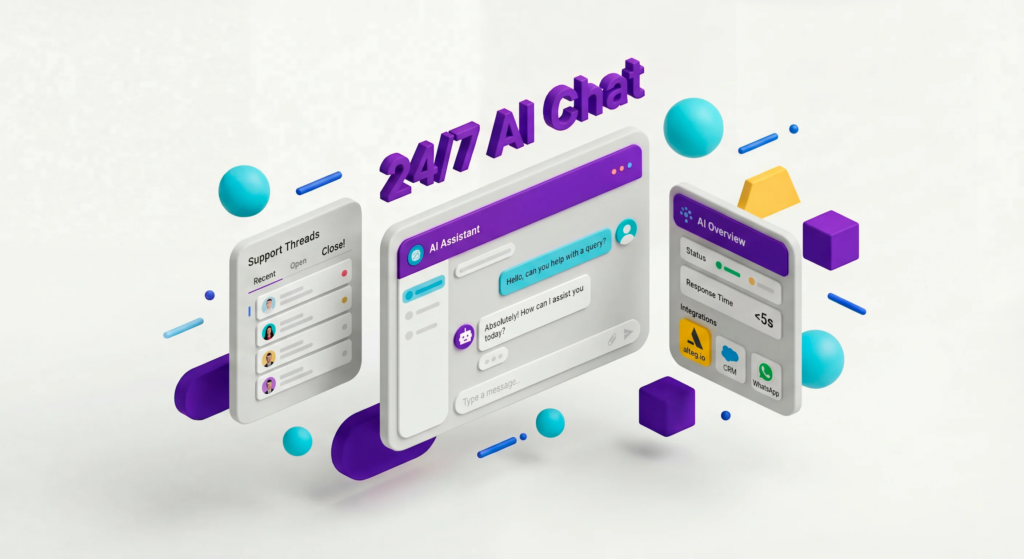
How it works with Altegio
- You connect your Altegio account to Solwees in a few clicks.
- Solwees pulls services, team members, schedules and rules from Altegio.
- You launch the channels: phone / WhatsApp Business / Telegram / Instagram / web chat / email / Viber / TikTok / Messenger.
- A client writes or calls, and the AI replies and books them.
- The appointment appears in Altegio within 1–3 seconds with the right service, team member and duration.
If a client reschedules or cancels a visit in the chat, the slot in Altegio is updated automatically.
Prepayment and no-shows
In the Solwees dashboard you can turn on prepayment:
- Always — prepayment for all appointments;
- Smart — only for clients with a high share of cancellations in their history.
The amount is set as a percentage of the service price or as a fixed amount in EUR. The client receives a Stripe link on WhatsApp. Without payment the appointment is not confirmed, and the slot in Altegio stays free.
Telephony
Your main salon number stays with you. When you connect, a separate number is created, and you set up call forwarding to it:
- all incoming calls go straight to the AI;
- or only missed calls (if nobody picks up within 10–15 seconds).
You can change the mode at any time.
See the bot in action and book a demo
On the Solwees website you can:
- book a demo: they show how Solwees handles a real call, answer your questions and help you connect your booking system;
- watch videos and screen recordings of the bot working with Altegio: booking, rescheduling and cancelling on WhatsApp, and real-time sync with the Altegio Appointment Calendar;
- on some landing pages, try the live demo, a voice demo in the browser: click the microphone and talk to the agent without signing up.
How to connect
- In Altegio, switch to Administration mode.
- Open Integrations and find Solwees AI in the AI Apps & Assistants category or through the search.
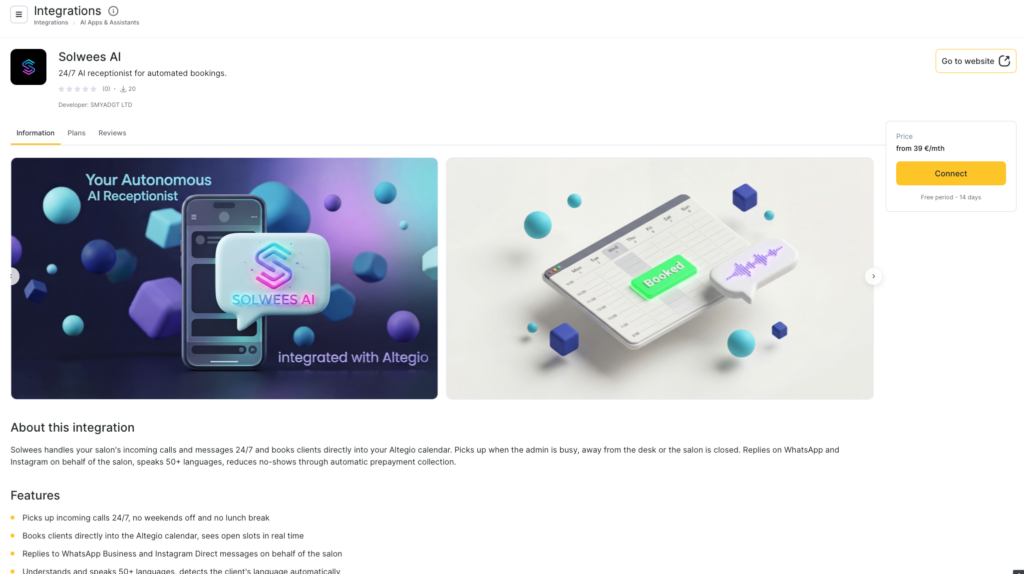
- You can also open the app card via the direct link.
- Click Connect.
- Then follow the Solwees onboarding: you can paste your website URL, Instagram or a PDF price list so the AI gathers your business details faster. Basic setup usually takes less than a day.
More about the integration: solwees.ai/en/product/integrations/altegio.
Availability
The app is available in all countries.
Pricing
Trial period: 14 days. A card is required at sign-up, and nothing is charged during the trial. After 14 days the subscription does not start on its own: you choose a plan manually.
Example plans (according to solwees.ai/en/pricing):
- Hub — from €39/month (unified inbox and CRM without AI);
- Solo — from €99/month (web chat / WhatsApp / Instagram / email);
- Studio — from €249/month (adds Voice AI, the most popular plan);
- Network — from €499/month;
- Enterprise — from €999/month.
Check current prices and packages of minutes / active clients with Solwees.ai.
Sign in to the dashboard: app.solwees.ai/en/login
Contacts and social media
Website: solwees.ai
Email: [email protected]
WhatsApp: message on WhatsApp
Phone: +34 951 79 47 49 / +34 951 79 38 78
Instagram: solwees.ai
LinkedIn: Solwees on LinkedIn
X / Twitter: solwees
YouTube: Solwees channel
Contacts and office: Contact page
Registered address: SMYADGT OÜ, Vesivärava tn 50-201, Kesklinna linnaosa, Tallinn, 10152, Estonia. Reg Code: 16784848.
Customer support: the widget in the bottom-right corner of the Solwees website, available 24/7.