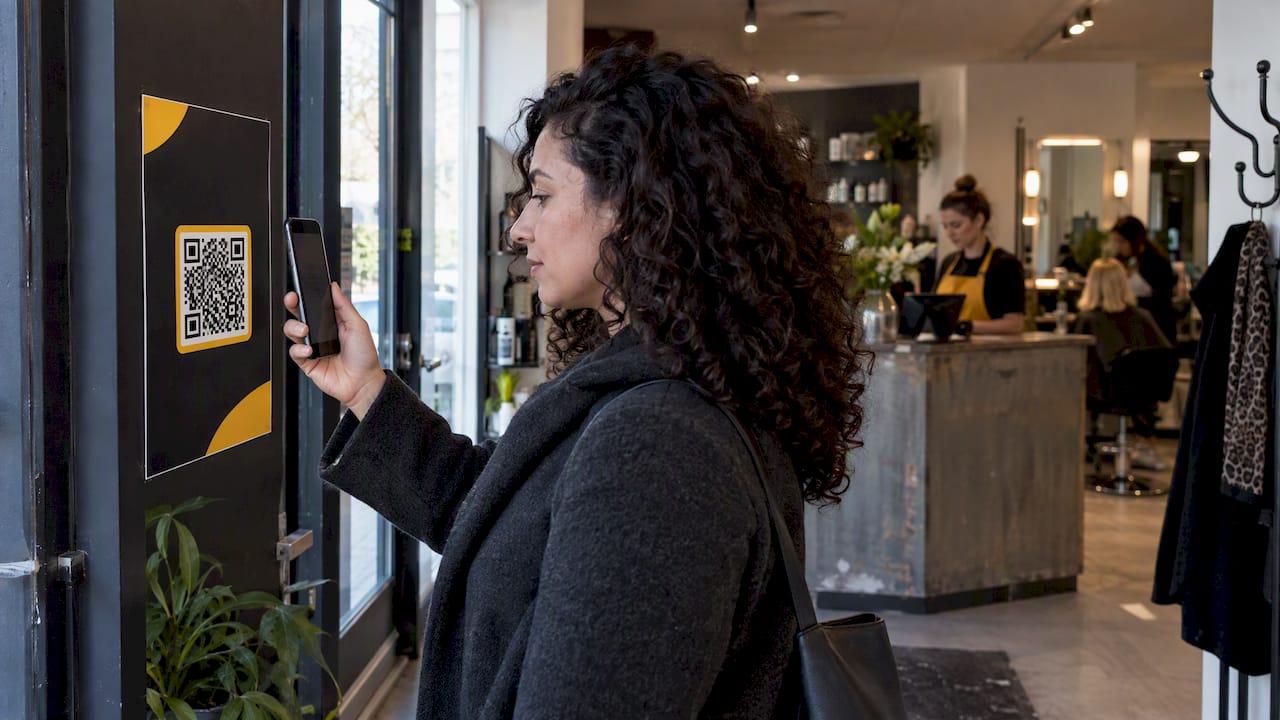
Use a dynamic QR that points to a short branded link, which redirects to a UTM tagged booking page. Create one short link per placement so you know exactly which poster, table card or window sticker is pulling its weight, and test the full journey on at least two phone models before anything goes to print. Skip this step and you’re printing guesswork.
TL;DR:
- Keep each placement on its own branded dynamic link, retain UTMs through redirects, and compare scans in your QR tool with completed appointments in your analytics.
- Set utm_medium=qr on every code, use utm_source for placement and utm_content for each asset, and keep capitalization consistent because analytics treats values as case sensitive.
- A full UTM tagged URL can add 60 to 100 characters, so keep tracking tags behind the redirect to preserve larger printed modules.
- Test a physical proof on iOS and Android in bright and dim light, and confirm the payment, booking, and redirect steps work.
- Send people to visible available slots, offer payment or deposits, confirm bookings immediately, and provide a fallback contact for anyone who cannot complete a booking.
Table of Contents
- How to create a QR code for booking in five steps
- Why dynamic QR codes beat static ones for bookings
- Getting the size, placement and wording right
- Turning scans into bookings you can measure
- Real operator setups for QR booking codes
- What we think most operators get wrong about QR booking
- Try this with Altegio: a one-week pilot for QR bookings
- FAQ
- Read next
How to create a QR code for booking in five steps
Before you touch a QR generator, decide what counts as success. A scan is not a booking, so pick the real metric (completed appointment, deposit paid, confirmed slot) and build backwards from there.
- Define your conversion metric. Decide whether success means a completed booking, a deposit payment or a confirmed slot, and set this before building anything else.
- Build the destination URL with UTMs attached. Append
utm_medium=qr(orqr-code: pick one and keep it),utm_sourcefor the placement,utm_campaignfor the promotion andutm_contentfor the specific asset, the structure most QR code UTM guides use. - Shorten the tagged URL through a branded domain or subdomain. This gives you a short, trustworthy redirect rather than a long raw link.
- Generate the QR as a dynamic redirect, not a static code baked with the full URL, and export it as SVG or PDF for sharp printing at any size, choosing an error correction level suited to where it will live.
- Assign one short link per placement, using readable slugs such as
/windowor/receptionso you can audit performance later without guessing which code sat where.
Pro Tip: Name your slugs after the physical location, not the campaign date. A code lasts years; a campaign name ages badly.
Most of the hard thinking happens in steps two and three. Get the UTM structure and the redirect right, and the rest of the workflow more or less takes care of itself.
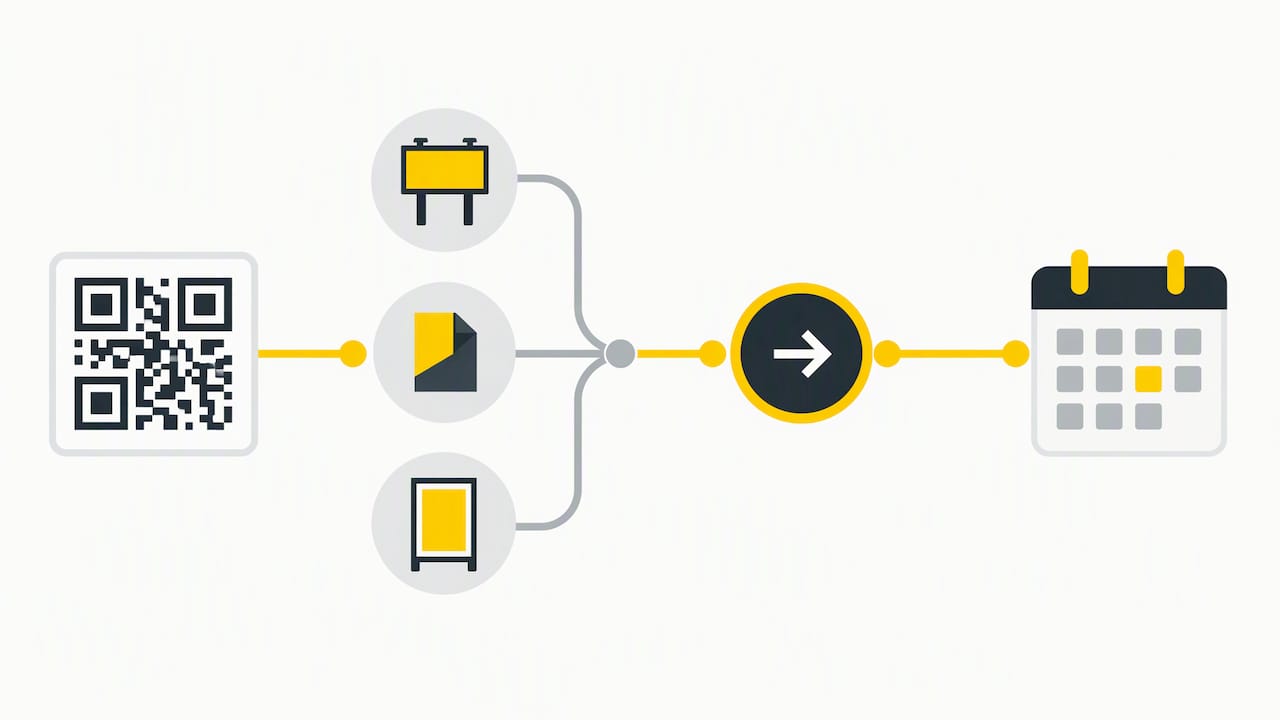
Why dynamic QR codes beat static ones for bookings
A static QR code locks in its destination forever. Print a hundred posters with the wrong link, and you’re reprinting a hundred posters. A dynamic QR code, by contrast, encodes a short redirect URL whose destination you can change at any point, which also means you can run A/B tests on landing pages without touching the printed asset.
A few conventions keep the data usable once scans start coming in:
- Set
utm_medium=qron every single booking QR, with no exceptions, so filtering in your analytics tool stays simple. - GA4’s default channel grouping does not recognise
qras a medium, so these sessions show as Unassigned unless you set up a custom channel group. - Use
utm_sourcefor the physical placement (reception, window, flyer) andutm_contentfor the specific creative or batch. - Keep casing consistent. Mixing “Poster” and “poster” fragments your data in GA4, because UTM values are case-sensitive.
- Redirect through your own domain or a branded subdomain rather than a generic shortener, which GS1 UK’s implementation best practice recommends for trust and control over the destination.
Resist the urge to encode the full UTM string directly into the QR itself. A complete tagged URL can add 60 to 100 characters, which pushes the code into a higher density version and shrinks the module size on a printed card, according to UseQR’s guidance on UTM parameters. Keep the payload short, keep the tags on the destination behind the redirect, and your code stays scannable even on a small table tent.
Getting the size, placement and wording right
A technically perfect QR code still fails if nobody can scan it. Size and distance matter more than design flair.
- Size the code for the scanning distance: roughly one tenth of the distance, so 5–10 cm suits an arm’s-length poster while a sign read from 3–4 metres needs around 30–40 cm. Place it in the lower third, at a height someone can scan without crouching.
- On table cards and business cards, keep the payload short (encode the short link, not the full tagged URL) and print the code at least 2 cm wide. A higher error correction level helps against smudges or a logo overlay, but it adds modules, so it does not make up for a small print size.
- Always sit a short, explicit instruction next to the code, something like “Scan to book now”, rather than leaving the code to explain itself.
- Export in vector formats (SVG or PDF) and check a physical print proof under the lighting your venue actually has, not just on screen.
A code that looks sharp on your laptop can turn muddy under fluorescent reception lighting, so the print proof stage is not optional.
Turning scans into bookings you can measure
A scan on its own tells you relatively little. The redirector logs a timestamp, an approximate country and a device type, but that’s a top-of-funnel event, not proof of a booking, as laid out in guidance on trackable QR codes for marketers. Closing the loop means tying that click record to what happens next on your booking page.
- Keep the UTM parameters intact through the redirect so they land on your booking page analytics.
- If your booking tool can send a conversion event, such as a GA4 event when an appointment is booked, use it to count completed appointments per placement alongside the scans your QR tool records. In the UK and EU, linking an individual scan to an appointment generally needs the visitor’s consent, so expect analytics counts to understate real appointments.
- Run a testing pass before print: scan on both iOS and Android, check in bright daylight and dim indoor light, confirm the payment and confirmation steps complete, and verify any A/B split at the redirector sends traffic where it should.
- Keep one short link per placement throughout, so
utm_contentlets you compare a window sticker against a reception card on equal footing.
Pro Tip: Test the printed proof, not just the digital file. A code that scans fine on your phone screen can behave differently once it’s reduced to card stock.
Real operator setups for QR booking codes
The mechanics stay the same across sectors; only the placement and the KPI change.
- Beauty studios and barbershops: reception desk cards, window stickers and business-card codes that land on available slots and deposit payment, measured by booked appointment rate and fewer no-shows.
- Clinics: appointment cards and waiting-room posters that let patients book their follow-up visit, measured by follow-up appointments booked per placement.
- Auto service: codes on invoices or key tags that open the booking page for the next service, measured by service appointments booked per code.
- Landing page checklist for any sector: show real available slots clearly, offer a deposit or payment option, confirm the booking instantly, and give a fallback contact for anyone who gets stuck.
What we think most operators get wrong about QR booking
Most of the advice around QR codes focuses on the code itself: size, contrast, error correction. That’s the easy part. The part operators consistently underinvest in is the landing page and the data loop behind it. A beautifully printed code that drops someone onto a slow, cluttered booking form with no visible availability wastes every bit of attention the code earned.
The other mistake is treating QR booking as a one-off print job rather than a measurement system. A code without UTMs and a redirect is a dead end: you’ll never know if the window sticker outperformed the till receipt, and you’ll keep printing on instinct rather than evidence. Dynamic, trackable codes cost the same to print as static ones, although the redirect service behind them may need a paid plan and has to stay active for the code to keep working. For a code you plan to measure, that is usually worth it.
Try this with Altegio: a one-week pilot for QR bookings
Altegio combines online booking with business management tools for appointment-based businesses, from beauty studios and barbershops to clinics. It covers the booking side of this workflow: an online booking page and booking links (including a separate link for a single service or team member), a “Book now” button for Instagram and Facebook, deposits through payment policies and automatic appointment confirmations. The QR code and any short-link redirect come from the tool of your choice, and you can connect Google Analytics 4 or Google Tag Manager to the online booking form to see how many visitors complete an appointment.
A simple way to start:
- Start a trial and create one online booking link for a single service or location.
- Create a QR code for that link (or for a short link that redirects to it) in any QR generator, export it as SVG and place it somewhere you can monitor closely.
- After one week, compare scans in your QR tool with appointments: count the “booked” event in Google Analytics and check the Appointments report in Altegio for online appointments created in that period, before rolling out to more placements.
Full subscription details, including the Altegio pricing plans, are there when you’re ready to move past the pilot.
FAQ
What is the easiest way to create a QR code for booking?
Build your UTM-tagged booking URL first, shorten it through a branded redirect, then generate a dynamic QR code from that short link rather than the raw URL. This keeps the printed code simple and lets you change the destination later without reprinting anything.
Which country discovered the QR code?
The QR code was developed in Japan, where it was created for tracking components in vehicle manufacturing before becoming a general-purpose scanning format.
Why should I use a dynamic QR code instead of a static one?
A dynamic QR code lets you change the destination, run A/B tests and record scan data such as device type and approximate location without reprinting. A static code locks in its link permanently, so any mistake or update means reprinting every copy.
Read next
- Altegio booking widgets: integration paths, social/maps channels, and GA4 analytics
- Reserve with Google & Reserve with Meta (Instagram/Facebook) – social booking in one place
- Accept payments during the booking flow – deposits and full prepayment
- Reminders and deposits: how to reduce no-shows