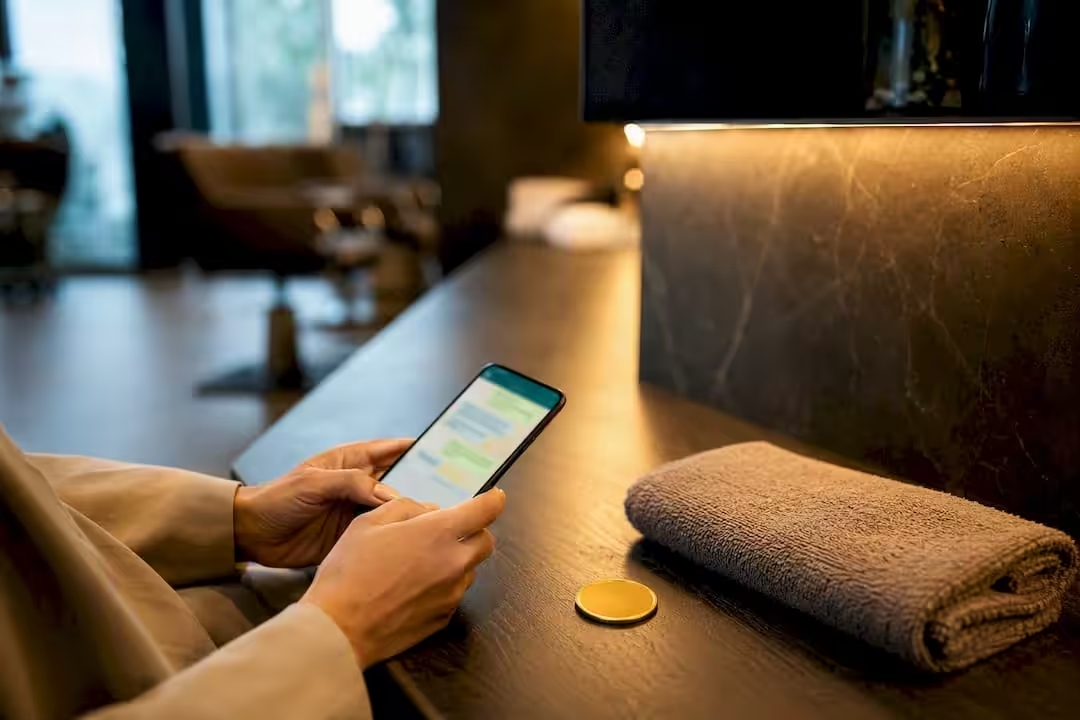
Your clients already message you on WhatsApp, so letting them book there removes a step. To make it work you need three things: a WhatsApp number connected the right way, a link between the chat and the calendar that holds your real availability, and messages that follow WhatsApp’s rules and European consent law. In Altegio the calendar side is already in place – online booking, services, team members’ schedules and automatic notifications – and WhatsApp is added through apps in the Integrations Hub.
TL;DR:
- The simplest route is your online booking link shared in WhatsApp; the fullest is a chat-bot app that creates appointments inside the chat.
- Keep the calendar as the single source of truth: the chat reads availability from it and writes the appointment back.
- Outside WhatsApp’s 24-hour customer service window you can only send pre-approved template messages, and you need the client’s opt-in before you contact them at all.
- Promotional messages also need consent under the ePrivacy Directive, with a narrow exception for existing clients, and national rules differ.
- Test booking, rescheduling, cancelling and reminders end to end before you announce the new channel.
Step 1: Choose your WhatsApp booking route
There are three realistic routes, from the simplest to the most technical. Many businesses start with the first and add a chat-bot once they see how many requests arrive in WhatsApp.
- Booking link in the chat. Clients tap your online booking link and choose a service, team member and time on the booking page. Put the link in your WhatsApp Business profile and in a saved quick reply, so whoever answers the chat can send it in seconds. The appointment lands in the calendar like any other online appointment.
- A chat-bot that books inside WhatsApp. Some apps in the Altegio Integrations Hub let clients book without leaving the chat. ChatPlug, for example, is an AI assistant for WhatsApp and Telegram that creates, confirms, reschedules and cancels appointments in Altegio, syncs services, team members, available time slots and prices, and passes the conversation to a person when a request falls outside its script. Message.Help also walks clients through the booking steps in WhatsApp: Location, service category, service, team member, date and time. These are third-party apps with their own subscriptions, so check the app card for availability in your country and current terms.
- A custom build. If you have a developer, you can build your own flow on the WhatsApp Business Platform (Cloud API), for example with WhatsApp Flows – structured forms inside the chat – and create appointments through the Altegio Open API. You get full control, but you also maintain hosting, templates, error handling and every change in Meta’s rules yourself.
If you only want confirmations and reminders on WhatsApp, with booking still done through the link, notification apps such as WAZAPA, Integrilla, WAxSMS or Flowsell.me send Altegio’s automatic notifications to WhatsApp instead of, or alongside, SMS. They are connected in Integrations > Notifications.
Before you connect anything, sort out the groundwork:
- Decide which number clients will message. A number connected through the official Cloud API can’t be used in the WhatsApp or WhatsApp Business app at the same time – ChatPlug’s help-centre article notes this is a Meta requirement. A dedicated business number avoids surprises.
- Ask how the app connects. Some apps link your phone as a device by scanning a QR code, others use the official Cloud API. Meta does not recommend unofficial connections, and they carry a risk of the number being blocked, so ask the developer which route their app uses.
- Check regional availability. Altegio’s own WhatsApp Business app connects the official Cloud API and lets you keep the WhatsApp Business app on the same number (Coexistence), but its app card currently lists the EU and the EEA among unsupported regions. Check the card before you plan around it.
- Define your service rules first. Service durations, buffer time, which team members perform which services, your cancellation window and whether you take a deposit. A bot or booking page can only offer what the calendar knows. Deposits for online appointments are set in the payment policy, as any percentage up to 100%.
Step 2: Make the calendar the single source of truth
Treat your calendar as the only record of what is actually booked, and let WhatsApp read from it and write to it, never the other way round. With a booking link or an Integrations Hub chat-bot, the appointment is created in Altegio itself, so there is no second calendar to keep in sync.
Mapping matters as much as the connection:
- Link each service to the team members who perform it, and set realistic durations, including setup or cleaning time.
- Keep work schedules up to date, so the chat never offers a slot nobody can take.
- Check that appointments made in the chat are attached to the right client card, especially when a client writes from a new number. Duplicate client cards are merged by hand in Altegio, so it pays to catch them early and keep one history per client in your client base.
If you build your own flow, follow the same order every time: read availability, re-check the slot just before you write, then create the appointment and send the confirmation. Without the re-check, two clients can pick the same 15:00 slot within seconds of each other. The Altegio Open API uses an access key plus a user key and allows up to 200 requests a minute or 5 a second per IP address. Webhooks may be retried and arrive out of order, so use the X-Hook-Id header to ignore duplicates, and check time zones so a slot chosen in the chat is the same hour in the calendar.
Step 3: Set up messages that follow WhatsApp’s rules
When a client messages you, a 24-hour customer service window opens. While it is open, your bot or team can reply with free-form messages. Once it closes, you can only reach the client with a pre-approved template message. Meta sorts templates into marketing, utility and authentication categories and charges by category, and its pricing has changed several times, so check current rates with your app provider.
Plan these messages from the start:
- Confirmation, sent as soon as the appointment is created.
- Reminder, sent before the visit. In Altegio the reminder can go 1 to 24 hours ahead; if you want both a day-before and a same-day nudge, check whether your WhatsApp app supports a second one.
- Change or cancellation notice, sent whenever a slot moves.
- After the visit, a feedback request and, later, an invitation to book again at the interval you set for each service.
Altegio already sends these as automatic notifications; a connected WhatsApp app delivers them in WhatsApp. Some apps, such as Message.Help and Flowsell.me, also let clients confirm right from the reminder. Write templates in the language your clients use and keep them short.
Consent and opt-out under EU rules
WhatsApp’s Business Messaging Policy lets you contact people only if they gave you their number and opted in to receive messages from you. You choose how to collect that opt-in, but you must respect every request to stop, whether it arrives on WhatsApp or elsewhere.
European law adds its own layer. Under Article 13 of the ePrivacy Directive 2002/58/EC, direct marketing by electronic message needs the recipient’s prior consent. The exception covers your existing clients: you may promote your own similar services to contacts you collected during a sale, as long as you offered a free, easy way to object when you collected them and in every message. National implementations differ, so check the rules in your country. The phone numbers and chat histories you store are personal data under the GDPR (Regulation 2016/679).
In practice, inside Altegio:
- The online booking form has a mandatory personal-data consent checkbox but no separate marketing-consent checkbox, so collect and record marketing consent yourself.
- When a client asks to stop receiving messages, exclude them in their client card. Replies such as STOP are not processed automatically.
- Broadcasts go out from Clients > All Clients > Bulk actions through the connected messenger app, and bulk messaging has to be enabled by Support. Send them only to clients who agreed.
What to automate and where people still matter
Automate anything with one correct outcome: checking availability, creating an appointment, sending confirmations and reminders. These steps are safe to hand to the system.
Keep a person in the loop when judgement is involved: reschedules that affect several team members, disputes over charges, or consultations where a client needs advice before choosing a service. WhatsApp’s policy also requires automated chats to offer a prompt, clear and direct way to reach a person, such as a hand-over to a human agent, a phone number or an email address.
- Let automation handle routine appointments, and route anything unusual to a team member.
- Keep flows short: three or four screens at most.
- End with a summary the client can read before confirming: service, team member, date and time.
Pro Tip: Design your hand-over rule before launch, not after your first unhappy client. A simple rule such as “no matching slot found twice” routed to a team member catches most edge cases.
How to test a WhatsApp booking flow before launch
Most failures fall into four groups: a connection that silently drops messages, stale availability, rejected templates and time-zone mismatches that book the wrong hour.
- Book, reschedule and cancel the same appointment, and check each change in the calendar and in the client card.
- Check that the confirmation and the reminder arrive on WhatsApp, with the right name, service and time.
- Try two bookings for the same slot at almost the same moment, to make sure only one goes through.
- Send a request the bot can’t handle and confirm that it reaches a person.
- For a custom build, test with a draft application on your own Location before you touch live data.
- Keep a person watching the chat for the first weeks, so a technical fault never turns into a bad experience for a client.
Ready-made apps or a custom build?
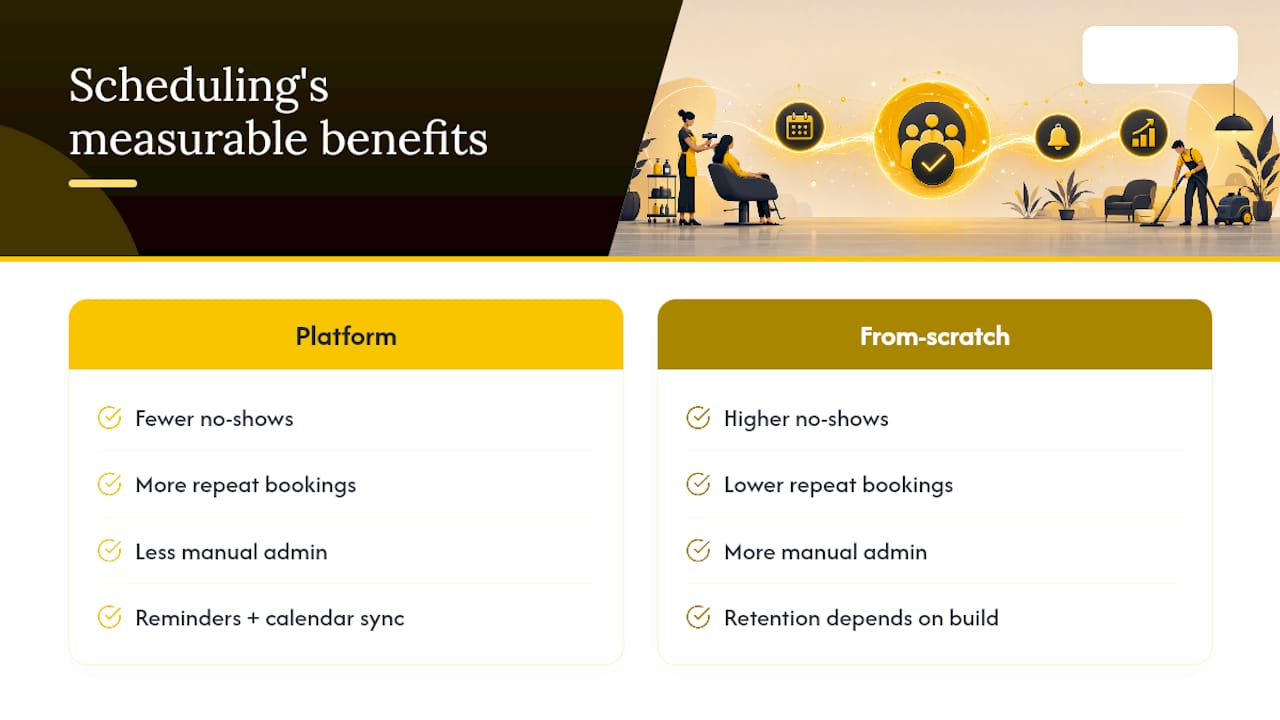
The real gain from WhatsApp booking is not the chat window itself but what sits behind it: reminders that go out on time and a calendar that never double-books. A ready-made route gives you both from day one; a custom build has to recreate them.
Altegio is online scheduling software for appointment-based businesses – beauty, wellness, clinics, auto services, fitness and more. The calendar, online booking, client base and automatic notifications are built in, and WhatsApp connects through the Integrations Hub app that fits your needs. You can start with a 7-day free trial, migration and support are free, and the price depends on the number of team members and the billing period.
FAQ
Does WhatsApp have a built-in booking system?
WhatsApp doesn’t know your team members’ availability, so on its own it can’t confirm an appointment. You connect it to scheduling software through a booking link, a chat-bot app or a custom build on the Cloud API. In Altegio, booking inside the chat comes from Integrations Hub apps such as ChatPlug.
How do you connect WhatsApp to Altegio?
In Administration mode, open Integrations, find the app by its category or the search bar and click Connect, then follow the developer’s setup steps. Notification apps sit in Integrations > Notifications; ChatPlug is in the AI Bots category.
What is the 24-hour rule in WhatsApp booking?
Free-form messages are allowed within 24 hours of the client’s last message. After that, you can only send a pre-approved template message, and only to clients who opted in. That is why confirmation and reminder templates need to be approved before launch.
Can you send promotions on WhatsApp?
Yes, with marketing templates and only to clients who agreed to receive them. Under the ePrivacy Directive, promotional messages generally need prior consent, with an exception for existing clients and your own similar services if every message offers an easy way to object. Rules differ between EU countries.
Read next
- Why your salon needs WhatsApp automation
- Where beauty salons lose bookings: 72,000 client messages by hour (2026)
- Google Tag Manager now runs inside Altegio online booking: 11 ways to use it
- “Your own system in three days, for next to nothing”: what you’re really buying from a vibe coder
This article is general information, not legal advice. Rules differ between EU countries, so check your national law or ask a lawyer before acting.