
A salon client database is a structured record of every client’s contact details, visit history, treatment notes and the consents they have given. Kept properly, it helps your team personalise each visit, time rebooking invitations well and notice the clients who quietly drift away. Under the GDPR (Regulation (EU) 2016/679), most of what it holds is personal data that your business controls and must handle correctly, whether you’re a solo stylist or a five-chair team.
Think of it as the difference between remembering a client and proving you remember them. Two examples show the range: appointment and treatment history (what they had, when, with which stylist) and allergy or patch-test notes (critical for colour and skin treatments). Your first move this week should be a quick data audit: list what you currently hold, where it lives and who can see it.
- Contact details and appointment history.
- Treatment notes, formulas and patch-test records.
- Marketing consent status.
- Photo consent (separate from treatment consent).
Key Takeaways
A salon client database pays off in rebooking and retention only when clean data collection goes hand in hand with GDPR basics from day one.
| Point | Details |
|---|---|
| Audit before you expand | Map every field, storage location and processor before adding new ways to collect data. |
| Separate consent types | Keep marketing consent, treatment consent and photo consent as distinct choices. |
| Limit health data | Collect patch-test and allergy notes only when the service genuinely requires them. |
| Use data for timed prompts | Time repeat-visit invitations to a client’s usual cycle, and send win-back messages once a client counts as lost by your own definition. |
| Choose software with access controls | In Altegio, who sees contact details, custom fields and the client list export is a permission you set per team member. |
Why a salon client database matters for operations and revenue
A shared, well-kept database is what stops a great salon running on one stylist’s memory. When Sofia’s formula, patch-test date and preferred pressure are written down properly, any colourist can pick up her file and deliver the same result. That consistency is a big part of why regulars keep coming back.
The revenue case is straightforward:
- Rebooking improves when the team can see a client’s usual six-week cycle and prompt them before they drift to a competitor.
- Lifetime value rises because a stylist who knows a client had a keratin treatment last spring can suggest the right maintenance product at the right moment, not a random upsell.
- Cross-selling works better when notes flag that a colour client has never tried a treatment service, giving the front desk something specific to mention.
Centralised records also save real time. When a client asks for a copy of the data you hold about them (the right of access under Art. 15 GDPR), you can pull one file instead of searching three notebooks and a WhatsApp thread. A handover between stylists becomes a two-minute briefing, not a guessing game.
How do you build a salon client database from scratch?
Start with the fields that actually earn their place, not everything you could theoretically ask for.
- Collect the essentials first: full name, phone number, email, and date of birth if you run birthday offers.
- Add treatment specifics as they arise: colour formulas, products used, the stylist’s name and the date, so the next appointment starts from fact rather than memory.
- Record allergy and patch-test notes only when relevant to the service, and keep them visible only to the people who need them.
- Capture photo consent separately from treatment consent, since a client happy to have her hair coloured isn’t automatically happy to appear on Instagram.
- Use every touchpoint to collect data: your online booking form, a short pre-appointment form, the front desk, checkout and loyalty programme sign-up.
Structure matters more than volume. A form with defined fields (a dropdown for allergy type, a tick box for marketing consent) beats a free-text box every time, because free text is how health details end up scattered across a client file by accident. Give your team a simple script: “Can I pop your email in so we can send your appointment confirmation?” is a natural, low-friction ask.
For a field-by-field list for cosmetology, lashes and nails, see our client card template.
Pro Tip: Don’t ask “any allergies?” as a blanket question on every form. Ask it only for services where it’s clinically relevant, and log the answer against that treatment rather than as a general note on the client. It keeps the file closer to what the GDPR calls data minimisation and stops it turning into a health record nobody asked for.
Managing client data under the GDPR: the practical checklist
Some of what a salon collects can count as data concerning health under the GDPR: patch-test results, allergy and skin-reaction notes. Art. 9 GDPR prohibits processing this kind of data unless an exception applies, such as the client’s explicit consent, so it needs tighter access than a phone number ever will. Client photos are a different case: Recital 51 says photographs are not automatically special category data, but they are still personal data, and using them on social media is best done with the client’s separate consent.
Your booking software provider processes client data on your behalf. Art. 28 GDPR requires that relationship to be governed by a contract, usually called a data processing agreement, so you need one with whoever supplies your system, not just a login.
Marketing messages and service messages aren’t the same thing. A reminder about an appointment the client made is part of providing the service they booked (Art. 6(1)(b) GDPR covers processing that is necessary for a contract), and it is generally not treated as marketing as long as it carries no promotion. A promotional email or SMS about your new balayage offer is direct marketing. The ePrivacy Directive 2002/58/EC (Art. 13) requires prior consent for it, with one exception for existing clients: you may market your own similar services to contact details you collected when selling a service, if the client was clearly given a free and easy way to object when you collected them and is given it again in every message. National implementations of these rules differ, and a client can object to direct marketing at any time, after which you have to stop (Art. 21 GDPR).
A short information audit is often what resolves most of this: list your fields, where they are stored and who processes them, and the gaps usually show themselves.
Your working checklist should cover:
- A record of what client data you process and why. The Art. 30 exemption for organisations with fewer than 250 people doesn’t apply when processing is not occasional or includes health data, which is usually the case for a client database.
- A privacy notice clients can actually find and understand.
- Data processing agreements with your software and payment providers.
- A retention policy: how long you keep consultation records and photos, and when you delete them. Art. 5 GDPR says data should be kept no longer than necessary for its purpose.
- A process for client requests to access, correct, erase, restrict, receive a copy of or object to the processing of their data (Art. 15–21 GDPR). You have one month to respond, extendable by two further months for complex or numerous requests (Art. 12(3)).
- Team training on what counts as consent and what doesn’t.
Keep marketing consent and treatment consent as two separate choices, and collect health data only when the service genuinely requires it. If you are unsure how a rule applies in your country, your national data protection authority is the place to check.
How can salons use client data to drive rebooking and loyalty?
Once the database is clean, the return comes from how you use it, not just from having it.
- Send service messages on autopilot. A reminder before the appointment reduces no-shows and, as long as it contains no promotion, doesn’t need marketing consent.
- Send a repeat-visit invitation timed to the service, for example around week four or five for a client on a six-week colour cycle, just before they would naturally start looking elsewhere.
- Run a win-back message for lost clients, with the quiet period set to fit your services and a specific offer tied to the client’s last service rather than a generic discount.
- Segment by service history, not just by how long someone has been a client, so a Brazilian blow-dry regular gets different messages from a once-a-year colour client.
- Recommend products from actual treatment records, so a stylist can say “you’re due for the heat protectant we used last time” instead of guessing.
None of this needs a big marketing budget. It needs complete visit history and a clear consent status before anything goes out. Loyalty works the same way: discounts, cashback and client categories are only as good as the records behind them, which is why a loyalty program should run on the same database as your appointments.
What software features actually matter for managing client data?
Skip the feature checklist that lists forty things no salon actually uses. Focus on what protects clients and saves your team time.
- A central client profile that pulls contact details, treatment history and notes into one screen, not three separate systems.
- A visible consent status, so a marketing message goes only to clients who agreed to receive it.
- Photo handling that keeps consent attached to the image itself, not assumed from the client’s general record.
- Role-based access, so whoever books by phone sees appointment details while only the people who need them see health notes.
- Secure backups and a record of changes, so you can tell who changed what and when.
- Export and delete functions that make access and erasure requests a quick job.
- Bulk messaging to filtered segments, plus automatic reminders and reports on how many clients come back.
Due diligence matters here too: ask where client data is stored and processed, whether the provider signs a data processing agreement, which payment provider handles card payments and whether support is available in your language.
How does an integrated platform like Altegio meet these needs?
Altegio is a booking and business management platform for appointment-based businesses: beauty, wellness, clinics, auto services, fitness and more. Altegio works on a Zero-Competition Policy: it doesn’t compete with your business for its audience, there is no marketplace showing your clients other businesses, and your client base is never resold. Its client base keeps one profile per client with phone, email and birthday, the full visit history (services, team member and amount paid), notes your team writes, files such as a signed intake form, and custom fields for the details your business needs.
Here is how it lines up with the checklist above:
- Filling the base. Clients who book online appear in the client base automatically. An existing list can be imported from a spreadsheet, where Name and Phone are the only required columns, or the Altegio team migrates it for you free of charge.
- Structured fields. Custom fields can be text, a number, a list of values or a date, can be made mandatory or optional, and can be shown in the online booking form.
- Access. Permissions are set per team member: whether they see phone numbers and emails in the list and on the profile, whether they can view and edit custom fields, whether they can export the client list to Excel, and whether they see all clients or only those they have served. Keeping patch-test details in a custom field lets you limit who sees them.
- Consent. The online booking form has a mandatory consent checkbox for processing personal data, but no separate marketing consent and no consent timestamp. Record marketing consent yourself, for example with an optional custom field in the booking form or a client category, and exclude clients who opt out in their client card.
- Service messages. Automatic notifications cover the new appointment, a confirmation request, a reminder 1–24 hours before the visit, a repeat-visit invitation with an interval set per service, and birthday greetings. Email notifications are free, and SMS goes through a connected SMS provider (notifications).
- Segments and bulk messages. Filters find clients by visits, birthdays, memberships and more, including Lost clients, and the period that counts as lost is a setting you choose. Client categories can be added by hand, to a whole filtered list, or automatically by Loyalty Program rules. Bulk messages go to a segment by SMS or a messenger through a connected provider, or as a push to Altegio.me or your branded app. Bulk messaging is enabled by Support, and there is no bulk email: for newsletters, export the client list to Excel and use an email service.
- Duplicates. There is no automatic merge. Search for the client before creating a new profile, and if two profiles already exist, combine them by hand by moving the visits to the one you keep.
- Reports and export. Statistics and analytics show new and returning clients, and the Client Retention report shows results by team member. The whole client list exports to Excel for one Location or across a Chain.
The quickest way to see how this maps to your own client list is to import it during the 7-day free trial.
What most salons get wrong about client data
The conventional advice on this topic tends to obsess over collecting more data: more fields, more forms, more segments. That’s backwards. The salons that get the most value from their client records collect less, but collect it properly, with a clear purpose for each piece and consent where consent is needed.
Over-collection is the real risk, not under-collection. A patch-test note that nobody asked permission to keep, or a client photo sitting on a former stylist’s personal phone, causes far more damage than a database with a few gaps in it. Fixing that starts with the boring stuff: an access-control list, an offboarding process for people who leave and a retention policy you actually follow rather than one that sits in a drawer.
The other overlooked point is that compliance and marketing aren’t opposing forces here. A properly consented, well-segmented list is more useful for marketing than a bloated one you’re nervous to email. Getting the legal basics right isn’t the tax you pay before you can market. It’s the groundwork that makes the marketing work.
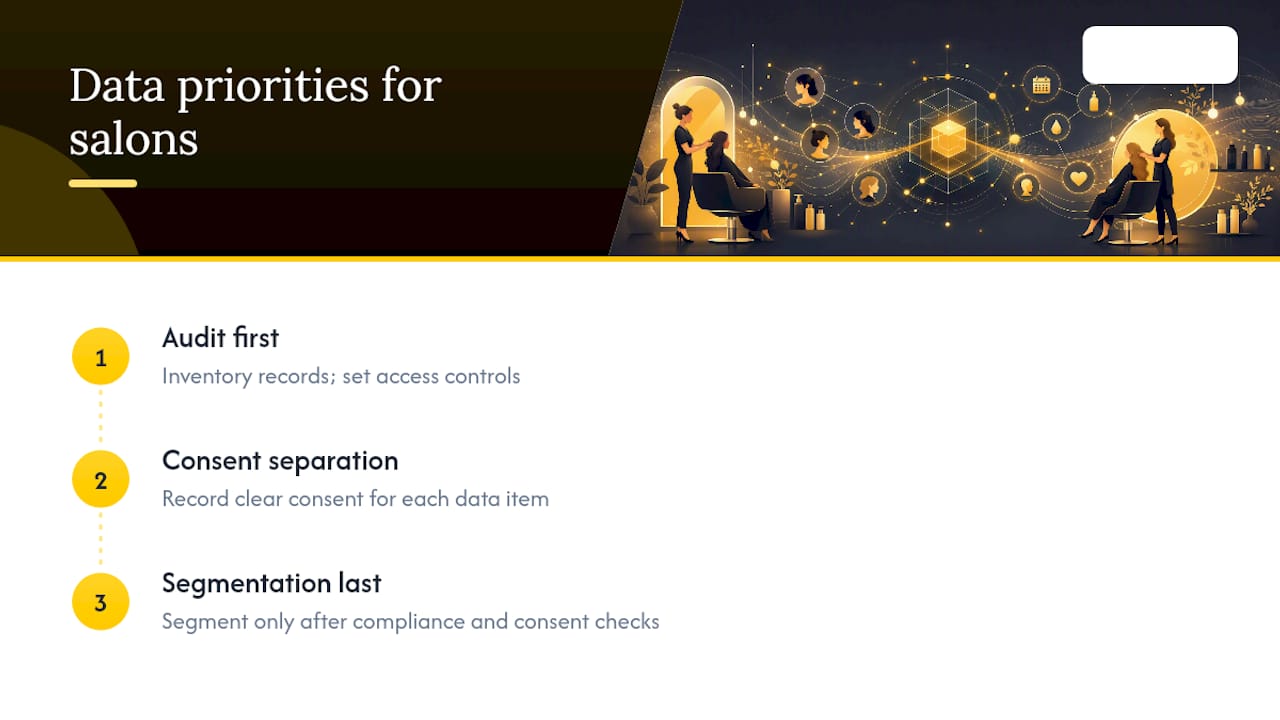
Prioritise the audit first, the consent separation second and the fancy segmentation last. Most salons do it in the opposite order and wonder why their retention numbers don’t move.
Ready to bring your client records into one system?
Altegio keeps every client profile, visit history, note and reminder in one client base, with permissions that decide who on the team sees what. Filters and client categories turn that base into segments for repeat-visit invitations and win-back messages, and the reports show how many clients come back.
If you’re ready to see how your own client data would look inside it, start the 7-day free trial or look at the beauty salon software features built for hair, nail and treatment businesses. The price depends on the number of team members and the billing period (pricing).
FAQ
What is the best software to manage all salon operations?
The best salon management software combines client records, online booking, payments and marketing tools in one system rather than several disconnected ones. Altegio covers the client base, online booking, notifications, loyalty, finances, payroll and inventory in one platform.
What is the best free app for tracking client records?
Free apps and spreadsheets can track basic contact details, but they rarely offer per-person access rights, restricted fields or the exports that make GDPR requests easy to answer. Most salons outgrow them once treatment history and marketing consent need to be managed together. Altegio has no free plan, but you can try it for 7 days free.
How do I choose salon software for client data in Europe?
Check where client data is stored and processed, whether the provider signs a data processing agreement under Art. 28 GDPR, how access rights work and whether you can export your whole client list at any time. In Altegio, access to contact details, custom fields and the export is set per team member, and the client list exports to Excel.
Do I need consent to send appointment reminders?
Generally no. A reminder about an appointment the client made is part of providing the service, so it doesn’t need separate marketing consent as long as it contains no promotion. Messages about offers or new services are direct marketing and need prior consent or the existing-client exception in Art. 13 of the ePrivacy Directive, and national rules differ.
How long should a salon keep client records?
There’s no single EU-wide number. The GDPR says personal data should be kept no longer than necessary for the purpose it was collected for (Art. 5), so set a clear retention period for consultation records and photos and delete data once it’s no longer needed. Tax and health rules in your country may require some records to be kept longer, so check with your accountant or national authority.
Read next
- Client card – cosmetology, lashes, nails: what to record and a template to download
- Salon Loyalty Programs: 7 Models That Work in 2026
- A salon booking system: how to choose
- Reminders and deposits: how to reduce no-shows
This article is general information, not legal advice. Rules differ between EU countries, so check your national law and your data protection authority’s guidance before you change how you collect or use client data.