DokkiOne brings conversations from WhatsApp, Telegram and Instagram into one workspace. Replies appear in shared DokkiOne Chats, where the team can assign enquiries and track how they are handled.
Developer and website
DokkiOne is provided by Dokki (EurasiaTorgKom LLP). Website: dokki.org.
What DokkiOne can do
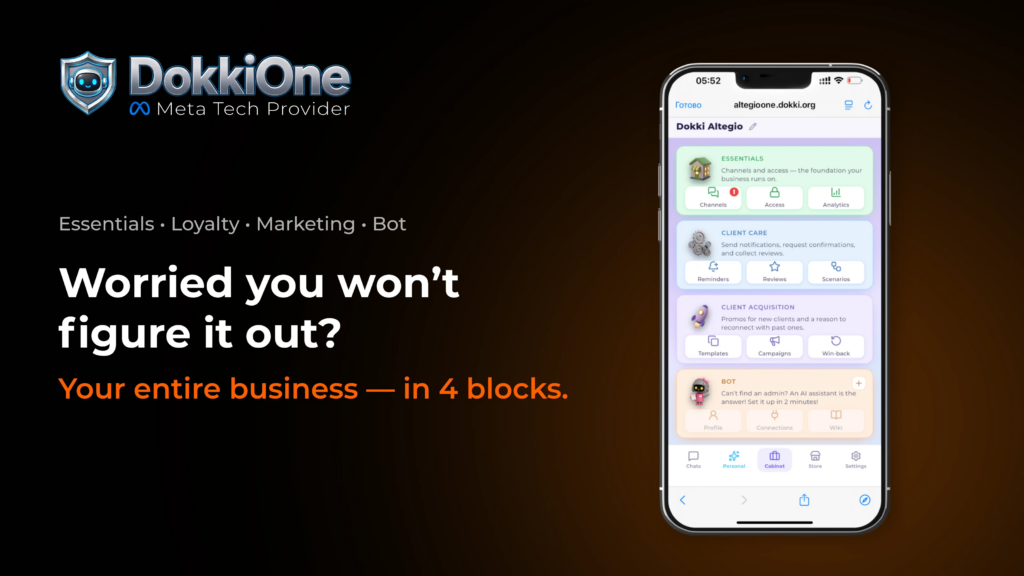
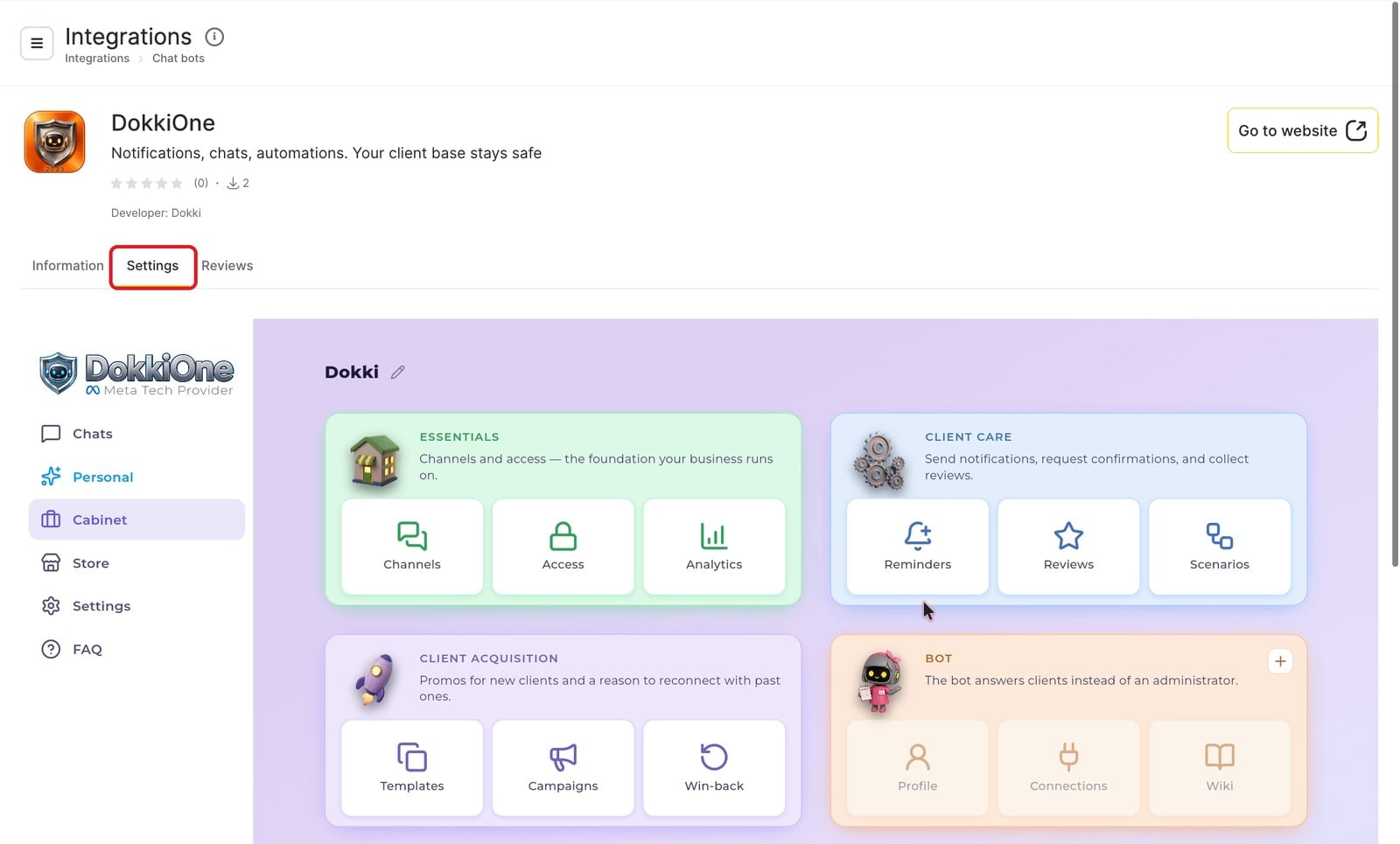
The service has four modules:
- Essentials: channels, access and analytics. Administrators can see all chats; staff see only chats assigned to them.
- Client care: notifications, confirmation requests and review collection through scenarios.
- Client acquisition: templates, campaigns and tools for reconnecting with past clients.
- Bot: a profile, connections and a Wiki knowledge base for configuring bot responses.
Only the account owner can see clients’ phone numbers.
How DokkiOne works with Altegio
After connection, a DokkiOne chat with the appointment client’s conversation is automatically added to the appointment window in Altegio Digital Schedule. The app card’s Settings tab opens the cabinet for the connected location.
How to connect
- Switch to Administration mode in Altegio.
- Open Integrations and find DokkiOne in the Chat bots category, or use search.
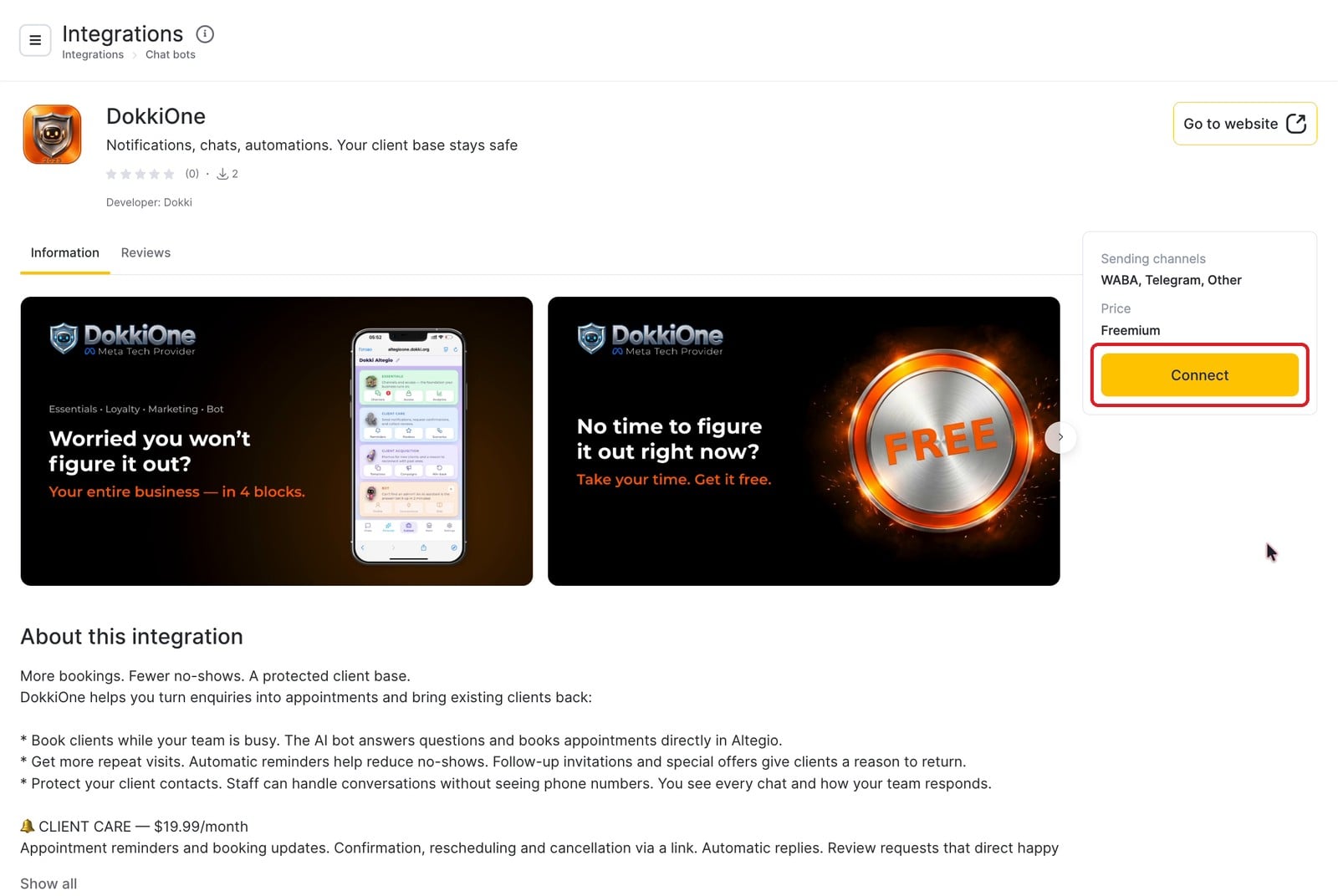
- Open the DokkiOne app card and click Connect.
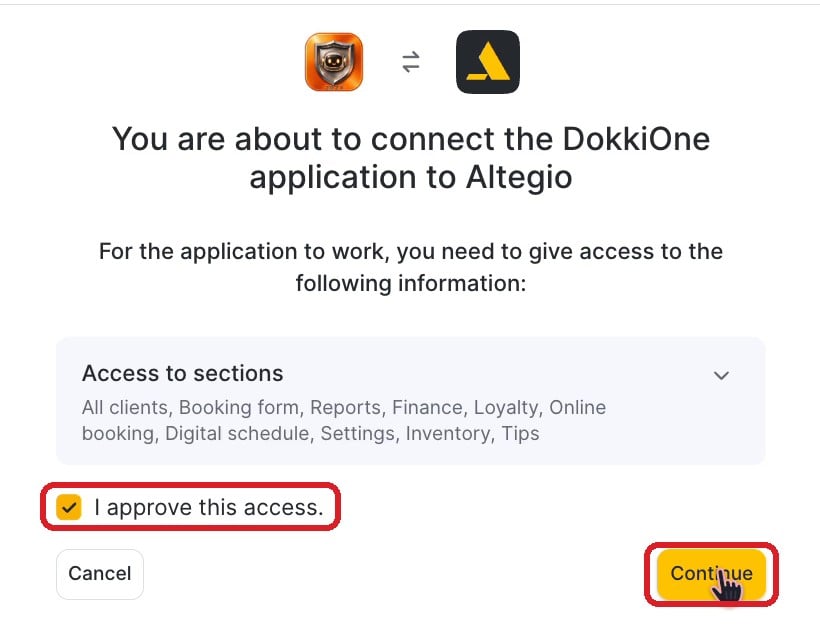
- Review the requested access, select “I approve this access”, and click Continue.
- The Settings tab opens with the cabinet for the connected location. If this is your first time using DokkiOne, an account is created automatically and your login details are sent to your email.
You do not need to register with DokkiOne in advance. After connecting, you can watch setup tutorials on Dokki’s YouTube channel or use its FAQ section.
Channels
WhatsApp, Telegram and Instagram. Available channels depend on your DokkiOne connections and account settings.
Availability
Before connecting, check whether DokkiOne is available for your location in its Altegio Integration Hub app card.
Pricing
DokkiOne offers a free plan, which is activated when you create an account. It includes one channel and one AI employee with five dialogues per day. Paid modules are available in the Store section inside DokkiOne. Check the partner’s website for current terms and pricing.
Frequently asked questions
Do I need to create a DokkiOne account before connecting?
No. A new account is created during connection, and the login details are sent to your email.
Who can see clients’ phone numbers?
Only the account owner.
What happens after disconnecting?
Your channels, bot and conversations stay in DokkiOne. Data copied from Altegio about appointments, services, staff and clients without conversations is deleted after 30 days. If you connect the same location again, it returns to the same DokkiOne account.
Only the account owner can disconnect the location in DokkiOne. Open Cabinet → Channels → the Altegio card → Disconnect. You can also remove the app from the location in Altegio.
Support
Website: dokki.org
Email: [email protected]