Bloomback turns the data you already have in Altegio into the numbers a center owner checks every morning and a list of clients to contact today, so that more clients come back. It is made for beauty, aesthetics and wellness centers with one or several locations, and works in English and Spanish. Website: getbloomback.com.
What Bloomback can do
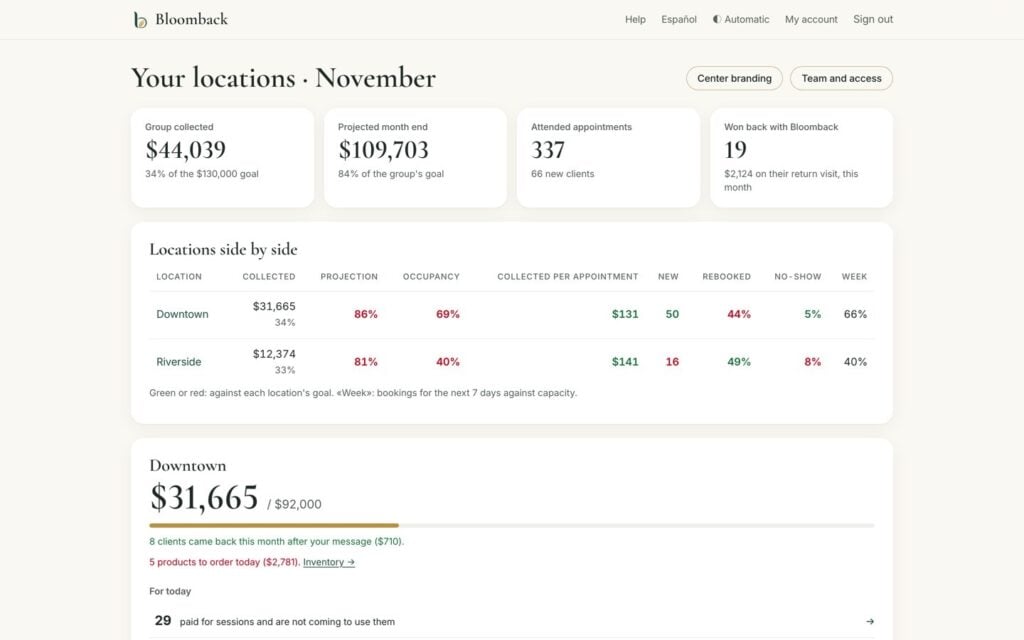
- Month pulse. Collected against your monthly goal, projection for the end of the month, occupancy, average ticket, new clients, no-shows and rebooking, compared with last month and last year.
- Day cash. Every payment of the day, net of card fees, by account, type and professional, and what clients owe.
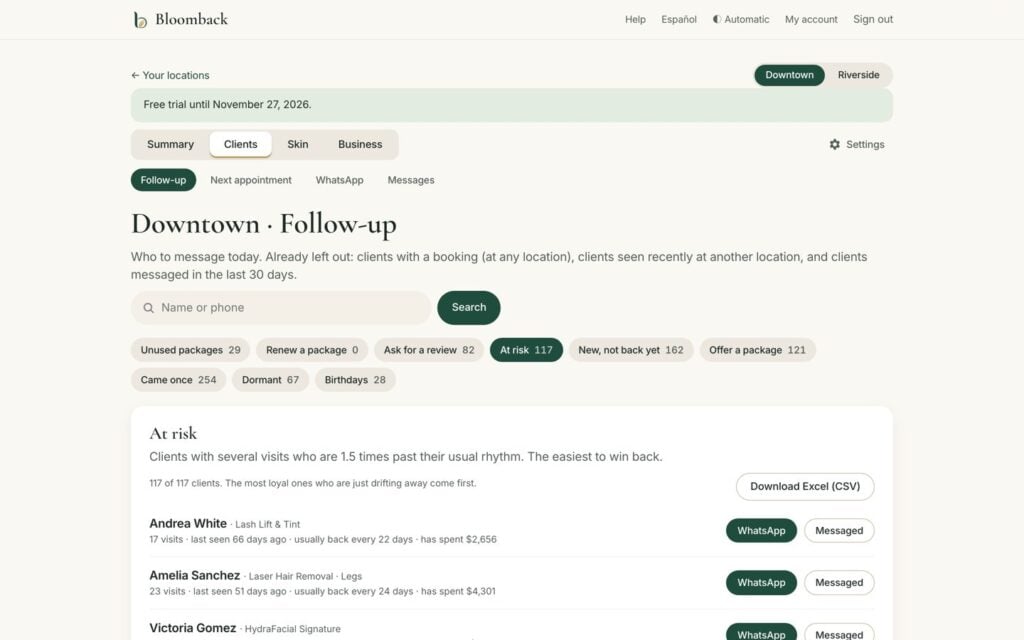
- Follow-up lists. Each client is measured against her own visit rhythm: who is drifting away, new clients who have not come back, unused or finished packages, who just came (to ask for a Google review) and birthdays. Each client has a ready WhatsApp message that opens in one tap, and you see who came back afterwards and what they spent.
- Next appointment. Who left without booking the next visit, by professional.
- Team, profitability, expenses and inventory. Production and rebooking per professional, profit per cabin hour for every treatment, expenses against budget, and what to order and when.
- Several locations. All locations side by side, roles for owner, manager and front desk, and a Monday summary by email.
- Bloomback Skin. The client’s clinical record linked to her appointments: health form and consents signed on her phone, a cabin mode for the iPad with a PIN per professional, session settings, and before-and-after photos.
Bloomback does not send messages to your clients by itself: your team reviews and sends each message.
How it works with Altegio
- Bloomback only reads from Altegio (appointments, clients, payments, services, products and team schedules). It never creates, edits or deletes anything in your account.
- On connecting, it reads your history: up to 5 years of appointments and 13 months of payments.
- Afterwards the figures are updated every 30 minutes, and everything is read again every night.
- Each location is connected, and billed, separately.
What to prepare before connecting
- An Altegio user with access to Integrations in the locations you want to connect.
- The email address you want to sign in to Bloomback with (it is taken from your Altegio user).
- Optional: your monthly revenue goal per location.
How to connect
1. In Altegio, open Integrations and find Bloomback in the Analytics category.
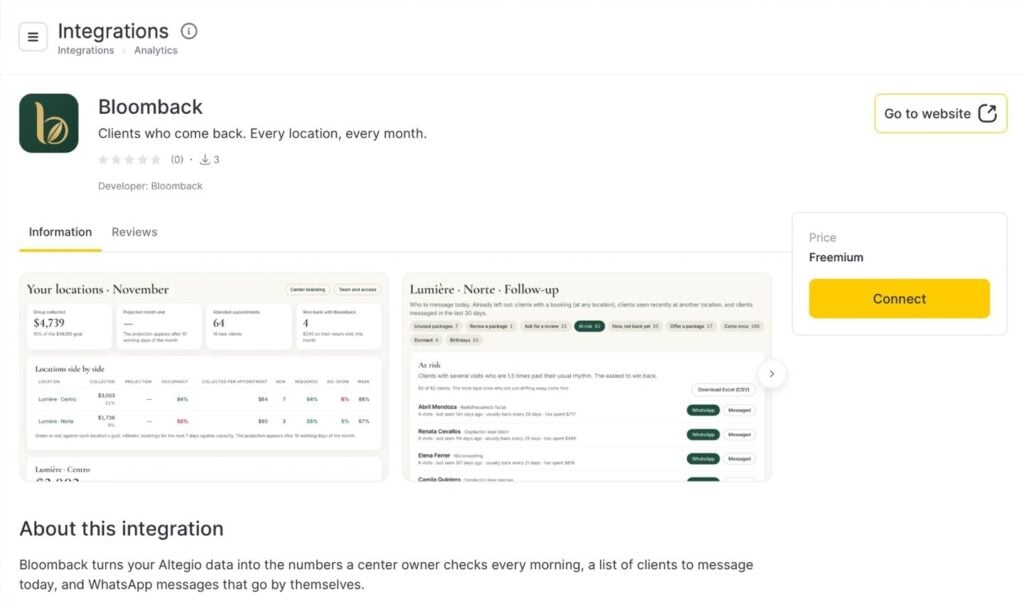
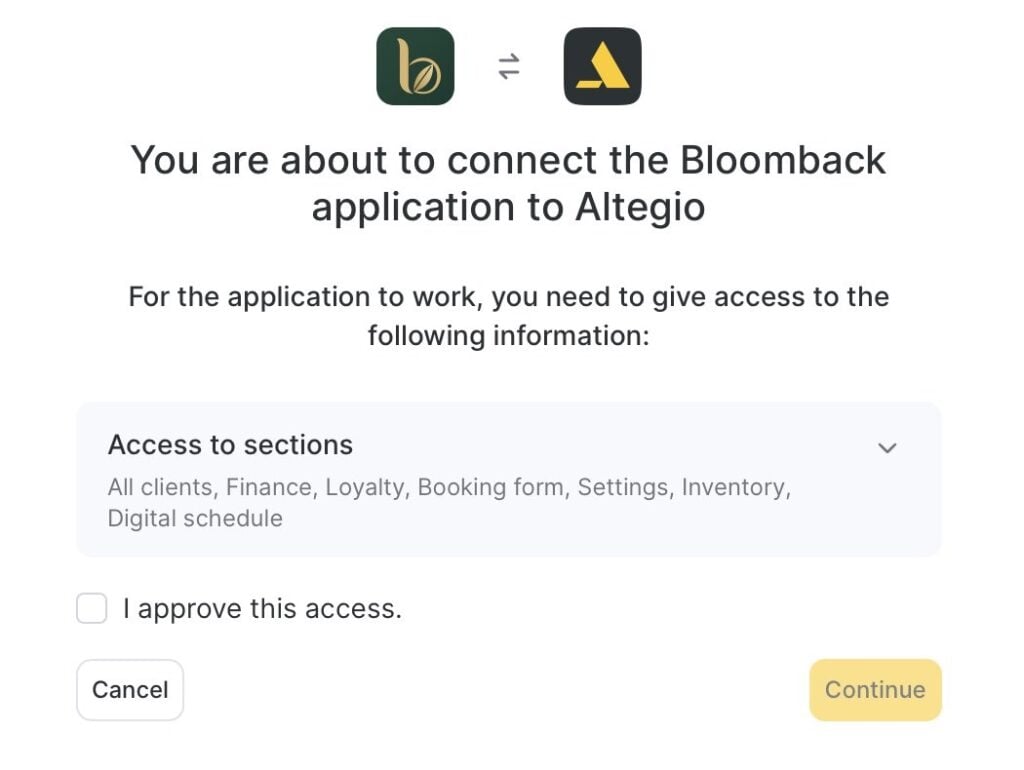
2. Click Connect. Altegio shows the sections Bloomback needs access to (clients, finance, loyalty, booking form, settings, inventory and digital schedule). Bloomback only reads this information. Tick I approve this access and click Continue. If your account has several locations, choose the ones to connect.
3. Bloomback’s welcome page opens and confirms which locations are connected. Click Go to Bloomback.
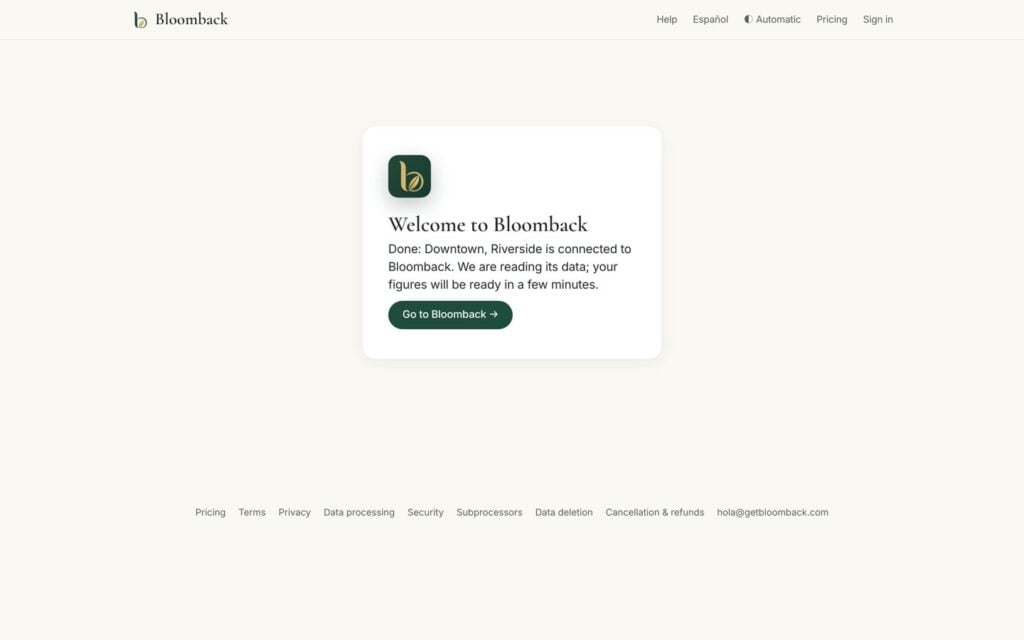
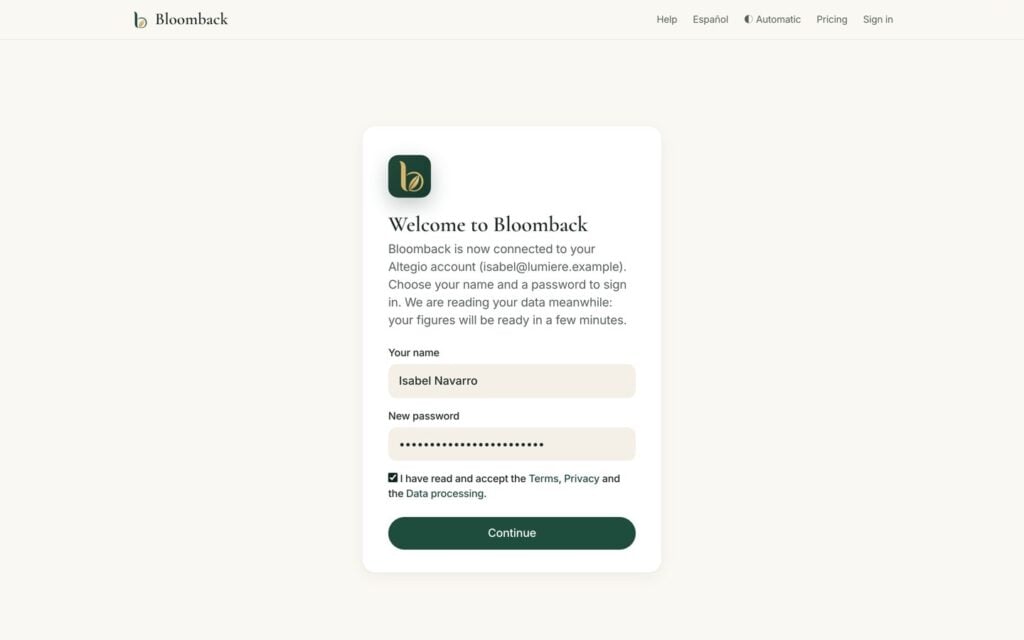
4. Type your name, choose a password, accept the terms and click Continue. If you already have a Bloomback account with the same email, sign in with your password instead: the new locations are added to your center. You also receive an email with this link, valid for 7 days.
5. You are now inside Bloomback, on Your locations. Bloomback reads your history in the background; your figures are ready within a few minutes.
6. Click a location to open its Summary: the month pulse and what to do today.
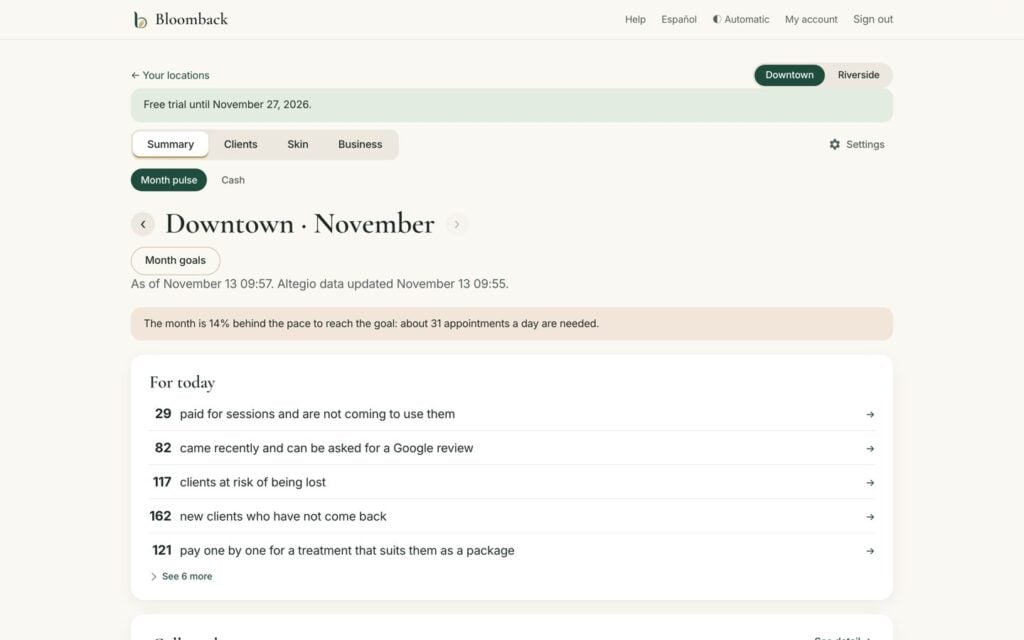
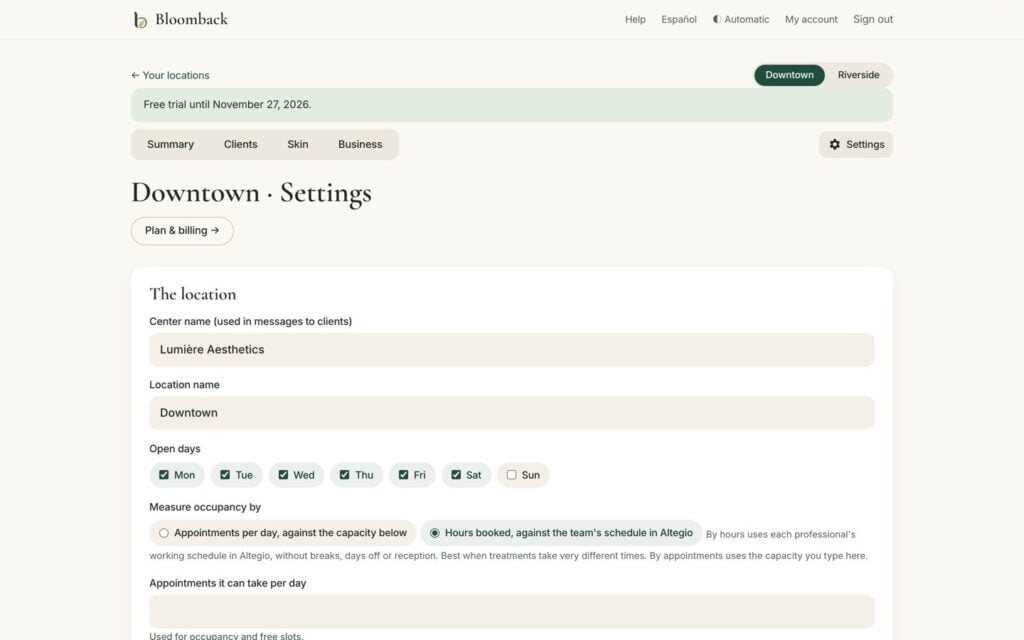
7. Recommended: open Settings (top right of the location) to check the location name, its open days and how occupancy is measured (appointments per day, or hours booked against the team’s schedule in Altegio). Set your monthly goal with the Month goals button on the Summary.
8. Open Clients → Follow-up to see who to contact today. Choose a list, open a client and tap the WhatsApp button: the message is already written.
9. To invite your team, go back to Your locations and open Team and access. Choose the role (Owner, Manager or Front desk) and send the invitation link.
Pricing and payment
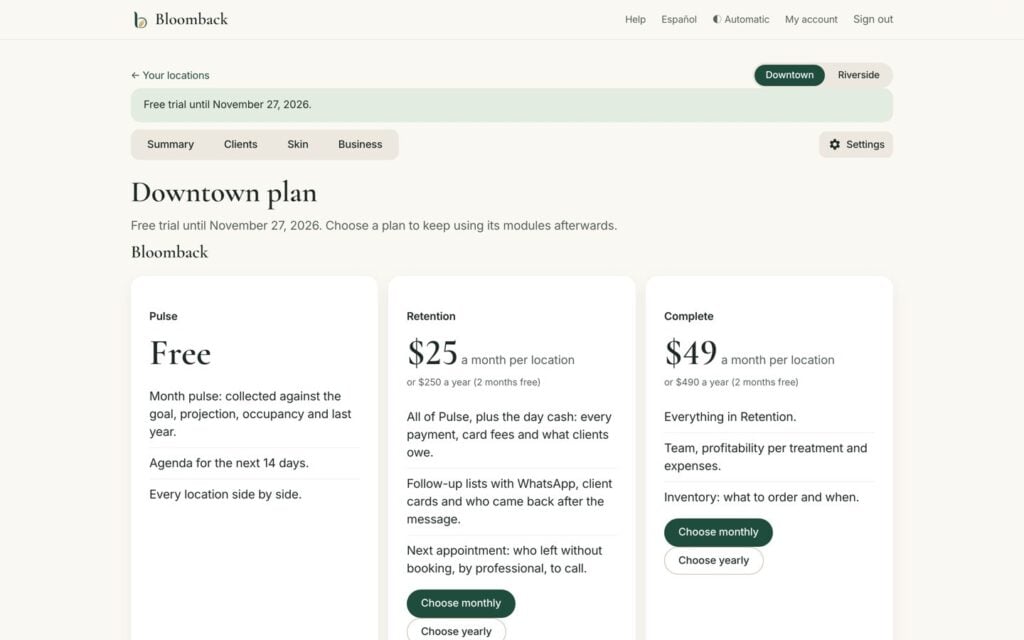
Every location starts with a 14-day free trial with all modules. After the trial the location keeps the free Pulse plan and can add a paid plan. Prices are per location, in US dollars.
| Plan | Per month | Per year | Includes |
|---|---|---|---|
| Pulse | Free | Free | Month pulse (with last year), agenda for the next 14 days, every location side by side |
| Retention | $25 | $250 | Pulse + day cash, follow-up lists, next appointment, client cards, results |
| Complete | $49 | $490 | Retention + team, profitability, expenses and inventory |
| Skin | $29 | $290 | Pulse + clinical records: health form, consents, cabin mode, photos |
| Retention + Skin | $45 | $450 | Retention and Skin together |
| Complete + Skin | $65 | $650 | Complete and Skin together |
To choose a plan, open Settings → Plan & billing in the location and click Choose monthly or Choose yearly (12 months for the price of 10). Payment is by card and is processed by Paddle, which issues the invoice.
A plan can be changed at any time; the difference is prorated. A cancelled plan stays active until the end of the paid period, and then the location goes back to Pulse; nothing is deleted. Any charge can be refunded in full if requested within 14 days. Full policy: getbloomback.com/refunds.
FAQ
Does Bloomback change anything in my Altegio account?
No. It only reads your data.
Why is «Collected» different from Altegio’s income report?
Bloomback counts the money that actually came in, on the day it came in, without refunds: the figure a daily cash report shows. Attended appointments, new clients and occupancy match Altegio’s analytics.
Can my receptionists use it?
Yes. Invite them with the Front desk role: they work the follow-up lists and client cards. You decide what else they see.
How do I disconnect, and what happens to my data?
Disconnect Bloomback in Altegio’s Integrations. Bloomback stops reading at once and deletes your data 30 days later. If you connect again within those 30 days, everything is kept.
Is clinical data safe?
Skin records are encrypted with your center’s own key, every access is logged, and cabin iPads unlock with each professional’s PIN.
Support
- Manual, in English and Spanish: getbloomback.com/help
- Email: [email protected] (English and Spanish)