
Using the Client Database section you can add a new client manually or uploading a list of clients from Excel spreadsheet (read about this in more detail here).
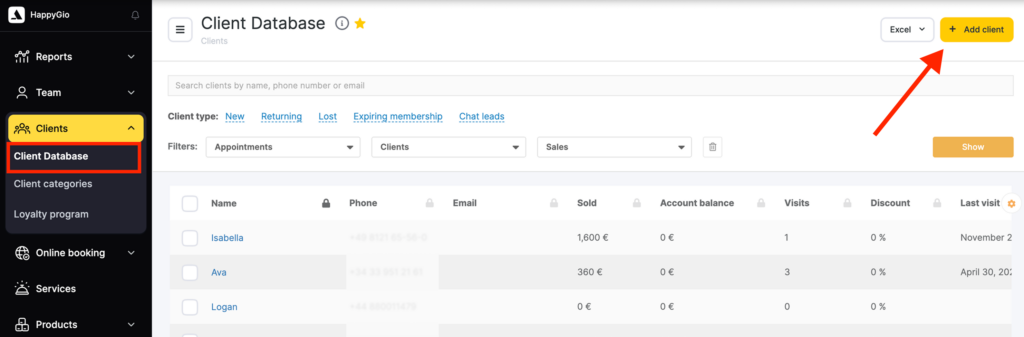
To add a client to the All Clients list go to the Clients > Client Database section and click the Add a client button.
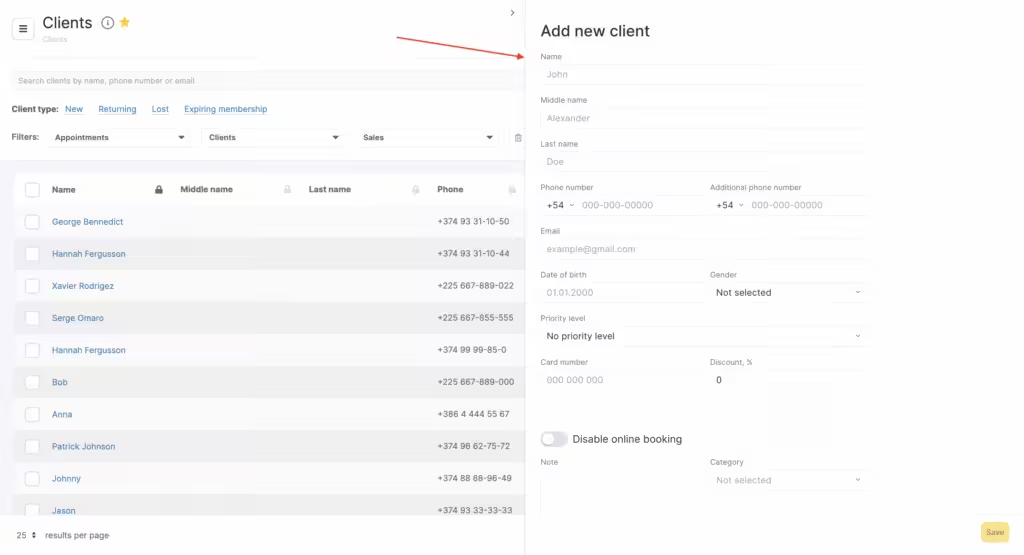
Indicate the following mandatory information in the pop-up:
- Client name
- Mobile phone
You can also add the following information:
- Additional phone
- Category
- Gender
- Importance
- Discount
- Card number
- Date of birth
- Additional field (read about additional fields in detail in this article)
- Comment
- Check the box to disable the online booking option for this client
- Sum sold – sum this client received services and products for
- Sum paid – sum this client paid for all products and services
Don’t forget to click Save to add a client to your list.