
After adding your description add photos of your company.
Why fill out this section?
In the online booking widget, businesses can showcase their interior, work samples, and other relevant information to assist clients in making informed decisions. These visuals and details are accompanied by a description and serve as an excellent tool for companies to promote their services and entice potential customers.
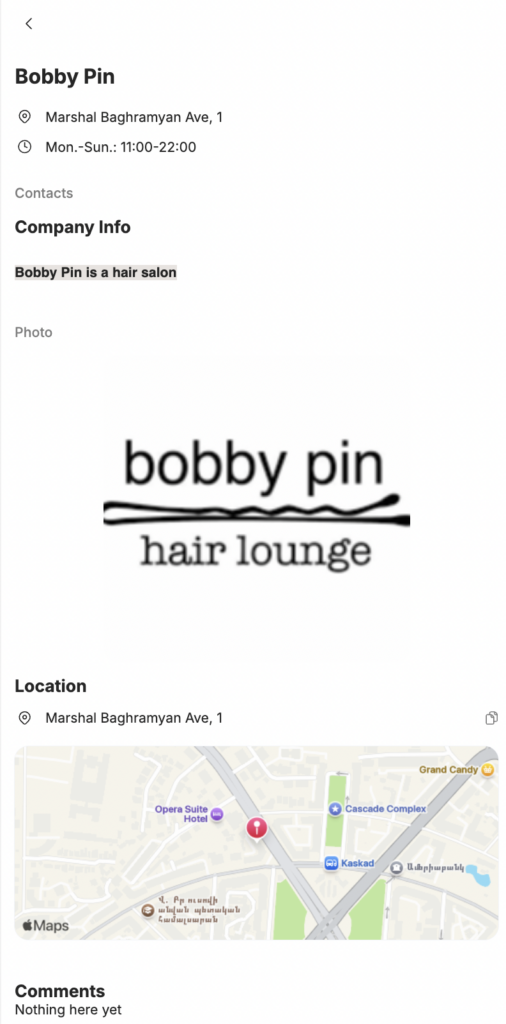
How the photo will be displayed in the online booking widget:
Editing
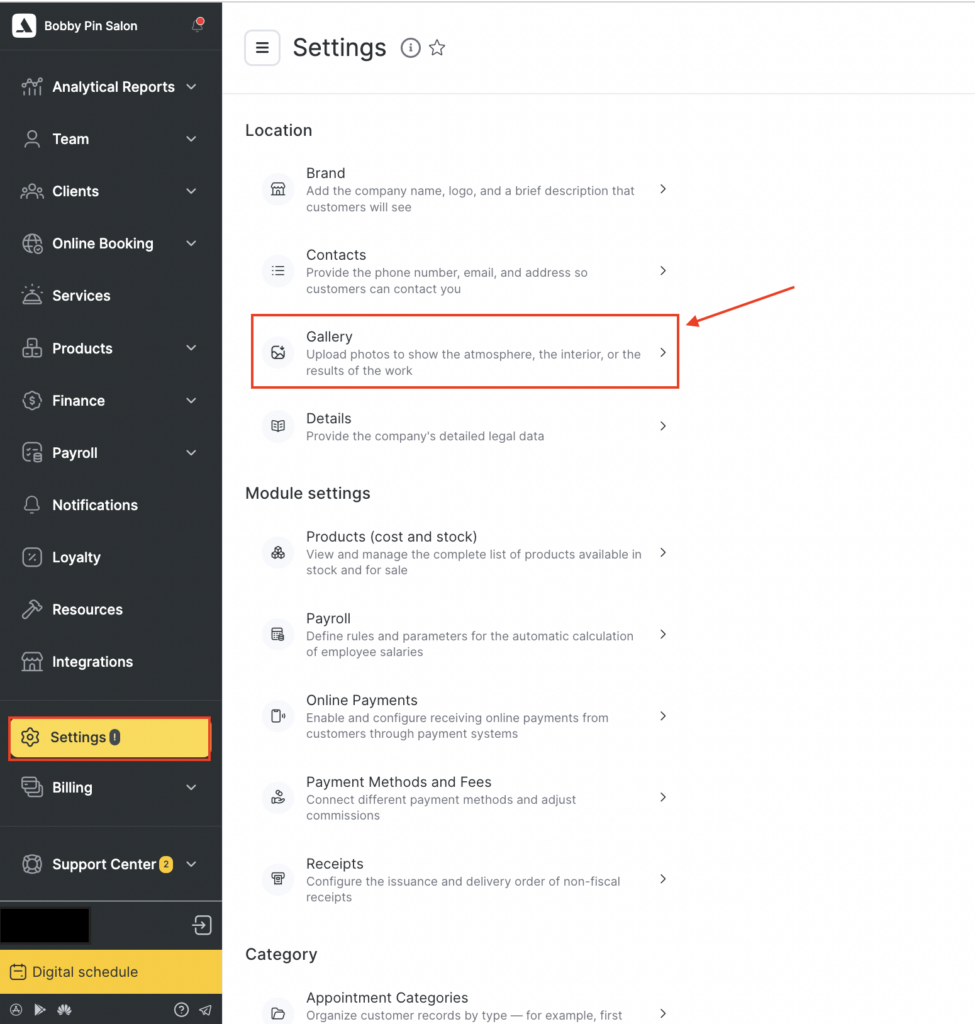
- Go to the main menu and select Settings > Location > Gallery section.
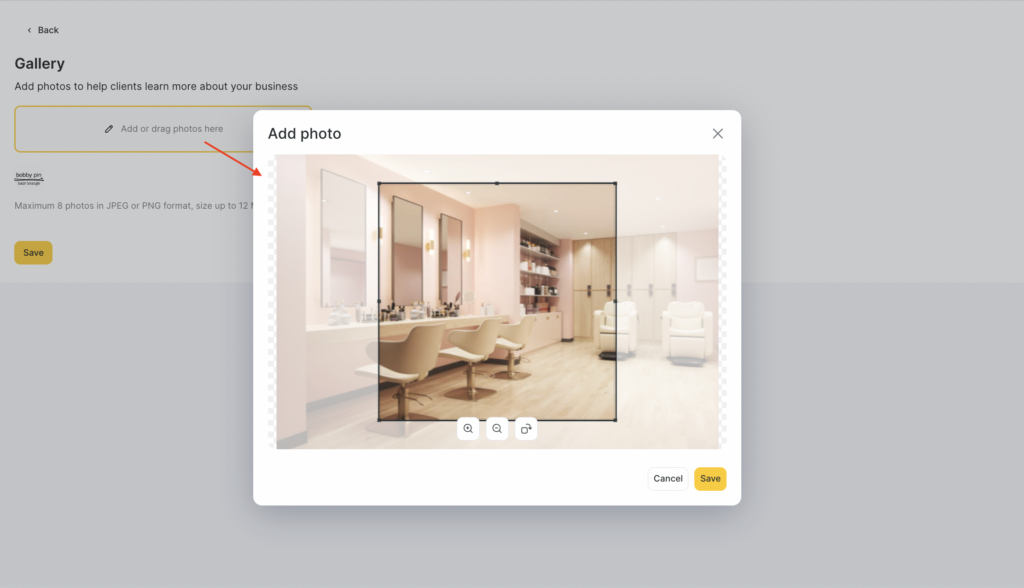
- Click on the Add or drag photos here to upload photos of your company (you can upload multiple images). Ensure that all images are placed on a white or transparent background and are no larger than 12 megabytes.
- Edit the image by zooming in or out, and rotating it to the left or right. Once you’re satisfied with the result, click the Save button.
- Add the number of photos required to showcase your business.
- Click the Save button once you’re finished.
Here are some tips for selecting the best images to showcase your business:
- Choose high-quality images that accurately represent your business and create an inviting atmosphere.
- Select images that highlight your unique selling points and set you apart from the competition.
- Avoid using stock images or generic photos that don’t represent your business accurately.
- Use a mix of interior and exterior shots to give customers a sense of your business’s overall aesthetic.
- Organize your photos into categories to make it easy for customers to navigate and find what they’re looking for.
- After these settings add company details.