
In the Notifications permissions section, you can control whether a user has access to notification settings in the system.
These permissions determine whether a role can open and manage SMS and email notification sections.
Where to find these permissions
Go to:
Team > Team member list > team member name > Access
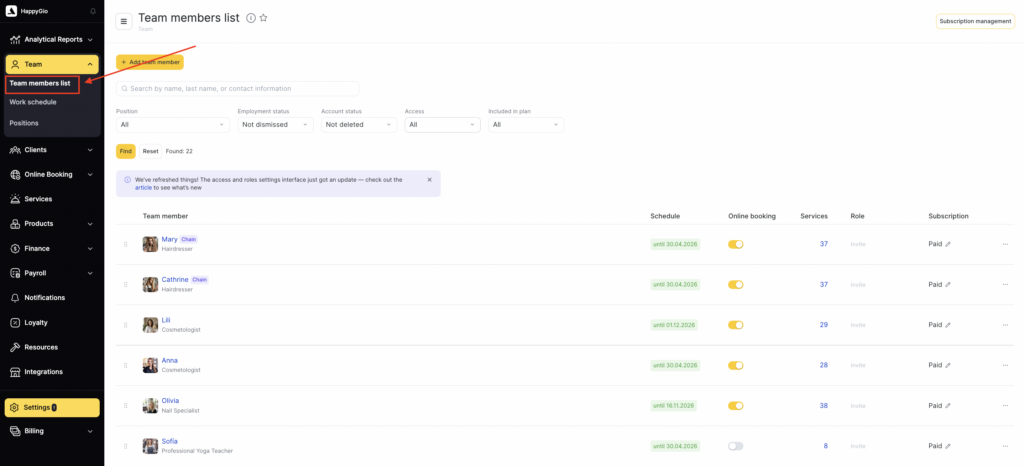
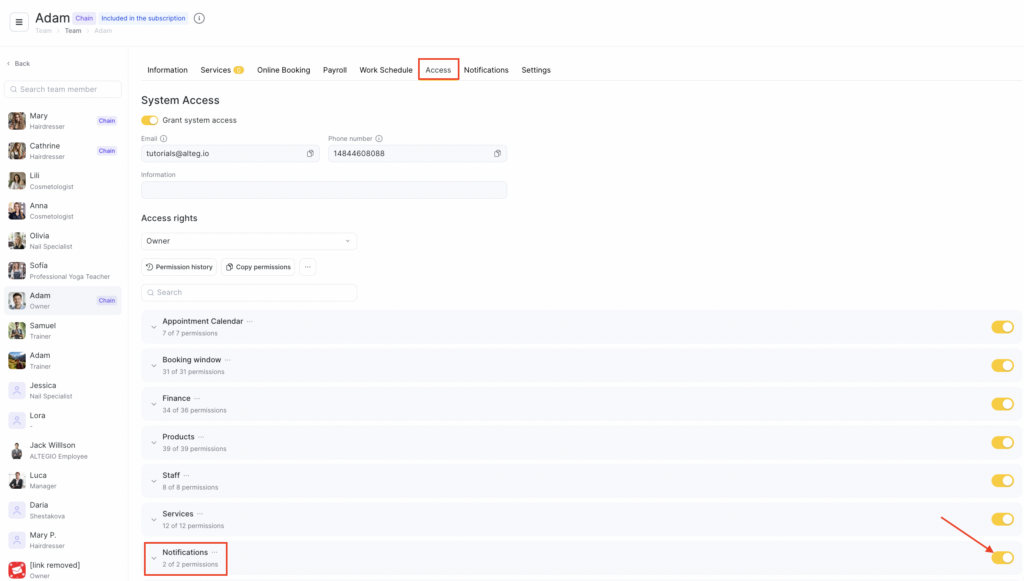
In this section, you can enable or disable access to notification-related settings for a selected role.

Access to the “SMS notifications” section
Relevant only for the old interface (Administration mode > Notifications). To access notification settings, the Access to Notification types permission is required.
Access to the “Email notifications” section
Also relevant only for the old interface (Administration mode > Notifications). To access notification settings, the Access to Notification types permission is required.
Access to the “Notification types” section
Allows managing all notification settings in the section: selecting sending channels, changing scenarios, enabling/disabling notification types, editing templates, and managing sending parameters.