
In the Services permissions section, you can define which actions a user is allowed to perform when creating, editing, assigning, and deleting services.
These permissions help control access to service settings, online booking visibility, pricing, images, resources, and other service-related options.
Where to find these permissions
Go to:
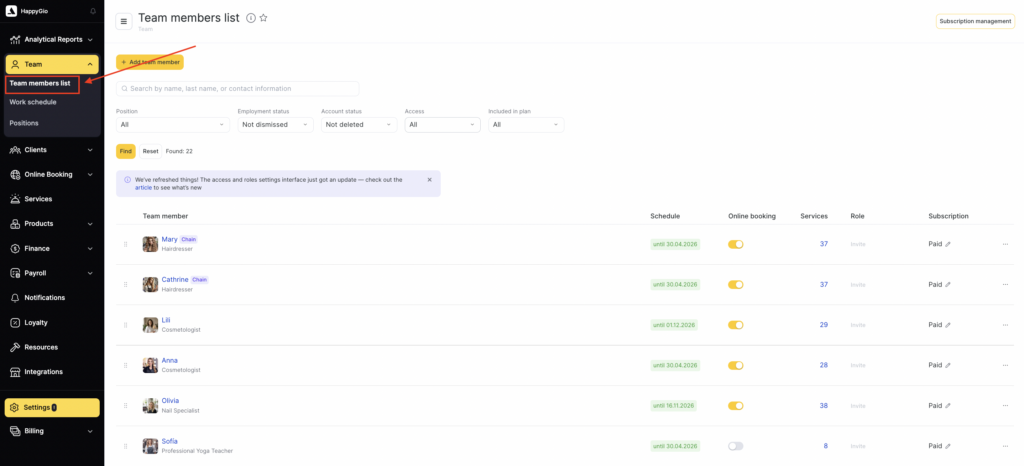
Team > Team member list> team member name > Access
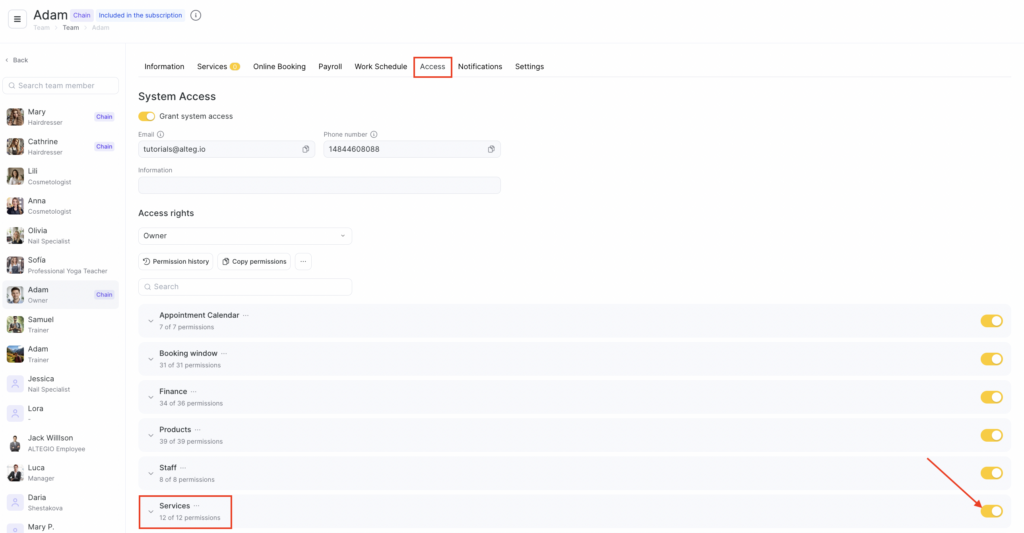
In this section, you can enable or disable permissions for working with services for a selected role.
Available permissions
A root permission that grants access to Settings > Main settings > Services.
This permission alone is not enough to fully manage services.
With this permission, a team member can: open the Services section, view categories and services, export the service list to Excel.
Any changes in the Services section are available only if additional permissions are granted.
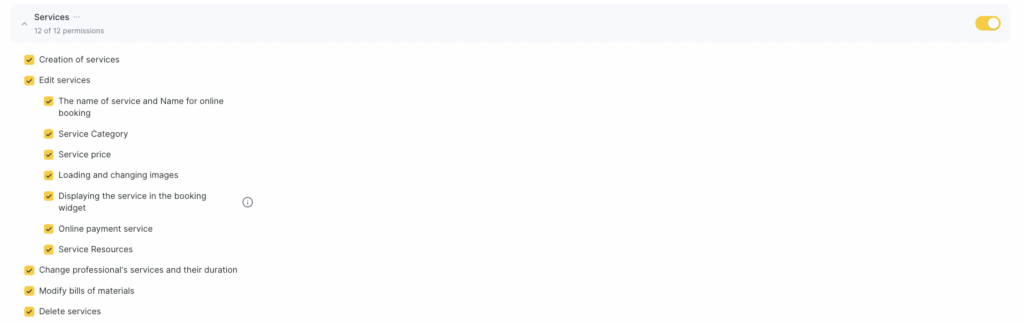
- Create services — on its own, this permission does not allow creating categories and services.
To create them, you also need: the permission to edit services, plus additional permissions listed below. - Edit services — allows editing and deleting categories. For services, this permission allows changing: service type (individual/group), group service capacity, receipt name, repeat-visit reminder settings, membership write-off, translations into other languages, enabling/disabling online booking on the quick-access panel, category and service order.
Additionally, choose which actions to grant access to:
- Service name and online booking name — allows changing the service name. The online booking name can be changed only for a category; for services, the Service display in the widget permission is required. If the service is chain-wide, its name can be changed only at the chain level.
- Service category — allows changing the category the service belongs to. Does not allow editing the category itself. For chain services, the category can be changed only at the chain level.
- Service price — grants access to changing the base service price, team member-specific prices, tax system, and VAT.
- Upload and edit images — this permission alone is not enough. Uploading images also requires the Service display in the widget permission.
- Service display in the widget — grants access to settings on the Online booking tab.
- Online payment for the service — allows configuring online payment for the service on the Online Booking tab. Also requires the Service display in the widget permission.
- Service resources — allows attaching and detaching resources in the service settings.
- Change team member services and their duration — allows assigning services to team members and changing an individual service duration.
- Edit bill of materials — allows attaching bill of materials to professionals assigned to the service.
- Delete services — grants access to deleting services. Deleting chain-wide services is possible only at the chain level.