
Yes, you can run online booking in line with GDPR (Regulation (EU) 2016/679). The work sits with you: the business that decides why and how client data is used is the controller, and the booking software provider is a processor acting on your instructions. In practice it comes down to six things: a lawful basis for each purpose, marketing consent kept apart from the appointment, a clear privacy notice at the point of booking, a written processor contract, a routine for client requests and data breaches, and access settings that show each team member only what they need.
Here’s what to do this week:
- Check that nothing in your booking flow bundles “book my appointment” with “send me offers”. Marketing needs its own, separate consent.
- Write down how long you keep the records of inactive clients and why, and put a recurring review in the calendar.
- Find the document in which your booking software provider sets out its processing terms and check it against the list in Art. 28(3) GDPR.
Pro Tip: Do this audit even if you’ve used the same booking software for years. Your obligations as the controller stay with you, however long you’ve worked with the provider.
Key Takeaways
GDPR compliant booking depends on the right lawful basis for each purpose, separate marketing consent, a written processor contract, retention rules you actually run, and a tested routine for client requests and breaches.
| Point | Details |
|---|---|
| A lawful basis per purpose | The appointment usually rests on the contract (Art. 6(1)(b)). Email and SMS marketing needs prior consent under the ePrivacy Directive, with a narrow exception for existing clients. |
| Separate consent flows | Consent must be clearly distinguishable from other matters and as easy to withdraw as to give (Art. 7). |
| Health details need more | Allergies or skin conditions are health data: you need a condition from Art. 9(2) on top of a lawful basis under Art. 6. |
| A processor contract in writing | Art. 28(3) lists what it must cover, and electronic form counts (Art. 28(9)). |
| Respond within the deadlines | Client requests: one month, extendable by two further months (Art. 12(3)). Breaches: notify the authority within 72 hours where feasible, unless the breach is unlikely to result in a risk (Art. 33). |
| Use the settings you have | In Altegio: a consent text in online booking, cookie consent for EU visitors, access rights, activity logs and an export log. Marketing consent is recorded by you. |
What GDPR requires for booking systems
Booking forms collect names, phone numbers, email addresses and sometimes health or appearance details. That last category matters more than many owners realise. GDPR defines data concerning health as personal data related to a person’s physical or mental health (Art. 4(15)), so a note such as “allergic to certain dyes” or a recorded skin condition counts. Processing it is prohibited unless one of the conditions in Art. 9(2) applies, for example the client’s explicit consent (Art. 9(2)(a)) or, for health professionals bound by professional secrecy, the provision of health care (Art. 9(2)(h) and 9(3)). You need that condition in addition to a lawful basis under Art. 6, not instead of it, and national law can add its own rules.
For the appointment itself, you’re usually on solid ground with contractual necessity (Art. 6(1)(b)): you need the client’s name and contact details to deliver the service they’ve booked. Marketing is different. Under Art. 13(1) of the ePrivacy Directive 2002/58/EC, email and SMS marketing needs the recipient’s prior consent. Art. 13(2) allows one exception: you may market your own similar products or services to existing clients whose contact details you obtained in the context of a sale, provided they were given a clear, free and easy way to object when you collected the details and in every message. National implementations differ, so check the rules in your country.
Where consent is your basis, GDPR sets a high bar. Consent must be freely given, specific, informed and unambiguous (Art. 4(11)). If you ask for it in a form that also covers other matters, the request must be clearly distinguishable from them (Art. 7(2)). Withdrawing must be as easy as giving, and you must be able to show that the client consented (Art. 7(1) and 7(3)). Making the appointment conditional on agreeing to marketing undermines the “freely given” test (Art. 7(4)). Clients can also object to direct marketing at any time, and then it must stop (Art. 21(2) and 21(3)).
Four principles from Art. 5 do the heavy lifting in day-to-day operations:
- Data minimisation – collect only what is adequate, relevant and necessary (Art. 5(1)(c)). Don’t ask for a date of birth at booking if you only want it for birthday offers later.
- Purpose limitation – data collected for scheduling shouldn’t quietly be reused for an incompatible purpose (Art. 5(1)(b)).
- Storage limitation – keep identifiable records no longer than necessary for the purpose (Art. 5(1)(e)).
- Transparency – when you collect the data, tell clients who you are, why you process it and on what legal basis, who receives it, how long you keep it, what rights they have and that they can complain to a supervisory authority (Art. 13). A short notice at the point of booking with a link to the full privacy notice works better than a page buried in the footer.
On security, GDPR doesn’t prescribe a fixed list of tools. Art. 32 asks the controller and the processor to take measures appropriate to the risk and names pseudonymisation, encryption and the ongoing confidentiality, integrity, availability and resilience of systems as examples. For a booking system that usually means access limited by role, a personal login for every team member, a record of who exported what, and a written rule on who may export or delete client data.
How do you configure a booking system to be compliant?
Most compliance failures aren’t legal misunderstandings. They’re configuration gaps. Work through this in order.
-
Check the processor contract before you sign up. Art. 28(3) says it must set out the subject matter, duration, nature and purpose of the processing, the types of personal data and the categories of people concerned. It must also require the processor to act only on your documented instructions, keep the data confidential, secure it, use sub-processors only with your authorisation, help you with client requests and breaches, and delete or return the data at the end of the service, at your choice. The contract must be in writing, which includes electronic form (Art. 28(9)), so online terms can do the job if they cover these points.
-
Ask where the data goes. If personal data is transferred outside the EEA, Chapter V of GDPR requires a transfer tool, such as an adequacy decision of the European Commission or standard data protection clauses adopted by the Commission (Art. 46(2)(c)). Your privacy notice has to mention such transfers (Art. 13(1)(f)). If nobody at the provider can answer this clearly, treat that as a red flag.
-
Set a retention rule and run it. GDPR doesn’t set a number of months: you decide based on the purpose (Art. 5(1)(e)), and national rules on medical, tax or accounting records may require you to keep some data for years. Write the periods down, put a recurring review in the calendar and delete the client cards you no longer need. The section on client requests below explains what deleting a card in Altegio does and doesn’t remove.
-
Build the privacy notice and consent into the booking flow. Keep marketing consent visually and functionally separate from the booking action, write one line of purpose next to it, and keep proof of what each client agreed to and when. In Altegio online booking you can switch on a personal data processing consent text that clients see right before the appointment is confirmed, with a separate text for each widget language (Online Booking > Settings > Customize client data fields > Privacy policy tab). Use it to point clients to your privacy notice. The widget has no separate marketing checkbox and records no consent timestamp, so collect and record marketing consent yourself, for example on a form the client fills in, and mark opt-outs in the client card by hand.
-
Get cookie consent wherever trackers run. Under Art. 5(3) of the ePrivacy Directive, storing or reading information on a visitor’s device needs their consent, given after clear and comprehensive information, unless it is strictly necessary to provide the service the visitor asked for. Ask of every analytics or advertising tag whether the booking itself needs it; if not, it waits for consent. For visitors from the EU, the Altegio online booking form denies analytics and advertising cookies by default (Google Consent Mode) and grants them only after the client accepts cookies in the form’s banner. Your own website needs its own banner.
-
Turn on role-based access and keep an audit trail. A receptionist making appointments doesn’t need the same visibility as an owner reviewing financial reports. In Altegio, the access rights for the All Clients section let you hide clients’ phone numbers and email addresses in the client list and the client profile, and decide who may delete clients, export the list to Excel and view or edit comments. Give every team member a personal login: Altegio logs each user’s actions, and Analytical Reports > Security > Data exports lists the downloads from All Clients, Appointments, Financial Transactions and Inventory.
-
Never store raw card numbers. Don’t keep card details in a notes field or an appointment comment. Take online payments through a payment provider connected to your booking software. In Altegio that’s a connected provider such as Stripe, or Adyen in EU countries.
Pro Tip: Test your process once a quarter. Create a test client, make an appointment, export the record, then delete the card and check what’s left. If it takes a support ticket and three days, your workflow isn’t ready for a real request.
What happens when a client asks for their data or its deletion?
Clients can ask for access to their data and a copy of it (Art. 15), for the data they provided in a structured, machine-readable format where the processing is based on consent or a contract and is automated (Art. 20), or for its erasure (Art. 17). You must act without undue delay and within one month of receiving the request. For complex or numerous requests the period can be extended by two further months, and you must tell the client about the extension and the reasons within the first month (Art. 12(3)). Erasure isn’t absolute: one exception is data you must keep to comply with a legal obligation under EU or national law (Art. 17(3)(b)), such as rules on keeping tax or medical records.
Build the workflow before you need it:
- One person (even if that’s just you) who logs each request with the date received, the deadline and what was done.
- An export that produces a readable file. In Altegio, select the client in Clients > All Clients and use Excel > Export to Excel; the team member needs the Export the client list right. Check what the file contains and add anything held elsewhere, such as comments or files in the client profile.
- A deletion that covers every place the data lives. In Altegio you delete a client card in Clients > All Clients and confirm by typing DELETE. Deleting the card doesn’t remove the client’s appointments or payments: they stay in the Appointment Calendar, Reports > Appointments and Finance > Financial transactions under the client’s name. Decide which of those records the law requires you to keep, ask Support how to handle the rest, and remove the client from any lists kept outside the booking system.
Breaches follow a tighter clock. If client data is lost, disclosed or accessed without authorisation, you must notify your supervisory authority without undue delay and, where feasible, within 72 hours of becoming aware of it, unless the breach is unlikely to result in a risk to people’s rights and freedoms (Art. 33(1)). If the risk is high, you must also tell the affected clients (Art. 34(1)). Your processor must tell you without undue delay after becoming aware of a breach (Art. 33(2)), and you must document every breach, its effects and the remedial action, including the ones you don’t report (Art. 33(5)). Keep a one-page plan ready: how you’ll detect an issue, contain it, assess the risk, notify and record it. In Altegio, if you suspect an unauthorised sign-in, you can end all active sessions in the Password section of your personal account and change the password there.
Privacy by design: the settings that do the work for you
Art. 25 GDPR requires data protection by design and by default: measures such as pseudonymisation built into the processing, and default settings under which only the personal data necessary for each specific purpose are processed. In practice, choose settings where the protective option is the default and doesn’t depend on someone remembering.
For appointments, that looks like:
- Booking forms that ask for the minimum. In Altegio online booking you decide whether the email and comment fields are shown and whether they’re required, and you can rename the comment field.
- Health notes limited to what the treatment needs, with access rights deciding who can view and edit comments in the client profile.
- Marketing switched off unless the client has opted in.
- Retention reviewed on a schedule, not when someone happens to think of it.
- A processor file with the provider’s processing terms and clear answers on transfers outside the EEA.
Some processing also needs a data protection impact assessment (DPIA) before it starts: Art. 35 requires one where processing is likely to result in a high risk, in particular large-scale processing of special-category data such as health data (Art. 35(3)(b)). Recital 91 adds that processing patients’ or clients’ data by an individual physician or other health care professional shouldn’t be considered large scale. A single-practitioner clinic is therefore unlikely to need a DPIA on that ground, while a clinic chain holding health records should check the guidance of its national data protection authority.
How Altegio supports each part of this checklist
Altegio is scheduling and business management software for appointment-based businesses: beauty, wellness, clinics, auto services, fitness and more. Its help centre states the starting point plainly: the business using the service acts as the controller of its clients’ personal data and must ensure lawful processing. Here’s how the product maps onto the checklist and where you still need your own process.
| Checklist item | In Altegio | What you do yourself |
|---|---|---|
| Controller and processor roles | The Privacy Policy states that for client data the business is the controller and Altegio the processor, that sub-processors such as hosting providers may be used, and that transfers outside the EEA rely on safeguards such as standard contractual clauses or adequacy decisions. The Service Agreement allows processing personal data only to provide the services. | Check both documents against Art. 28(3) and keep them in your records. |
| Privacy notice at booking | A personal data processing consent text shown before the appointment is confirmed, per widget language. | Write your privacy notice and link it in the text. |
| Marketing consent | No marketing checkbox in the widget and no consent timestamp. Opt-outs are marked by hand in the client card. | Collect, record and honour marketing consent and objections. |
| Cookies and pixels | For EU visitors, the online booking form keeps analytics and advertising cookies off until the client accepts them. | Run a consent banner on your own website. |
| Access and audit trail | Access rights for phone and email visibility, deleting clients, exporting the list and comments; activity logs and a data exports log. | Review rights whenever a team member joins, changes role or leaves. |
| Client requests | Export to Excel from the client base; deleting a client card (appointments and payments remain under the client’s name). | Log requests, meet the deadline, decide what the law requires you to keep. |
| Card payments | Online payments through a connected provider (Stripe; Adyen in EU countries). | Keep card numbers out of notes and comments. |
Your business remains the controller of client records even when a processor holds the data. Configuring the provider’s settings and checking its processing terms is your job: compliance doesn’t come bundled with the software.
Compliance isn’t a box you tick once
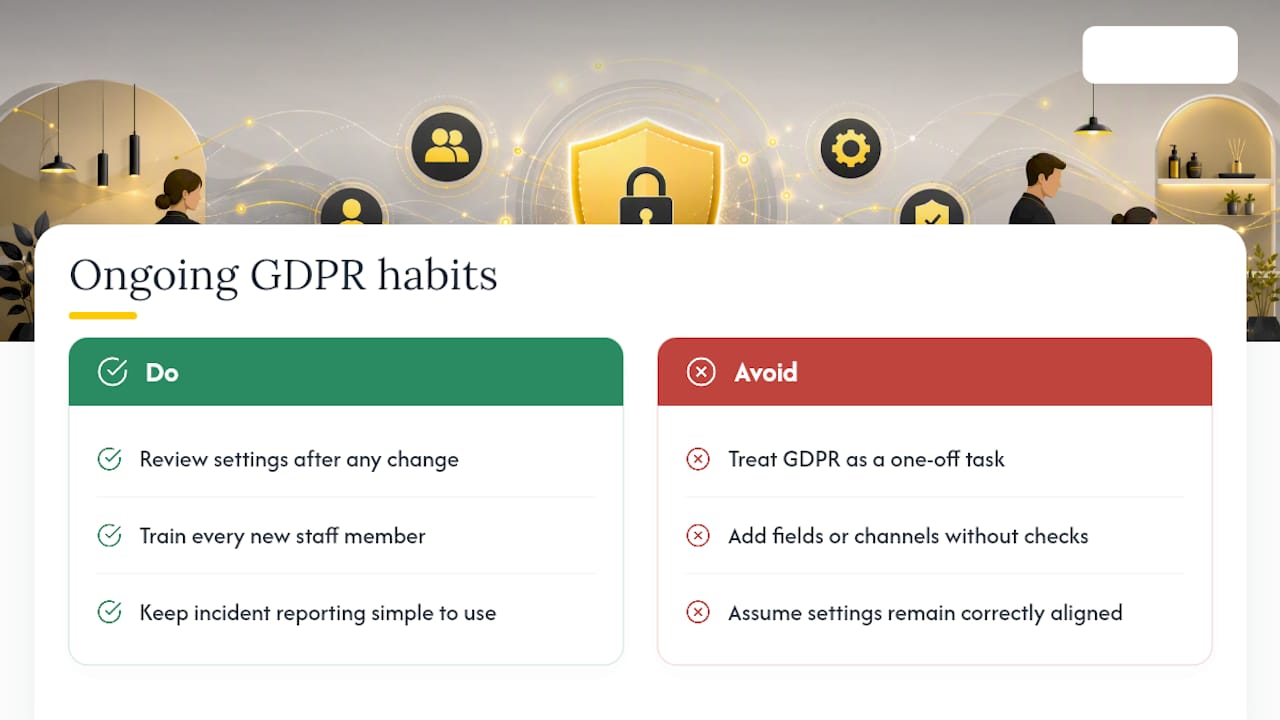
A common mistake is treating GDPR as a one-off setup task rather than a habit. Every new intake field, marketing channel or team member is a point where something can drift out of line. Review your settings whenever you change anything, brief every new team member, and make incident reporting simple enough that people actually use it.
Where to start
Start with the gap that would hurt most if a request landed tomorrow: usually missing records of marketing consent or a deletion routine nobody has tested. Then go through the access rights of every team member and the tags on your website. Your national data protection authority and the European Data Protection Board publish guidance on consent, client requests and breaches; read it in the original rather than in third-party summaries.

If you’re choosing a booking system, test these settings with your own data before you commit. Altegio has a 7-day free trial, and the price depends on the number of team members and the billing period.
FAQ
How do I make my booking process GDPR compliant?
Identify a lawful basis for each purpose, keep marketing consent separate from the appointment, give clients a privacy notice when you collect their data, have a written processor contract with every provider that handles client data, and test how you would answer a client request and a breach.
What makes a booking system GDPR compliant?
No software is compliant on its own: compliance depends on how you use it. A suitable system lets you limit what each team member sees, export and delete client data, show a privacy notice at booking and keep cookies off until visitors consent, and its provider offers processing terms that cover Art. 28(3).
What are the 7 GDPR principles?
Art. 5 lists lawfulness, fairness and transparency; purpose limitation; data minimisation; accuracy; storage limitation; integrity and confidentiality; and accountability, which means you must be able to demonstrate compliance with the other six (Art. 5(2)).
Do I need a DPIA for my clinic?
Only where the processing is likely to result in a high risk, for example large-scale processing of health data (Art. 35(3)(b)). According to Recital 91, an individual physician or other health care professional processing patients’ data isn’t processing on a large scale. Larger clinics and chains should check their national authority’s guidance.
Read next
- Google Tag Manager now runs inside Altegio online booking: 11 ways to use it.
- Client card – cosmetology, lashes, nails: what to record and a template to download.
- A salon booking system: how to choose.
- “Your own system in three days, for next to nothing”: what you’re really buying from a vibe coder.
This article is general information, not legal advice. Rules differ between EU countries.