
Altegio allows you to work both with individual organizations and to manage chains with multiple locations.
Creating a chain
- Before creating a chain, create all locations you plan to combine into a chain.
- Click the location name (or the chain name if you’re already in the interface of an existing chain), and in the drop-down menu under the Chains section, click Add.
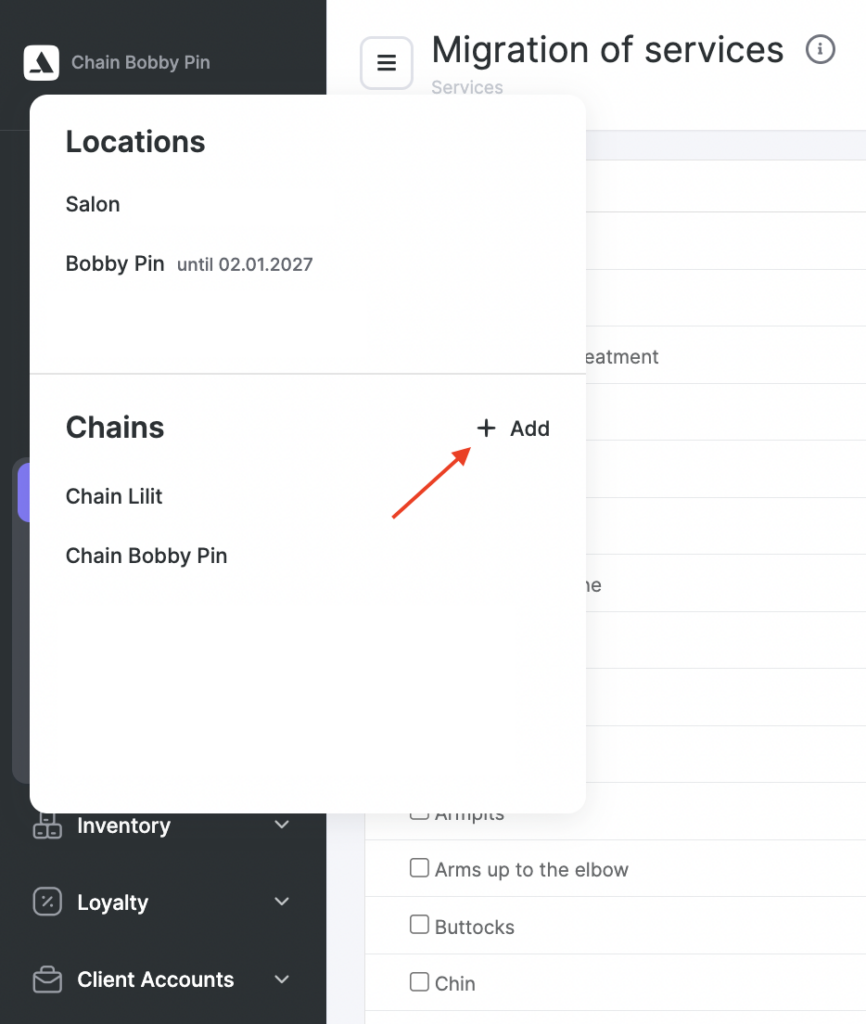
Altegio will automatically take you to the chain management page in Settings > General.
- Enter the chain name.
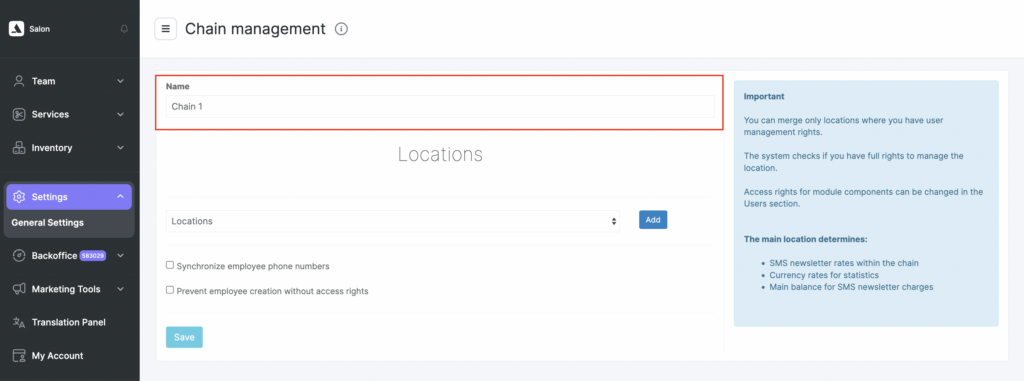
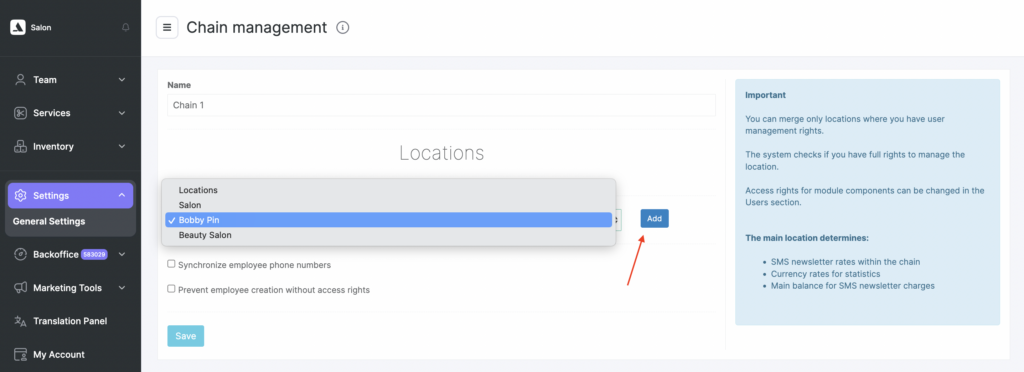
- Select the locations that will be part of the chain one by one: choose a location from the list and click Add.
- Choose the main location and click Save.
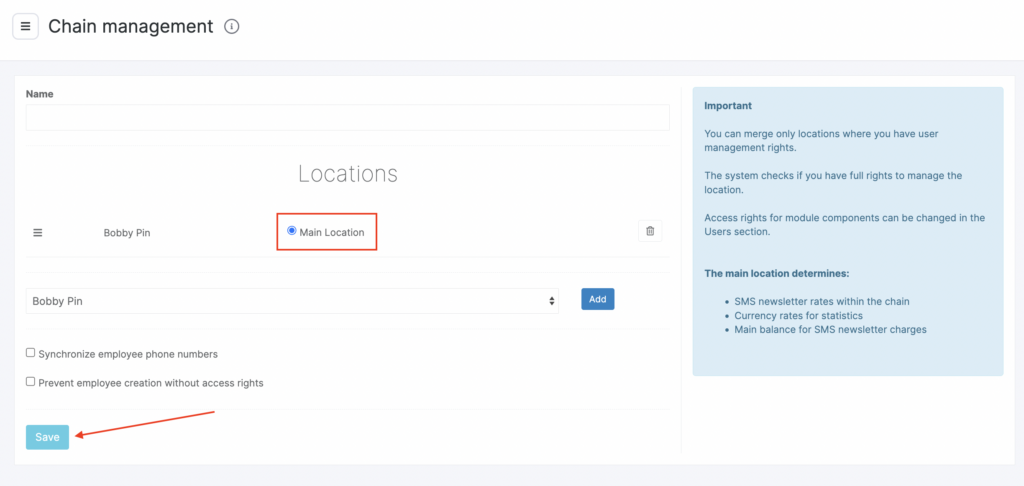
The main location is used to determine:
- SMS messaging plan/rates for the chain.
- The currency used to display statistics.
Important
For a location to be set as the main one, it must be first in the list. If the location is not at the top, you can move it by holding the button with three lines. Also, the Main location label must be enabled next to its name.
Deleting a chain
You can delete a chain if it is no longer needed. Deleted chains are not removed permanently right away and can be restored if required.
There are two ways to delete a chain:
- From the left sidebar
In the left sidebar navigation menu, click the trash bin icon next to the chain you want to delete. When hovering over the trash bin icon, the following message is displayed: “The general chain settings will open, where you can delete this chain.”
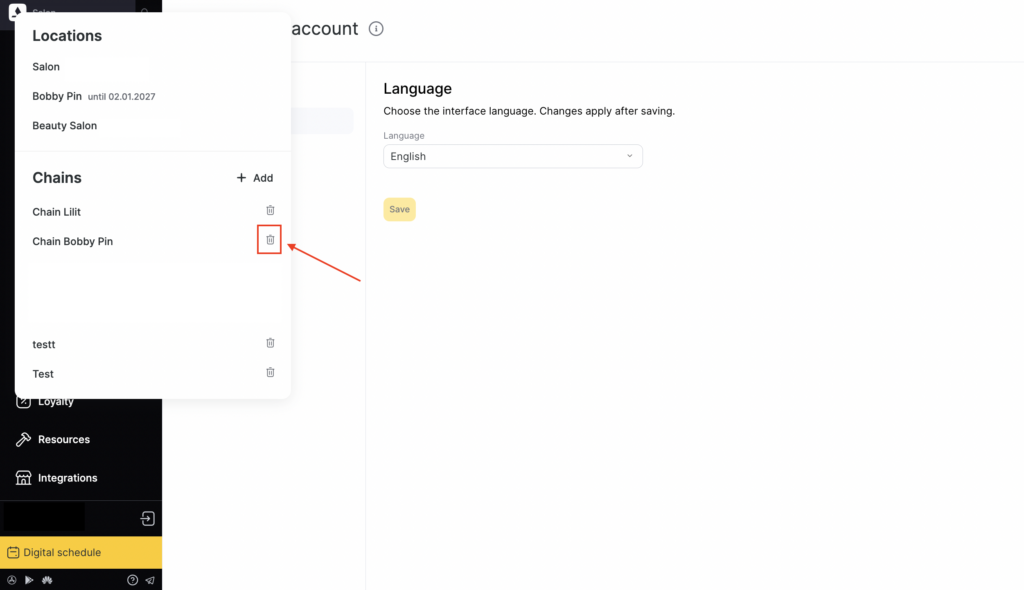
- From chain settings
- Open the required chain.
- Go to Settings > General settings > Delete.
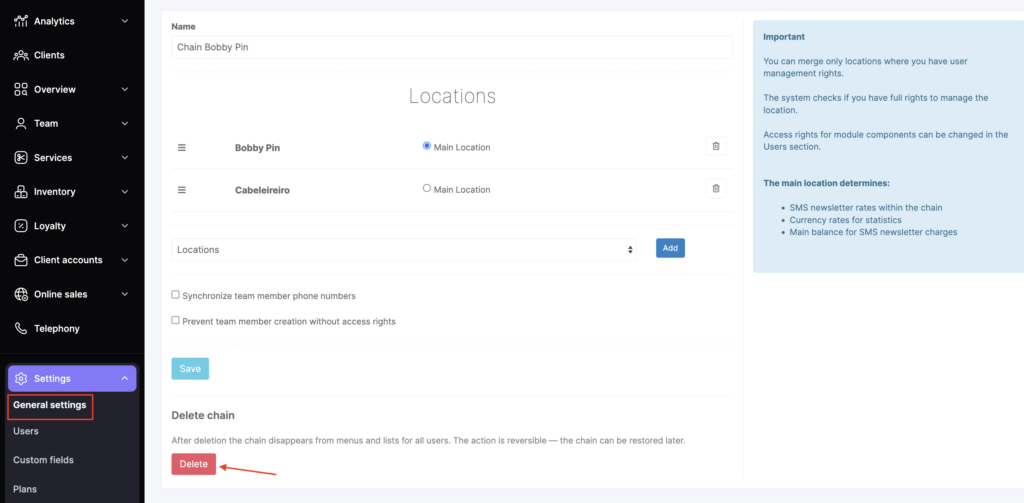
After deletion, the chain will no longer be available in the regular chain list.
Restoring a deleted chain
A deleted chain can be restored from Chain > Settings > General settings using the Restore button.
The restore option is available to the chain owner or receptionist via a direct link to the deleted chain.
After restoration, the chain becomes available again.
Chain management
You can group locations in any way that’s convenient and create as many chains as you need to view analytical reports from different angles.
All chains are displayed in Administration mode Settings > System settings > Chains. Here you can delete a chain and assign the main chain.
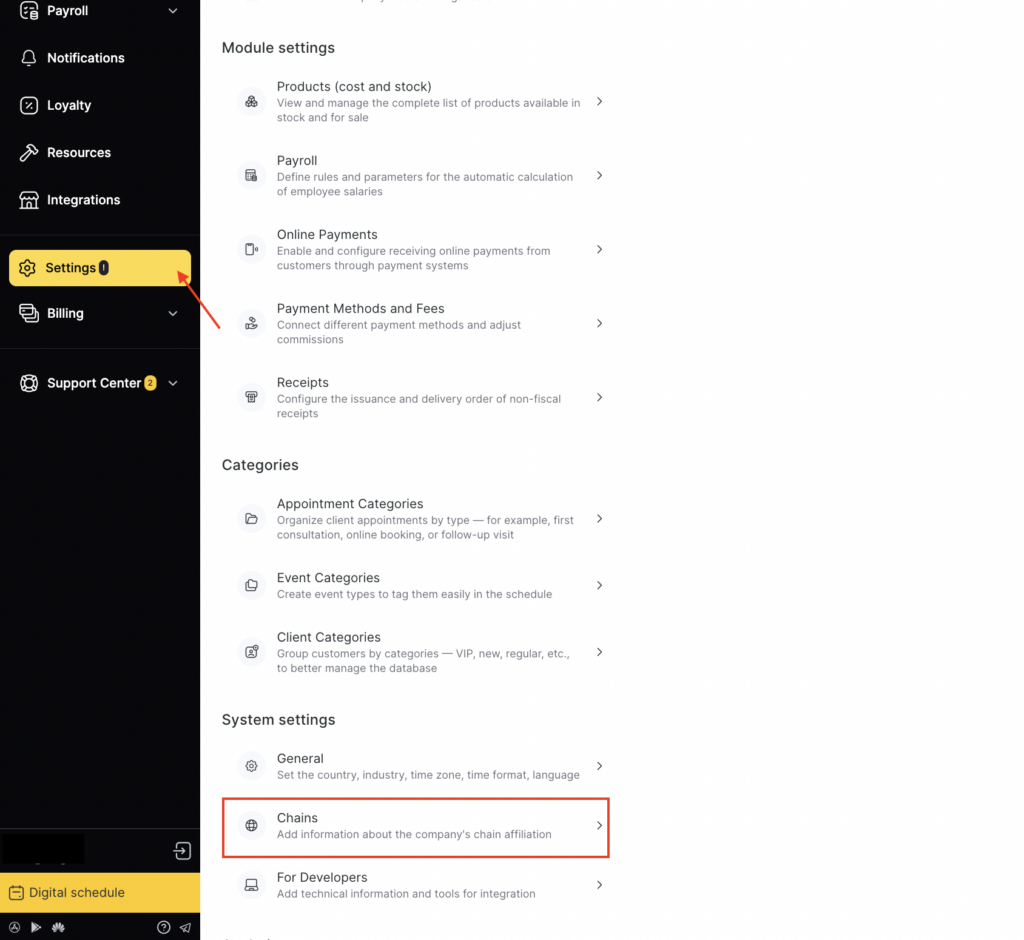
Access rights to view client data across the chain
Access rights are configured to make it easier for employees to work and to ensure the security of the company and information, such as the client database.
You can configure access rights to view client data across the chain for each Altegio user. To do this, go to Administration mode, Team> Team members list, select a team member, and open the Access tab. In the Booking window section, there is an option called Access to client data throughout the chain.
Check the box if you want the team member to be able to see client data. Select the chain for which this team member will be able to view client data. To deny access, uncheck the box.
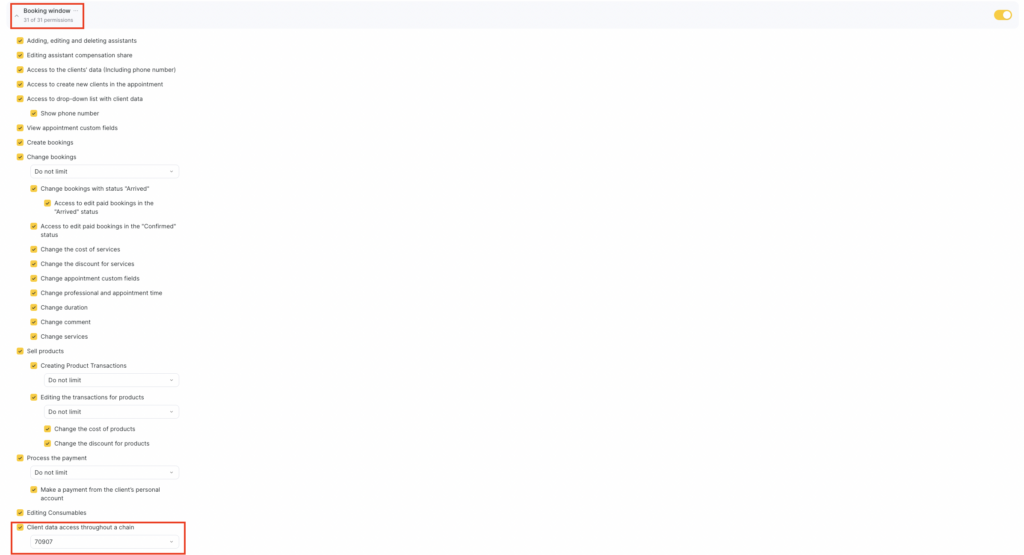
For more details about these settings, see the article Access rights for the appointment window.