Altegio allows you to calculate team member payroll automatically, create different calculation schemes, and configure and edit them.
To create a calculation scheme, you need to set up calculation rules first (more details here), and also configure payroll calculation criteria — i.e., the conditions under which certain rules will be applied.
Setup and editing
Go to Administration mode Payroll > Payroll Criteria. All created criteria will be displayed here — you can edit or delete them.
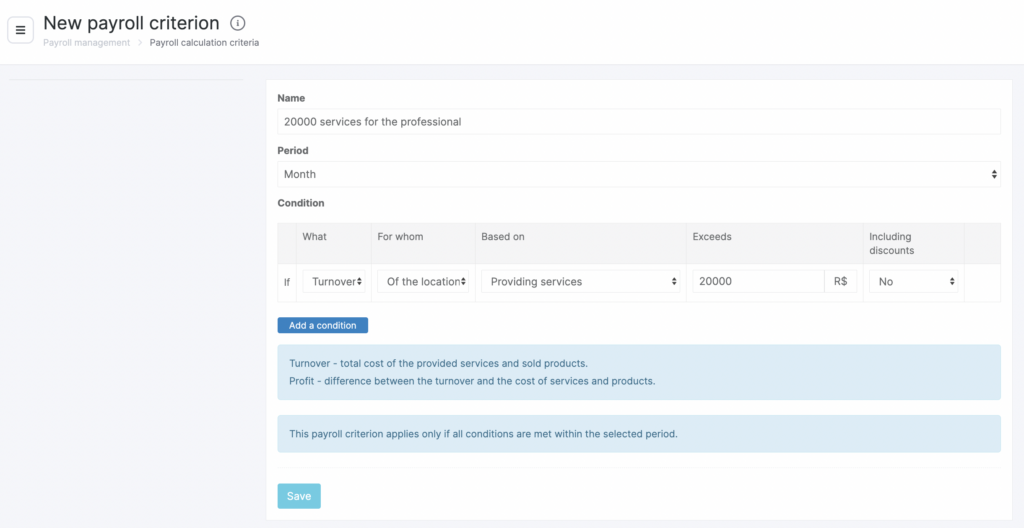
Click Add criterion to start creating a new criterion. In the window that opens, enter all required information and click Save. For a more detailed description of these settings, see the article Creating a new calculation criterion.
Example of a created criterion: