
- To get started, go to Products > Bill of Materials and click Add bill of materials.
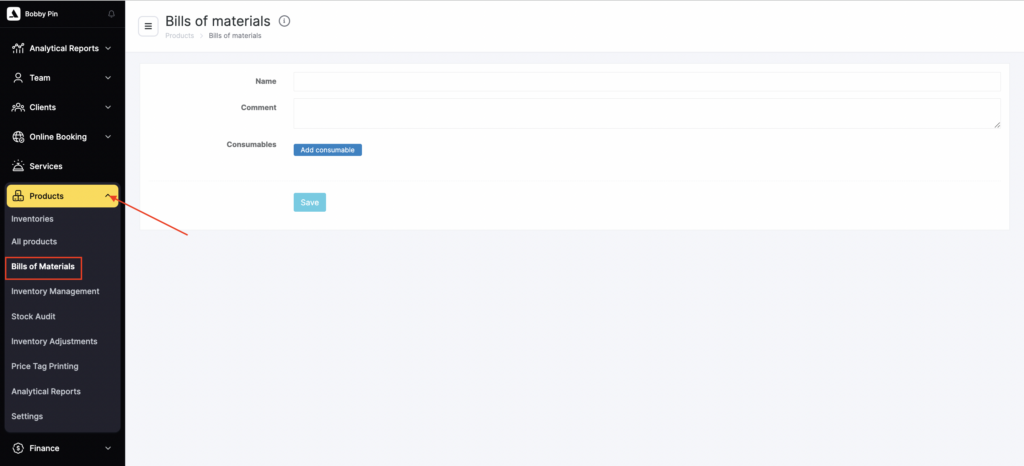
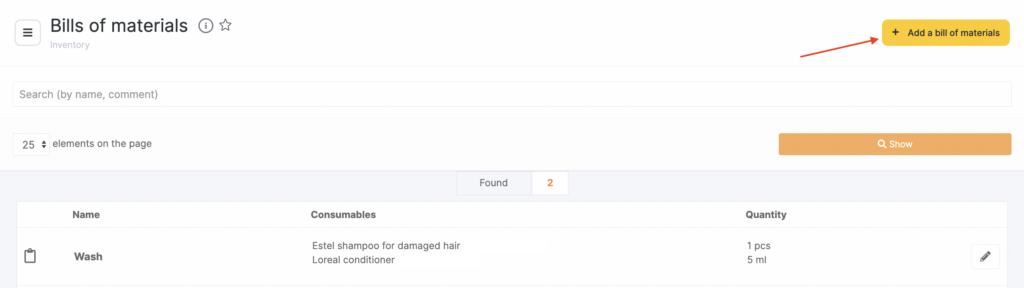
- Enter the bill of materials name and add a Comment.
- Add Consumables (the materials that will be written off):
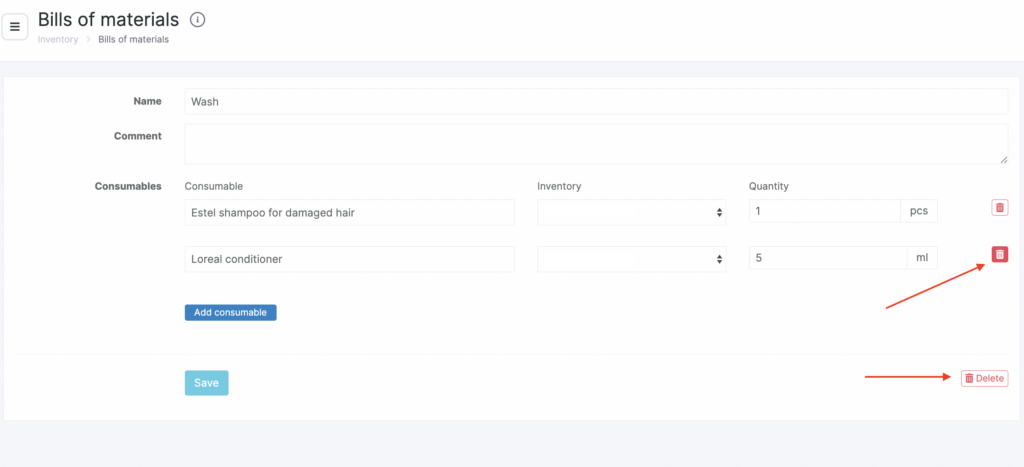
- enter the product name or SKU;
- select the inventory where the products are stored;
- specify the consumable quantity to be written off per use (the unit of measure will be pulled automatically from the product card).
- Here you can add multiple consumables and remove them if needed.
- Click Save.
For more details on how to assign a bill of materials to a service, see the article.