
This prompt library gives salon and clinic owners 20 ChatGPT prompts that work on real business data: bookings, clients, prices, stock, payroll and profit. Each one comes from Altegio AI Course, runs in ChatGPT connected to Altegio and changes something only after your confirmation. Copy a prompt, swap the words in brackets, send.
TL;DR
- Most prompt libraries for small business write texts, these 20 work on your data: each prompt reads your bookings, clients, stock or payroll in Altegio, and 8 of them change something only after your confirmation
- One rule goes in before any prompt: you paste it once into ChatGPT’s custom instructions, and every prompt that changes data shows you a plan first
- The money is in the analysis prompts: in our salon model, a €110 keratin treatment earns €18 per hour of work after pay and materials, a €35 gel manicure earns €24, and prompt 15 shows this for every service you have
- These 20 are about a fifth of the full prompt library: the free Altegio AI Course gives you all 94 prompts from its 10 lessons, plus safety rules for the team
What’s in this ChatGPT prompt library
Most ChatGPT prompts for business owners are about words: captions, emails, replies to reviews. They work in any chat, because they don’t need your data. The prompts in this library are the other kind. They ask about your calendar, your clients and your money, so ChatGPT has to see them. It does once you connect it to Altegio through the Altegio MCP server.
| A typical prompt library for small business | This prompt library | |
|---|---|---|
| What the prompts do | Write texts | Read and change your business data |
| What ChatGPT needs | Only the prompt | A connection to Altegio, set up once |
| Where the facts come from | What you type in | Your bookings, clients, stock and payroll |
| What you get back | A text | An answer, or a plan that waits for your confirmation |
Under each prompt there’s a label, so you know what it does before you send it:
- Only reads your data: the assistant looks and answers, and nothing changes in Altegio
- Changes data after your confirmation: the assistant shows a plan first and makes the change only after you confirm
- Voice, photo, Knowledge: you can say the prompt out loud, attach a photo, or connect Altegio Knowledge as well, the second connection that reads the Altegio help center and gives you links
This prompt library doesn’t repeat the prompts from our article on 10 salon jobs to hand to ChatGPT: the sick-day rebooking, the Monday dashboard and the evening close live there. Here are 20 others from the same course library, grouped by task.
Before you copy: one rule and three habits
Every prompt in this prompt library relies on one rule.
The rule for every chat
Before you change anything in Altegio, show me the plan as a short list and wait for my yes.
This one isn’t a chat message. You add it to ChatGPT once: click your name in the corner, open Personalization, scroll to Custom instructions and paste it there. From then on, it works in every chat. On top of that, each person connects with their own Altegio login, so the assistant sees and does only what that person’s access allows, and anything to do with money gets Altegio’s own confirmation as well.
Three habits make these ChatGPT prompts for small business work the first time:
- Swap the words in square brackets: [location], [month], [team member’s name]. A chain runs the same prompt for each of its locations
- Pick the right chat: start a new chat with Altegio picked for most prompts. A follow-up, like “the three things to do first”, goes in the same chat as the answer it builds on
- Read the plan before you confirm: the assistant shows what it’s about to change. If it’s what you asked for, say yes
ChatGPT prompts for bookings and the schedule
1. Who’s free later today
A client calls asking for a slot this evening, and the calendar is on the front-desk computer. Ask the assistant instead, and it answers from your Altegio schedule in seconds.
Who’s free after [time] today?
Only reads your data, changes nothing · you can say it out loud
Hands full with a client? Tap the voice button in ChatGPT and ask out loud. It’s the same Altegio data, you just ask without looking at a screen.
2. Book a client who calls or texts
A client calls while you’re with someone else, or texts late at night. Instead of opening the calendar and searching for a slot, dictate one line: the assistant finds a free team member and suggests the booking.
Book [client’s name] for [service name] tomorrow after [time], with anyone who’s free.
Changes data in Altegio after your confirmation · you can say it out loud
A new client? The assistant creates the client record and asks for the phone number. Check the booking it suggests, then confirm.
3. Two team members swap shifts
A swap agreed in the team chat often never reaches the schedule, and then online booking offers clients the wrong person’s hours. One message puts it where clients see it.
[First team member’s name] and [second team member’s name] swap shifts on [date]: each one works the other’s hours. Change their working hours in the schedule for that day. Show me how the schedule will change first, and make the change after my yes.
Changes data in Altegio after your confirmation
Altegio AI Course shows how to run a whole day from the phone: the morning briefing, a sick day and the evening close.
Prompts for your numbers: what to do first and the report you’re missing
4. The three things to do first
A dashboard full of numbers doesn’t tell you where to start. This prompt turns it into three concrete steps for the month, each backed by your own numbers.
Looking at this dashboard, what are the three things you’d do first this month? Give reasons from our numbers. Change nothing.
Only reads your data, changes nothing
Ask it in the same chat as your monthly dashboard. The dashboard prompt itself is in 10 salon jobs to hand to ChatGPT.
5. A report the standard set doesn’t have
Altegio’s statistics and analytics cover the usual questions. When yours is unusual, like how many colorings went to clients in your loyalty category, ask for the exact report in your own words.
For this month, count the [service category] services actually done for clients in the [client category] category. Leave out cancellations and no-shows. Check the total against all [service category] services for the month. Show a table: service, team member, number of services, revenue and share of the total. Then tell me how to set this up in Altegio so the standard report can show it, with help-center links.
Only reads your data, changes nothing · connect Altegio Knowledge too
With Altegio Knowledge connected, the assistant also tells you how to set Altegio up so the standard report shows it next time.
Altegio AI Course builds the dashboard step by step and shows how to connect Altegio Knowledge.
Prompts for prices and services
6. What salons nearby charge
Price a new service by guesswork, and it either scares clients off or leaves money on the table. Before you add it, check what salons nearby charge.
We’re adding new services at [location] in [district, city]: [services]. Check what 5 salons nearby charge for them. No names needed, just each price and the range. Then suggest our price for each service and explain why: the time it takes, the team member’s level, material costs and how busy we are.
Only reads your data, changes nothing
The assistant looks up prices nearby on the web and checks your own Altegio at the same time, so the price it suggests fits how busy your team is.
Money: a new 60-minute service priced €5 below the range nearby and booked 40 times a month leaves €200 a month on the table, or €2,400 a year.
7. New services from a photo of your price list
Typing a new price list into Altegio line by line takes an evening. Take a photo instead: the assistant reads it and adds what’s missing.
Here’s a photo of our new price list. Add the services that aren’t in Altegio yet, with prices and durations, switched off for now.
Changes data in Altegio after your confirmation · attach a photo
Switched off, nobody can book the new services until you’re ready. Check the assistant’s list against the photo before you confirm.
8. Enough time after a service
In clinics and spas with treatment rooms, a room that isn’t ready makes the next client wait, and the whole day runs late. This prompt finds the tight spots before they happen.
At [location], check every [service name] in [room name] over the next 30 days. Where does the next booking in that room start less than [number] minutes after the service ends? List them and suggest when to block time to reset the room.
Only reads your data, changes nothing
The assistant lists them and offers to block time, after your confirmation. To stop it happening again, set a technical break on that service in Altegio.
Altegio AI Course shows how to review a whole price list in one morning.
Prompts to bring clients back
9. When to invite each client back
Every service has its own rhythm: say, a manicure every three weeks and coloring every six. Invite a client back at the right moment, and they book before they drift to another salon. This prompt finds that rhythm in your own visit history.
Look at the visit history of our [20] most regular clients at [location] over the last 12 months. For each service they book, how many days usually pass before they book it again? Suggest when to send a follow-up invitation for each service, and write a short text message with the client’s name. Change nothing.
Only reads your data, changes nothing
It takes about two minutes and only gives advice. Then, in Altegio, you switch on the invitation for a follow-up visit for the services you want, set the timing and paste in the message with a link to your online booking. From then on, Altegio sends it on its own, in your name.
10. Regulars ready for something new
A regular who comes for coloring and has never tried your treatments is the easiest new sale you have: they already trust you. This prompt finds those clients.
Which of our regular clients at [location] who come for [service name] have never had [another service name]? Who should we invite first, and why? Write a short invitation to try it.
Only reads your data, changes nothing
Ask it in a new chat. A personal invitation to a few regulars often works better than one message to everyone.
Money: if 10 regulars who come for coloring try a €30 treatment once, that’s €300 from clients who already trust you, with nothing spent on ads.
Altegio AI Course shows how to bring back regulars who drifted away. For a lasting setup, see client segmentation for salons.
Prompts for retail and stock
11. Sell a product on a client’s visit
A client buys a shampoo at the end of the visit, and nobody records it: stock stops matching the shelf, and the money doesn’t show up in the visit. One line adds the product to the visit.
Add [quantity] [product name] to [client’s name]’s visit with [team member’s name] today.
Changes data in Altegio after your confirmation
Because it’s money and stock, Altegio shows you the details once more before it saves anything. The product comes off your stock, and the client pays for it at checkout together with the visit.
12. Shelf prices that earn what they should
Shelf prices set once and never checked lose margin every time a supplier raises theirs. This prompt shows where the markup has gone thin.
Review the shelf prices of our products in [product category] at [location]. For each one, show what it costs us, what we charge, the markup and how many we sold in the last [3] months. Suggest new prices where it makes sense, and change nothing until I say yes.
Changes data in Altegio after your confirmation
If you agree with the new prices, confirm, and they’re saved in Altegio.
Money: 5 products that each sell 15 units a month, each priced €2 higher where the markup has gone thin, bring €150 a month, or €1,800 a year.
Altegio AI Course covers deliveries from a photo and what runs out next. Stock itself lives in Altegio’s inventory control.
Prompts for payroll
13. What each team member earned
Before payday you need three numbers for each person: what they earned, what’s already paid and what’s still due. Instead of opening payroll for each team member, ask once.
Show me [month] pay at [location] for each team member: what they’ve earned, what’s already paid, and what’s still due.
Only reads your data, changes nothing
It works when your payroll rules are set up in Altegio, because Altegio payroll works out everyone’s pay from them. The assistant only reads the result.
14. Pay the team
Paying the team is only half the job: each payout also has to be recorded in Altegio, or payroll keeps showing the money as still due. This prompt records all the payouts at once.
Pay everyone their [month] balance from [account name]. Show me the list first, and wait for my yes.
Changes data in Altegio after your confirmation
The assistant doesn’t send any money: you pay the team from your bank, as before. It records each payout in Altegio from the account you name, and because it’s money, Altegio asks you to confirm once more. Every payout then sits in payroll settlements, next to what each person earned.
Altegio AI Course also shows the fair-pay check before payday.
Prompts for profit and expenses
15. What each service and team member really brings in
Revenue alone hides which services actually make you money. This prompt shows what’s left from each service and each team member after pay and materials, per hour of work.
Now show what each service and each team member brought in after their pay and materials. Which services earn the most for an hour of work, and which barely pay for themselves?
Only reads your data, changes nothing
Ask it in the same chat, right after “How much did [location] really make in [month]?”. A service can bring in a lot of revenue and still earn little, if it takes long or uses expensive materials. Here’s how that looks in our model:
| Service | Price | Time | Materials | Team pay (40%) | What’s left | Per hour |
|---|---|---|---|---|---|---|
| Keratin treatment | €110 | 2 h | €30 | €44 | €36 | €18 |
| Gel manicure | €35 | 45 min | €3 | €14 | €18 | €24 |
The €110 service looks like the star of the price list and earns a quarter less per hour than a €35 manicure. These are model numbers, not a real salon: the prompt works it out from yours.
16. Where you could save
Small expenses creep in and stay: a subscription nobody uses, a supplier who quietly raised prices. Comparing quarters by hand means an evening with a spreadsheet. This prompt does it for you.
Compare our expenses at [location] for the last three months with the three months before, by category. Flag anything unusual and suggest where we could save. Say what data you used. Advice only: change nothing.
Only reads your data, changes nothing
Run it once a quarter. It’s advice only, so you decide what to cut. A €40 monthly expense nobody needs any more is €480 a year.
Altegio AI Course shows what’s really left from a month after pay, materials and expenses.
Prompts for new team members
17. Plan a new team member’s first weeks
A new team member with an empty calendar loses heart, and one with an overloaded calendar makes mistakes. This prompt plans the first weeks around your own services and schedule.
[Name] has just joined [location] as a junior [position]. How should we plan their first weeks so their calendar fills up without overload: which services to start with, how much extra time they need for each appointment and between clients, their hours, and how to bring them new clients? Advice only: change nothing.
Only reads your data, changes nothing
Ask it in a new chat and keep it for every new hire.
18. Learn the Altegio app from the help center
In their first week, a new team member asks the same questions about the app again and again. Give them this prompt, and the assistant answers from the Altegio help center, with links.
I’ve just started as a [position] at a salon that uses Altegio. How do I use the Altegio Business Management app to see my bookings, my schedule and my pay? And how do I get notified about new bookings? Give me the help-center links.
Only reads your data, changes nothing · connect Altegio Knowledge too · for your new team member
This one is for your new team member, in their own ChatGPT with Altegio Knowledge connected. Knowledge only reads the help center, so it doesn’t see your business data. What they see in the app is up to you, in their access rights.
Altegio AI Course shows how to set up a new team member in one message.
Prompts to get ready for clients who book through AI
19. A description AI assistants can read
Clients, and now their AI assistants, read the description in your online booking when they decide where to book. An empty or outdated one gives them little to go on. This prompt writes it from your real services and team.
Write a short description for [location]’s online booking, based on our services and team. Show it to me first, and save it in Altegio after my yes.
Changes data in Altegio after your confirmation
It’s saved in your location settings in Altegio, and you can edit it there any time.
20. Services and team, ready for online booking
Clients have started booking through their own AI assistants. A client types something like “Book me [service name] at [location] in [city] on [day and time]. Show me the options first.” The assistant can only book what your online booking shows, so a service without a price or a team member without a schedule simply drops out. This prompt finds those gaps.
Check [location]’s services and team for online booking: services without a price, duration or description, and team members hidden online or without a schedule next week. Fix what you can after my yes.
Changes data in Altegio after your confirmation
That booking lands in your Altegio calendar like any other online booking, and the client is in your own client base.
Compare that with a marketplace that takes up to 40% of a booking: on a €45 visit, that’s up to €18, and the client relationship stays in the marketplace’s app. A booking through your own online booking carries no commission.
Altegio AI Course ends with the final check: is your location ready for clients who book through AI?
AI prompt examples for business: when to run each one
Save this table: it’s the whole library on one screen.
| # | Prompt | Reads or changes | When to run it |
|---|---|---|---|
| 1 | Who’s free later today | Only reads | Any time, by voice |
| 2 | Book a client who calls or texts | Changes after confirmation | When a client calls or texts |
| 3 | Two team members swap shifts | Changes after confirmation | When the team agrees a swap |
| 4 | The three things to do first | Only reads | Start of the month, after the dashboard |
| 5 | A report the standard set doesn’t have | Only reads | When a standard report isn’t enough |
| 6 | What salons nearby charge | Only reads | Before you add a service |
| 7 | New services from a photo | Changes after confirmation | When the price list changes |
| 8 | Enough time after a service | Only reads | Once a month, if you have treatment rooms |
| 9 | When to invite each client back | Only reads | Once, then Altegio sends invitations on its own |
| 10 | Regulars ready for something new | Only reads | Once a month |
| 11 | Sell a product on a visit | Changes after confirmation | During a visit |
| 12 | Shelf prices | Changes after confirmation | Once a quarter |
| 13 | What each team member earned | Only reads | Before payday |
| 14 | Pay the team | Changes after confirmation | On payday |
| 15 | What each service brings in | Only reads | Start of the month |
| 16 | Where you could save | Only reads | Once a quarter |
| 17 | A new team member’s first weeks | Only reads | For every new hire |
| 18 | Learn the Altegio app | Only reads | The new team member’s first day |
| 19 | A description AI assistants can read | Changes after confirmation | Once, then when services change |
| 20 | Ready for online booking | Changes after confirmation | Once a month and after a new service or hire |
What the regular ones add up to. Our model is a salon with 6 team members, open 6 days a week, and your time is worth €25 an hour. “By hand” is the time to get the same answer from reports and a spreadsheet; “with the assistant” is the time to read the answer.
| Prompt | How often | By hand | With the assistant |
|---|---|---|---|
| 4. The three things to do first | Once a month | 30 min | 5 min |
| 10. Regulars ready for something new | Once a month | 60 min | 10 min |
| 13. What each team member earned | Once a month | 30 min | 5 min |
| 15. What each service brings in | Once a month | 60 min | 10 min |
| 12. Shelf prices | Once a quarter | 60 min | 10 min |
| 16. Where you could save | Once a quarter | 90 min | 10 min |
| Per month | about 4 h | about 40 min |
That’s about 3 hours, or €80, a month, on top of the 15 hours from the 10 salon jobs. The bigger number is what the answers find: in the examples above, €200 a month from a new service priced right, €150 a month from shelf prices, €300 from regulars trying something new.
Where to get the full prompt library for free
The 20 prompts above are about a fifth of the library in Altegio AI Course. The full library has 94 prompts from all 10 lessons and the rule for every chat, and it comes with safety rules for the whole team. Every prompt is shown in a video lesson on a working demo salon, so you see the answer before you run the prompt on your own data.
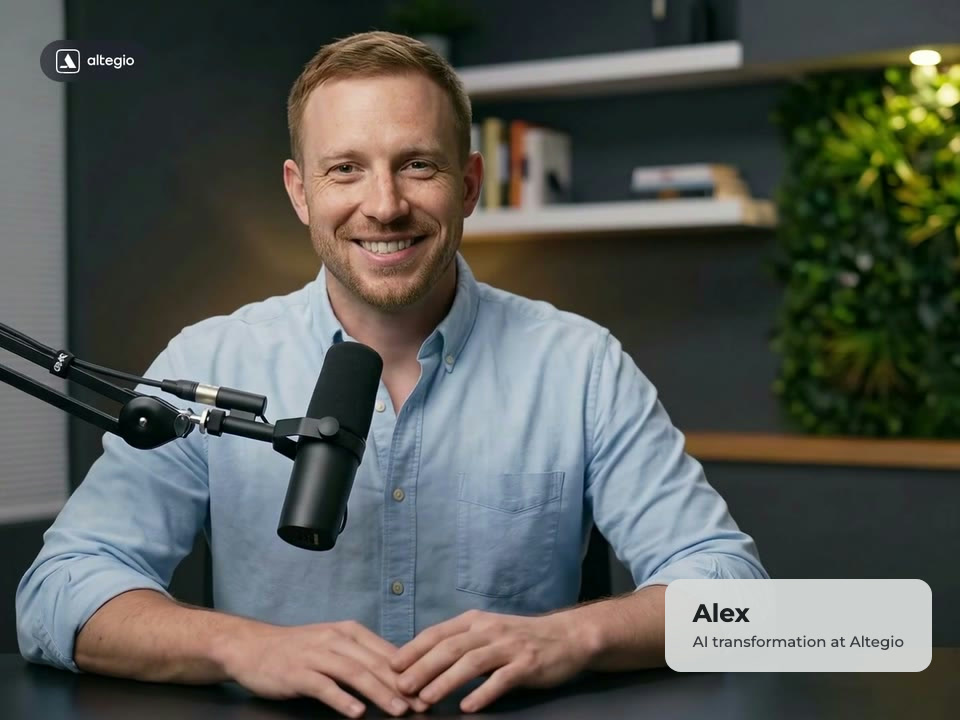
The course is free: 10 video lessons with Alex, in English, a final quiz and a certificate. If you’re still comparing, see our roundup of the best free AI courses with a certificate.
Free course · certificate included
Altegio AI Course:
delegate real work to your AI assistant
10 video lessons with Alex and the full library: 94 prompts, ready to copy into ChatGPT connected to your Altegio
FAQ
What is a prompt library?
It’s a collection of ready-made prompts you copy, adjust and send to an AI assistant. This one is for salon and clinic owners: 20 prompts here and 94 in Altegio AI Course, each tied to a real task in Altegio, from booking a client to checking what each service earns per hour.
Are these ChatGPT prompts free?
Yes. The 20 prompts here and the full library of 94 in Altegio AI Course are free. To run them on your own data, you need Altegio, with a 7-day free trial if you’re new, and an assistant: ChatGPT on the Go plan or higher, or Claude, which connects even on its free plan. The connection itself is free.
Do these prompts work without Altegio?
Mostly not, and that’s the point. These prompts ask about your bookings, clients, stock and payroll, so the assistant has to see them. Without a connection, ChatGPT can’t know who’s free after 4 pm or what your team earned in March. Connected to Altegio, it answers from your real data.
What are the best ChatGPT prompts for business owners?
The ones that work on your own numbers and replace recurring work. For a salon or clinic, that’s the payday check, what each service earns per hour, which regulars to invite back and where the price list leaves money behind. Prompts that only write texts save minutes; prompts that read your data save hours.
Can my team use the same prompts?
Yes. Each person connects with their own Altegio login, so the assistant sees and does only what their access allows. Some prompts are made for the team, like prompt 18, where a new team member learns the Altegio app from the help center. The course also gives you safety rules to share with the whole team.
Everything these prompts need already lives in Altegio. Start the free course: 10 lessons, 94 prompts and a certificate at the end
Start the free course · Try Altegio 7 days free
- Bookings, clients, payroll, inventory and finances in one system
- MCP servers for ChatGPT, Claude and Cursor, with a read-only option
- Altegio Knowledge: answers from the Altegio help center, with links, right in the chat