
Now you can archive outdated membership types which will allow you to transfer them to a separate section and remove them from sale.
How it works
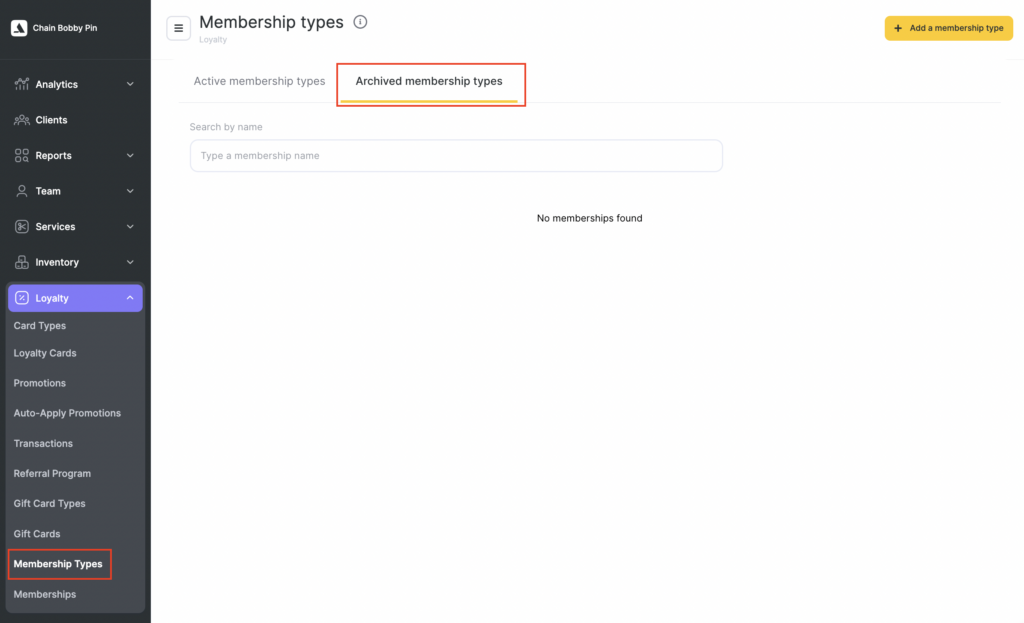
In the chain interface in the Loyalty > Membership types section two tabs appeared:
- Active membership types;
- Archived membership types.
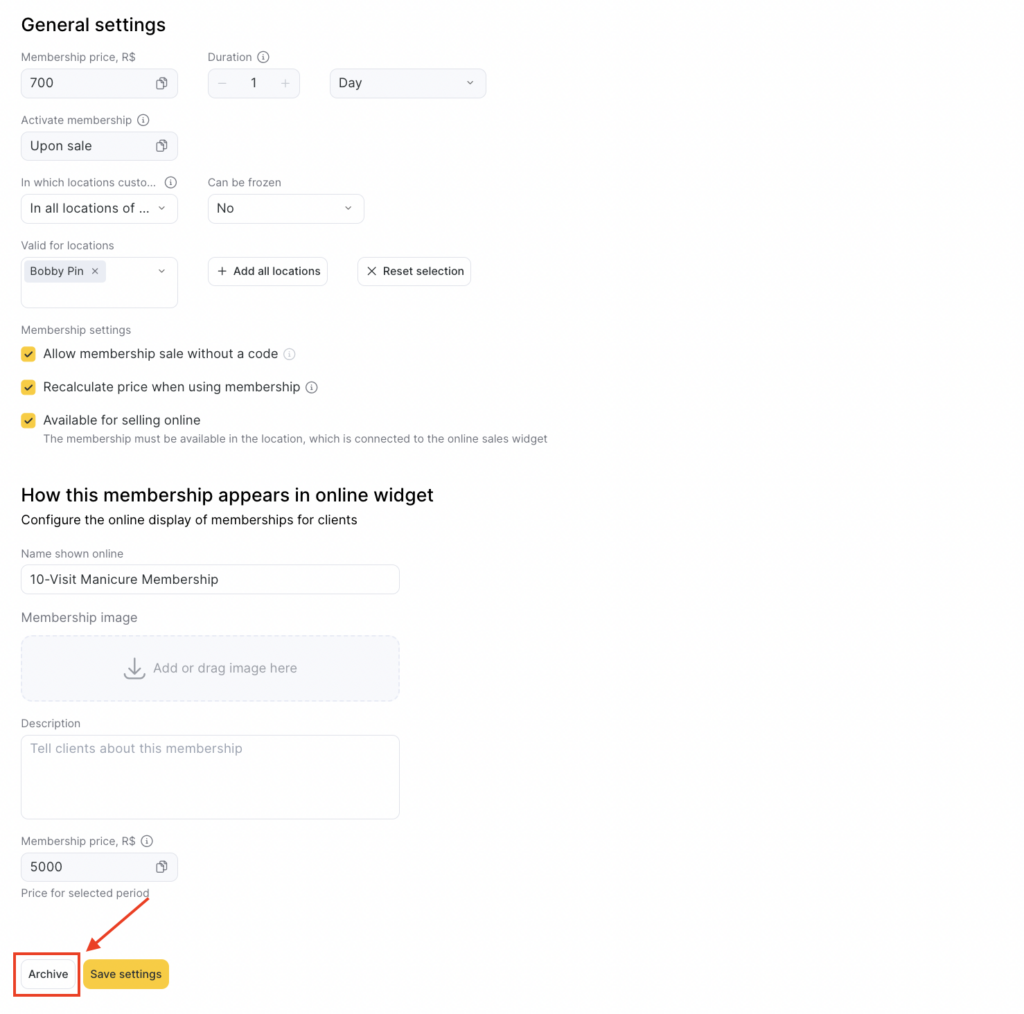
- To archive a membership go to the active membership type tab and find the Archive button in the bottom left corner.
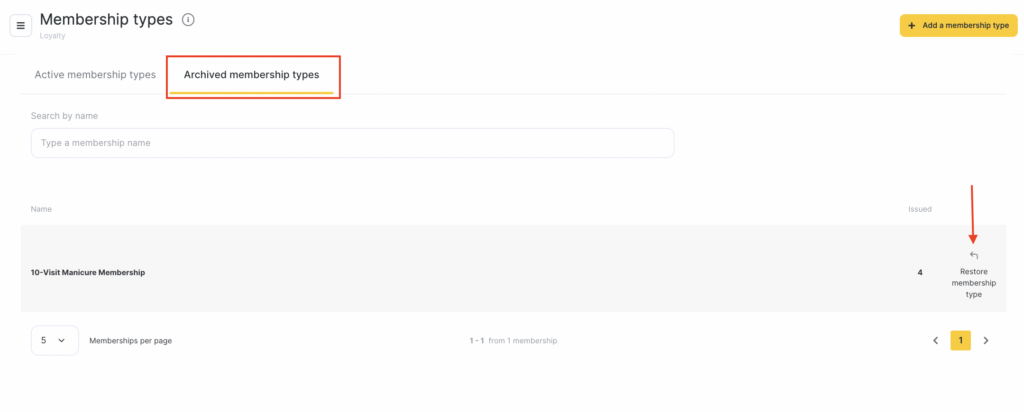
Archived membership types will be transferred to the Archive of membership types tab. After the transfer archived memberships are removed from the list of products for sale.
- To restore the membership go to the Archive of membership types tab and click the action button on the right of the membership name.
Important
Archive button will appear only after you sell the membership at least once.You can archive any membership type, even if it was sold memberships and memberships with active balance.
Archived memberships are available for payment for services.
For archived membership type (its sample) you can change balance and duration manually, as well as edit inventory transactions.
You can restore any membership archived even if there are no services in it (they were deleted).
Archiving membership type doesn’t affect analytics, statistics and history.
You can import samples of archived membership types.
Notifications will be sent for samples of archived membership types.
FAQ
Can clients still use memberships that were issued before the membership type was archived?
Yes. Archiving a membership type removes it from sale and issuance, but memberships already issued to clients remain active and usable for paying for services.Do I need to wait until all existing memberships expire before creating and selling a new, higher-priced membership type?
No. You can archive the outdated membership type and immediately create and sell a new higher-priced membership type. Existing client memberships remain active until their own terms end.