
The company ID is the unique branch number in Altegio.
You can find it in three ways.
Method 1:
- Click the airplane icon in the lower-left corner of the screen.
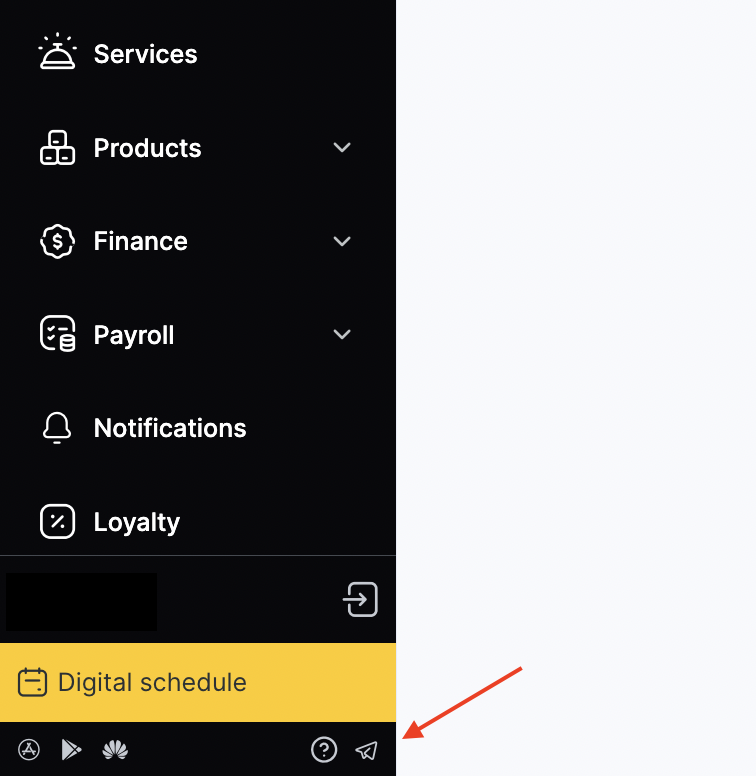
- In the window that opens, you will see the Location ID. This is your company ID.
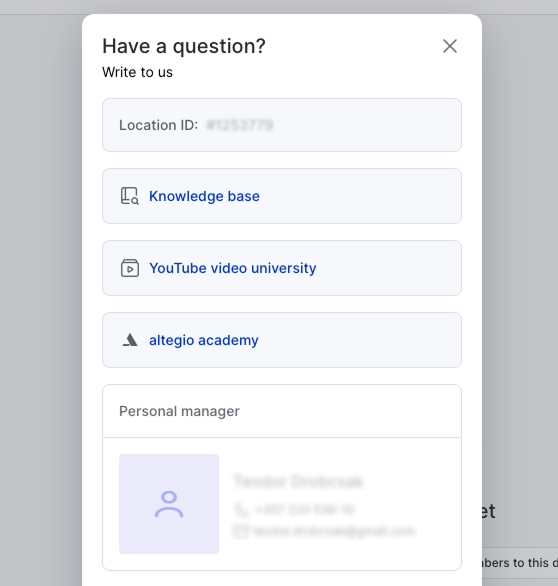
Method 2:
If you do not have access to this section, copy the page address from the browser’s address bar from any section of the system.

In the address bar, you will see a link like this:https://app.alteg.io/dashboard/123456, where 123456 is the company ID.
Method 3:
In the Altegio Business Management mobile app:
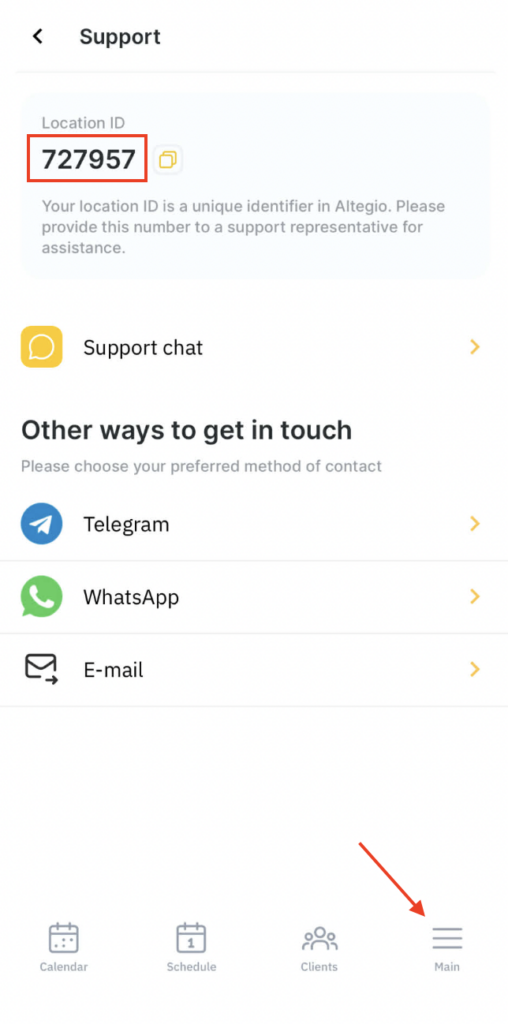
- Tap the three-line menu icon in the bottom menu.
- Then open the Support section.
- Your branch ID will be shown at the top.