
To disable sending an SMS notification when an appointment is created in the booking journal, go to Administration mode, Notifications, open the Notification types tab, and switch off the toggle next to Appointment created via the appointment calendar.
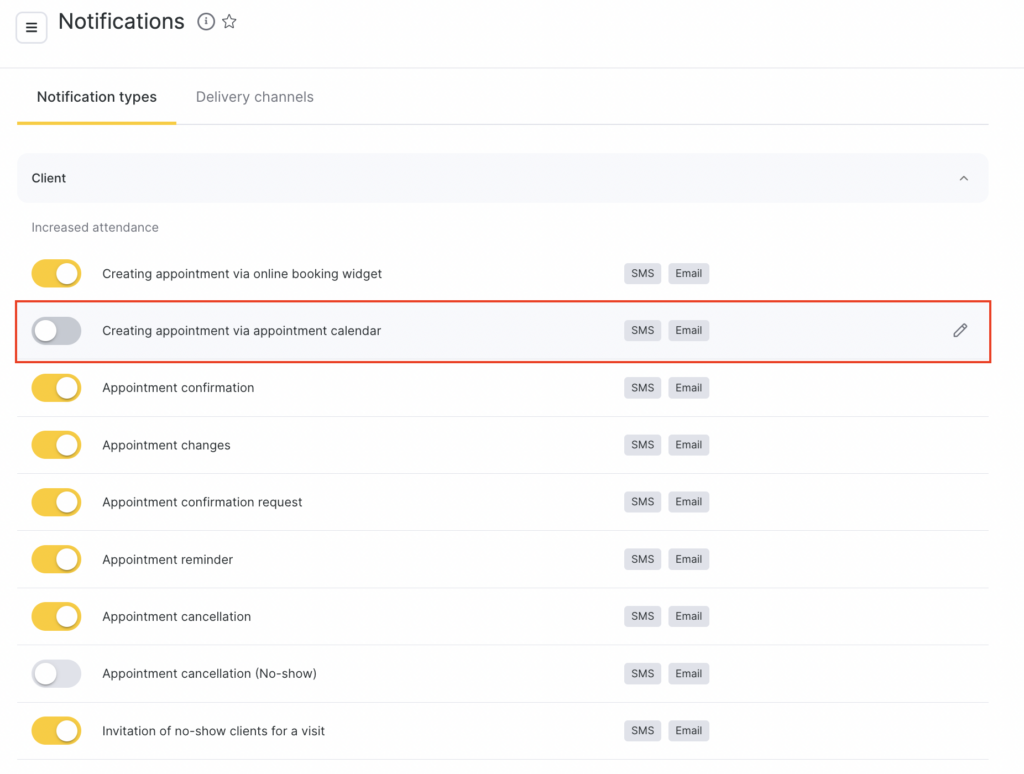
If needed, you can re-enable this notification in the same section.
Even if sending this type of notification is disabled, you can still send an SMS with the appointment details individually.
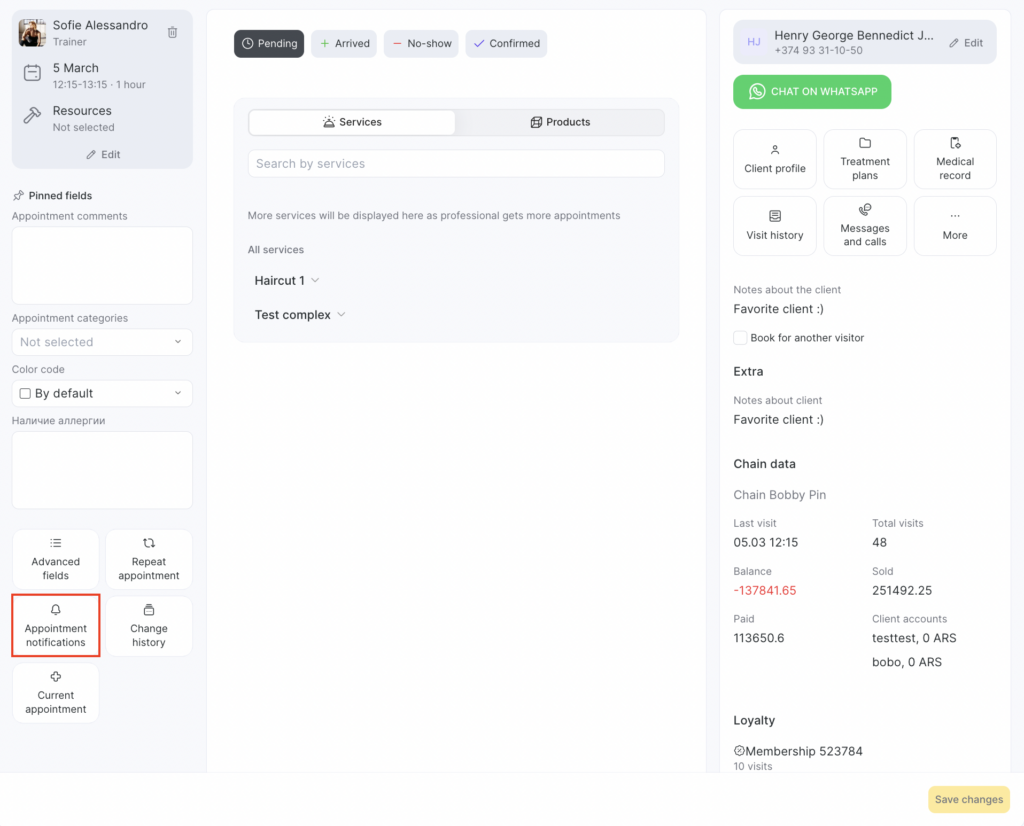
To do this, when creating an appointment, go to Appointment notifications in the appointment window and check Send a notification with appointment details immediately after saving.
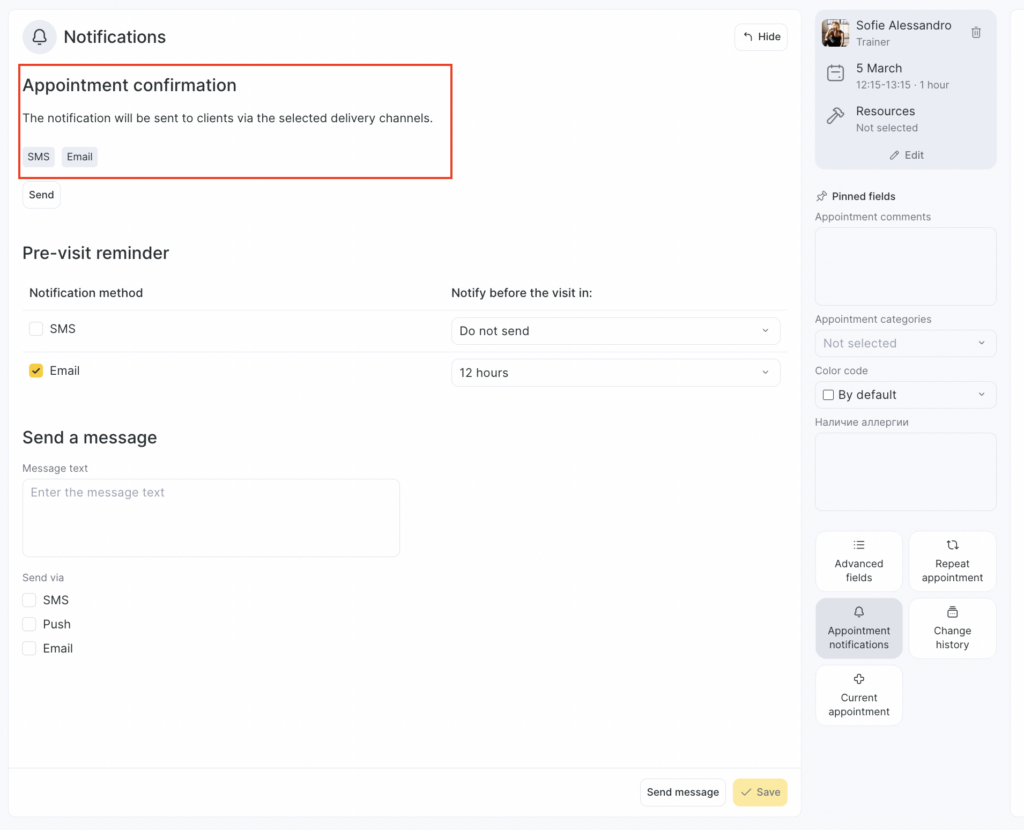
You can also change the time when the client reminder for the upcoming appointment is sent here (see the article for details).