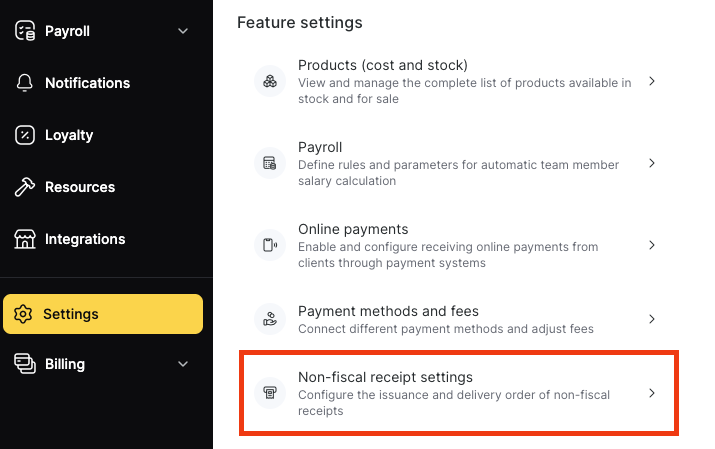
To configure the PDF template of non-fiscal receipts for paid visits, open Settings > Non-fiscal receipt settings in Administration mode.
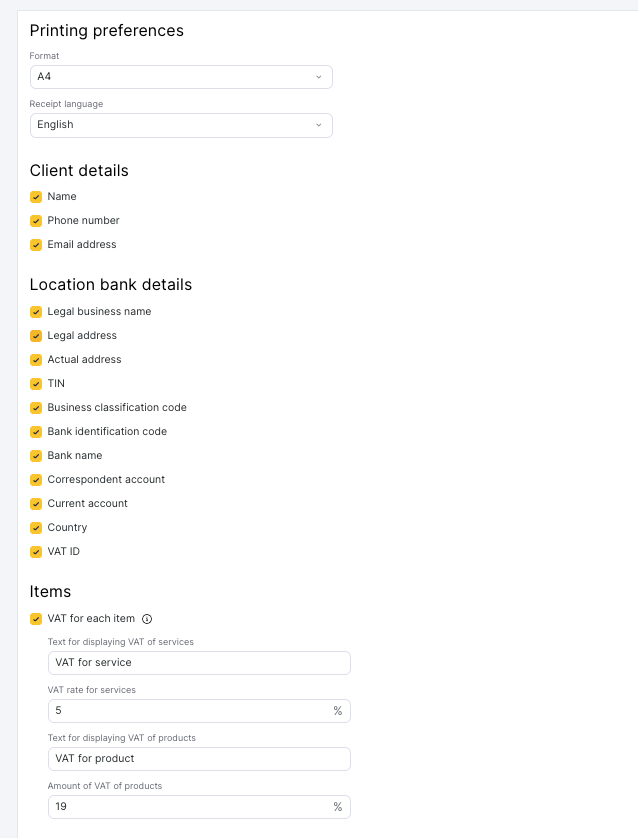
The Non-fiscal receipt settings page has five blocks: Printing preferences, Client details, Location bank details, Items, and Additional information.
Printing preferences
The Printing preferences block contains Format and Receipt language. In Format, select one of the available formats: A4, Terminal printer 80mm, or Terminal printer 58mm. In Receipt language, select the language of the receipt.
Client details
In the Client details block, select the client details to include on the receipt: Name, Phone number, and Email address. These details are specified in the client profile under Clients > Client base or in the Client block of the appointment window.
Location bank details
In the Location bank details block, select the location details to include on the receipt: Legal business name, Legal address, Actual address, TIN, Business classification code, Bank identification code, Bank name, Correspondent account, Current account, Country, and VAT ID. These details are configured under Settings > Location > Legal information.
Items
The Items block contains VAT for each item, Text for displaying VAT of services, VAT rate for services, Text for displaying VAT of products, and Amount of VAT of products. The services and products on the receipt are taken from the appointment window.
Select VAT for each item to show VAT on the receipt. VAT rate for services applies to all services on the receipt, and Amount of VAT of products applies to all products. If VAT for each item is cleared, the receipt shows no VAT and no amounts without VAT.
How is VAT calculated on a non-fiscal receipt?
VAT on a non-fiscal (PDF) receipt is included in the price. Altegio extracts VAT from each line of the receipt: line total × rate ÷ (100 + rate). VAT is never added on top, so the receipt total always equals the amount the client paid. One visit gives the same amounts in every format: A4, Terminal printer 80mm, and Terminal printer 58mm.
Example
A service costs 50 € and the VAT rate for services is 21%. The VAT column of the line shows VAT 21%: 8.68 · without VAT: 41.32. The receipt total is 50 €.
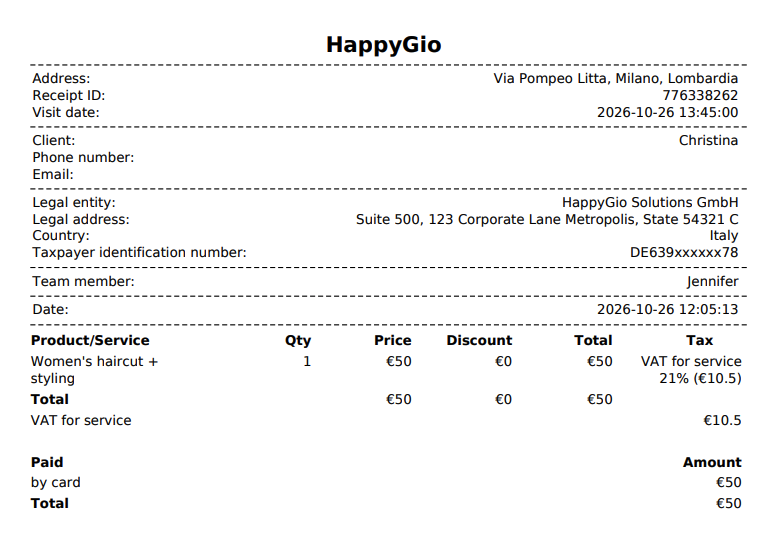
For every line with a VAT rate above 0%, the receipt shows:
- the price with VAT in the Price column, as in the price list;
- the VAT rate and the VAT amount in the VAT column;
- the amount without VAT for the whole line (not per unit) in the VAT column.
The totals block of the receipt shows the VAT total for services, the VAT total for products, the Without VAT total, and the With VAT total.
The VAT calculation applies to non-fiscal receipts only. Financial reports in Altegio don’t change.
How is a 0% VAT rate shown on the receipt?
A line with a 0% VAT rate shows only the VAT label, without a percentage, a VAT amount, or an amount without VAT. Lines with a 0% rate count in the Without VAT total at their full amount. The receipt has no VAT total line for services or products whose rate is 0%. If every line on the receipt has a 0% rate, the receipt shows no Without VAT and With VAT totals.

Example
A visit includes a 50 € service at 21% VAT and a 10 € product at 0% VAT. The receipt shows Without VAT 51.32 €, VAT 8.68 €, and a total of 60 €.
Additional information
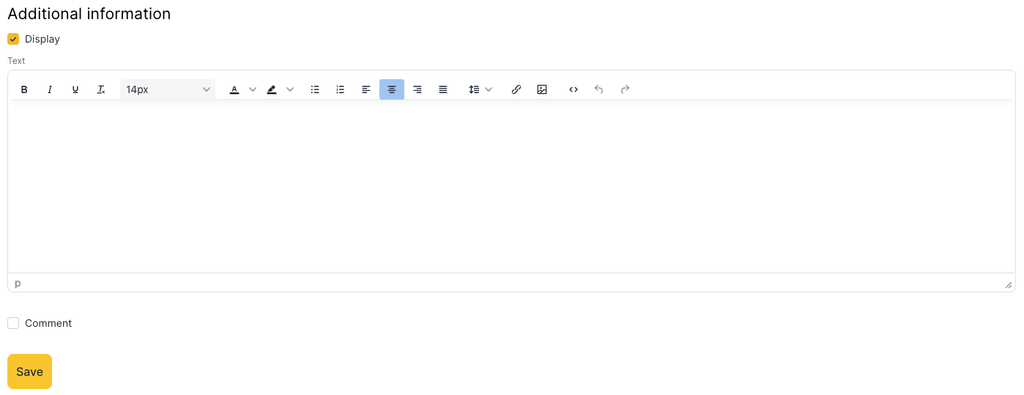
To add your own text to the receipt, select Display in the Additional information block and enter the text in the editor under Text. Click Save to apply the receipt settings.