
In the Finance > Documents section (Administration mode), you can find all the financial transaction documents for the selected period. The information can be filtered by document type and/or content types. Additionally, you can search for documents by document number. Configure the list with the necessary filters and click the Show button.
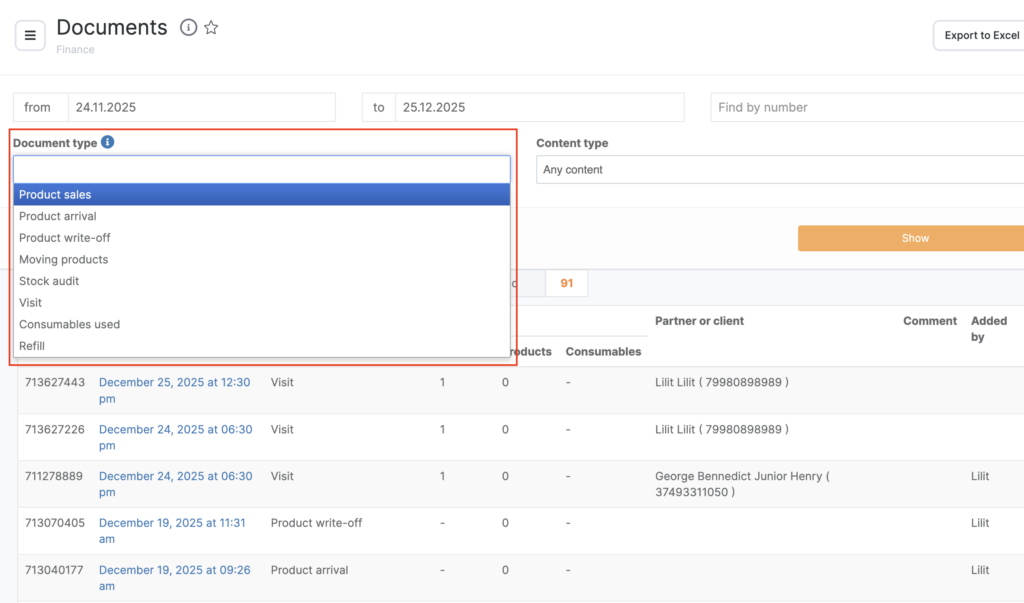
The data in the Date column is shown as clickable links. By clicking on the link, Altegio will open a page with detailed information about that financial transaction. If necessary, you can edit the document.
The list of financial documents can also be downloaded as an Excel file.