
If you run an appointment-based business, GDPR makes you the controller of your clients’ personal data and your software provider a processor. The regulation doesn’t talk about who “owns” a client list – it says who decides why and how the data is processed, and that is you. To keep that control real rather than theoretical, three things are worth doing this week: check that your contract with the provider covers the terms GDPR requires, run a test export yourself, and write down how a handover would work if you switched providers tomorrow.
TL;DR:
- GDPR makes the business the controller: it decides why and how client data is processed. The scheduling platform is a processor that acts on your documented instructions (Art. 4 and 28).
- The contract with a processor must be in writing and cover, among other things, instructions, confidentiality, security, subprocessors, help with clients’ requests, audits and deleting or returning the data when the service ends (Art. 28(3)).
- Getting your data back is a matter of your contract and Art. 28(3)(g). The right to data portability in Art. 20 belongs to your clients, who exercise it against you.
- Run a test export before you rely on a platform: open the file, check the columns and count the records.
- Liability is shared: the controller answers for unlawful processing, while a processor is liable when it breaks its own obligations or ignores your lawful instructions (Art. 82).
What controller and processor mean for appointment businesses
Here’s the distinction that decides who calls the shots on your client data. GDPR defines the controller as the person or organisation that determines the purposes and means of processing personal data, and the processor as the one that processes it on the controller’s behalf (Art. 4(7) and 4(8)). For a salon, clinic or studio using scheduling software, the business is the controller and the software provider is the processor for the client data it hosts.
That sounds abstract until you apply it to a Tuesday afternoon at the front desk. You decide that a client’s phone number is kept for appointment reminders and not for anything else. A processor may handle that number only on your documented instructions (Art. 28(3)(a) and Art. 29). If a provider started using your clients’ data for purposes of its own, GDPR would treat it as a controller for that processing (Art. 28(10)), with all the obligations that come with it.
Two more rules follow from the regulation:
- You may use only processors that provide sufficient guarantees of appropriate technical and organisational measures (Art. 28(1)).
- You remain the controller even if you never touch the server, because the role depends on who decides what is processed and why, not on where the data sits.
Owning the software and controlling the data are two separate things. Your scheduling platform owns its code, its interface and its servers. Decisions about your clients’ names, appointment history and contact details stay with you as the controller, and a good contract makes that explicit. A business that assumes “the system holds the data, so the system decides” is making an expensive mistake.
Step 1. Contract checklist: terms to insist on before you upload your client list
A verbal promise that “your data is safe with us” means little if the contract says otherwise. GDPR requires processing by a processor to be governed by a contract or other legal act in writing, which can be in electronic form (Art. 28(3) and 28(9)). Before you import a single client record into a new platform, read the provider’s terms or data processing agreement line by line, or ask someone who understands contracts to do it. Here’s what has to be in there.
- Subject-matter, duration, nature and purpose. The contract should state what the processing is for, how long it lasts, which types of personal data are processed and which categories of people they concern – for example your clients and team members (Art. 28(3)).
- Documented instructions and confidentiality. The provider processes data only on your documented instructions, and everyone who handles it is bound by confidentiality (Art. 28(3)(a) and (b)).
- Security. The provider commits to the technical and organisational measures required by Art. 32 (Art. 28(3)(c)). Ask what those measures are in practice, for example encryption and access controls.
- Subprocessors. The provider may engage another processor only with your prior specific or general written authorisation, and under a general authorisation it must tell you about planned changes so you can object (Art. 28(2)). Ask for the current list.
- Help with clients’ requests and incidents. The provider assists you in answering clients who exercise their GDPR rights, such as access, erasure or portability, and in meeting your security and breach obligations (Art. 28(3)(e) and (f)). A processor must tell you about a personal data breach without undue delay (Art. 33(2)), so it helps to agree a concrete timescale.
- Return or deletion at the end. When the service ends, the provider deletes or returns all the personal data – at your choice – and deletes existing copies unless EU or national law requires it to keep them (Art. 28(3)(g)). Agree in what format the data comes back, how quickly and whether it costs anything.
- Audits. The provider makes available the information you need to demonstrate compliance and allows for audits, including inspections (Art. 28(3)(h)).
The contract can be based in whole or in part on standard contractual clauses (Art. 28(6)), and a provider’s adherence to an approved code of conduct or certification can serve as one element showing sufficient guarantees (Art. 28(5)). Neither replaces reading what you sign.
Tip: Ask for the data protection terms before you sign the main contract, not after. If a provider stalls on sending them, that’s your answer.
Step 2. Technical checks: test the export, access rights and logs before you commit
Contracts promise. Exports prove. Before you commit your client base to any platform, export a sample and actually open the file.
- Check the format. A spreadsheet (CSV or Excel) is the most common, and every field you rely on – name, contact details, visit statistics, notes, consent records if you keep them – should be present and clearly labelled.
- Ask whether you can export yourself whenever you want a backup, or only by asking support when you leave.
- Check that access rights match how your business runs, so a new team member can’t download the whole client list on their first day.
- Ask whether exports are logged, so you can see who downloaded what and when.
- Ask where the data is hosted and which subprocessors handle it. Transfers of personal data to countries outside the EU are allowed only under the conditions set out in Chapter V of GDPR (Art. 44).
A real sample export reveals problems a sales call never will: field names that don’t match your old system, missing columns, truncated notes. They show up the moment you open the file, not months later when you actually need it.
Whether a platform has a self-serve export or only a manual, on-request download can decide whether a migration takes days or weeks. Providers that build export into the product, rather than treating it as a support ticket, make the controller and processor relationship real rather than theoretical.
Step 3. Leaving a vendor: a step-by-step handover checklist
Switching providers, or simply wanting a backup, should never feel like negotiating a hostage release. Here’s the sequence that keeps it calm.
- Prepare. List every data field you hold, check who in your team can export, and note your retention schedule. GDPR says personal data should be kept no longer than necessary for its purpose (Art. 5(1)(e)), so this is also a good moment to decide what should not move at all.
- Request. Ask your provider in writing for the full export or the return of your data under your contract (Art. 28(3)(g)), together with any assistance it has agreed to give.
- Verify. Open the exported files, check that every field is complete and map them against your new system’s structure.
- Migrate and secure. Import the data, check that nothing has dropped out or been duplicated, and keep a record of who handled the file at each stage. Store export files securely and delete working copies you no longer need.
- Close. Ask your old provider to confirm in writing that it has deleted your data, or which data it must keep by law, keep that confirmation with your contract, and log the whole process in case you ever need to show it.
None of this needs to take weeks. It needs a checklist and someone willing to follow it properly.
Keeping your export clean: data integrity in migration
The biggest risk in a migration is not losing data outright – it’s losing pieces of it quietly.
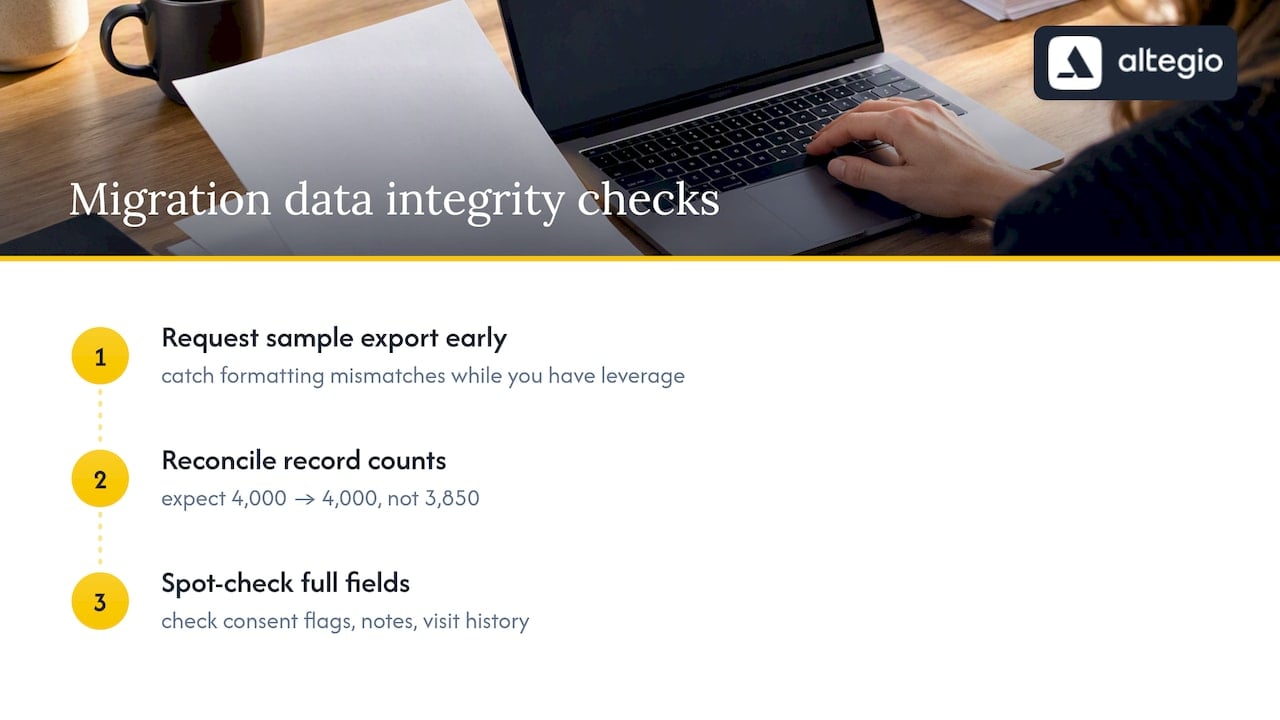
Three habits reduce that risk. First, request a sample export early, before you sign, so you can catch formatting mismatches while you still have leverage. Second, reconcile record counts before and after the move: if you had 4,000 client profiles before, you should have 4,000 after, not 3,850 with no explanation. Third, spot-check a sample of records for notes, visit history and consent records rather than only names and phone numbers, because these are easy to lose in a rushed export.
Watch the import rules on the receiving side, too. Some systems use the phone number as the key for a client card, so two cards with the same number can be merged or rejected during import. Clean up duplicates before you import, not after.
Structured exports with clear column names make all of this far easier to verify. A dump of unlabelled columns forces you to guess what each one means, and guessing is how allergy notes and consent records quietly disappear.
Who is liable when something goes wrong with client data
Liability doesn’t disappear because your provider handles the storage. Anyone who suffers damage from an infringement of GDPR can claim compensation from the controller or the processor (Art. 82(1)). As controller, you are liable for damage caused by processing that infringes the regulation. A processor is liable only where it has not complied with the obligations GDPR places specifically on processors, or where it acted outside or against your lawful instructions (Art. 82(2)).
In practice this splits the risk. If your provider ignores your instructions or fails its own obligations, that is largely on them. If you instruct the processor to do something that itself breaches GDPR, such as keeping client data with no lawful basis, the responsibility sits with you – although a processor must tell you immediately if it thinks an instruction infringes data protection law (Art. 28(3)). Where both of you are responsible for the same damage, each can be held liable for all of it towards the client and then claim back the other party’s share (Art. 82(4) and 82(5)).
Breaches have their own clock. As controller, you must notify the competent data protection authority without undue delay and, where feasible, within 72 hours of becoming aware of a breach, unless it is unlikely to result in a risk to people’s rights and freedoms (Art. 33(1)). That deadline is hard to meet if your contract leaves the provider’s notice to you vague. A solid contract doesn’t remove liability from either side. It defines where each party’s responsibility starts and stops, which is exactly why vague contracts are dangerous.
One regulation, national details: what differs between EU countries
GDPR is an EU regulation, so the controller and processor rules above work the same way whether your business is in Lisbon, Warsaw or Prague. What differs is the detail around them. How long you must keep invoices and accounting records is set nationally, so ask your accountant or tax authority. Rules on health-related records can also differ between countries, which matters if you run a clinic or offer treatments that involve a client’s medical history. And complaints and breach notifications go to your national data protection authority.
The practical takeaway: your contract should say which law governs it and where disputes are settled, and your own records should note which national rules apply to the data you keep. “We comply with privacy law” is not a clause – it’s a slogan.
How client data control works in Altegio
Altegio is scheduling and business management software for appointment-based businesses – beauty, wellness, clinics, auto services, fitness and more. Altegio also follows a Zero-Competition Policy: it isn’t a marketplace, so clients book through links that belong only to your business, they don’t see competitors while booking, and your client base is never resold. Here’s how the three steps map onto it.
- Roles. Altegio’s help centre states that the business using the service is the controller of its client data and must make sure it is processed lawfully. Altegio’s service agreement says Altegio processes personal data only to the extent needed to provide the services and solely to perform the agreement.
- Export. In Clients > Client Database, the Excel > Export to Excel button downloads your client list as a spreadsheet. The list shows names, contact details, total spent, discounts, number of visits and the dates of the first and last visit. Financial transactions can be exported to Excel as well.
- Access rights. In Team > Team members list > team member > Access, the permission to export the client list decides who can download it, and separate permissions control whether a team member sees clients’ phone numbers and email addresses.
- Export log. Analytical Reports > Security > Data exports shows who downloaded data from the client list, the Appointments report, financial transactions and inventory, and when.
- Import and migration. Client lists can be uploaded from .csv, .xls or .xlsx files of up to 12 MB, with columns matched to fields such as name, phone, email, comment and date of birth. Only one client card can exist per phone number, so check for duplicates first. If you upload the same clients again, Total spent and Total paid are added to the values already in the client card rather than replacing them. Migration and support are free, and Altegio’s Data Transfer Agreement lists the data that can be moved into the platform, from client and team member databases to visit history and financial transactions.
- Closing a Location. A Location is deleted through your personal manager or Support rather than in the settings. Export what you need first and ask in writing how your data will be handled.
Before you sign, read the service agreement, the Data Transfer Agreement and the privacy policy against the checklist above. If you are comparing providers, you can start a 7-day free trial and ask Support about anything the documents don’t answer.
FAQ
Who controls the client data in salon software?
The business that collects the data and decides how it is used is the controller under GDPR. The software provider acts as a processor and handles the data only on the business’s documented instructions.
What should a data processing agreement include?
Under Art. 28(3) GDPR, it sets out the subject-matter, duration, nature and purpose of processing, the types of data and categories of people, and the processor’s duties: documented instructions, confidentiality, security, rules for subprocessors, help with clients’ requests and breaches, deleting or returning the data at the end, and audits.
Can a scheduling platform sell or share my client list?
As a processor, it may process your clients’ data only on your documented instructions. A provider that decides on its own purposes for the data is treated as a controller for that processing and takes on the controller’s obligations and liability. Check that your contract limits processing to providing the service.
Does the right to data portability apply to my business?
Not directly. Article 20 gives your clients the right to receive the data they provided to you in a structured, commonly used and machine-readable format and to have it transmitted to another controller, where the processing is based on consent or a contract and is carried out by automated means. Your own right to get the data back from a provider comes from your contract and Art. 28(3)(g), and your provider must help you answer clients’ portability requests (Art. 28(3)(e)).
How do I check if I can export my client data before signing up?
Ask the provider for a sample export, or try the export during a trial, and open the file. A real export tool gives you complete, labelled columns. A provider that stalls or offers only a manual, on-request download is a warning sign.
What happens to my data when I close my Altegio account?
To delete a Location in Altegio, you contact your personal manager or Support. Export your client list and financial transactions first, and ask in writing how and when the data will be deleted. Under GDPR, the choice between deleting and returning personal data at the end of the service is yours as controller (Art. 28(3)(g)).
Read next
- Switching to Altegio: a practical migration playbook for appointment-based businesses.
- A salon booking system: how to choose.
- Client card – cosmetology, lashes, nails: what to record and a template to download.
- Why a salon needs a booking system: 5 numbers.
This article is general information, not legal advice. Rules differ between EU countries.