
Altegio » Support » Online booking » Online booking with social media » Online booking link in Instagram

ONLINE BOOKING

Online booking link in Instagram

1 min read Updated July 21, 2025 Altegio Support

Setting up

1. Go to Online booking section.

2. Copy the link to the online booking form (the link, i.e. nХХХХХX.alteg.io, is located to the right of the name of the online booking form). 
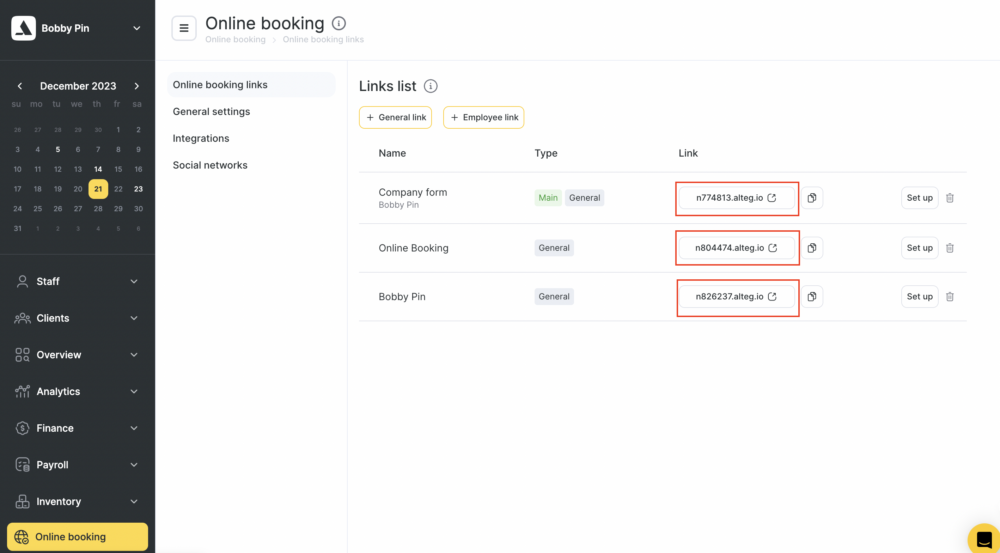
3. Go to the company account on Instagram.

4. Click the Edit Profile button.

5. Add the form to the Website field. 

Note

Instagram supports only one link in the information of your company. If the account already has a website link, replace it with the link to the online booking form.

Read more here

Was this article helpful?

Your feedback helps us prioritise what to improve next.