
Available exclusively for businesses in Brazil 🇧🇷
What is Nota Fiscal?
In Brazil, nota fiscal is a legally required tax document issued for every financial transaction—whether you’re buying a snack at the airport, shopping at a supermarket, or making an online purchase. This document plays a critical role in the country’s tax system and serves as a digital record of the sale of goods or services.
Altegio now supports the issuance of Nota Fiscal Eletrônica (eNota), allowing businesses to automate this essential compliance step directly within the system.
Why is the Nota Fiscal Important?
In Brazil’s complex tax landscape, the nota fiscal serves several vital functions:
- Ensuring tax compliance: Enables the collection of ICMS, ISS, and other taxes while reducing tax evasion.
- Consumer protection: Verifies the origin and quality of goods and services.
- Transaction transparency: Formalizes commercial relations between buyers and sellers.
- Economic insight: Provides data for public statistics and business analytics.
What Information Does a Nota Fiscal Include?
A nota fiscal includes the following compulsory fields:
- Issuer details: Company name, CNPJ, and business address
- Recipient details: Name, CPF/CNPJ, and address
- Product/service info: Description, quantity, unit price, and total value
- Taxes applied: ICMS, ISS, and other applicable taxes
- Payment method: Cash, credit card, bank transfer, etc.
- Access key: A unique code to verify the invoice’s authenticity
How to Use eNota in Altegio
Altegio has introduced seamless eNota issuance in the Visit Window and for other transactions. Here’s how it works:
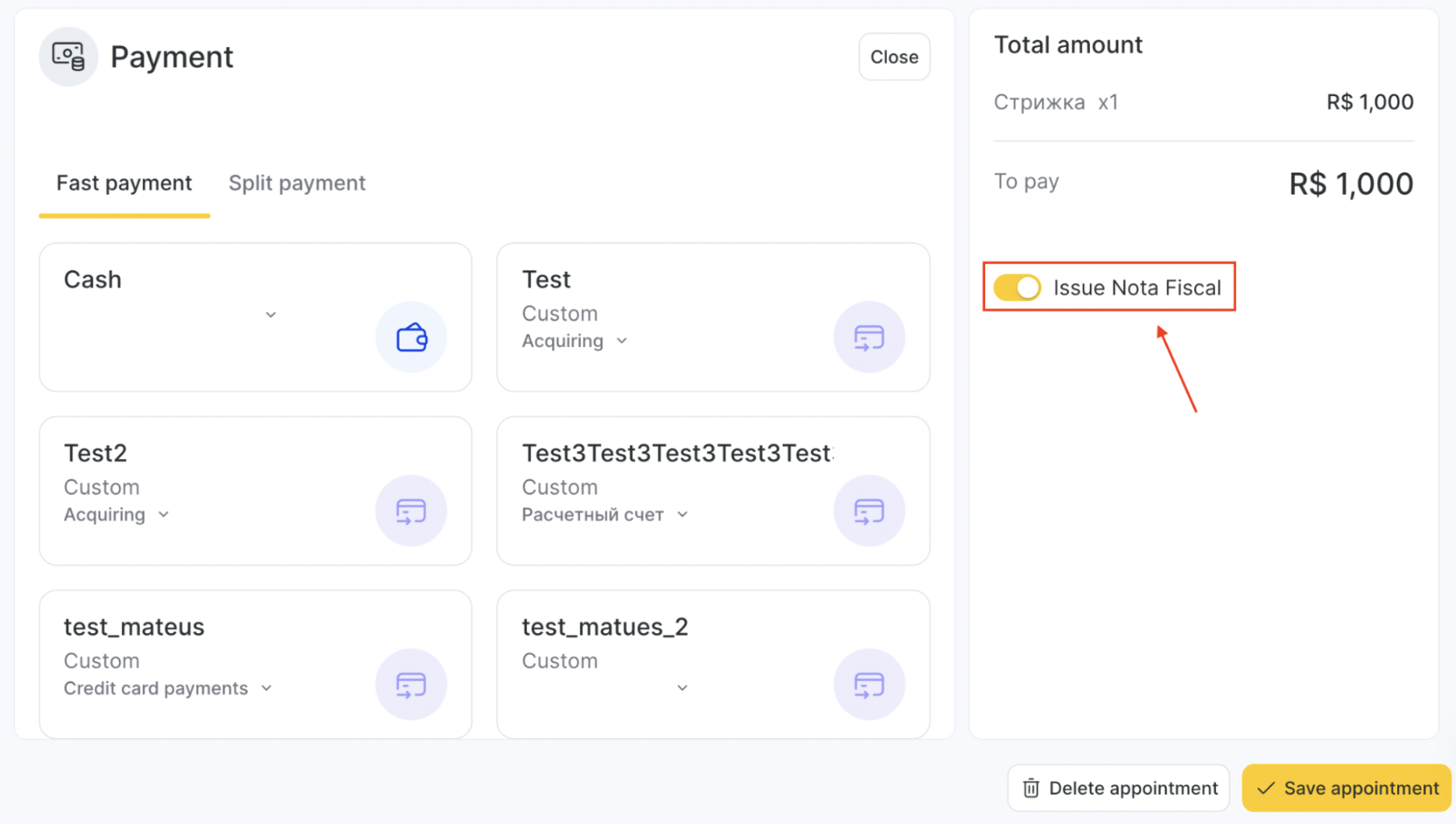
1. Automatic Saving of Notas
- When completing a visit or financial transaction, the nota fiscal is automatically saved.
- Previously, users had to manually initiate this process. Now, the toggle to save is enabled by default.
2. Issuing Notas Later
- If preferred, users can issue eNotas manually at a later time—e.g., at the end of the month.
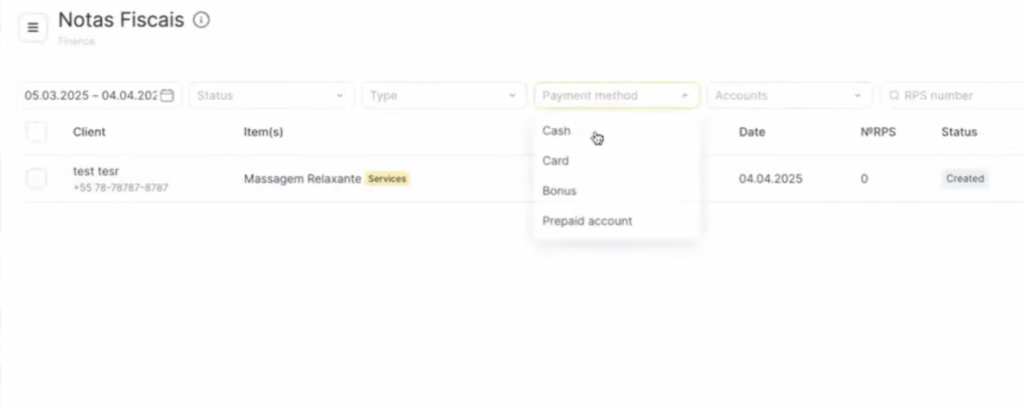
- Use the filtering options to select only relevant transactions (e.g., exclude cash payments if notas are not required for those).
3. Visit Window
In the updated Visit Window:
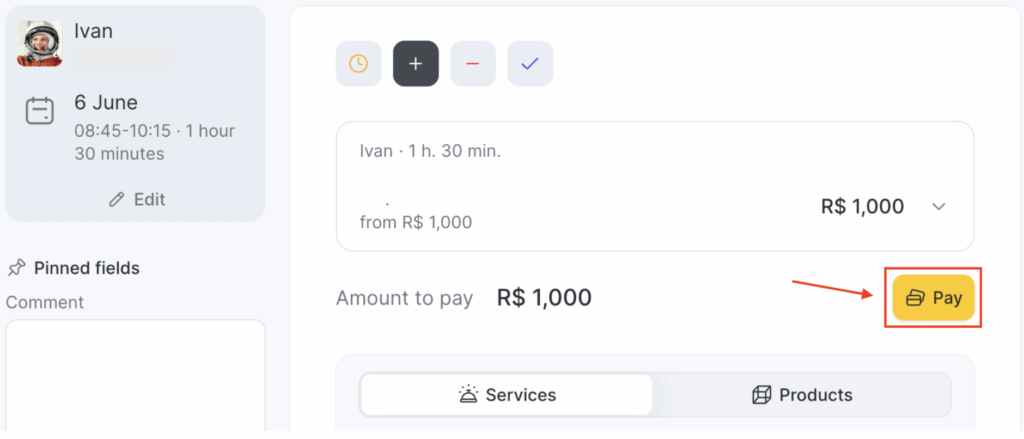
Click the Pay button and choose your payment method
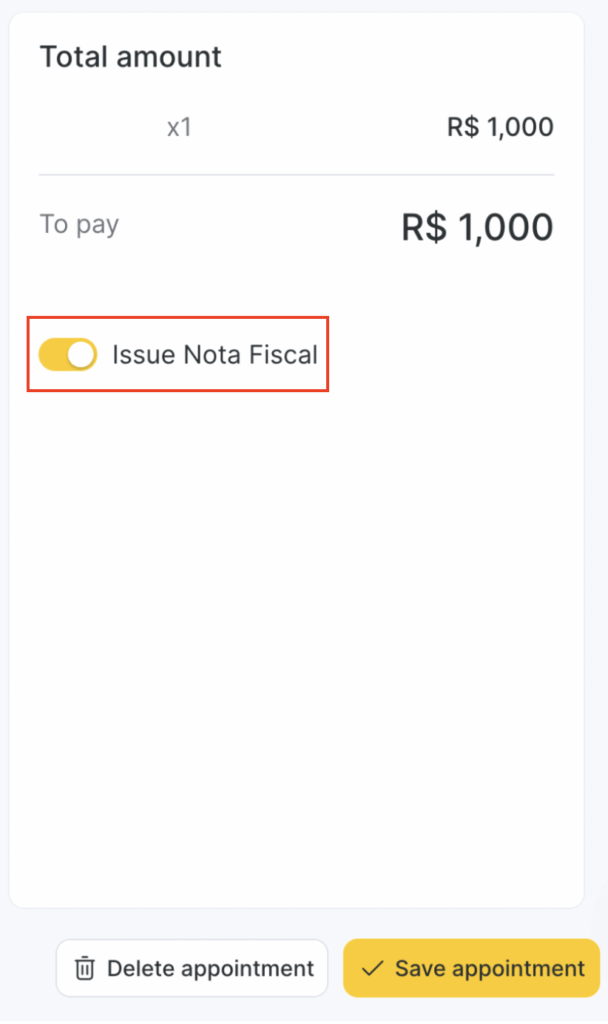
In the right section of the screen you will see Nota Fiscal related information. Choose the installment, double-check the selected payment method, check the toggles and click the Pay button.
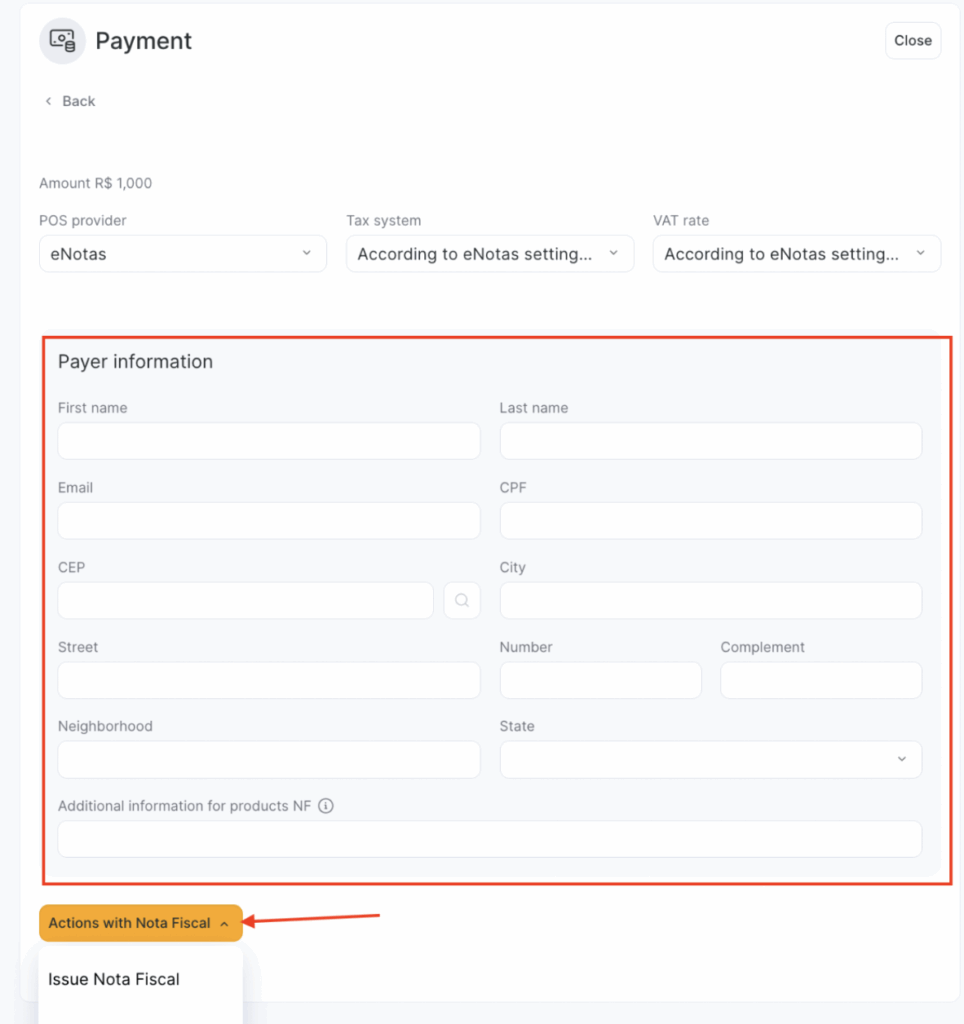
Next, fill in the eNota information and click Issue Nota Fiscal. You can also print a PDF receipt if needed.
4. Splitting Notas
- You can now split a nota fiscal across multiple contributors (e.g., two employees who shared the service).
- This is done directly within the Visit Window, and the fiscal amount is proportionally distributed.
5. Download & Government Sync
Once issued, notas can be downloaded for your records.
They are automatically submitted to the government portal, ensuring compliance.
Upcoming Enhancements
- eNotas for deposits: Will allow fiscal documentation when clients top up their account balance.
- Sales without visits: Enables nota issuance for product purchases made outside of scheduled appointments.
- Improved filtering: Enables filtering by payment methods for faster processing and reporting.
Note
This feature is region-specific and currently available only for Brazil. Configuration and setup should be performed in collaboration with your local team or second-line support to ensure all regional compliance requirements are met.