
What is it and what is it for? #
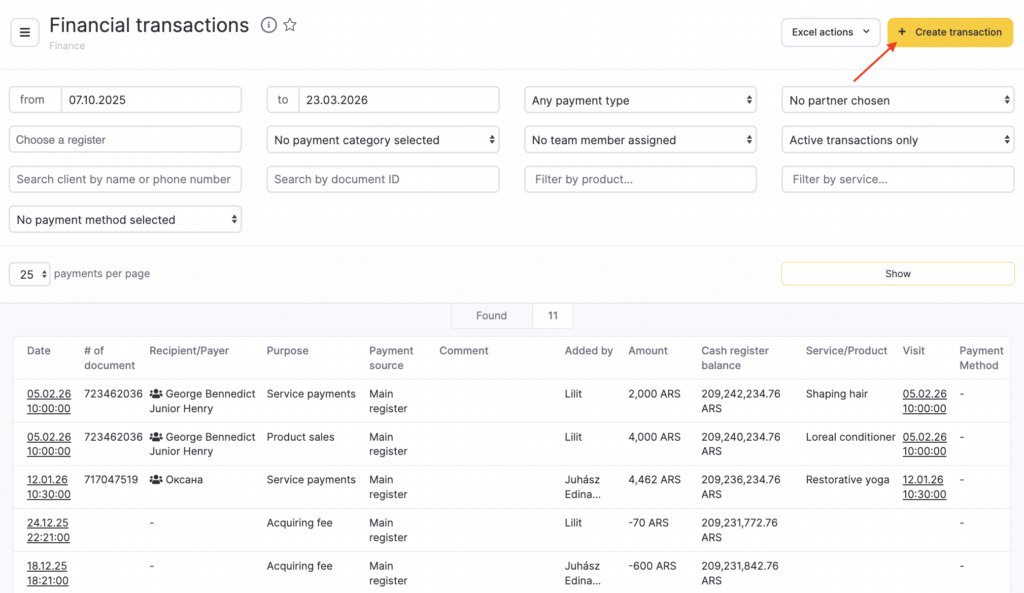
The Financial operations is a versatile tool that offers a comprehensive overview of all your financial transactions. It can be tailored to meet your specific informational needs, allowing you to focus on the indicators that matter most to you.
Key features of the Financial operations include:
- Period of the operations
- Type of payment
- Supplier
- Cash register
- Payment item
- Team member
- Cancellation status
- Client
- Document
- Product
- Service
How it works? #
- Navigate to the Finance > Financial Transactions section within Administration mode in your Altegio account.
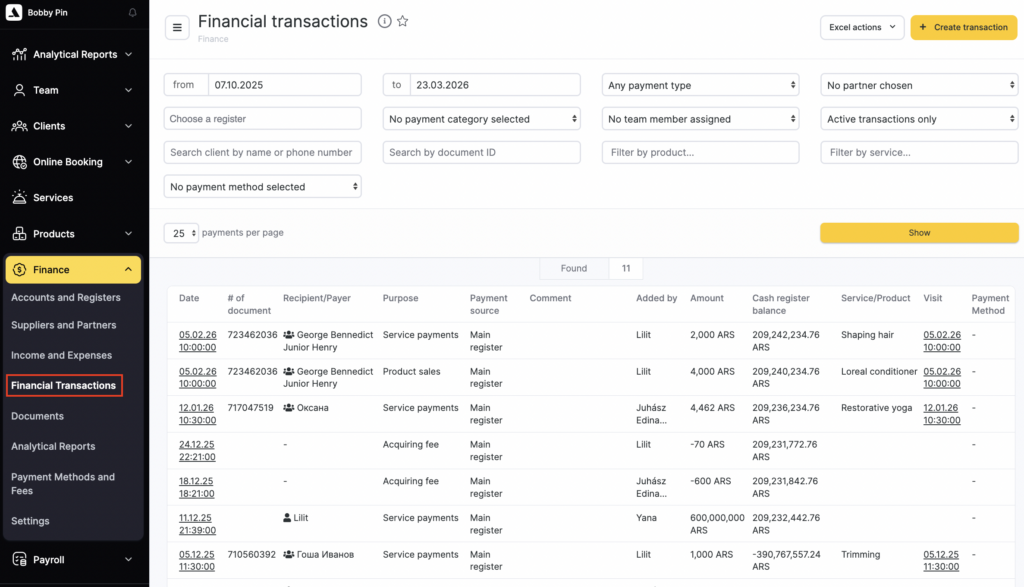
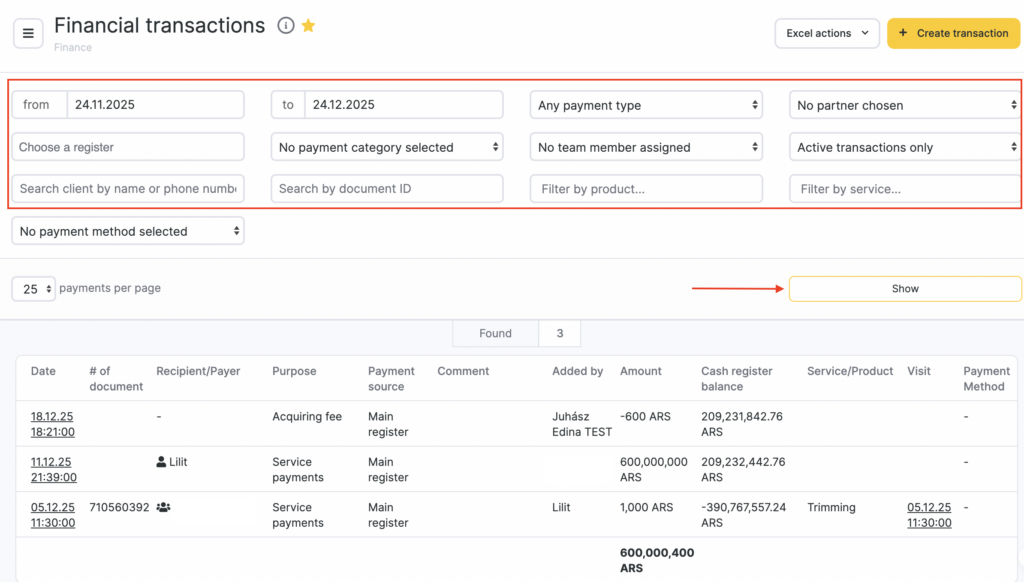
- Apply filters to the list based on the indicators you require and click the Show button.
This way, you can view, for example, settlements with a counterparty or expenses for specific items.
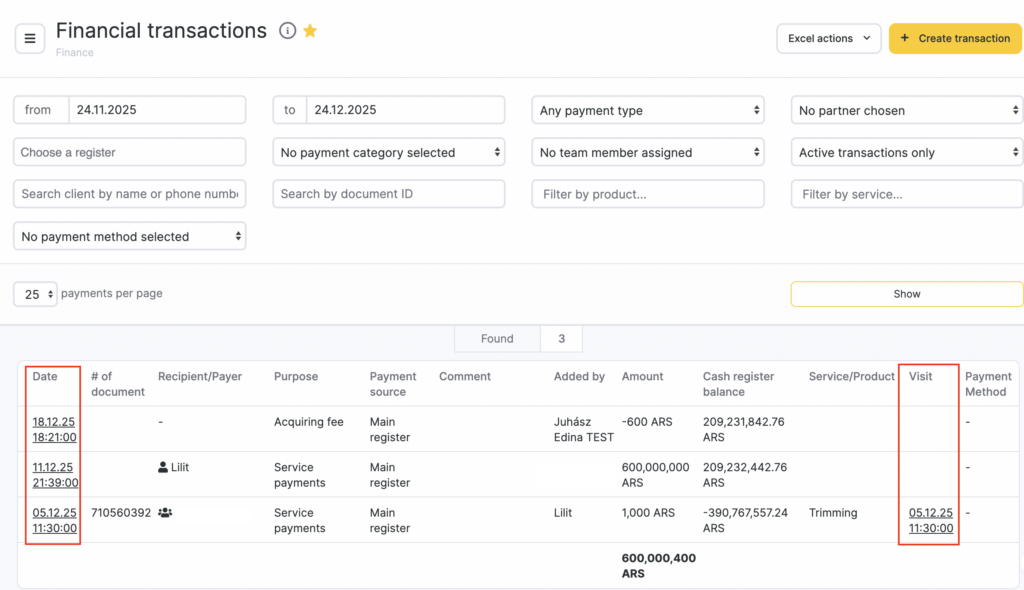
- The data in the Date and Visit columns is displayed as clickable links. Click the link in the Date column to go to the page with details of the selected transaction. Click the link in the Visit column to open the visit window.
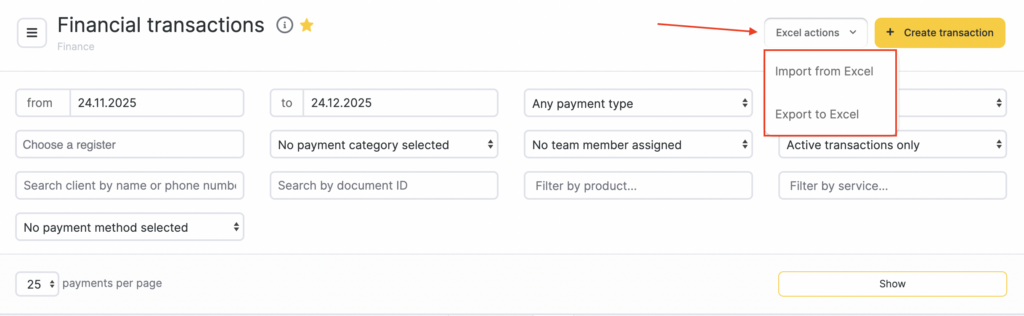
- Financial transactions can only be exported via email using Excel actions > Export to Excel.
The user receives an email with a link to the export file. After that, in Altegio under Analytical Reports > Activity Log, an export log will appear with information on who requested which data and when. The export file can also be accessed via the export log, if the user has permission to access this section.
Read about Finance section in more detail here.
Creating a new payment #
To create a new financial transaction, click the yellow Create transaction button in the top-right corner.
For more details on processing and editing payments, see the article.

