
What is it and why is it needed?
#
Altegio helps clients keep the online booking form compliant with legal requirements.
The personal data processing consent text is intended for clients who will use the widget or the personal mobile app to book your services online. The consent text will be shown right before the booking is confirmed.
You can edit the consent text yourself at your own discretion, but we strongly recommend keeping the text structure unchanged.
Setup
#
- In Administration mode, go to Online Booking > Settings > Customize client data fields.
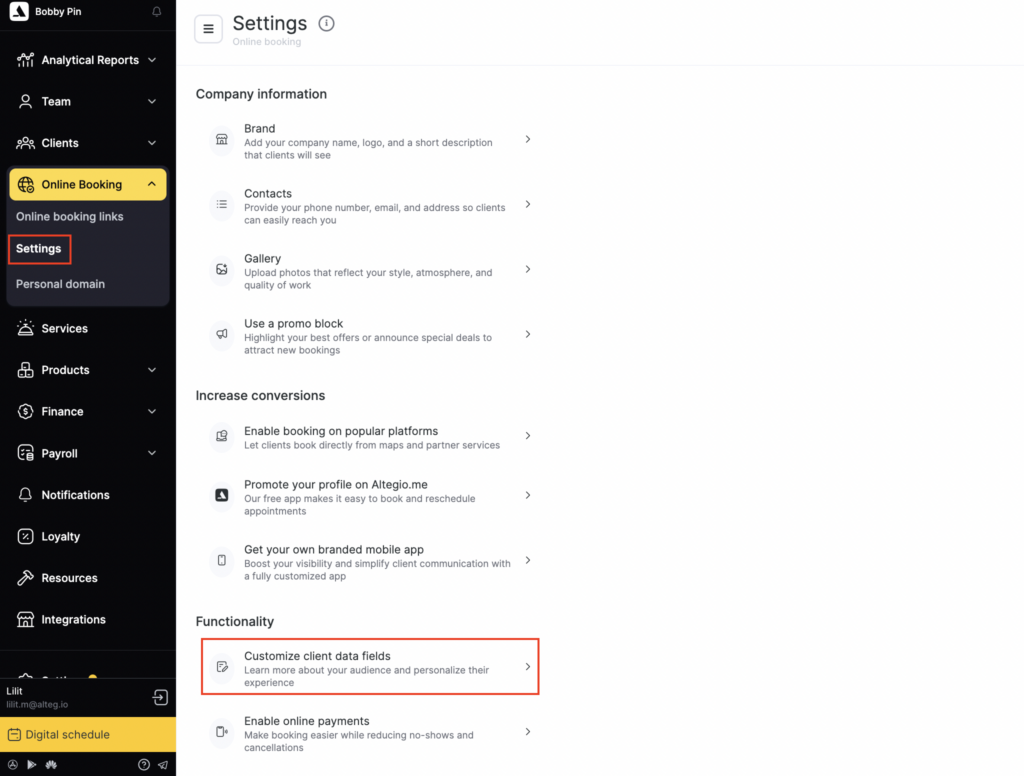
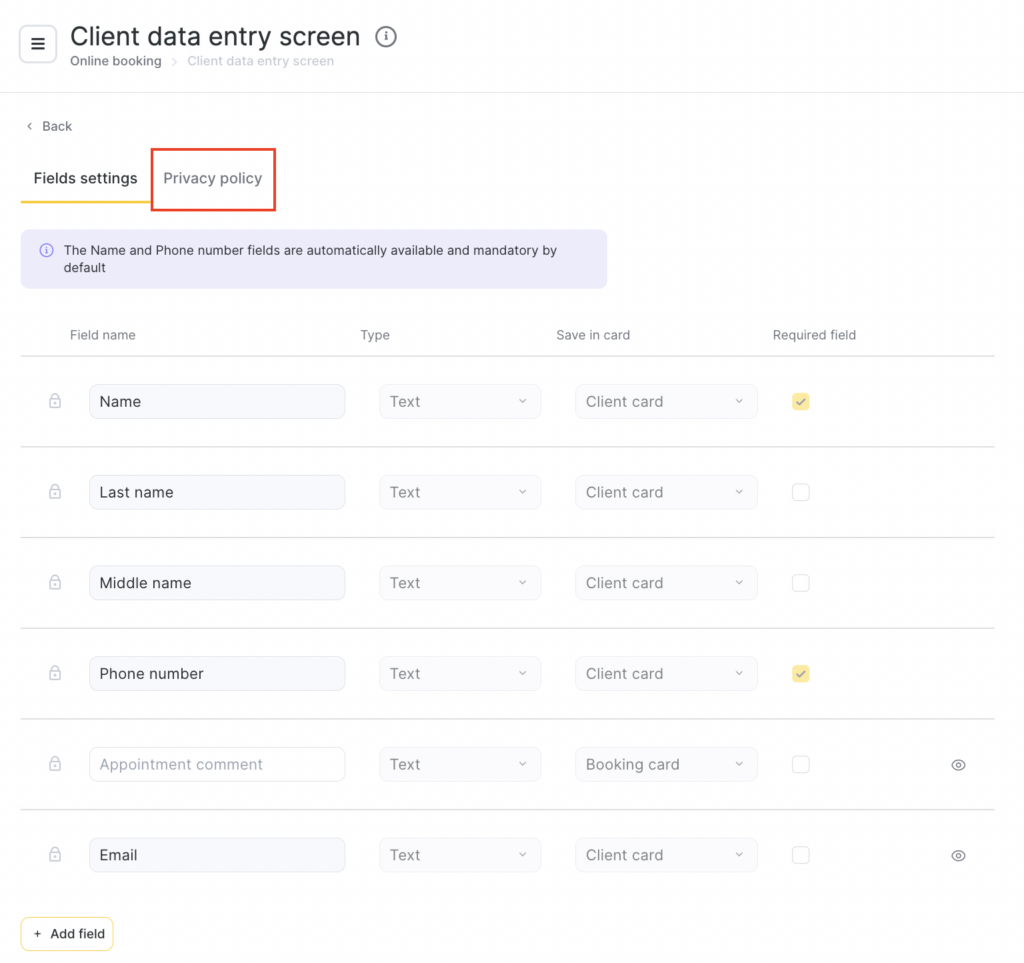
- Open the Privacy policy tab and tick the checkbox to enable display of the personal data processing consent in online booking.
- Choose the language for which you want to add the consent text. The text will be displayed in the online booking widget depending on the language selected by the client.
- Add the text in the field below.
- Click Save in the bottom-right corner.
Adding the consent text in multiple languages
#
If you want to add the consent text in several languages, follow these steps:
- Select the first language, for example, Russian.
- Enter the consent text.
- Save the settings.
- Open the same language selection field again.
- Select another language, for example, English.
- Add the consent text in the selected language.
- Save the changes.
- Repeat these steps for all required languages.
Important
The client will see the consent text in the same language in which the online booking widget is opened.
For example, if the widget is opened in Russian, the Russian version of the consent will be shown. If it is opened in English, the English version will be shown.
The consent text can be added for all languages available in the language selection field.
Important
You can grant access to edit this setting only to a limited number of employees. In Team > Team members list, select the required employee by clicking their name. In their profile, go to the Access tab and enable or disable access to Online booking > Manage personal data processing.

Display in the online booking widget
#
Information about the need to accept the consent will appear in the online booking widget at the appointment checkout stage.
- To book a service, the client will need to tick the checkbox next to:
I give my consent to the processing of personal data and confirm that I have read and agree to the Privacy Policy and the User Agreement.
In the phrase “consent to the processing of personal data”, the link is clickable. Clicking it will open the text of the consent you added.
Please note
The client can review the consent text before ticking the checkbox by clicking the link.
The client will not be able to book an appointment unless they accept the terms of the consent and provide consent to the processing of personal data.

