- Go to the admin panel by adding wp-admin to the site domain string (for example, site.com/wp-admin).
- Go to the main WordPress menu by clicking the WordPress logo. In the menu go to the Appearance – Editor section.
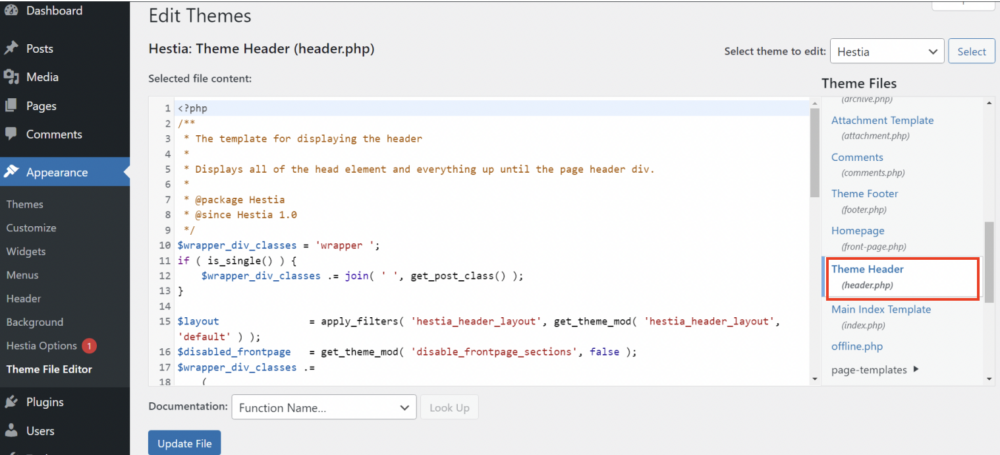
- In the theme editor open header.php (header).
- In the header.php (header) edit box, paste the button code (see the detailed instruction in the article) and click Update file.
- The header.php file can be found here: Dashboard > Appearance > Theme File Editor > {Theme} Header. Alternatively, this file can be modified using the FTP client in wp-content > themes > {you active theme’s folder} > header.php.