
In order to install the online booking widget in Google Sites, register on sites.google.com or log in if you already have a Google account.
Button setup #
- Create a new site (click Create, select an option in the updated interface) or go to an existing site if you have previously worked with Google Sites.
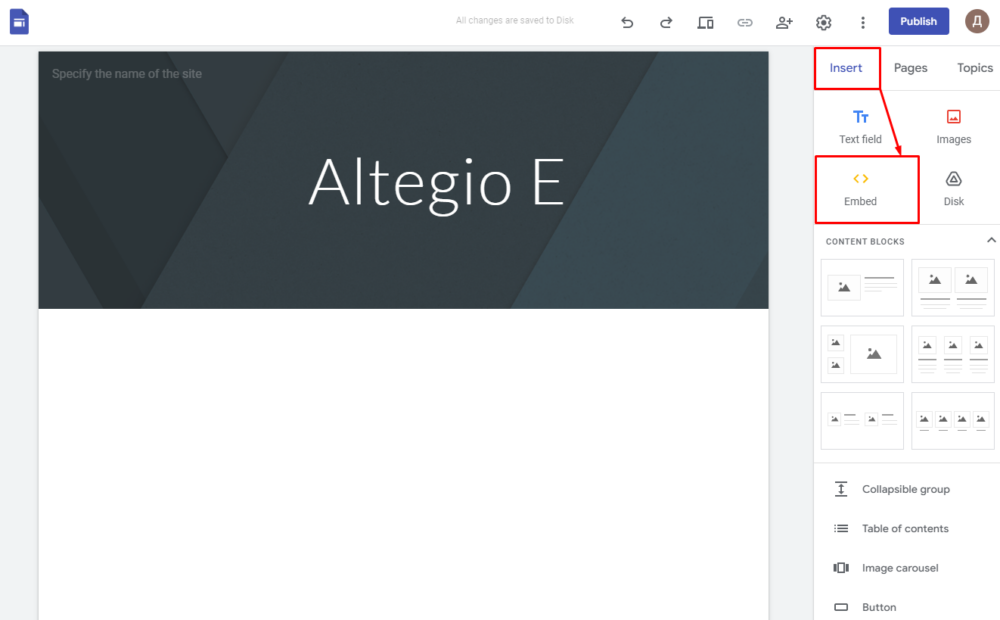
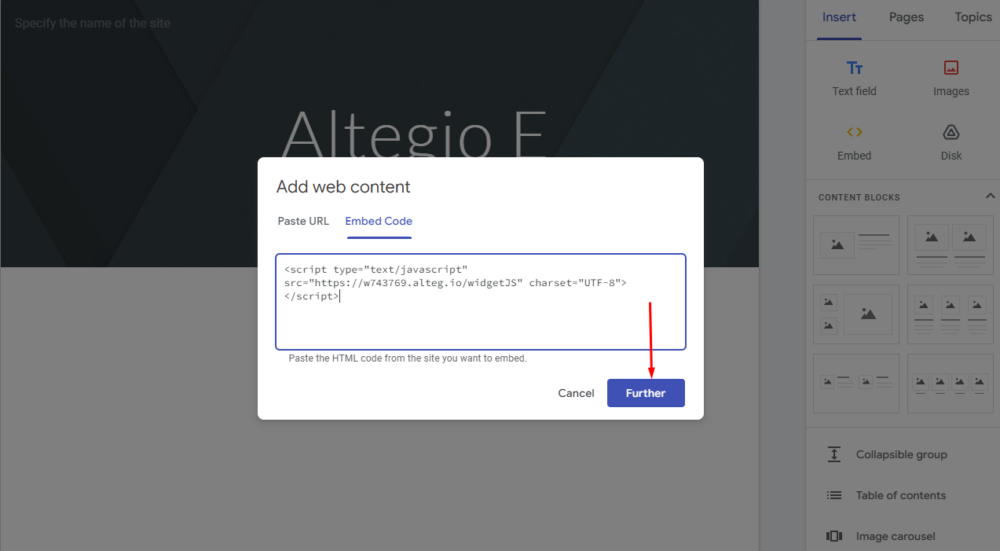
- In the website editor click Embed (on the right sidebar).
- In the pop-up window select the Embed code tab. In the input field add the code for the online booking button.
Where can I find the button code? #
- In the Altegio main menu go to Online Booking > Online booking links.
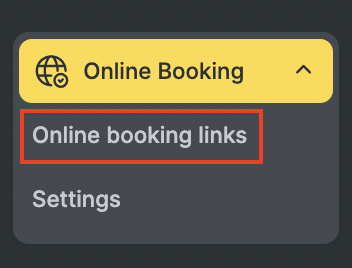
- Open the link’s configuration page by either clicking on the link name itself or the Set up button on the right.
- Scroll to locate the Website button section, and be sure to check the Display the button on the website box.
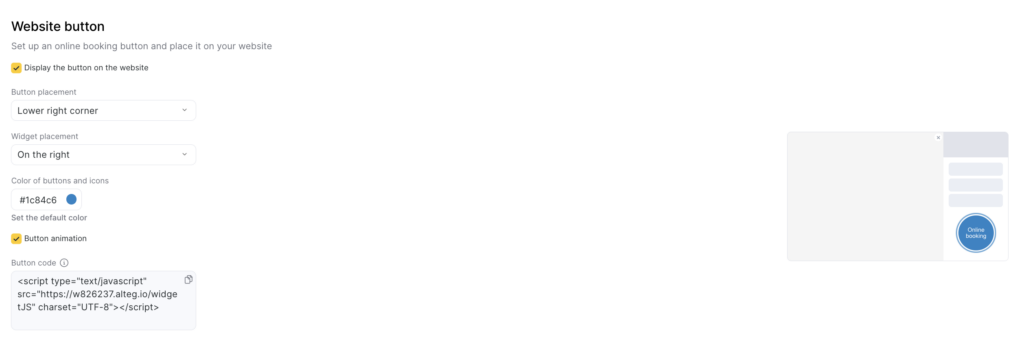
- Then, from the Button code field copy the button code and paste it on Google Sites.
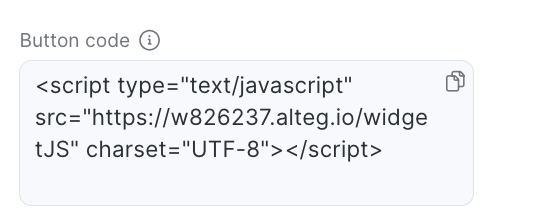
- Make a change to this code: add the defer attribute and click Next.
- When online booking button is displayed, click Insert.
- In the site editor move the button to select a location on the site. Click the Publish button.

