
The algorithm for calculating cost of goods is configured in the warehouse settings. The cost value for an item can be taken from the item settings or from the latest goods receipt, or it can be calculated as an average cost across all receipts.
Setup #
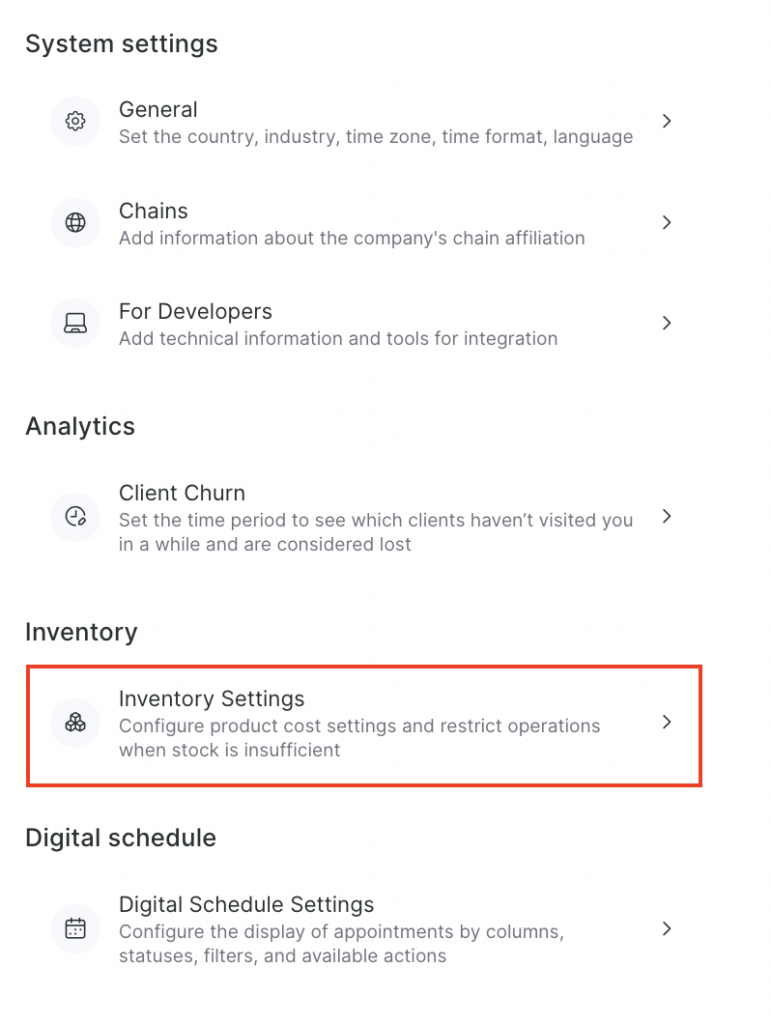
- Go to Products > Settings > Inventory Settings.
- In the drop-down list, select the required cost calculation method:
- Take from the latest products receipt.
- Calculate the average cost across all receipts.
- Take from the product settings.
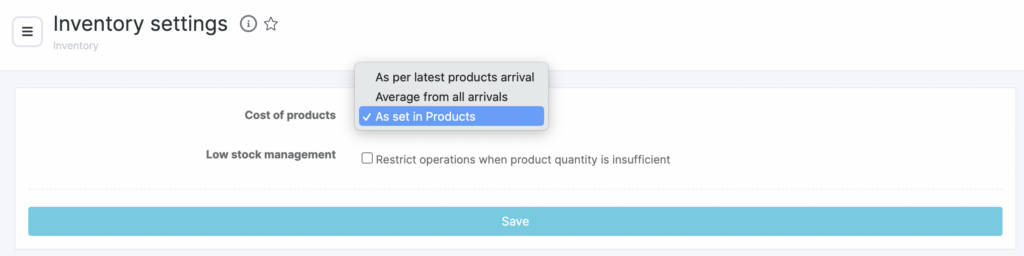
- If needed, enable the option Restrict sales/write-off/transfer operations when there is insufficient stock.
This option prevents inventory operations if there is less stock available than required.
Example
If there is no shampoo in stock (quantity 0), when you try to sell it the system will show an error. To continue the sale, you must first record a goods receipt for the item.
- Click Save.
The cost value changes automatically when a new delivery is recorded and the delivery price is specified.
Important #
Regarding the delivery price when goods are received into the warehouse, it’s important to understand the following: if the report is old (for example, for October) and it is now November, and the last delivery was in November, the system will use the delivery price from the latest receipt as of the end of October.
The same logic applies in Inventory > Inventory operations transaction history. If an item was sold on the 20th, its cost will be based on the latest delivery before the 20th. If the item was sold on the 30th, the cost will be based on the delivery on the 25th, etc.
Where the cost is used #
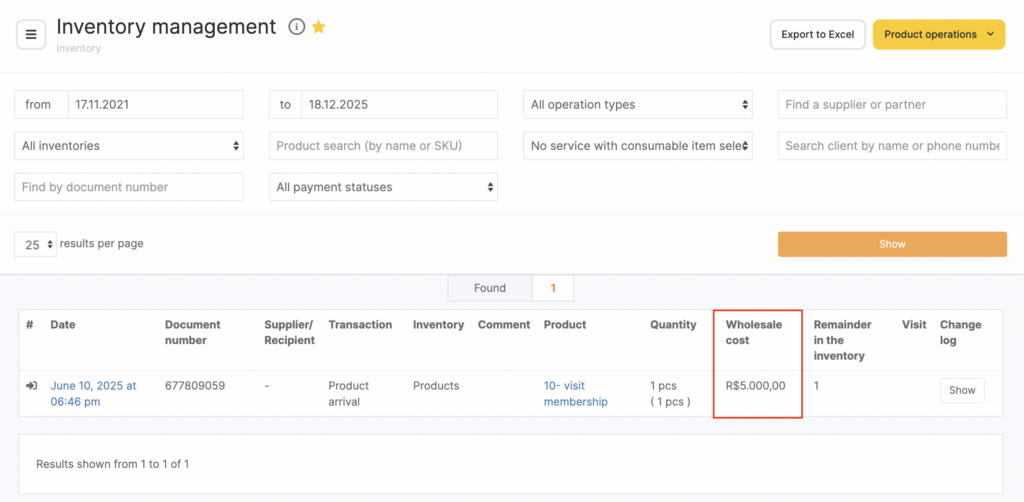
- When viewing warehouse operations in Products > Inventory Management.
- In reports under Products > Stock Audit and Sales analysis.
You can read more about warehouse reports here. - When calculating team member payroll.
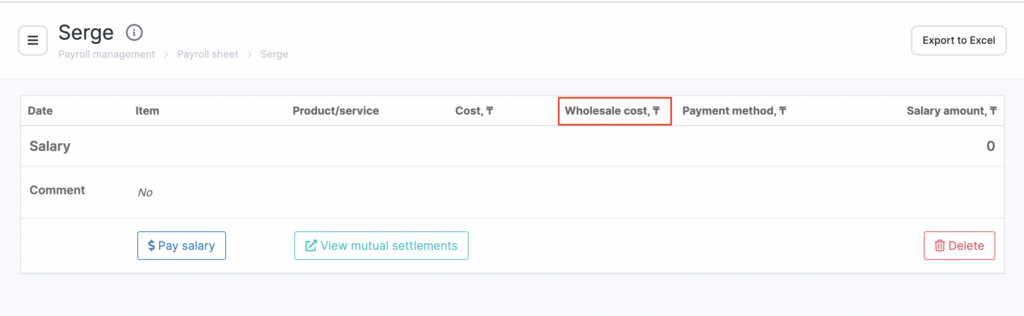
If the Include cost of consumables option is enabled in the team member payroll calculation settings, then when calculating payroll in Payroll > Settlements, the cost of consumables will be displayed.
Important
Consumables, by default, can only be written off from an inventory with the type For consumables write-off.
To set up automatic write-off of consumables, use the instructions in the article Setting up automatic consumables write-off.
To set up accounting for the cost of consumables when calculating payroll, follow the instructions in the article How to set payroll calculation rules.

