
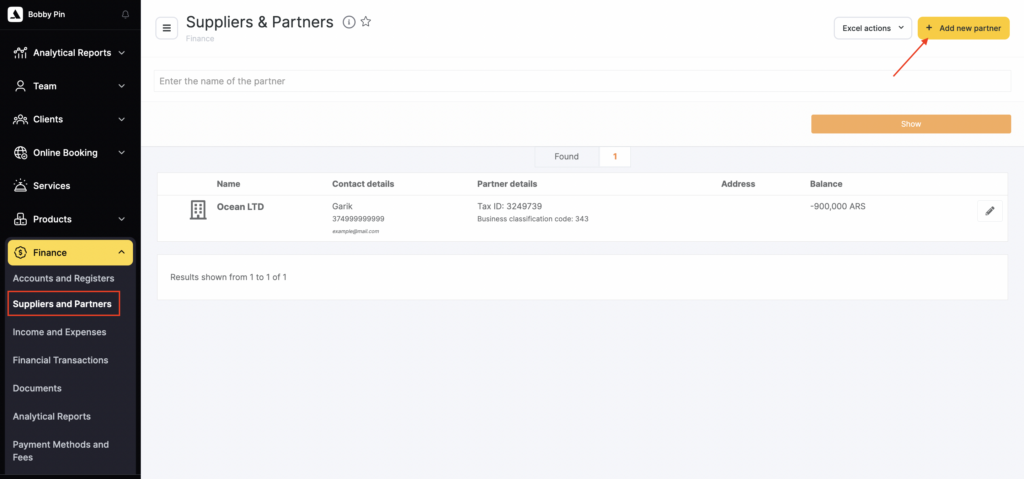
- Go to Administration mode Finance > Partners and Suppliers.
- Click the Add new partner button.
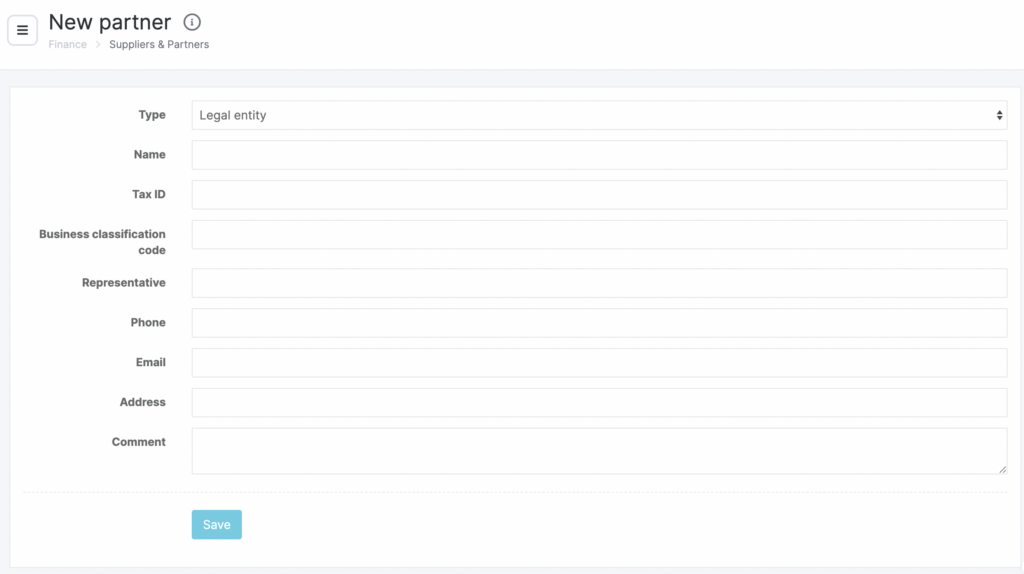
- In the new window that opens, specify the partner Type and Name, their TIN, BCC(for legal entities), Representative, Phone, Email, Address, and Comment.
The required fields are Name and Type.
- Click Save.
You can also upload the list of partners from Excel. How to do this is described in the article.
Editing #
You can edit partner information. To do this:
- Go to Administration mode Finance > Suppliers and Partners.
- Select the partner by clicking the pencil icon to the right of its name.
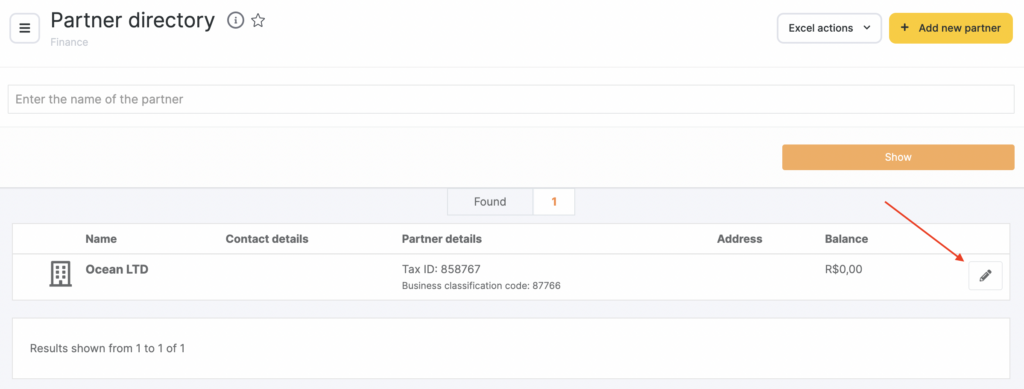
- In the new window that opens, edit the information.
- Click Save.

