
What is it, and why is it needed? #
A user is a company’s team member who has access and specific permissions within Altegio.
Any company team member (owner, manager, receptionist, professional, accountant, etc.) can be an Altegio user. Different access levels need to be configured depending on the team member’s role.
The unique identifiers for a user are their Email and phone number.
Configuration #
To add and configure a new or existing user, navigate to the “Settings” > “Users” section in the chain interface.

Important
It is necessary to distinguish between new and existing users.
New user – A user who has not been added to Altegio before and has never booked online.
Existing user – A user who has already been added to Altegio.
Users cannot be invited to the chain if there is no location with a paid subscription within the chain.
Adding a New User #
- Go to Settings > Users.
- Click Add one of the users.
- In the newly opened window, fill in all required fields.
- Click “Save”.
Inviting an Existing User #
- Go to Settings > Users.
- Click Invite one of users.
- Enter the user’s phone number or email (the one they use to log into Altegio).

Configuring User Permissions #
Once users are added and/or invited, set up their access rights (permissions for using Altegio).
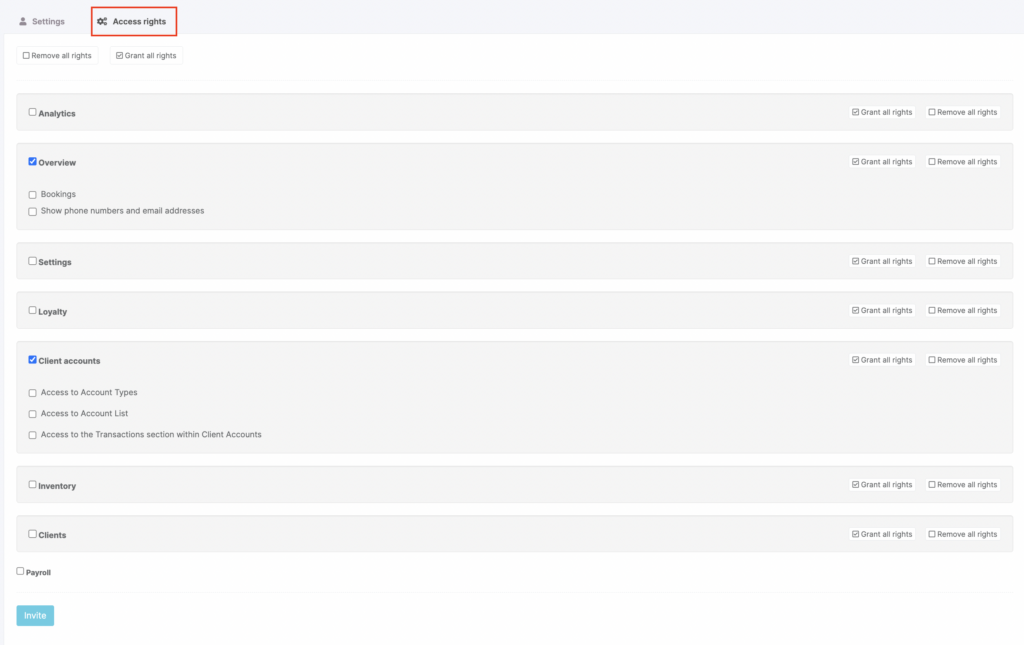
User rights may be defined by their job responsibilities and can determine:
- Visibility or restriction of specific sections in Altegio
- Access or denial of various features
Access settings are designed to enhance user convenience and ensure company and data security, such as protecting the client database.

