Automatic notification reminding the receptionist to extend team members’ work schedules.
Notifications of this type are sent 3 times: 7 days, 3 days, and 1 day before the schedule expires.
Used to monitor team members’ working hours and prevent losing clients in time.
Important
The notification is sent when the entire location schedule is ending. For example, if a branch has 10 employees and 9 of them have no schedule while 1 still has a schedule, these notifications will not be sent. The delivery channel for this notification is SMS.
Setup and editing #
- In the main menu, go to Settings > System settings > Notifications, then open the Notification types tab.
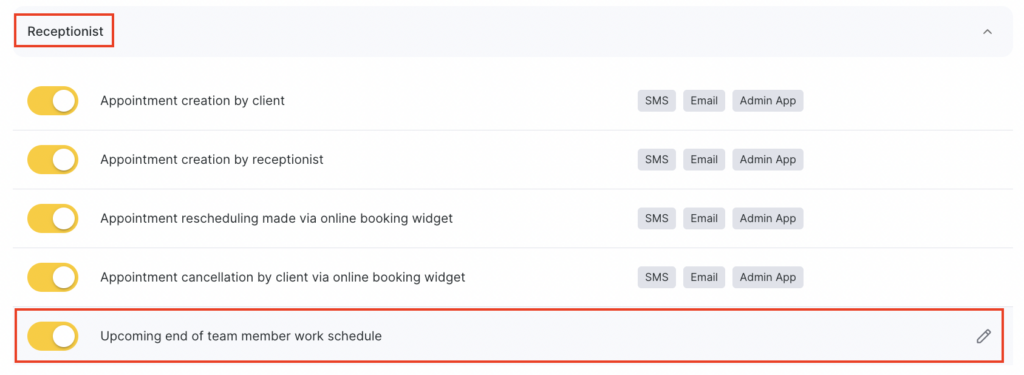
- In the Receptionist section, select Upcoming end of team member work schedule by clicking the notification name or the pencil icon.
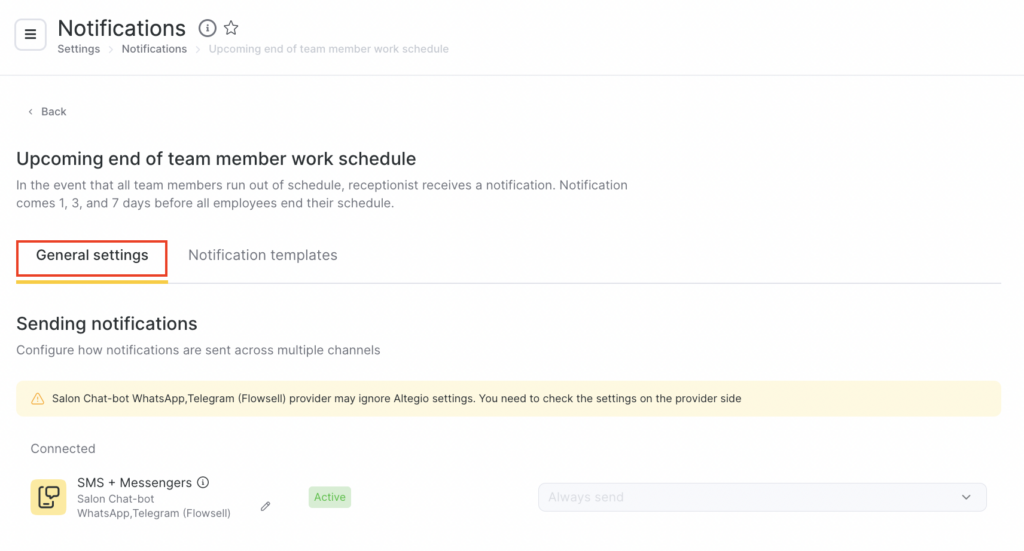
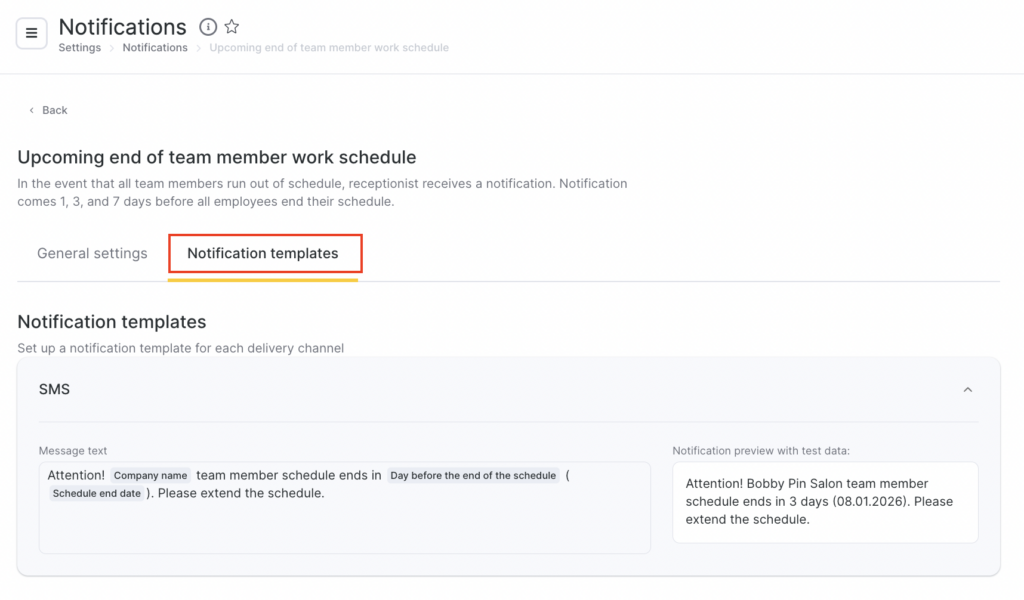
- For this notification type, selecting channels and sending scenarios is not available, and templates cannot be edited. The sending channel is SMS only. The notification will be sent only if an integration for sending notifications via this channel is connected. For more details on connecting and configuring sending channels, see the article.
Finishing setup #
- After completing the configuration, click Save in the bottom-right corner of the page.
- To enable the notification, return to the Notification types tab and switch the toggle to the active state. To disable the notification, switch the toggle to the inactive state.