What is it and what is it for? #
A position is a group of team members performing similar types of work or services. For Example: Stylists, Makeup Artists, Cardiologists, Tutors.
Positions are needed for internal use, they can be used to filter team member data in different sections of Altegio, for example, when setting up a work schedule or payroll. This setting is also convenient for companies with a lot of team members: you can use it to display the schedule of team members by position.
Setting and editing #
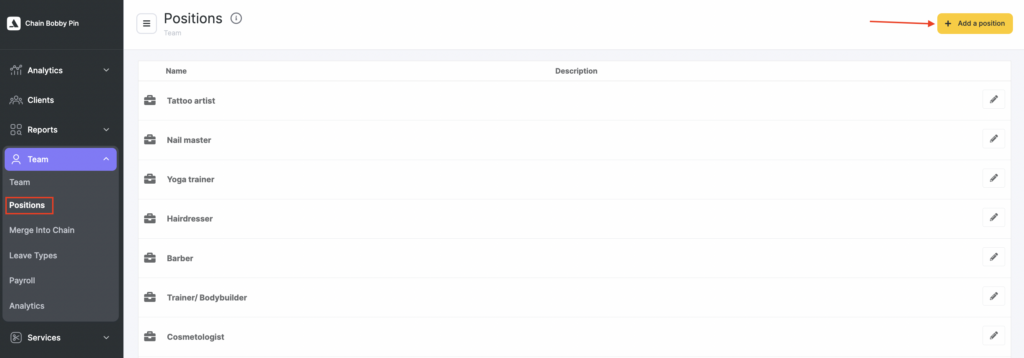
- In the chain interface go to the Team > Positions section and click the Add a position button.
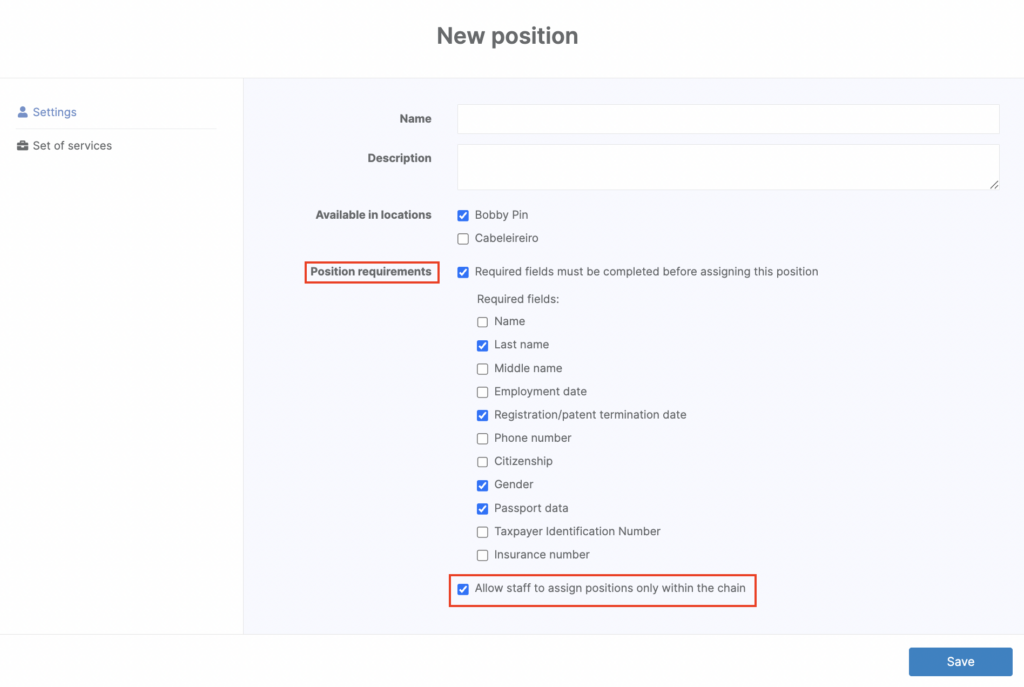
- In the pop-up window, specify the name of the position, its description and select locations where it is valid.

- In the Settings tab, select whether it is necessary to fill in the required fields for team members before assigning them to the position being created. This may be convenient for the correct management of personnel records: the location manager will not be able to assign a team member to the position after passing the probationary period without specifying the information necessary for hiring, such as, for example, TIN and passport data.In addition, you can allow the team members to assign positions only in the chain interface to avoid mistakes in individual locations.
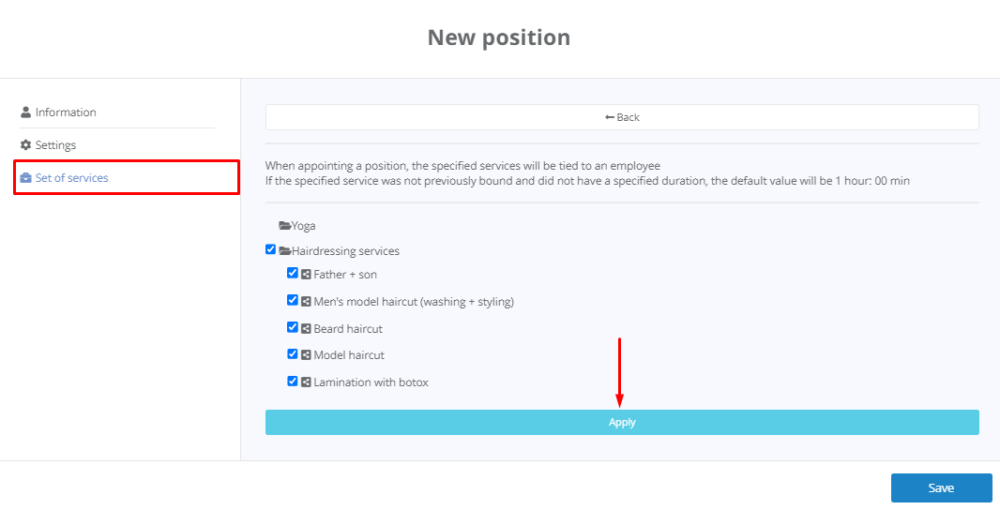
- Go to the Set of services tab to attach a strictly related list of services to the position.

- Click the Attach services button, select services and click the Apply button. At the same time, the specified list of services will be attached to any team member when hiring for this position. Please note that only chain services can be attached to the position.
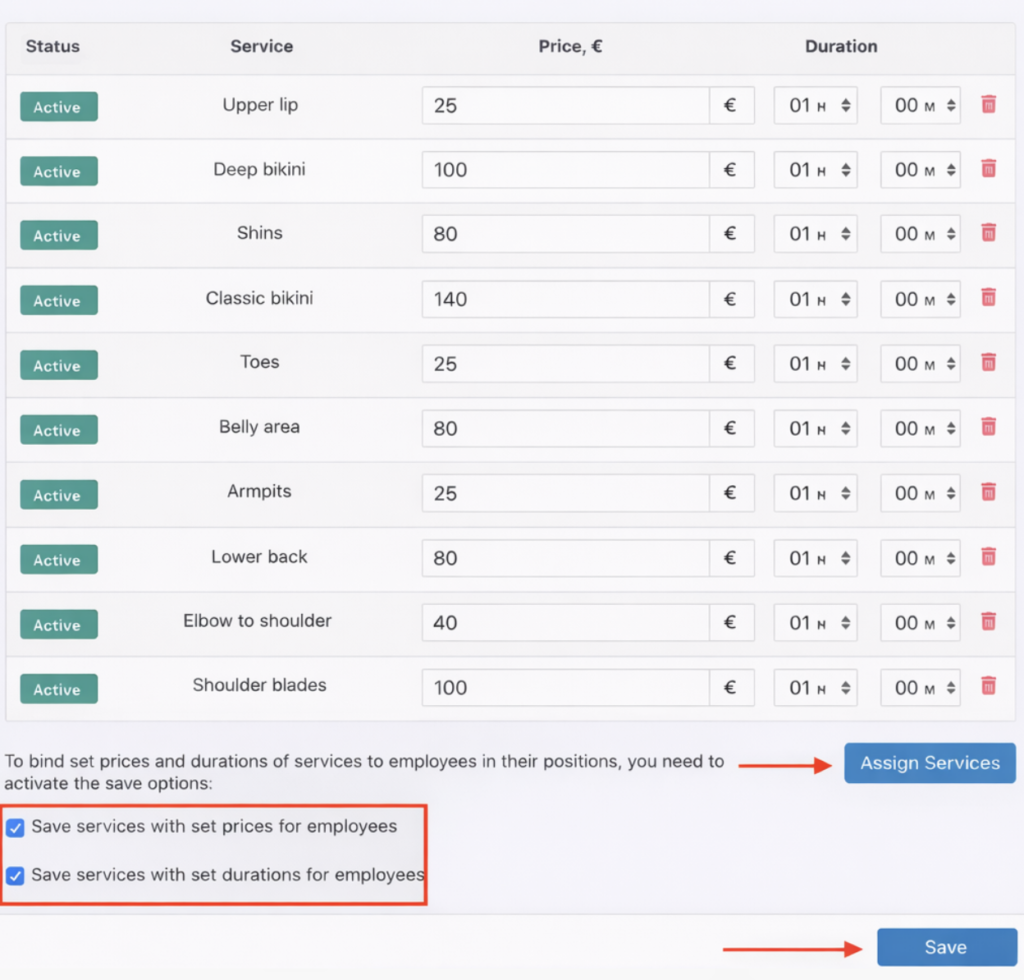
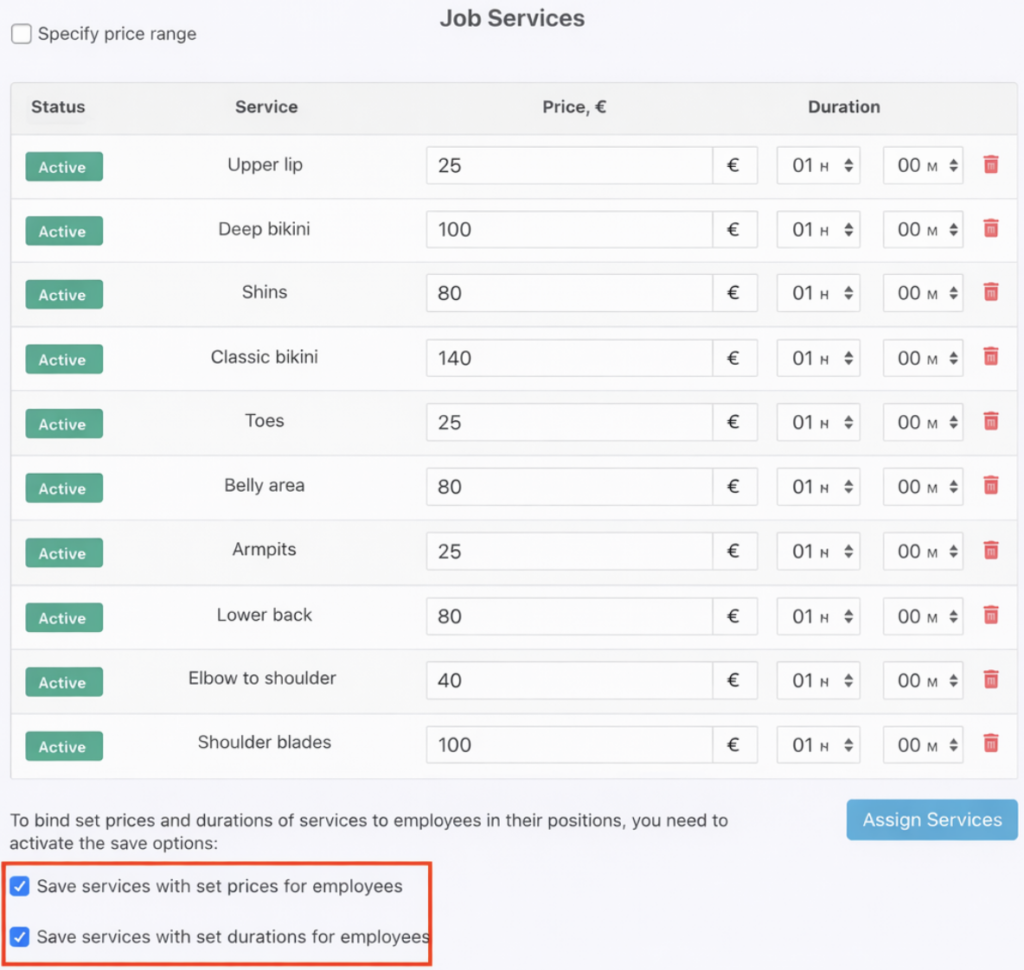
- If necessary, also specify the duration of the services provided. To automatically set the duration in the team member settings for the newly created position, check the box next to “Save services with price and duration settings for team members.”
- When all the settings are done, click the Save button.