
The Analytical Reports > All reports > Attendance > Visits section contains service information that is necessary when contacting Altegio support, as well as summary information about recent appointments and visits. The content of the sections under the Reports > Upcoming Visits section.
Visits — your company’s most recent upcoming or past visits.
An activity feed for appointments made to your company.
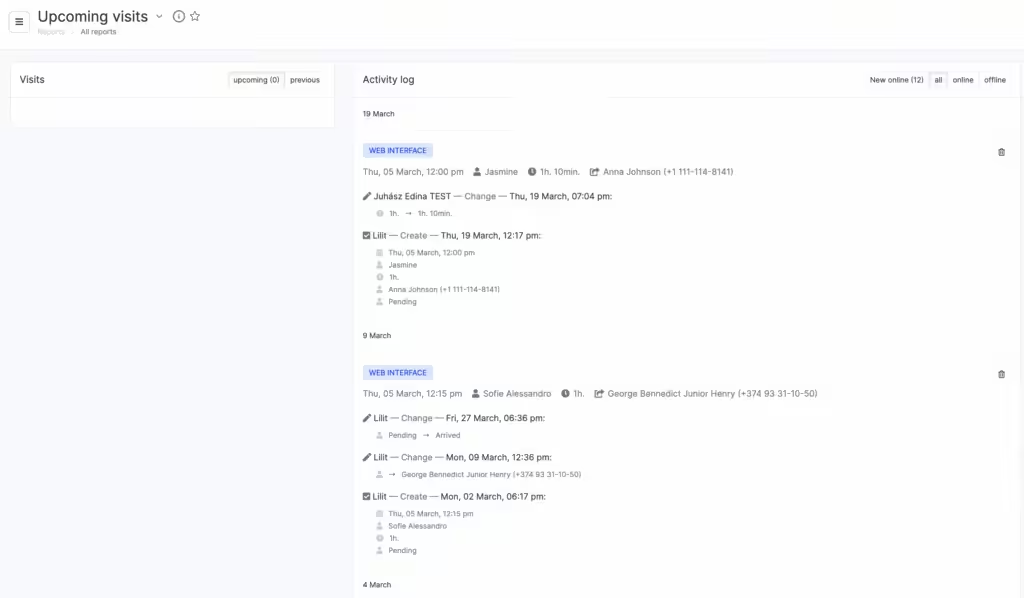
Activity feed labels #
The activity feed shows all created appointments, as well as the history of all changes related to them.
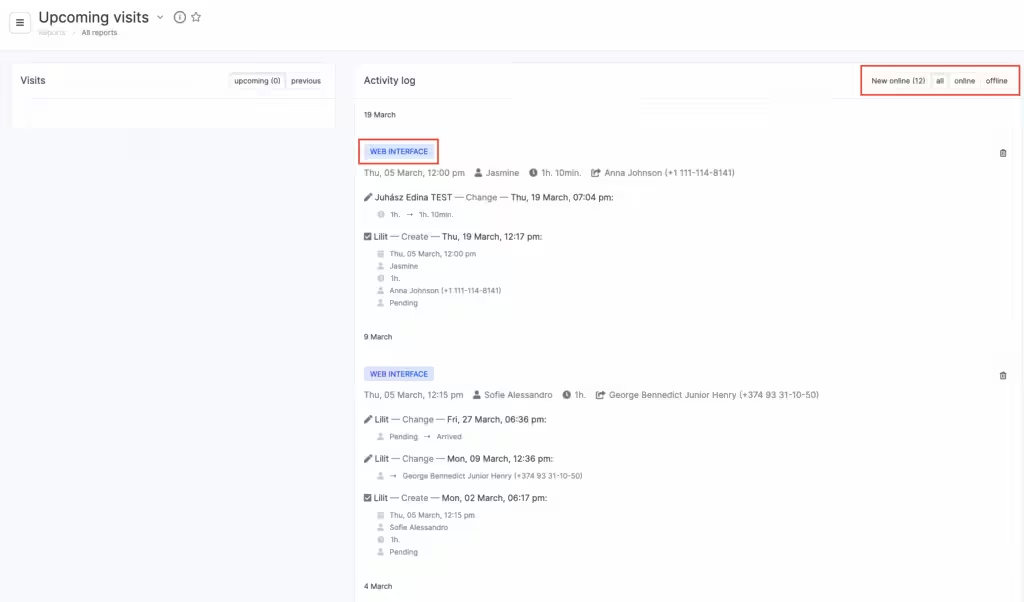
Appointments can be filtered and canceled.
To the left of the service name, the appointment status and creation method are shown:
- New widget — the client booked independently through the widget.
- Mobile — the appointment was created through the mobile app for staff.
- Web interface — the appointment was added through the web interface in the appointment log.
- Partners — the client booked independently through a partner’s website or service (for example, Google Maps).
- Website — the appointment was made through a widget installed on your website.
Notes for appointments created through the mobile app and web interface change color depending on their status. Pink means that the appointment was deleted.

