This feature is available for the following business types in the Medical category:
- Medical center
- Dentistry
- Veterinary clinic
- Psychotherapy and psychology
- Alternative medicine
- Hospital
- Clinic / outpatient clinic
- Lab tests
- Diagnostic center
- Women’s health clinic
- Other medical services
Working with the current visit #
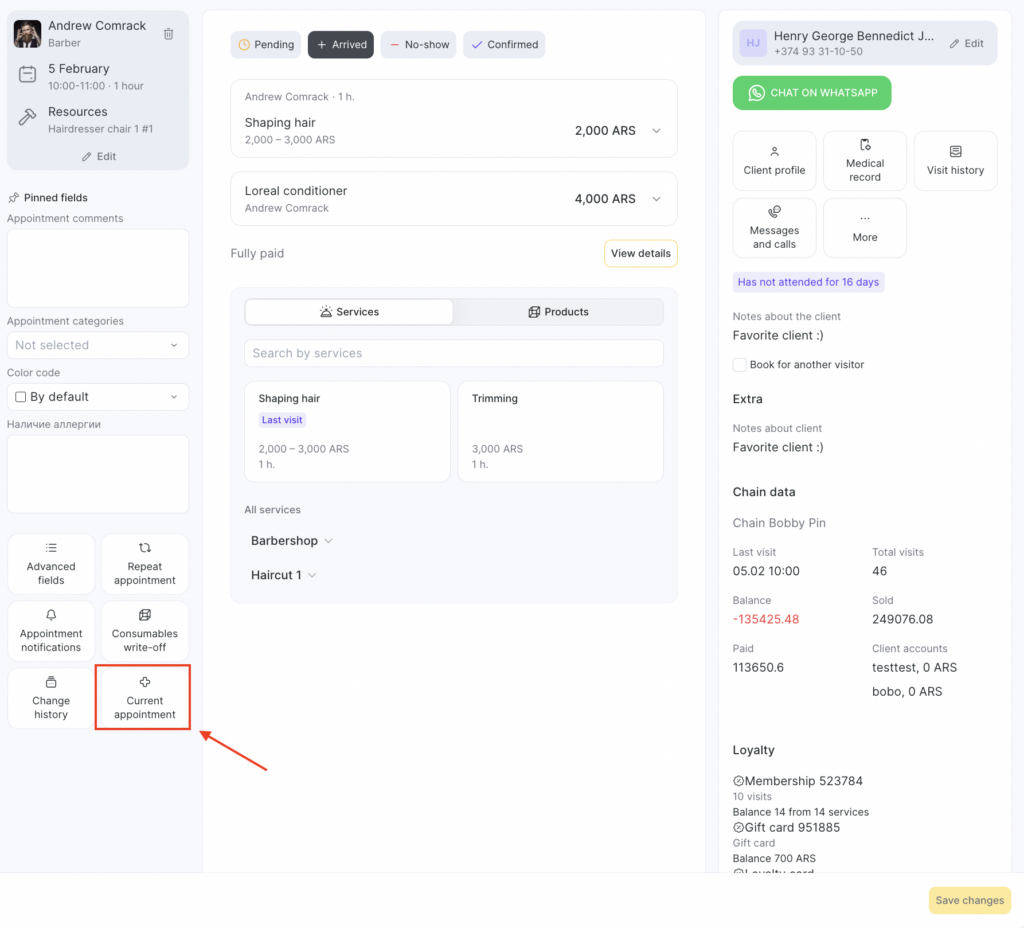
- In the appointment window, go to the Current appointment section.
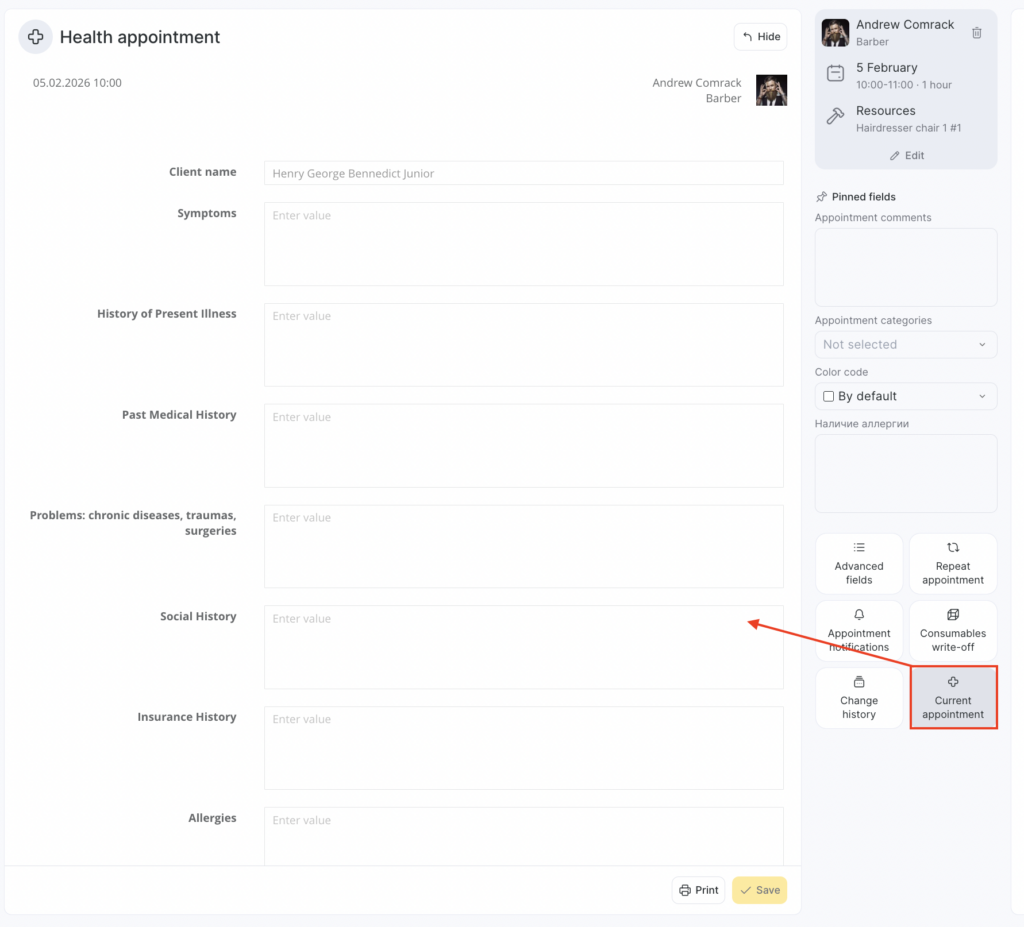
- Fill in the required fields. You can enter the following information in the visit card:
- Client name (auto-filled from the client profile section)
- Complaints
- History of present illness
- Medical history
- Past chronic conditions, surgeries, injuries
- Epidemiological history
- Allergy history
- General examination by organs and systems
- Procedures performed
- Preliminary diagnosis
- Prescriptions
- Treatment recommendations
- Comment
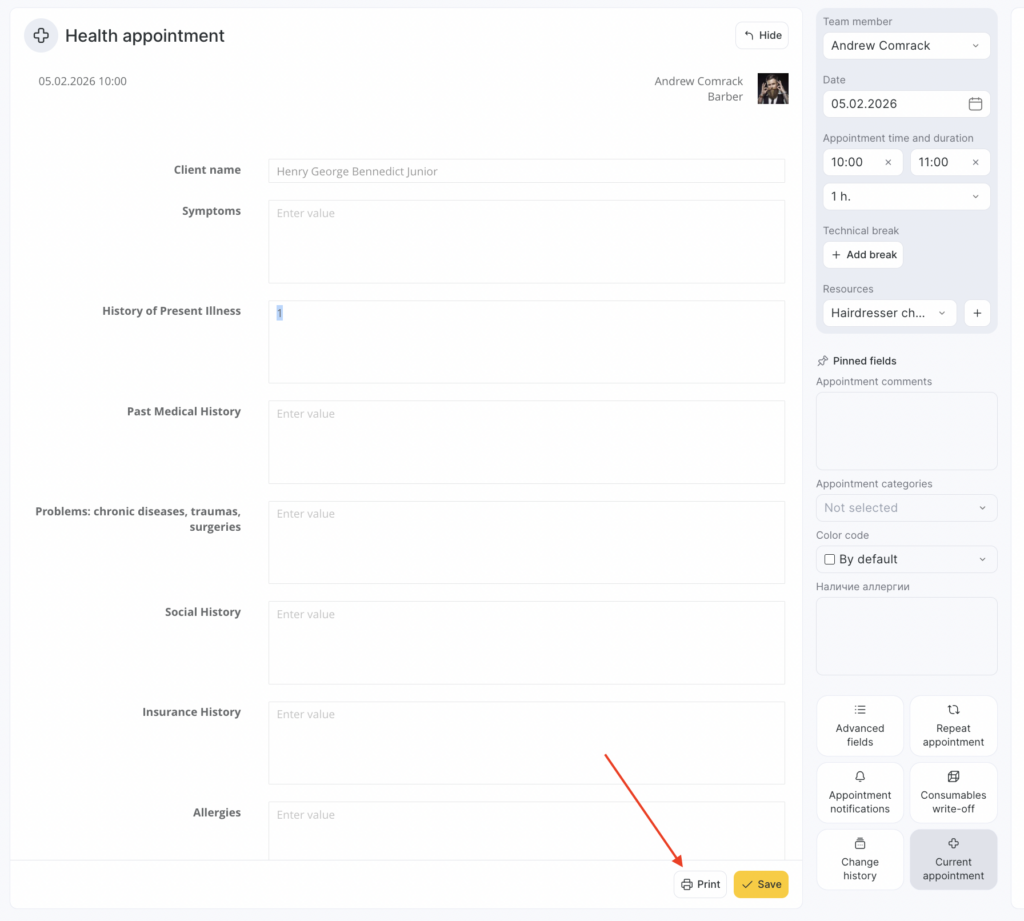
- Save the conclusion. In the same window, you can print the document to give it to the patient or save it as a PDF to your device. To do this, click Print visit.
Access permissions #
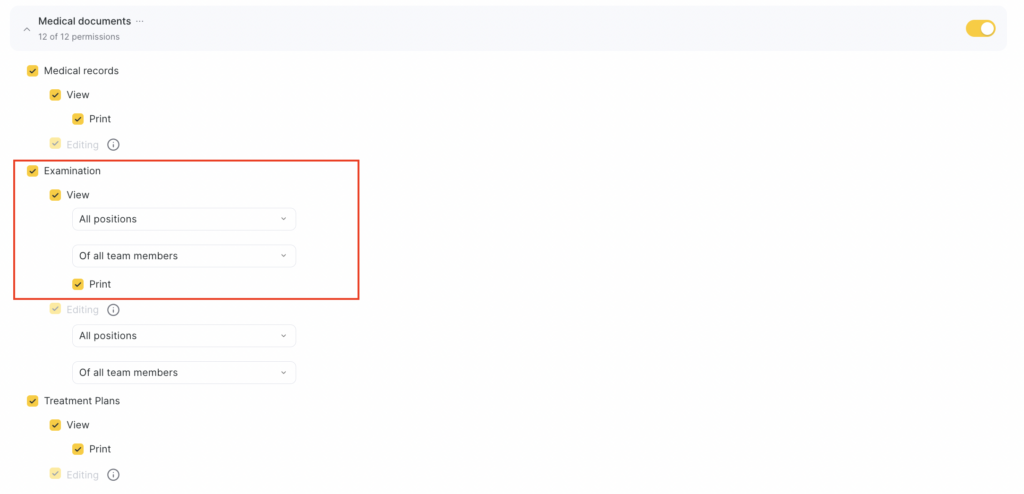
To work with Examination, grant the required permissions to the employee:
- Go to Administration mode Team members > Team members list.
- Click the team member’s role in the Role column and open the Access tab.
- In Medical documents, enable Current visit > View. Enable additional permissions for printing and editing if needed. You can also allow viewing and editing visits for specific team members or job roles.
- Click Save at the bottom.