A treatment plan is a list of services with prices, arranged in a specific order.
This tool helps patients understand:
- what the treatment includes;
- the total cost of treatment;
- possible treatment options.
Working with a treatment plan #
- Open the patient’s appointment and go to Treatment Plans. To do this, click More in the client actions panel.
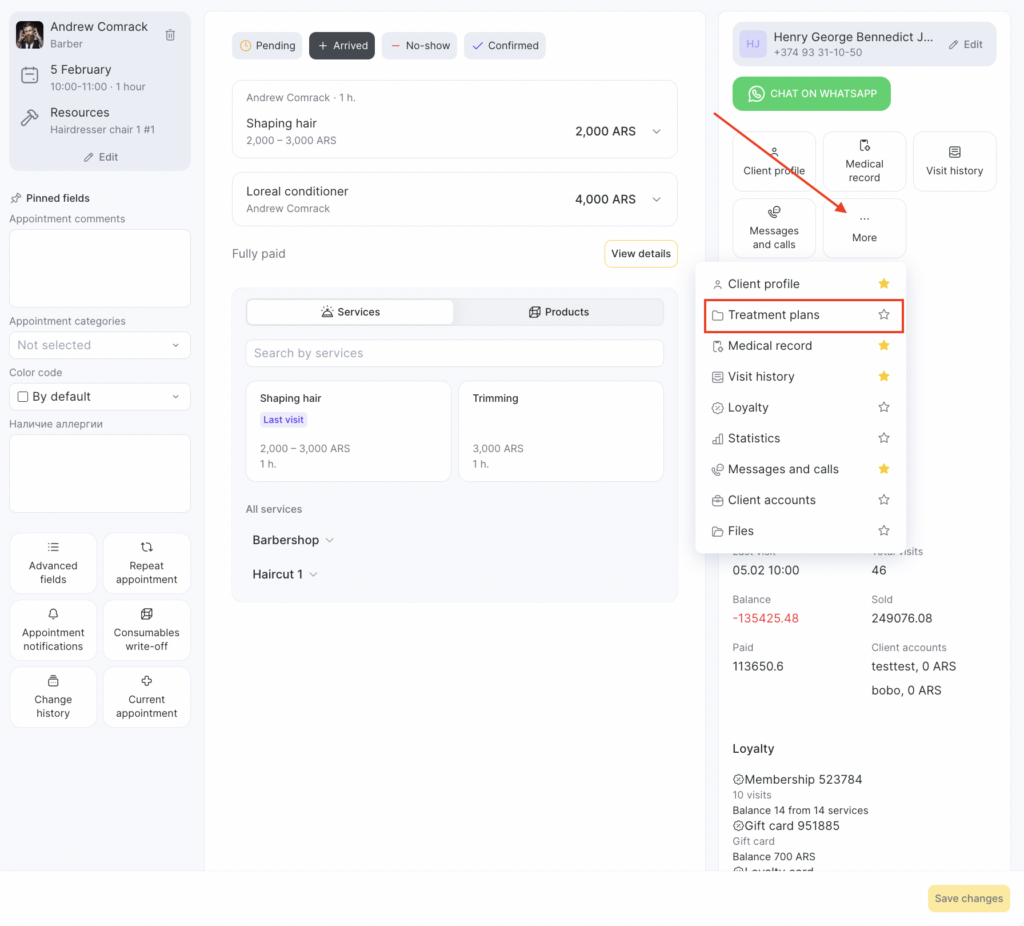
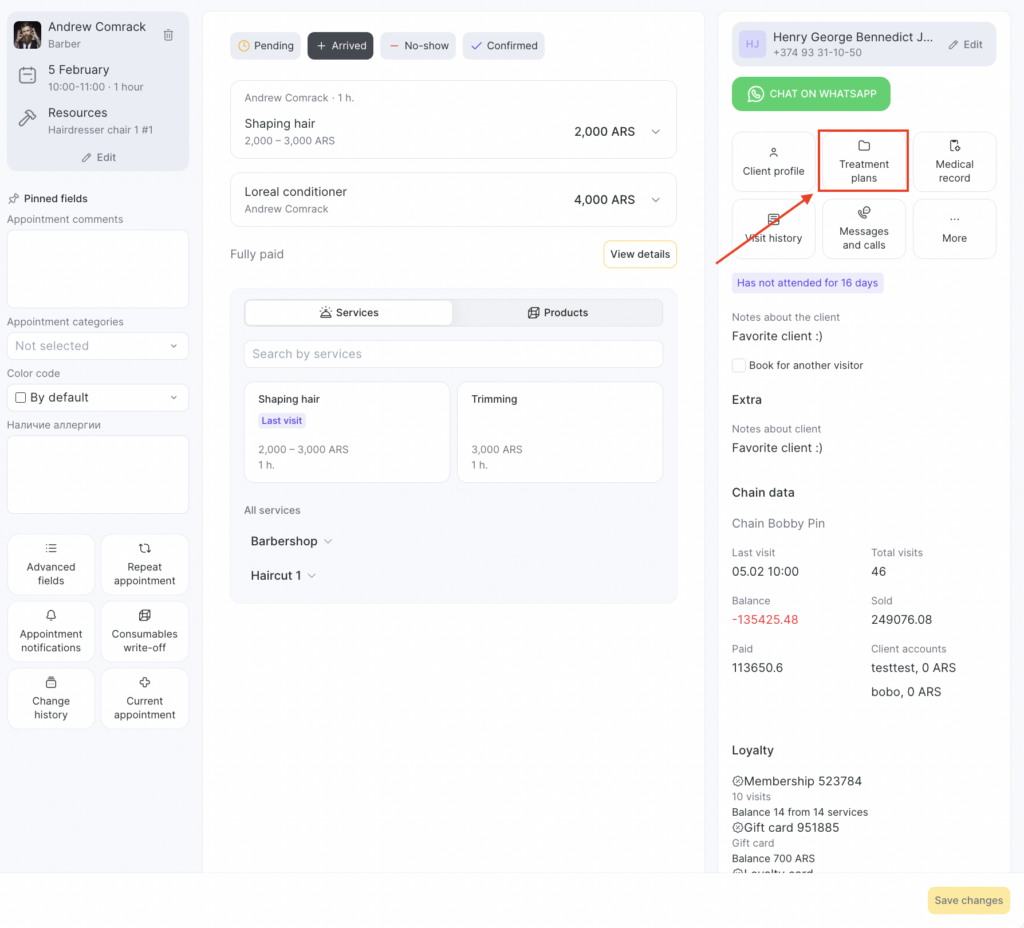
If you add this section to Favorites, it will be available immediately without clicking the three dots.
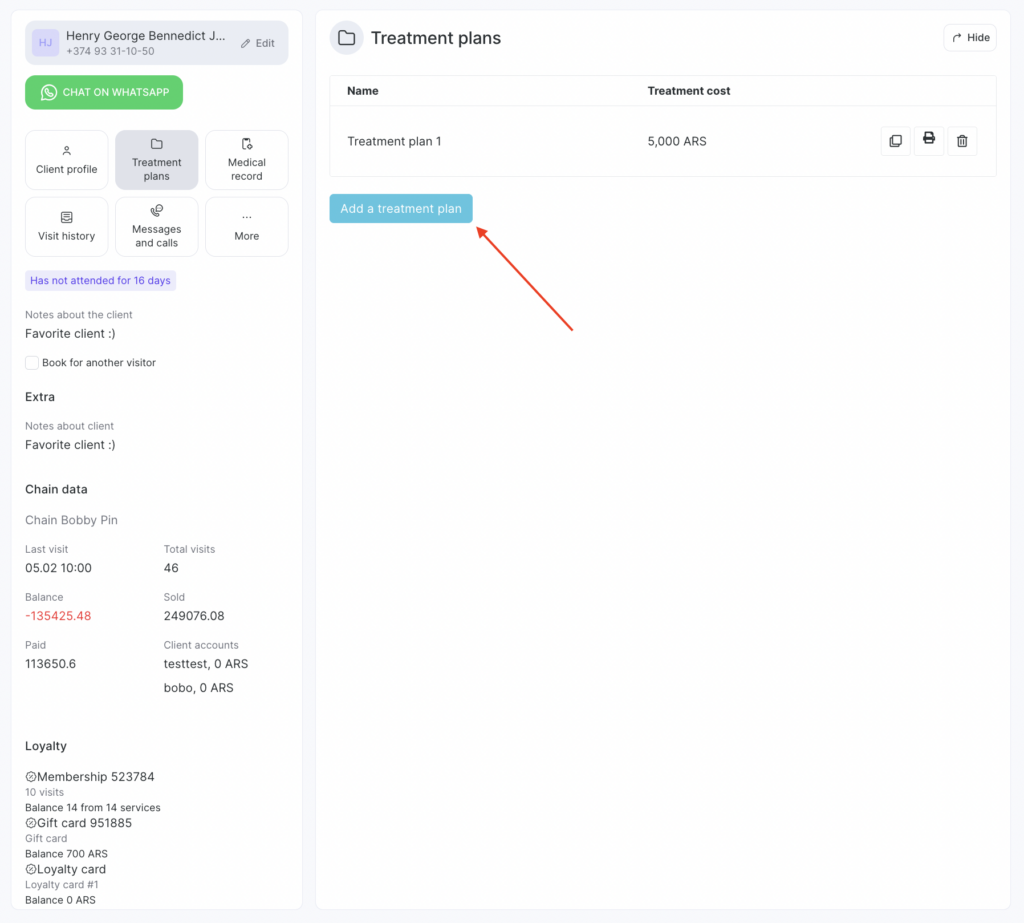
- Click Add treatment plan.
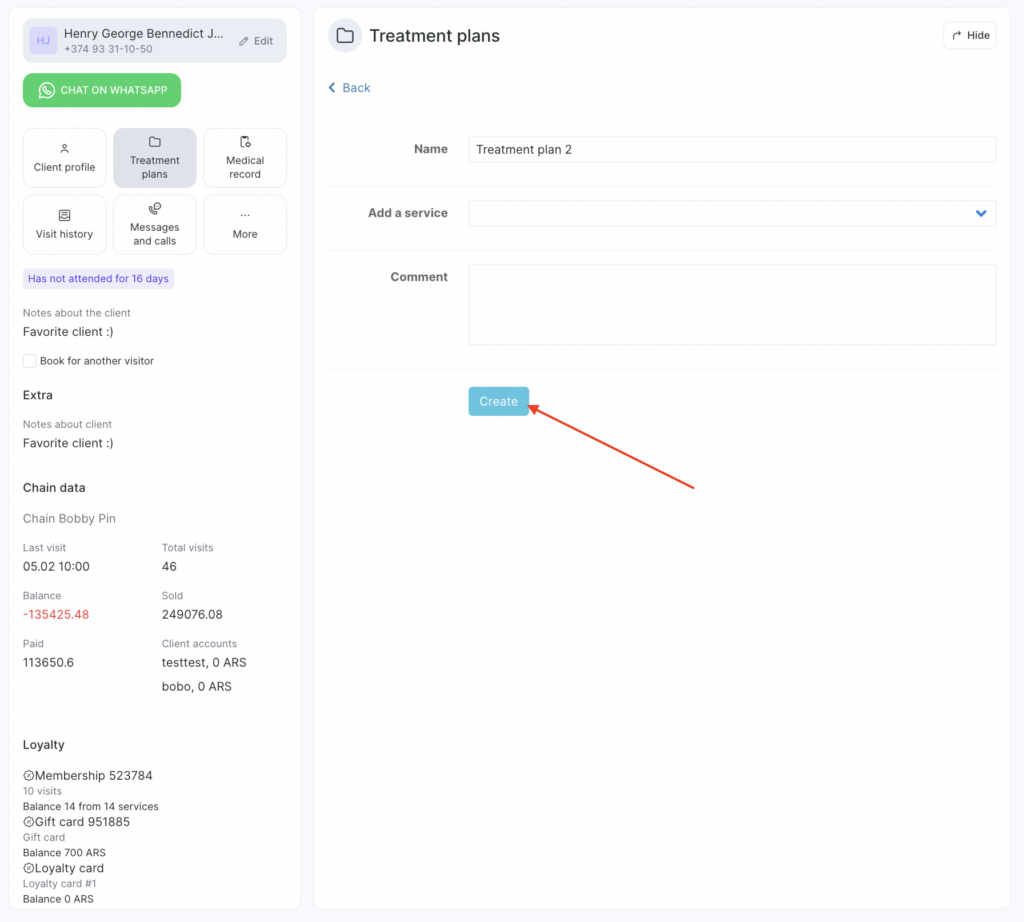
- In the window that appears, fill in the required fields and click Create.
Important
The treatment plan shows the minimum price of each service you set in the Services section.If you change a service name or price in Services, the information in the treatment plan will update as well.
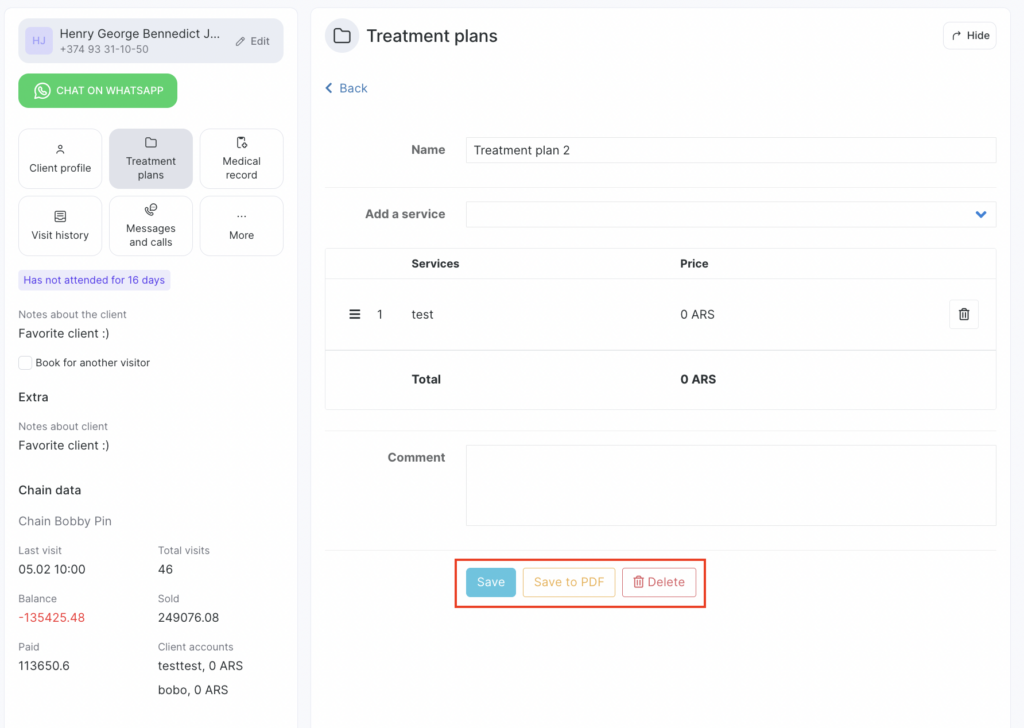
- Save the treatment plan. If needed, you can also save it as a PDF and print it.
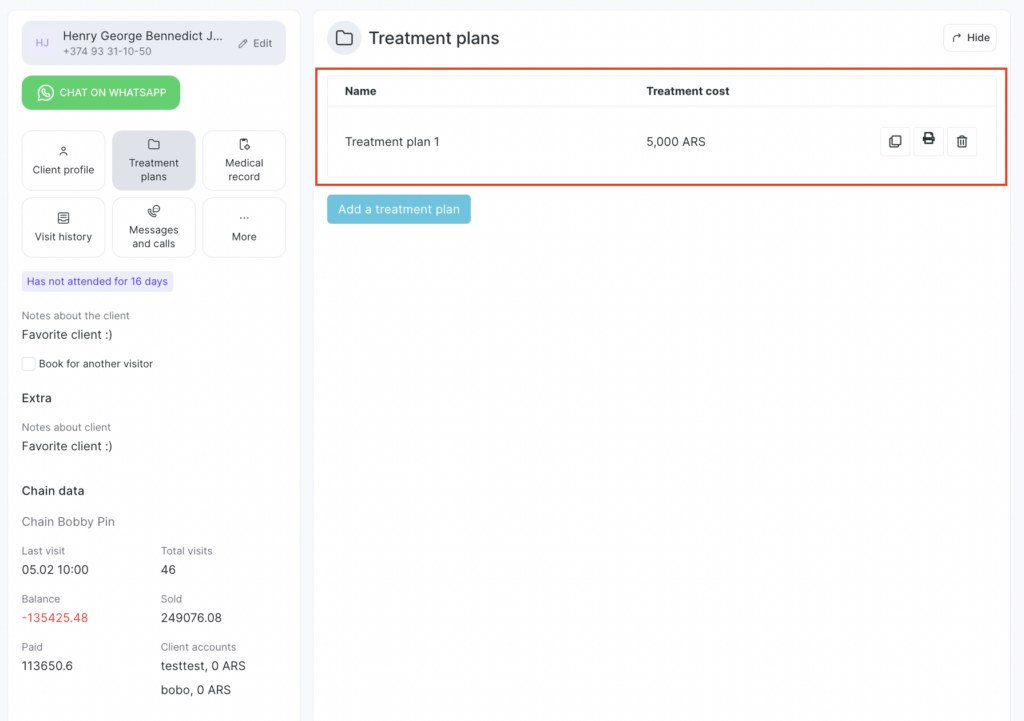
You can copy, print, or delete a saved treatment plan. In the same section, you can view all treatment plans created for the patient.
Access permissions #
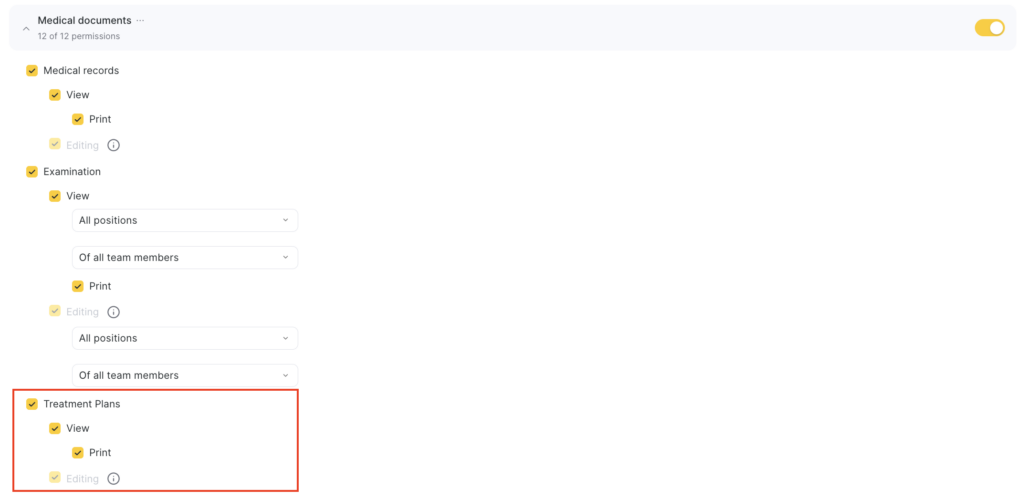
To work with Treatment Plans, grant the required permissions to the employee:
- Go to Team members > Team members list.
- Click the team member’s role in the Role column and open the Access tab.
- In Medical documents, enable Treatment plans > View. Also enable additional permissions for printing and editing if needed.
- Click Save at the bottom.