
You can send a bulk notification to inform a group of clients or your entire client base simultaneously.
Important
Mass messaging is only available via the SMS channel (or to messengers). Mass messaging is not available via Email or the Altegio Admin app channel.To send an SMS campaign (or a campaign to messengers), an SMS provider or a chat-bot must be connected in your branch. If you haven’t connected a chat-bot or an SMS service yet, we recommend choosing one of our partners in Integrations > Notifications.
Before running a mass campaign, consult your provider/chat-bot about their capabilities and any limitations that may apply on the provider/chat-bot side. This may relate to the campaign process itself (for example, how to run it correctly so your account isn’t blocked for spam) or certain words that a mobile operator may reject.
Before sending messages, make sure that:
- Mass messaging is enabled for your account. If you don’t have it, contact Support or your account manager (their contact details can be found in Analytical Reports > All Reports> Attendance> Visits).
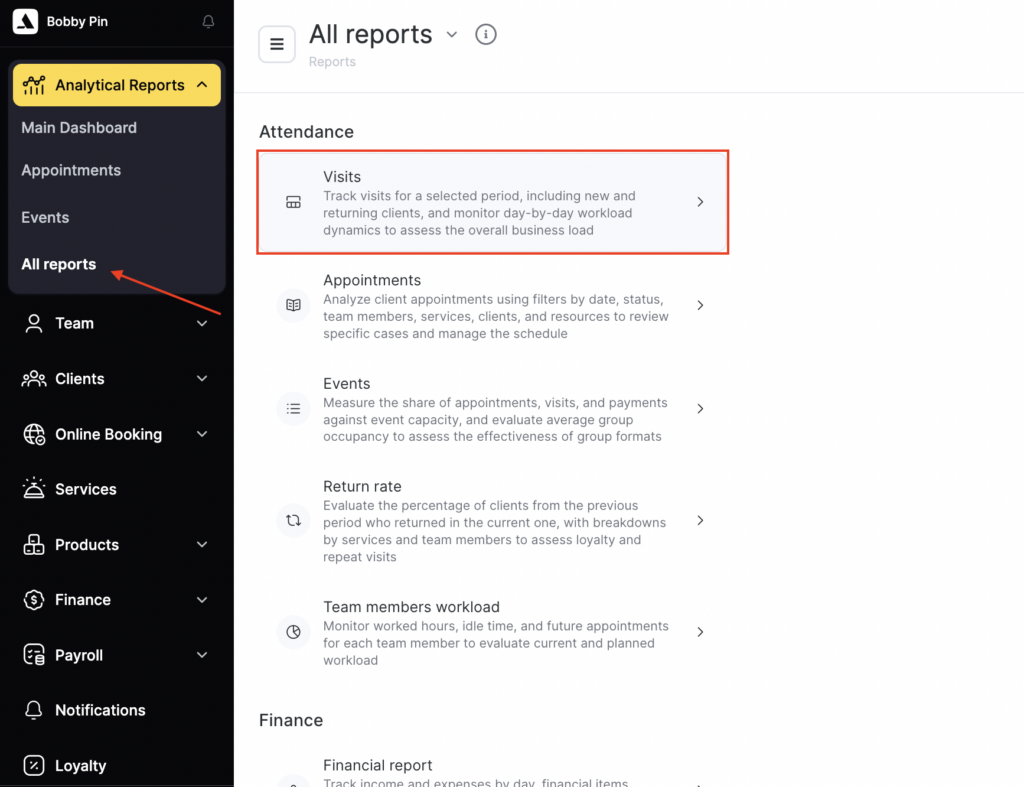
- The sending channel — SMS — is connected. Read more about connecting and configuring notification channels here.
Sending a campaign #
- Go to Administration mode Clients > All Clients.
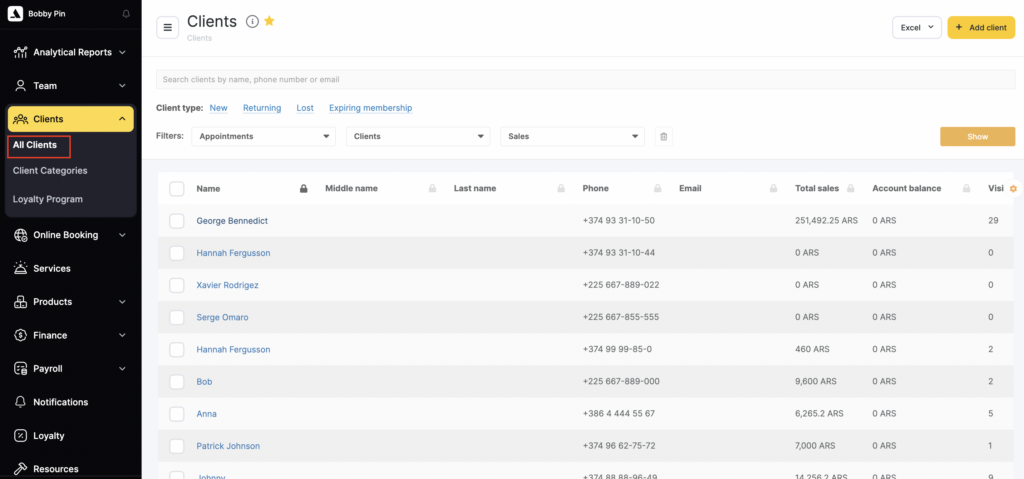
- Create a list of clients you plan to send the campaign to.
- You can do this using the checkbox selection or the client base filters. If you need to send the campaign to all clients, skip this step.
- Click Bulk Actions in the bottom-right corner of the page.
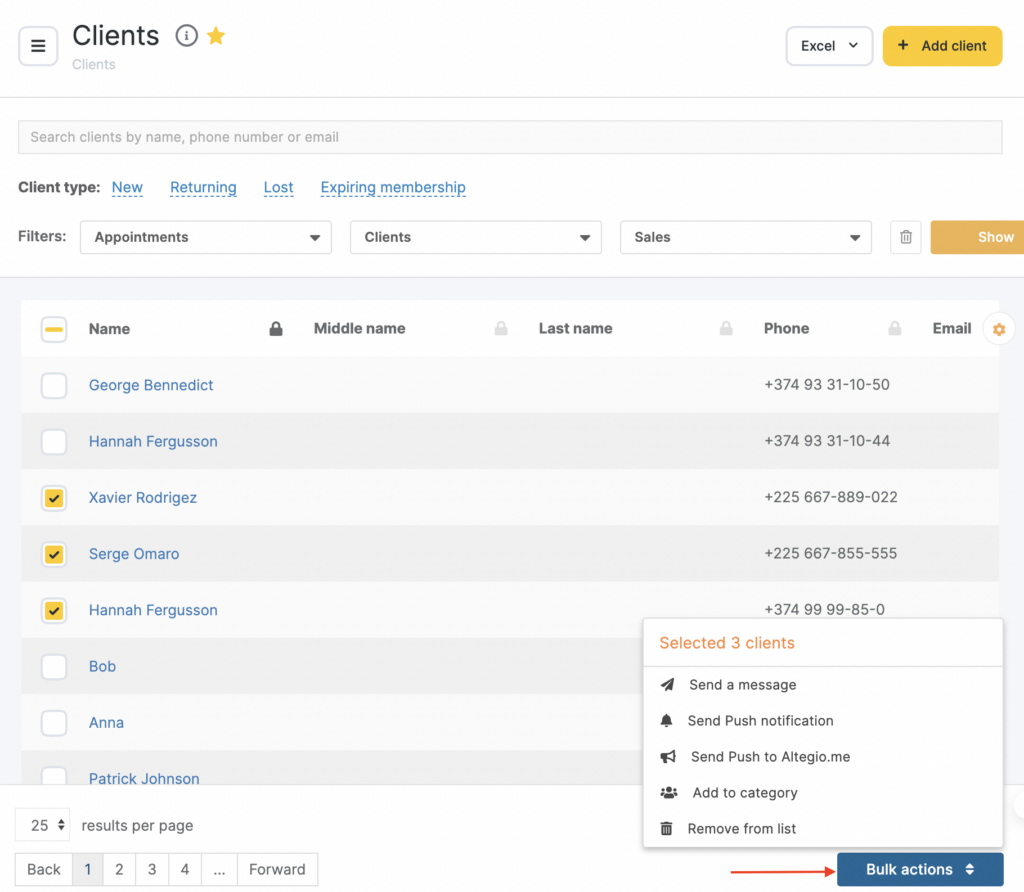
- In the menu that appears, select the option you need:
- Send a message. For an SMS campaign, enter the message text, check the box confirming you’ve reviewed the legal aspects of SMS campaigns, and click Send.
- Send PUSH notification. To send the notification, enter the text and click Send. Push notifications to mobile apps are sent only to clients who have installed the Altegio mobile app. The pop-up window will show their number.
- Send PUSH to Altegio.me (previously the app was called Aunio). Sending is the same as for Altegio mobile apps — enter the text and click Send. Push notifications in Altegio.me are sent only to clients who have installed the Altegio.me mobile app. The pop-up window will also show their number.
Important
Only one variable is available for this notification type — %CLIENT_NAME% — Client name.

