
Creating a new payment #
You can create a new transaction both in Administration and Digital Schedule modes.
Administration mode
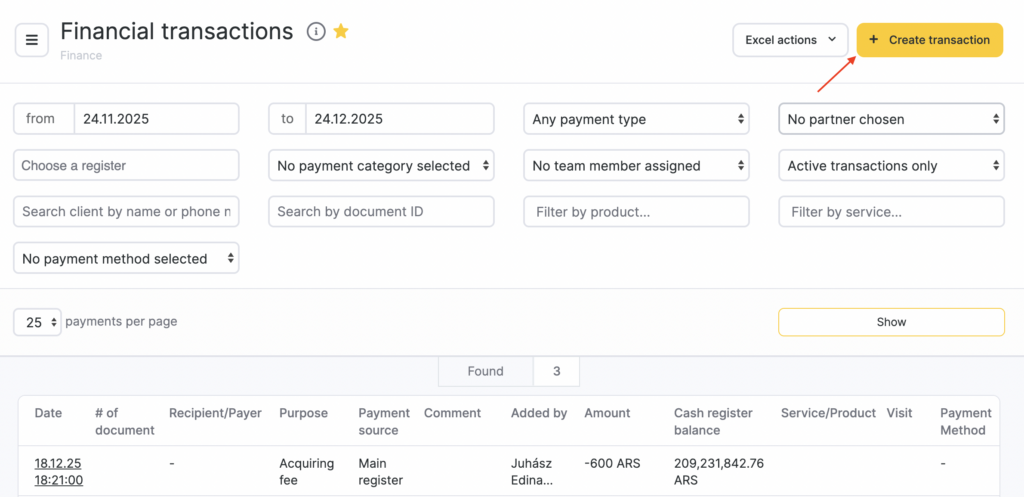
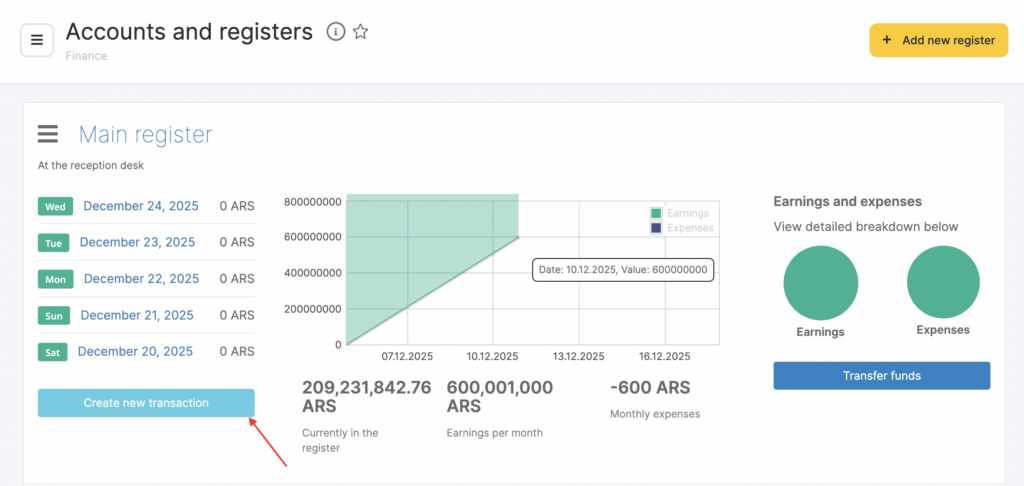
- Go to the Finance > Accounts and Registers and Finance > Financial Transactions sections. To create a new payment transaction click on the New transaction button.
Digital Schedule mode
Under calendar click the New payment button.
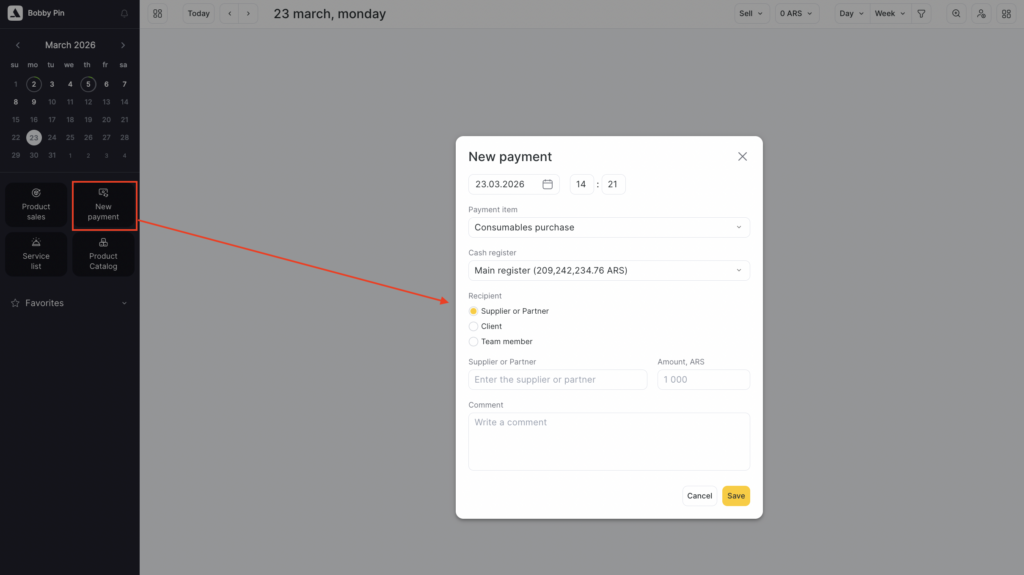
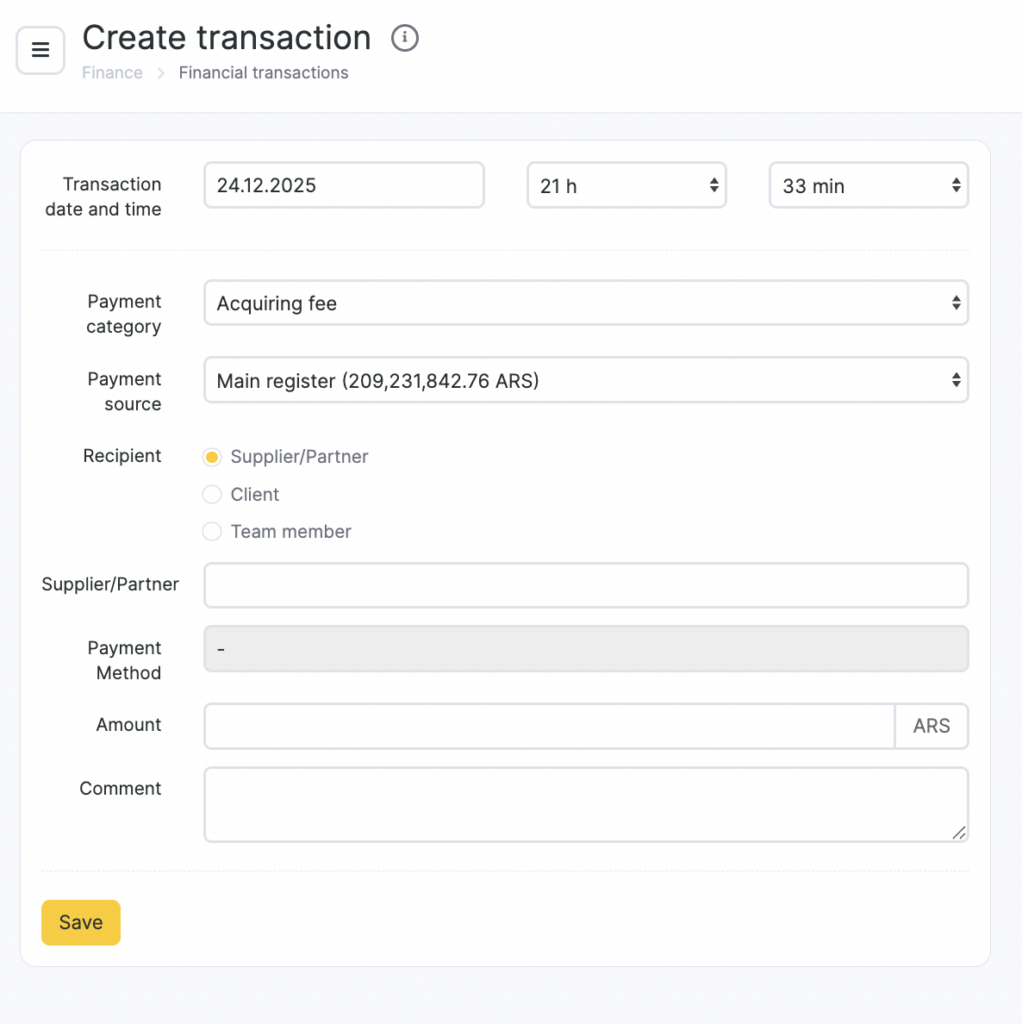
- Indicate the following details:
- date and time of the transaction;
- payment item, for instance, purchase of consumables;
- cash register where the funds are transferred from ot transferred to;
- recipient or payer: supplier, client or team member;
- select a supplier, client or team member from the drop down list (to select a supplier or a client start entering their name);
- amount to transfer;
- comment.
- Click the Save button.
Deleting a Payment
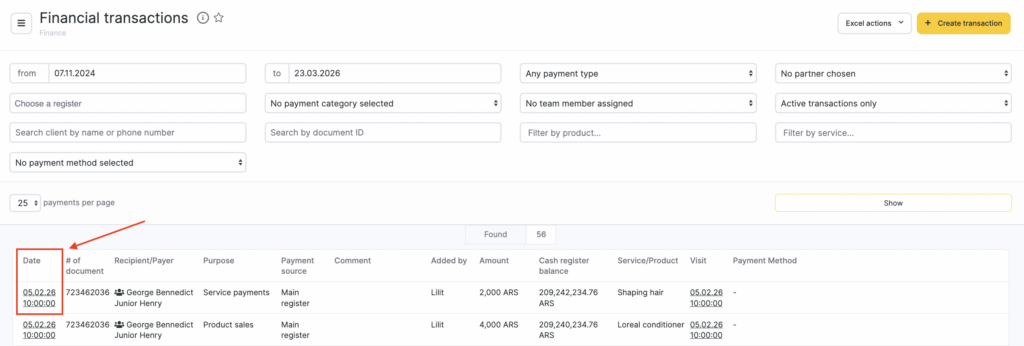
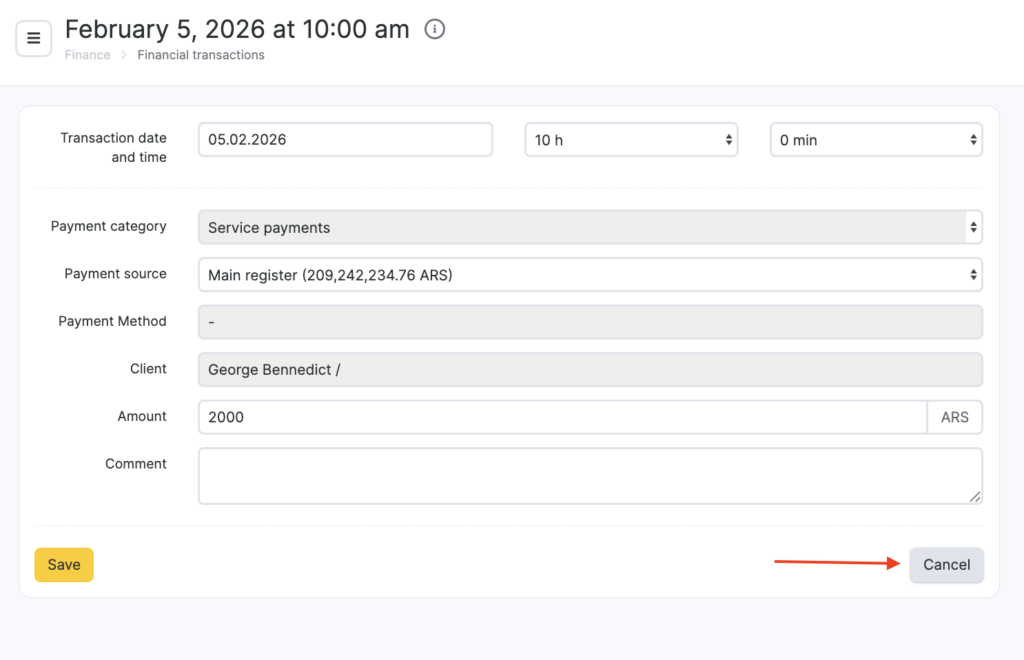
To delete a financial transaction, go to Finance > Financial transactions, open the required transaction by clicking its transaction date, then click Cancel. Confirm the deletion in the pop-up window.
Important
If you need to delete the Acquiring Fee item, please contact our technical support team. Only technical support staff can remove this item.
Read more about the acquiring fee in the article.
Read more about transaction cancellation and customer refunds in the article.

