
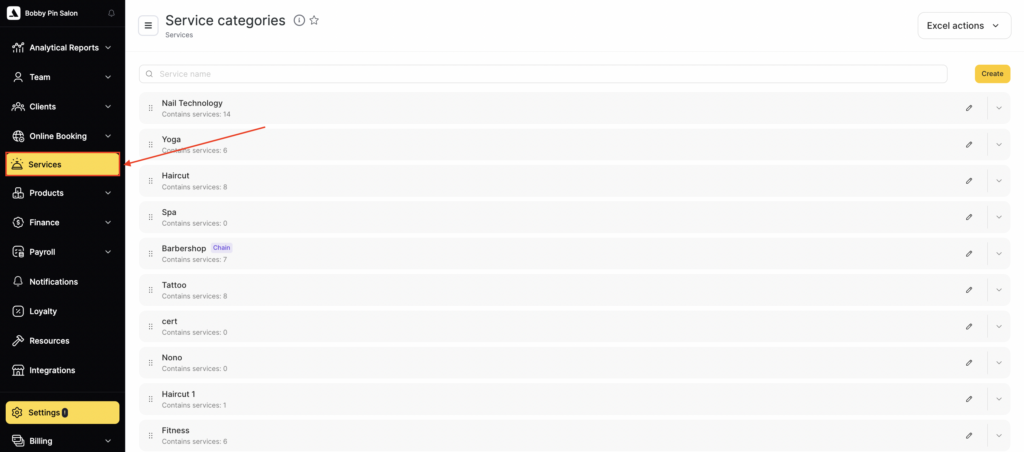
- Go to Services section (Administration mode).
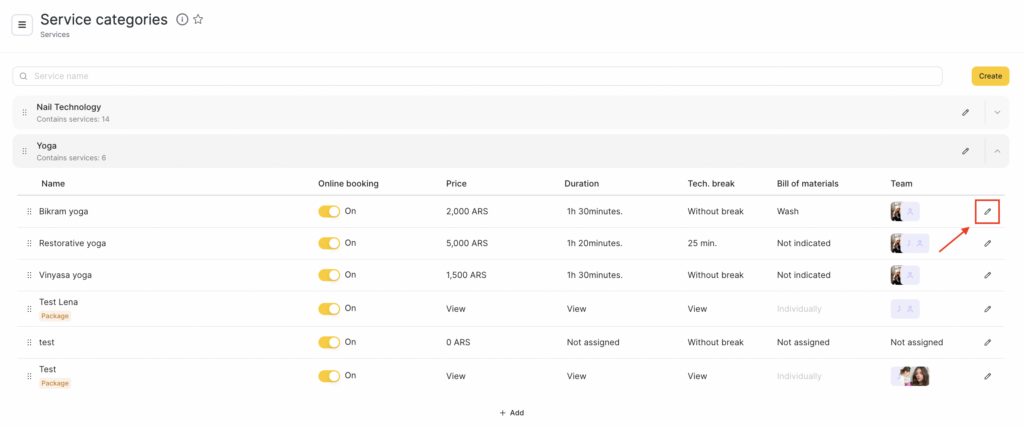
- Select a service category or a service and click the Edit button next to its name.
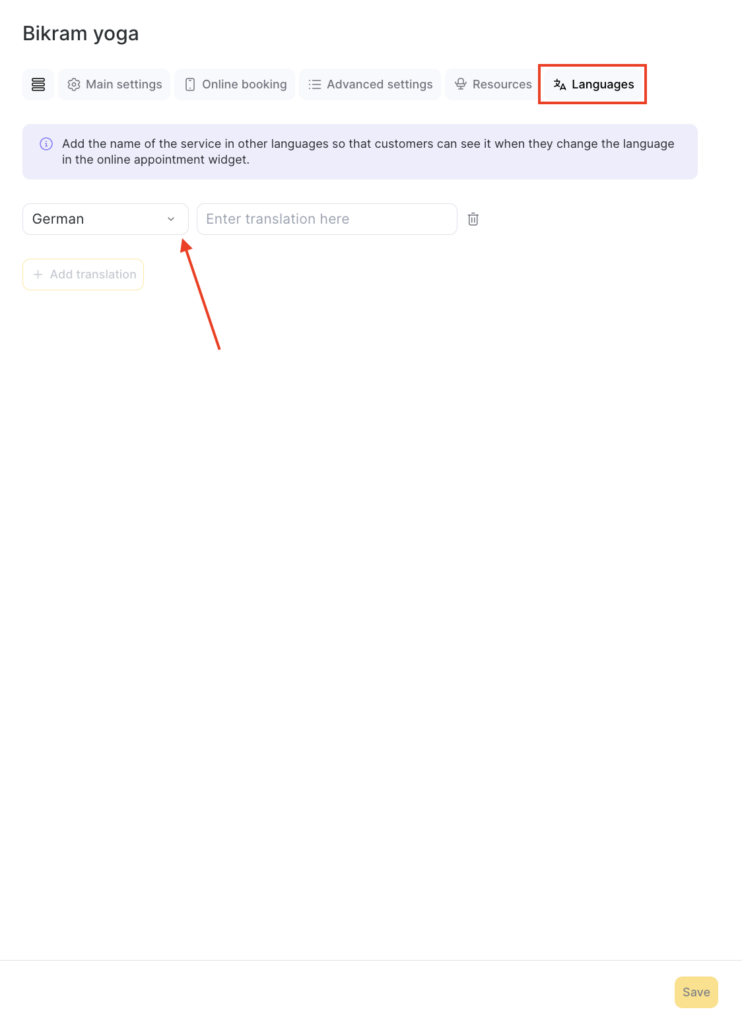
- Go to the Languages tab. To add a translation, click Add translation, select the required language from the drop-down list, and enter the category or service name in the corresponding language in the field opposite.
- To delete a translation, click the delete button with the trash bin icon next to it.
- Click Save to apply the settings.
If a client selects another language during online booking, they will see the translated category or service name.
Important
In Altegio, it is not possible to translate services and categories into other languages at the chain level. This means that you can add translations for services in a location. However, if you make them chain-wide services, ALL translations will be lost.

