
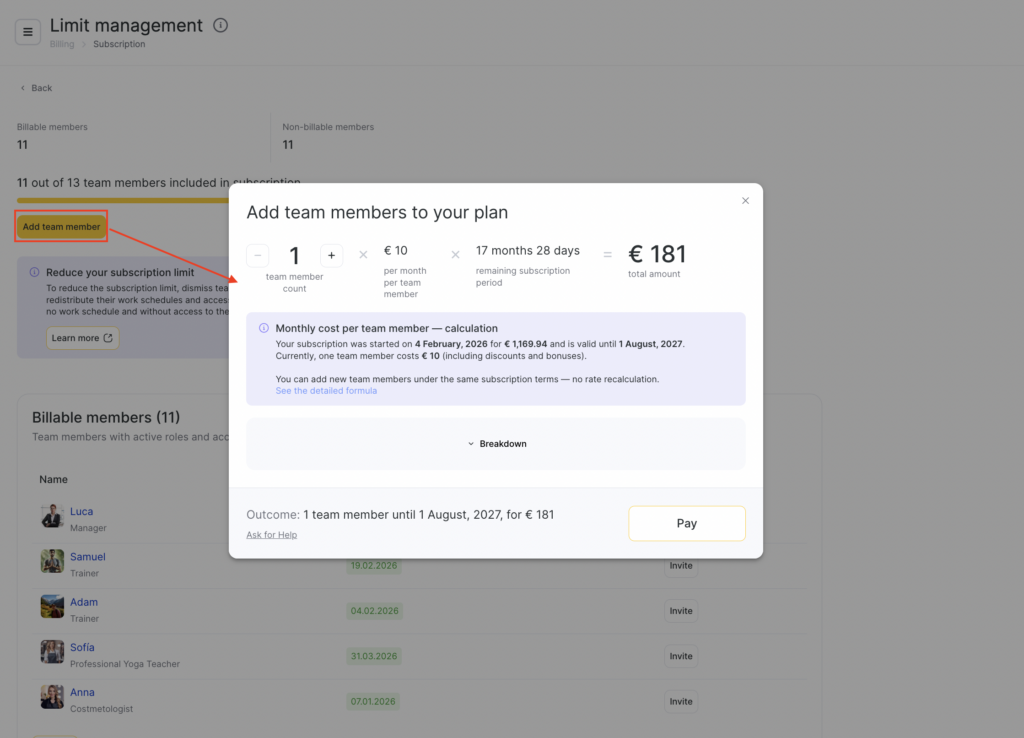
To upgrade your plan, within Limit management section click Add team member.
A modal window will open with options to purchase additional team members and extend the plan.
The second option to add additional team members is within Billing> Subscription section.
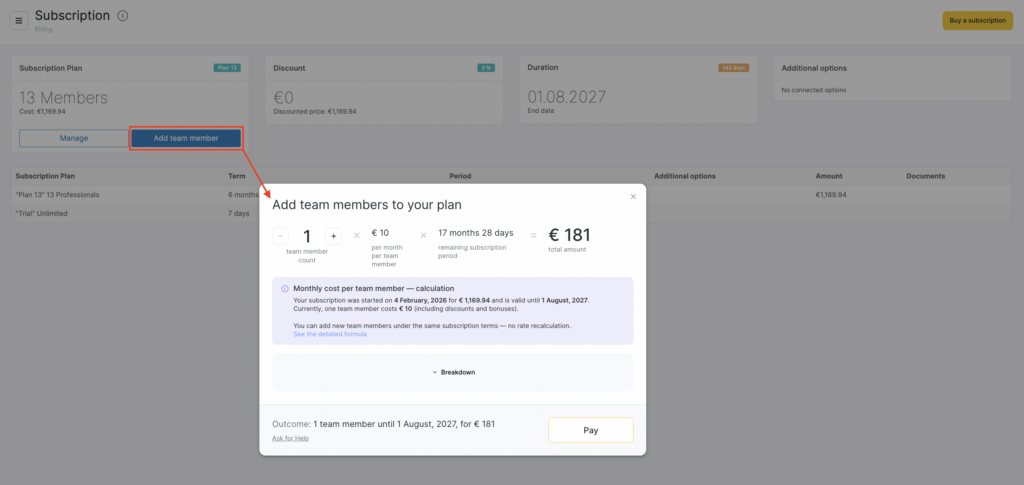
The price for an additional team member is automatically calculated based on the latest purchased subscription only — without taking into account any previous subscriptions or their bonus months.
Your subscription price is derived from the parameters of your most recent purchased subscription.
We use the actual paid cost, the number of team members included in that subscription, and the full subscription period (including bonus months).
You can add new team members under the same subscription terms — the rate is not recalculated.
The cost for an additional team member is calculated using the average daily price of one team member from your latest subscription.
Formula:
Price per day for 1 team member = Paid cost / (Number of team members × Number of days in the subscription period)
Paid cost = the real amount the client paid for the subscription (with all discounts included)
Subscription period = purchased months + bonus months
All discounts and bonus months that were part of the latest subscription are included automatically.
💡 Subscription freezes are not included in the calculation.
Each new team member is charged at the same effective rate that was used when purchasing the latest subscription.
You can add team members at any time.
The cost depends only on your current active subscription — it does not depend on your previous subscriptions or business location.
If you renew your subscription before it expires, the calculation will use the parameters of the new latest subscription.
All taxes and documents are handled the same way as for the main subscription.
If your previous currency or payment method is unavailable, the system will notify you before completing the purchase.

