
A personal domain helps you create a short, branded online booking link that looks professional and is easy for clients to remember. Instead of sharing a generic technical URL, you can show clients a clean address associated with your business.
This feature lets you build a booking link using Altegio-provided domains (for example, altegio.me), then assign it to one of your existing online booking links.
Where to find it #
Go to Online booking > Personal domain section.
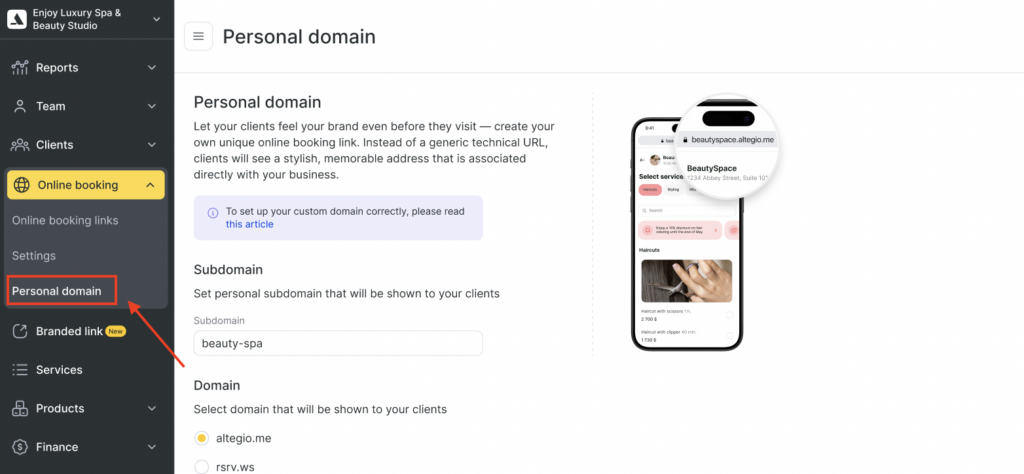
What you can set up on this page #
Subdomain #
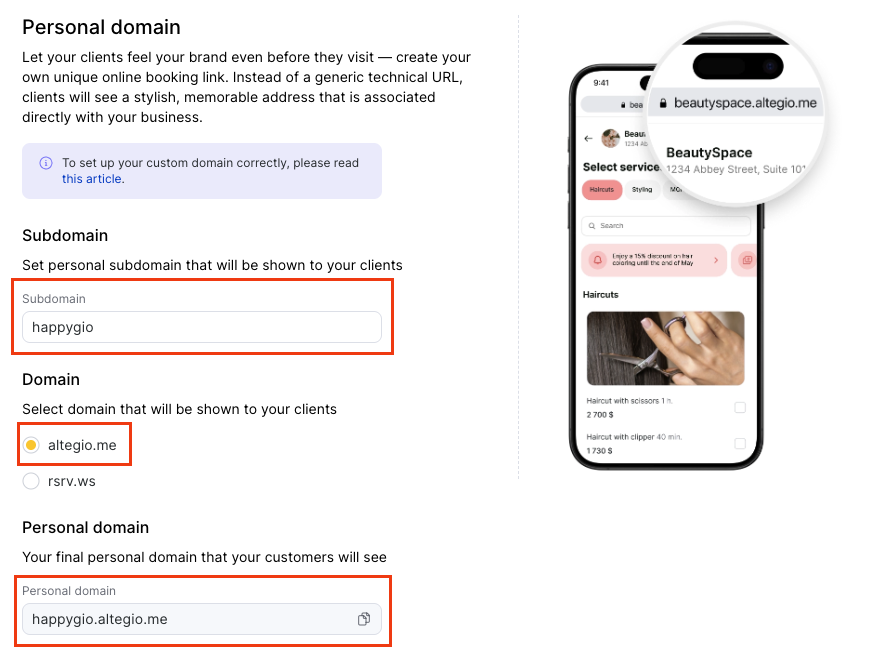
In the Subdomain field, enter the name you want clients to see.
Example:
If you enter beauty-spa, this becomes part of your final link.
Tips for a good subdomain
- Keep it short and readable.
- Use your brand name or niche (e.g.,
beautyspa,lush-studio,nails-by-anna). - Avoid special symbols and long phrases.
- Hyphens are usually the safest way to separate words.
Domain selection #
Under Domain, choose which base domain will be shown to your clients.
Available options on this screen:
- altegio.me
- rsrv.ws (reserve.web-site)
Your final booking address will be created using:
Subdomain + selected domain
Your final personal domain #
The Personal domain field shows the result your customers will see.
Example format:your-subdomain.altegio.me
This field works as a preview of your final link.
You can also copy it using the copy icon next to the field.
Assign the personal domain to a booking link #
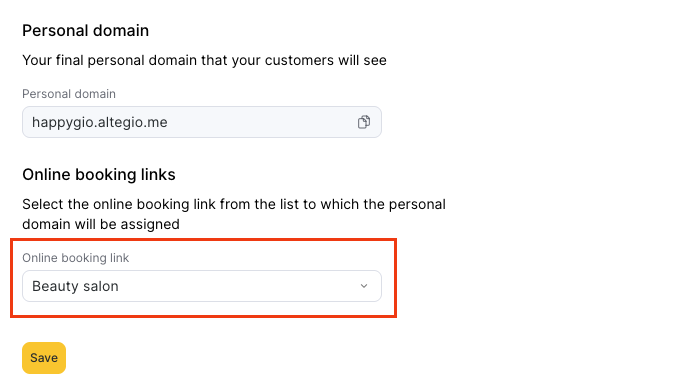
In Online booking links, select which booking link should use this personal domain.
Once selected, your personal domain will be assigned to that specific online booking link.
How to set up a personal domain #
- Open Online booking > Personal domain.
- Enter your desired Subdomain.
- Choose a Domain
- Check the generated result in Personal domain.
- In Online booking links, select the link you want to assign this domain to.
- Click Save.
What clients will experience #
After setup, clients will open your branded booking link, which leads to the selected online booking page. This helps you:
- Look more professional in ads and social media.
- Strengthen brand recognition.
- Share a cleaner, more trusted booking URL.

