With the integration of VivaWallet and Altegio, customers can now effortlessly make advance payments for online bookings, as well as purchase memberships and gift cards online. Receipts are issued immediately upon successful payment, enhancing customer convenience and significantly reducing no-shows.
Main Advantages of VivaWallet
- Discounted Acceptor Commission: Use your Viva Wallet Debit Mastercard for corporate spending and get your Acceptor Commission back.
- Free Corporate Current Account: Enjoy a current account with a local IBAN, corporate bank cards, and real-time transaction reports without time limits.
- Real-Time Settlement: Gain instant access to your online sales, allowing you to pay or transfer money to any bank account immediately.
- Multiple Payment Methods: Accept various payment methods including credit and debit cards, Diners, Discover, Apple Pay, Google Pay, PayPal, Klarna*, Alipay, JCB, WeChat Pay, and local payment methods. (*Where available)
- Local Languages and Currencies: Our payment sites support multiple currencies and languages, including English, German, French, Italian, Spanish, Polish, Romanian, Dutch, Greek, Portuguese, Bulgarian, Danish, Finnish, Czech, Swedish, Hungarian, and Croatian.
- Effective Reporting System: Make informed business decisions with our detailed and easy-to-understand reports.
- Pre-Authorization: Lock in desired amounts with pre-authorization, allowing actual payments to be made later.
- Customizable Branding: Personalize your checkout page to align with your brand’s look and feel.
Integration setup
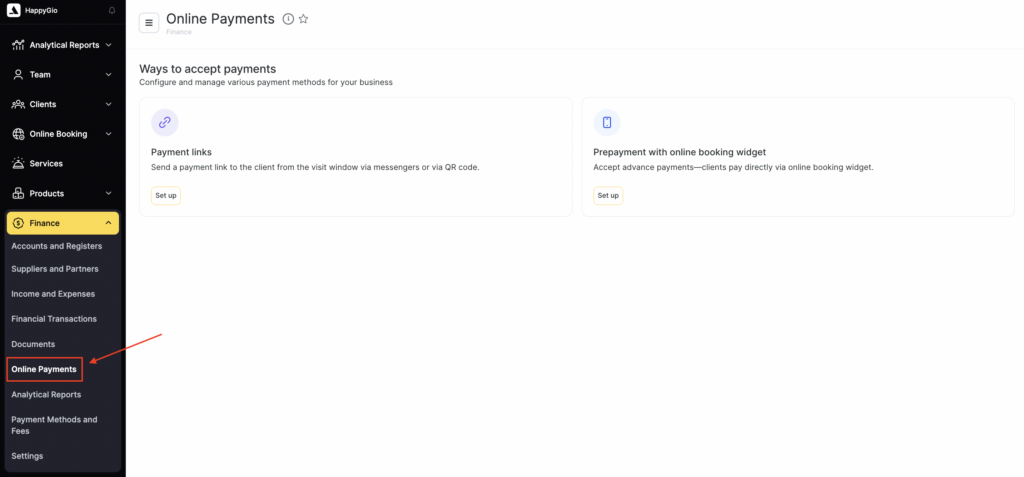
- Connect VivaWallet to your Altegio account. Go to your Altegio account. Navigate to the Administration mode Finance > Online payments submenu option.
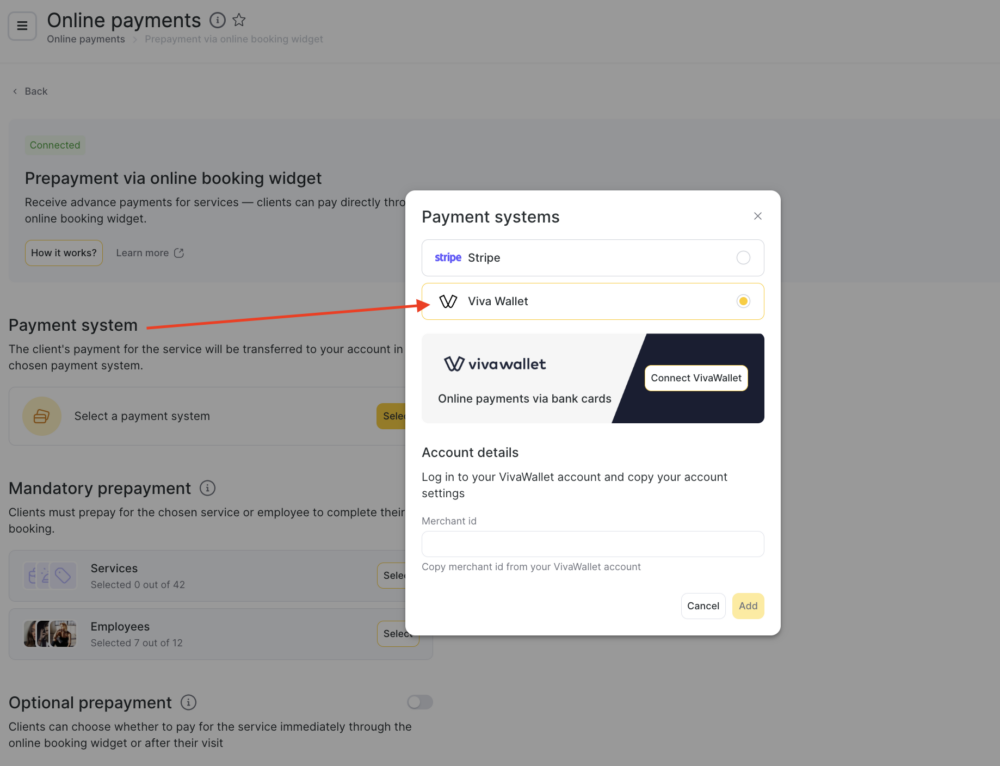
- In the Payment methods section, find and select VivaWallet.
- Click the “Connect VivaWallet” button to connect VivaWallet to your Altegio account.
- Configure your VivaWallet account.
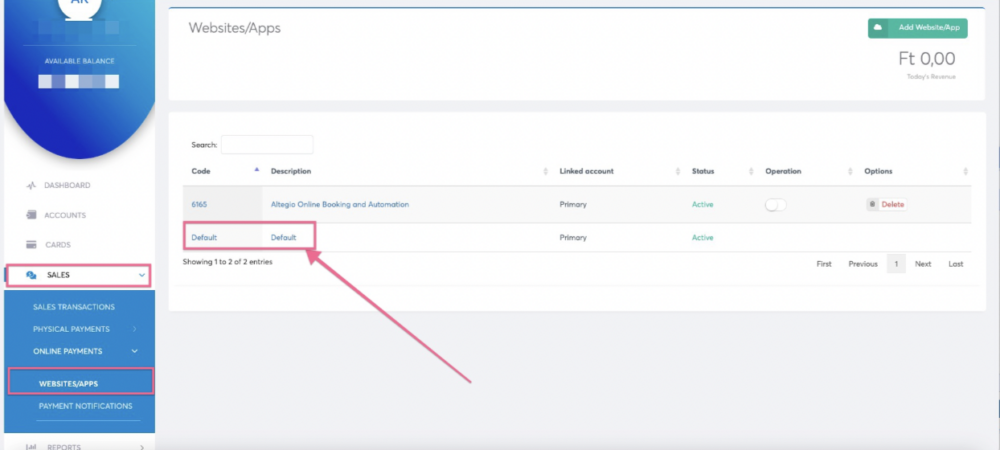
- Go to the “Sales” menu.
- Select “Online payments” and then “Websites & Applications.”
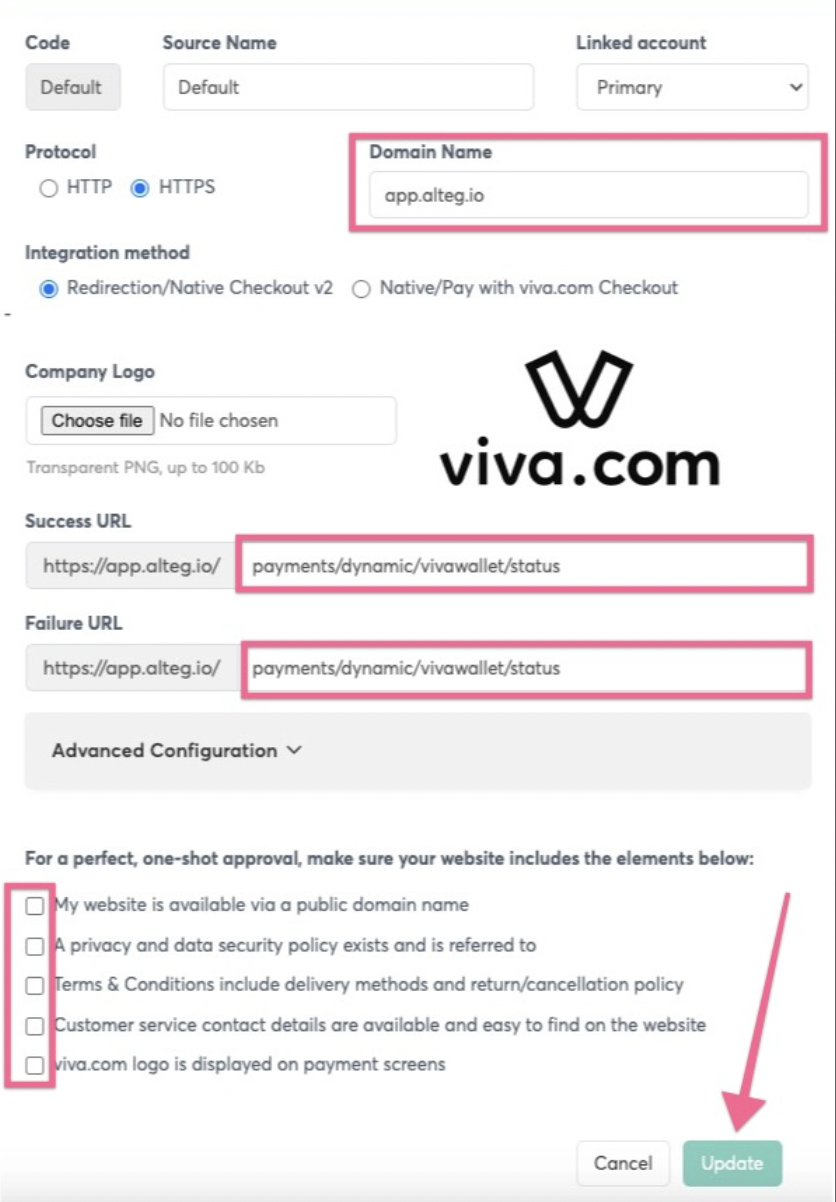
- Click on the “Default” button to proceed with the default settings.
- Fill in the required fields:
- Domain name:
apps.alteg.io - Successful URL:
payments/dynamic/vivawallet/status - Failed URL:
payments/dynamic/vivawallet/status
- Ensure all “checkboxes” are ticked. Click the “Update” button to save your settings.
- Get your Merchant ID
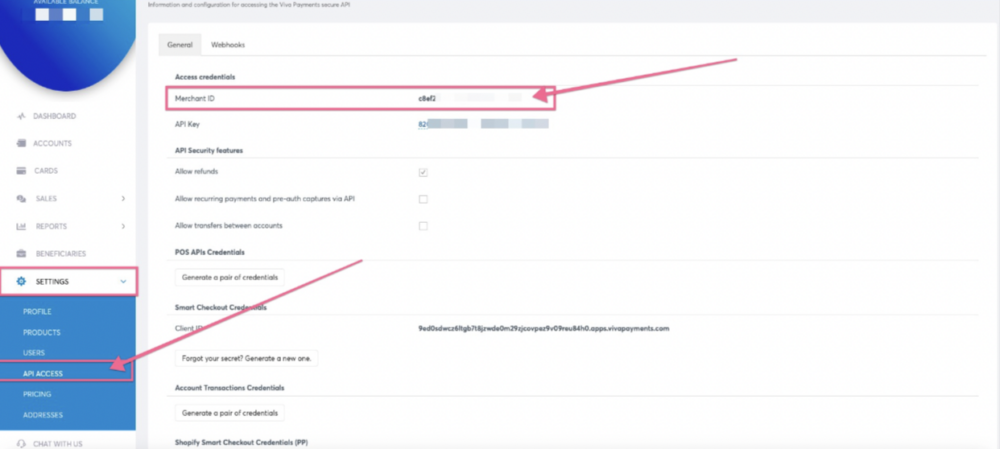
- Log in to your VivaWallet account and search for your VivaWallet Merchant ID.
- Write down your Merchant ID on a cutting sheet for easy reference.
- Complete your integration in Altegio
- Log back into your Altegio account.
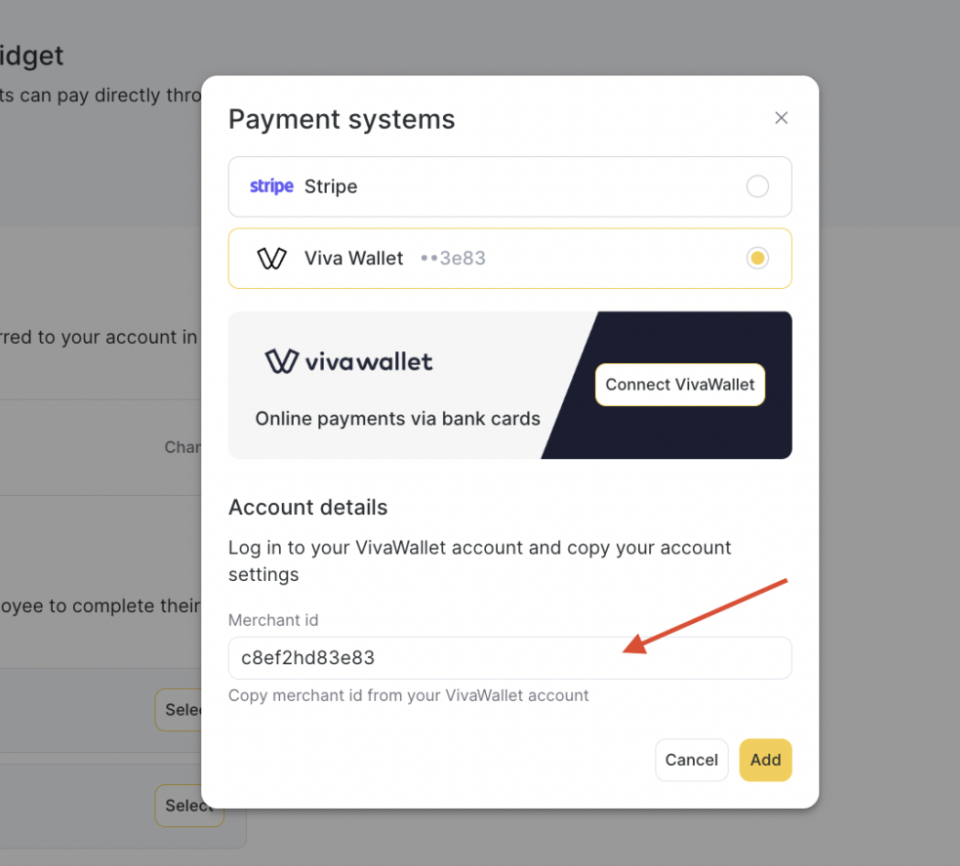
- Copy the Merchant ID you obtained from VivaWallet.
- Paste it into the “Viva Wallet merchant ID” field in your Altegio account.
- Press the “Save and Connect” button to complete the integration.