
You can upload a list of financial transactions using Excel. The following data is transferred to Altegio:
- Date
- Partner/supplier name
- Payment item name
- Cash desk name
- Comment
- Client phone number
- Amount
How to upload financial transactions from Excel #
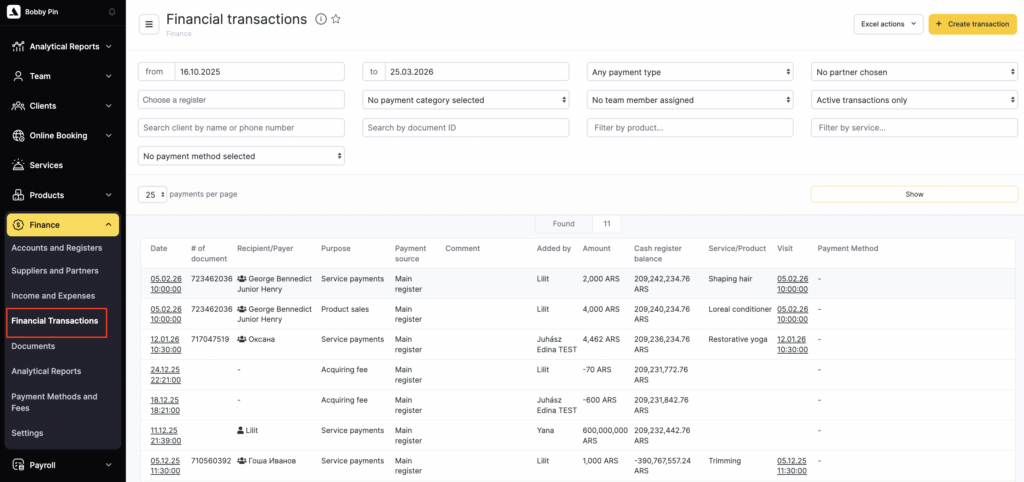
- Go to Administration mode Finance > Financial Transactions section.
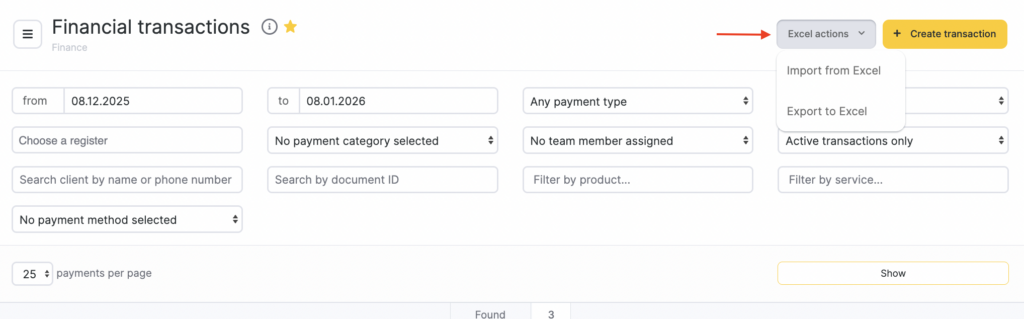
- In the top-right corner, click Excel actions > Import from Excel.
- Prepare an Excel table with the list of financial transactions. The table must include: date, cash desk ID, payment item ID, and payment amount.
You can download the Excel template for uploading financial transactions via the link.
Important
At the moment, financial transactions can only be uploaded using the payment item ID and the cash desk ID.
IDs of default payment items: #
- Purchase of materials — 1
- Purchase of goods — 2
- Staff payroll — 3
- Taxes and fees — 4
- Service delivery — 5
- Subscription sales — 6
- Product sales — 7
- Other income — 8
- Other expenses — 9
- Account top-up — 10
- Acquiring fee — 11
- Certificate sales — 12
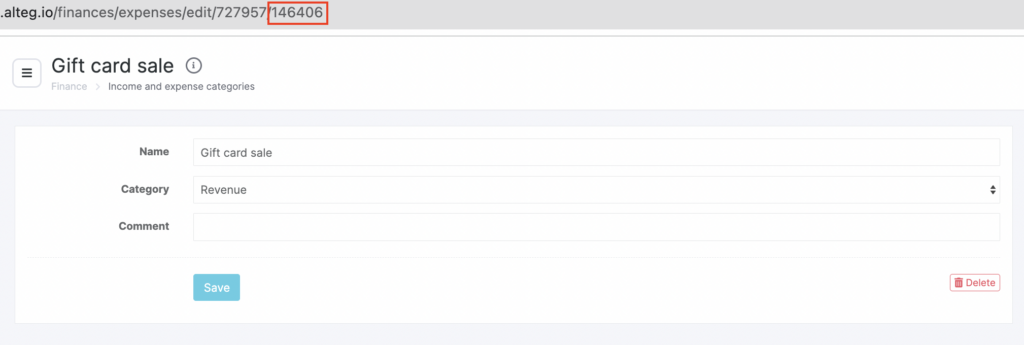
- You can find the IDs of payment items you created manually by clicking the pencil icon to the right of the payment item. The ID is the last number in the address bar.

- The cash desk ID is its unique number. To find it, go to Finance > Accounts and Registers, click the required cash desk name, and look at the address bar. The last number in the link is the cash desk ID.
The payment amount must be specified without digit grouping and without letters (it must be 1500, not 1 500 ₸).
If needed, you can additionally specify the counterparty name, ID, or tax ID, the client phone number, and a comment.
You can get the counterparty ID by exporting the list of counterparties in Finance > Suppliers and Partners. The name or tax ID must exactly match what is specified in the counterparty profile. You can use only one identifier for upload — you cannot put a name in one row and an ID in another.
The client phone number must be in the format 35712345678, without extra symbols.
The comment must not contain line breaks.
- Paste the data from the Excel table into the free field and click Upload.
You can upload no more than 500 rows at a time.
- Match the headers to the columns as shown in the screenshot.
- Click Save.

